Send Again
Close
Odoo Remember Resized List Column is an Odoo module that saves your custom column widths in tree and list views. Your layout stays intact every time you return.
Without this module, Odoo resets all column sizes to default whenever you exit. This forces users to manually resize columns again and again, wasting time on repetitive adjustments.
With it enabled, every resize you make is stored automatically. Your preferred layout is restored on your next visit without any extra steps.
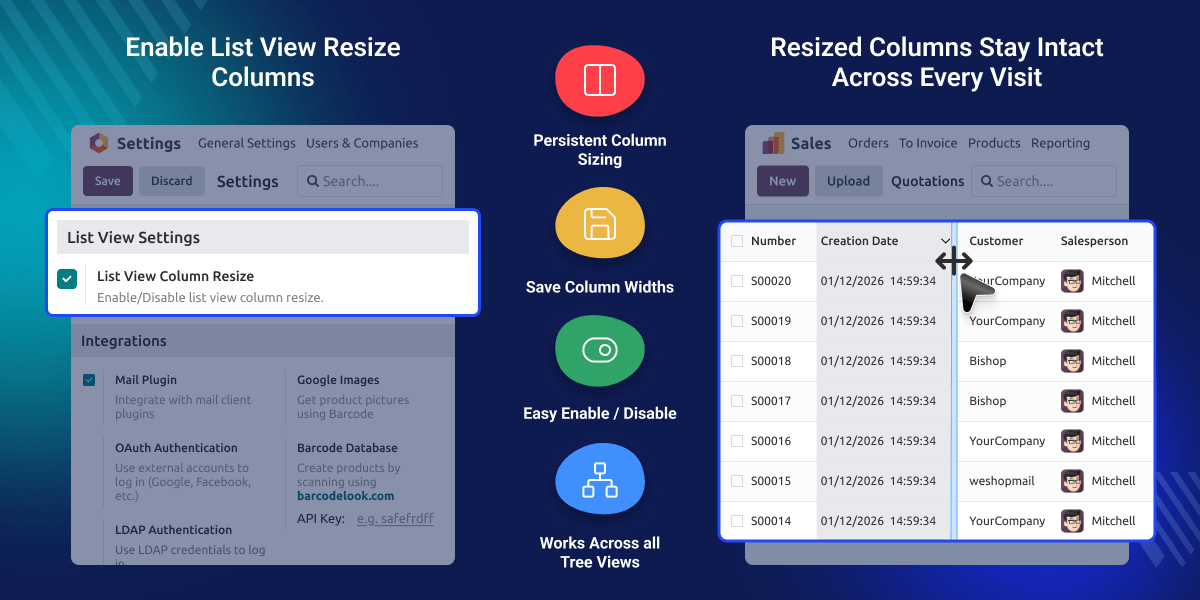
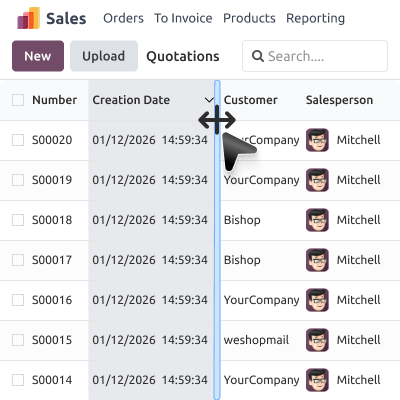
In day-to-day Odoo usage, users often resize columns to fit their workflow, making some columns wider to read full product names or narrower to fit more data on screen. But Odoo does not save these changes by default.
Odoo Remember Resized List Column solves this by storing each user's column preferences automatically. Your team saves time, reduces repetition, and works with a layout that actually fits their needs.
Saves and restores your column widths automatically on every visit, so you never have to adjust your layout again.
Enable or disable the List View Column Resize option directly from Odoo Settings in just one click, with no restart needed.
Each user's column widths are saved separately, so every team member keeps their own preferred layout without affecting others.
Applies to every list and tree view in Odoo, covering all modules and menus uniformly.
Enabling Odoo Remember Resized List Column takes just a few seconds. Head over to Odoo Settings, find the option, and toggle it on.

Once enabled, every column resize is saved instantly in the background. On your next visit, all columns are restored to exactly the size you last set.
For any query or issue, please create a support ticket here CREATE A TICKET HERE
You may also check our other top-quality Odoo Modules.
Nice feature to add to Odoo
Great app, and great support!
But for optimal performance, use Google Chrome as browser.
Detailed technical features and requirements to help you understand the module’s capabilities and ensure smooth integration with your system.
Detailed technical features and requirements to help you understand the module’s capabilities and ensure smooth integration with your system.
We’re partnered with top-tier, trusted providers!
Want to know more how exactly we are going to power up your eCommerce Website with Cloud to fasten up your store
* Server Configuration may vary as per application requirements.



