Send Again
Close
Odoo SAP B1 Connector streamlines data exchange between Odoo and SAP Business One. It helps keep data same across both ERP systems.
Updating the same information in two systems takes time and increases the chance of errors. With this connector, you can exchange business data easily and reduce manual effort.
Sync product details such as item codes, barcodes, prices, warehouse stock, and inventory information. Date filters let you import only new or updated products from SAP.
Exchange customers and Business Partners along with their billing and delivery addresses. This keeps customer records organized and up to date in both systems.
Send sales orders from Odoo to SAP Business One with product details, quantities, prices, taxes, and discounts. SAP order reference is saved in Odoo, making it easy to track synchronized orders.
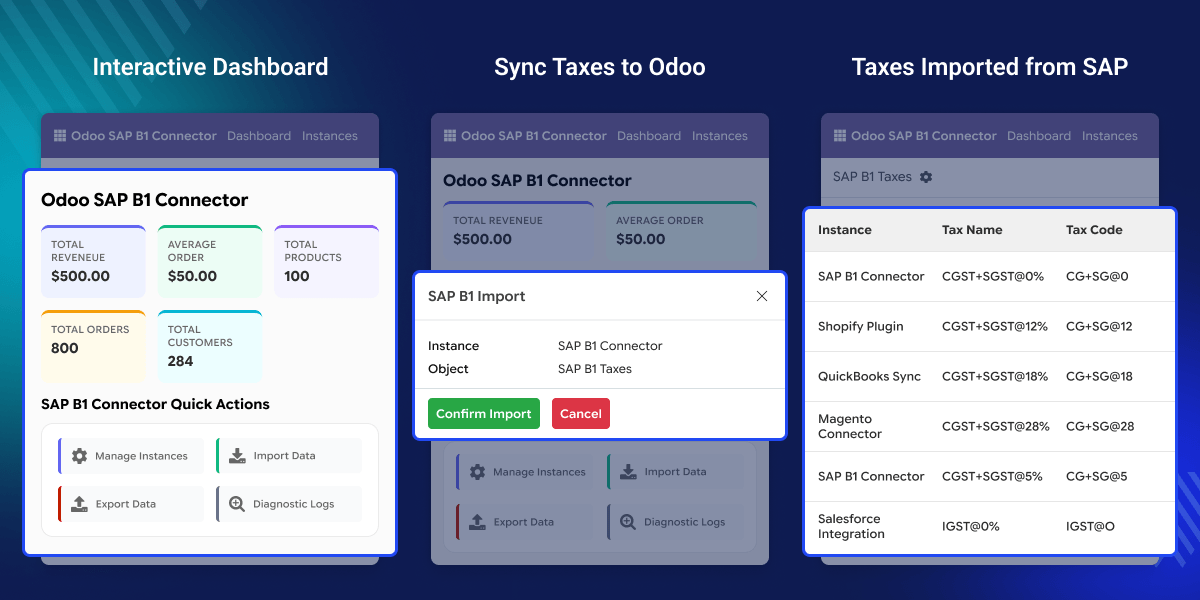
Sync product details between Odoo and SAP and auto sync new products to SAP as soon as they are created in Odoo.
Send customers, vendors, and their billing and delivery addresses while keeping records linked across both systems.
Send sales orders from Odoo to SAP Business One with products, quantities, prices, taxes, and discounts with crons
Match existing products and customers before sync to reduce duplicate records and improve data accuracy.
Map product, customer, and sales order fields between SAP and Odoo as per your business needs using Odoo SAP B1 Connector
View sync history, SAP references, processing status, and operation summaries to monitor every data exchange.
Many businesses use Odoo and SAP Business One together to manage different parts of their operations. Keeping products, customers, and orders updated in both systems can take time and often leads to duplicate work.
Without Odoo SAP integration, users must enter the same information in each ERP system. This increases the chance of missing updates, incorrect data, and reporting issues.
Odoo SAP B1 Connector helps sync business data between Odoo and SAP from a single workflow. It reduces manual effort and helps teams work with the latest information.
This connector also provides mapping tools, sync controls, and detailed logs, making it easier to manage data exchange as your business grows.
Send products between Odoo and SAP Business One. Keep item details, prices, and stock information up to date in SAP
Sync customers, Business Partners, and their addresses between both systems without entering the same data again.
Send sales orders from Odoo to SAP B1. Save the SAP order reference in Odoo for easy tracking.
Map products, customers, taxes, warehouses, pricelists and taxes before starting data sync.
Check sync logs, SAP references, and timestamps to review completed and failed sync jobs with Odoo SAP B1 Connector
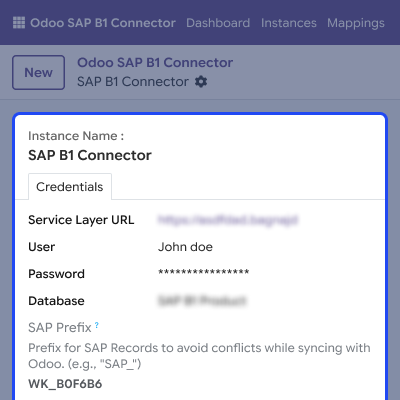
Connect Odoo with SAP Business One through the SAP Service Layer. Set up the connection, test it anytime, and manage SAP sessions from one screen.
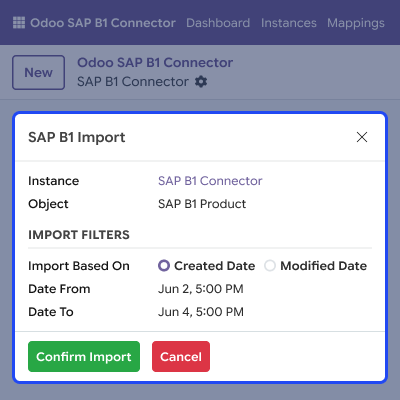
Keep product data the same in Odoo and SAP. Sync products in both directions while matching existing records to avoid duplicate products.
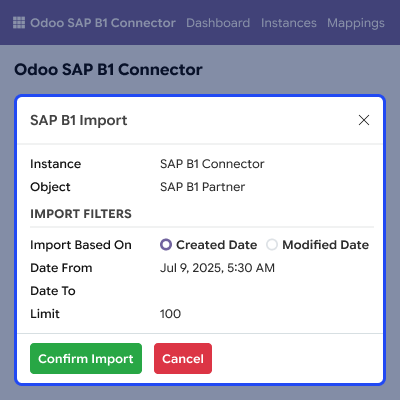
Keep customer records updated across both systems. Sync customers, Business Partners, and addresses while matching existing records during the process.
Send sales orders from Odoo to SAP Business One with complete order details. Save the SAP order number in Odoo to track synced orders later.
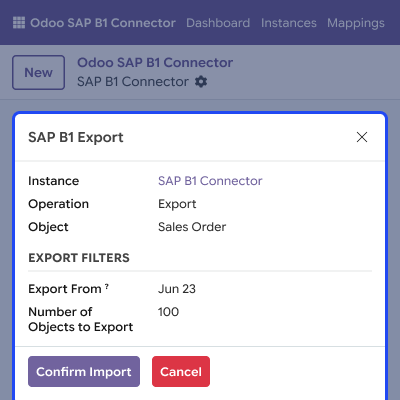
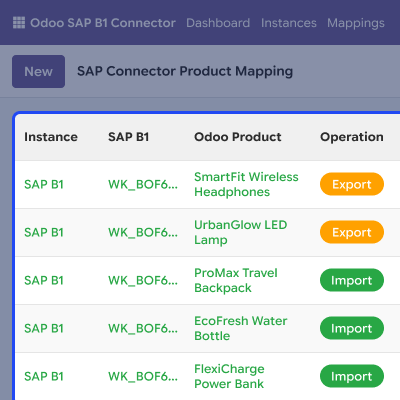
Keep Odoo and SAP Business One records linked with mapping records. This helps avoid duplicate syncs and keeps related data connected.
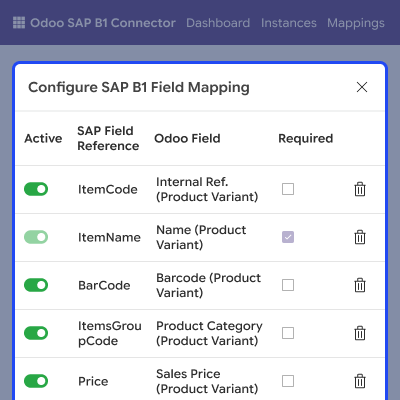
Map fields between Odoo and SAP B1 to match your business process. Configure values without changing the module code.
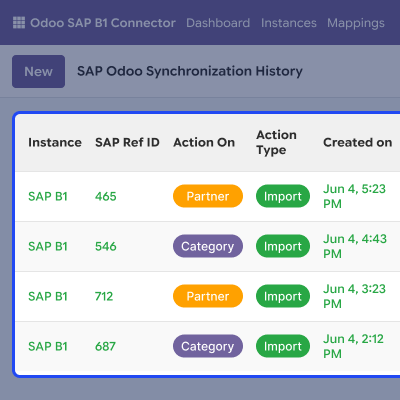
Track every sync from one place with logs, timestamps, and status updates. Review completed jobs and control large syncs with flexible processing limits.
For any query or issue, please create a support ticket here CREATE A TICKET HERE
You may also check our other top-quality Odoo Modules.
Detailed technical features and requirements to help you understand the module’s capabilities and ensure smooth integration with your system.
Detailed technical features and requirements to help you understand the module’s capabilities and ensure smooth integration with your system.
We’re partnered with top-tier, trusted providers!
Want to know more how exactly we are going to power up your eCommerce Website with Cloud to fasten up your store
* Server Configuration may vary as per application requirements.



