Send Again
Close
Odoo ShippyPro Shipping Integration helps businesses run all shipping tasks from one place. It links to many shipping carriers and makes daily shipping work much easier.
Users can compare live shipping rates before picking a carrier. This helps businesses pick the best shipping option for every order.
Users can create shipments right from delivery orders. No need to jump between other shipping tools. All shipping details are saved inside the delivery records.
Shipping labels are generated automatically after a shipment is made. Labels can be saved in the right file type and stay linked to the shipment record.
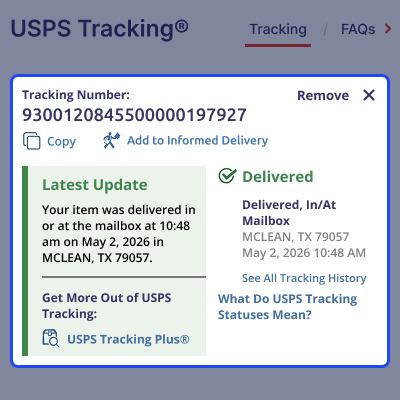
This module also gives live shipment tracking. Users can see shipment status, delivery progress, tracking history, and expected delivery dates at any time.
Return shipments are part of the built-in flow. Users can create return shipments, generate return labels, and track return deliveries with ease.
Businesses that ship to other countries can also handle customs details, insurance options, and cash-on-delivery settings.
By doing shipping tasks on its own, businesses save time, make fewer mistakes, and give better delivery updates to customers.
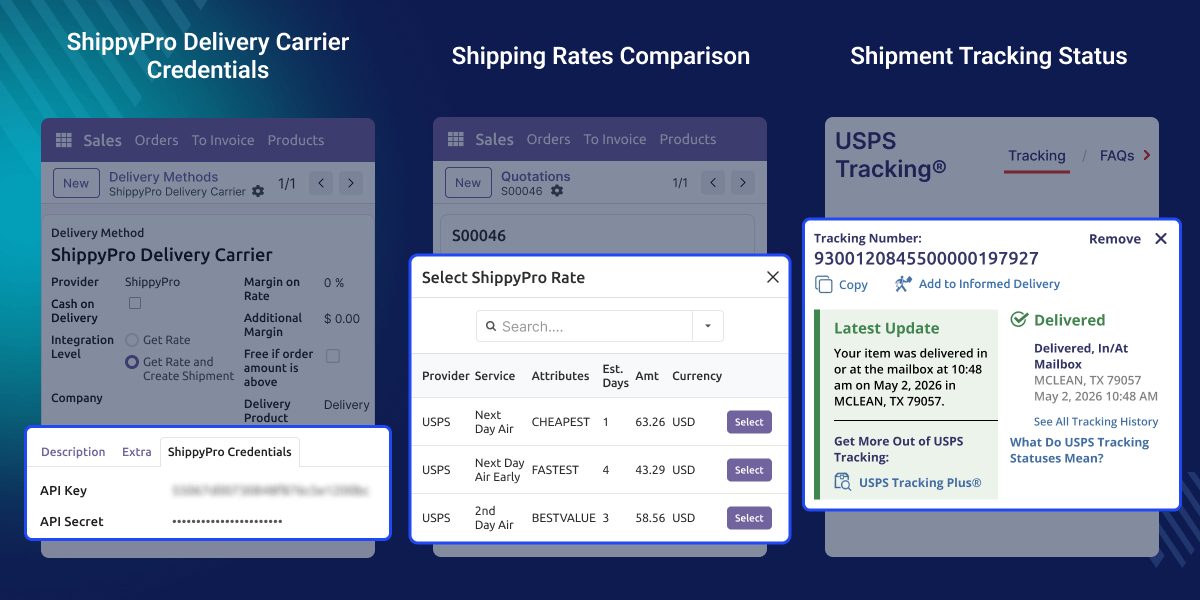
Compare live shipping rates, services, and delivery times across multiple carriers.
Generate and attach shipping labels automatically after shipment creation.
Track shipment status, delivery updates, and shipment history in real time.
Create return shipments and generate return labels from delivery records.
Cancel created shipments directly from delivery operations when required.
Manage multiple shipping carriers through a single shipping platform.
Managing shipments across many carrier websites takes a lot of time and causes extra manual work. Users often have to switch between different tools just to compare rates, create shipments, generate labels, and track deliveries.
The default shipping flow in Odoo may not provide a central place for carrier access, shipment tracking, return handling, and shipping automation.
ShippyPro Shipping Integration fixes these problems by putting all shipping tasks into one flow. Businesses can manage rates, shipments, labels, returns, and tracking from a single place.
Built for real shipping work, this module helps businesses save time and ship with more accuracy.
Businesses that work with many carriers can manage all shipping tasks from one easy-to-use interface.
Compare carrier rates side by side and pick the cheapest and fastest option for each order.
Handle shipments to other countries and manage all customs details in a single, streamlined process.
Create return shipments and make return labels fast without any extra manual steps or tools.
Give shipping teams live shipment status and tracking updates at any time they need them.
Cut down manual work by doing shipment creation, label generation, and tracking updates on their own.
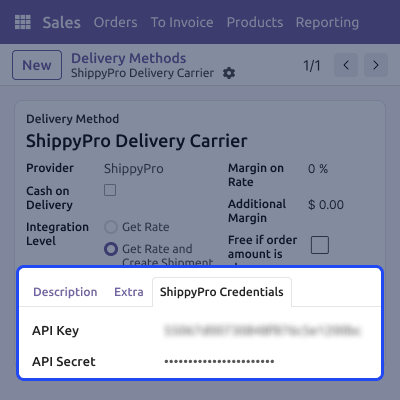
This feature helps users connect ShippyPro to their shipping flow. It lets businesses manage carrier settings and shipping options from one central place.
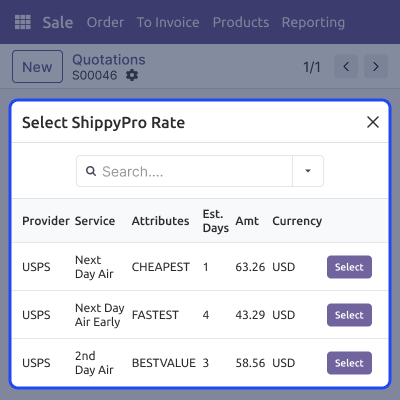
This feature helps users compare live shipping rates from many carriers before making a shipment. It makes picking a carrier easy by showing all costs and delivery estimates in one place.
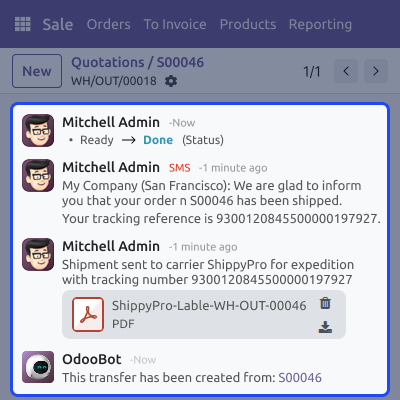
This feature helps users create shipments and generate shipping labels right from delivery orders. It cuts manual work by doing shipment processing and label generation on its own.
This feature helps users follow shipment progress using live carrier updates. It gives full visibility from the time a shipment leaves until it reaches the customer.
For any query or issue, please create a support ticket here CREATE A TICKET HERE
You may also check our other top-quality Odoo Modules.
Detailed technical features and requirements to help you understand the module’s capabilities and ensure smooth integration with your system.
Detailed technical features and requirements to help you understand the module’s capabilities and ensure smooth integration with your system.
We’re partnered with top-tier, trusted providers!
Want to know more how exactly we are going to power up your eCommerce Website with Cloud to fasten up your store
* Server Configuration may vary as per application requirements.



