Send Again
Close
Odoo Smartposti Shipping Integration helps businesses send packages using Smartposti in Odoo. It uses fixed shipping rates and helps with shipments, labels, tracking, and returns in one easy place.
Users can pick Smartposti as a shipping method, create shipments from delivery orders, and print shipping labels. All shipment and tracking details stay saved in the delivery order.
The module also helps with returns. Users can create return deliveries and print return labels easily.
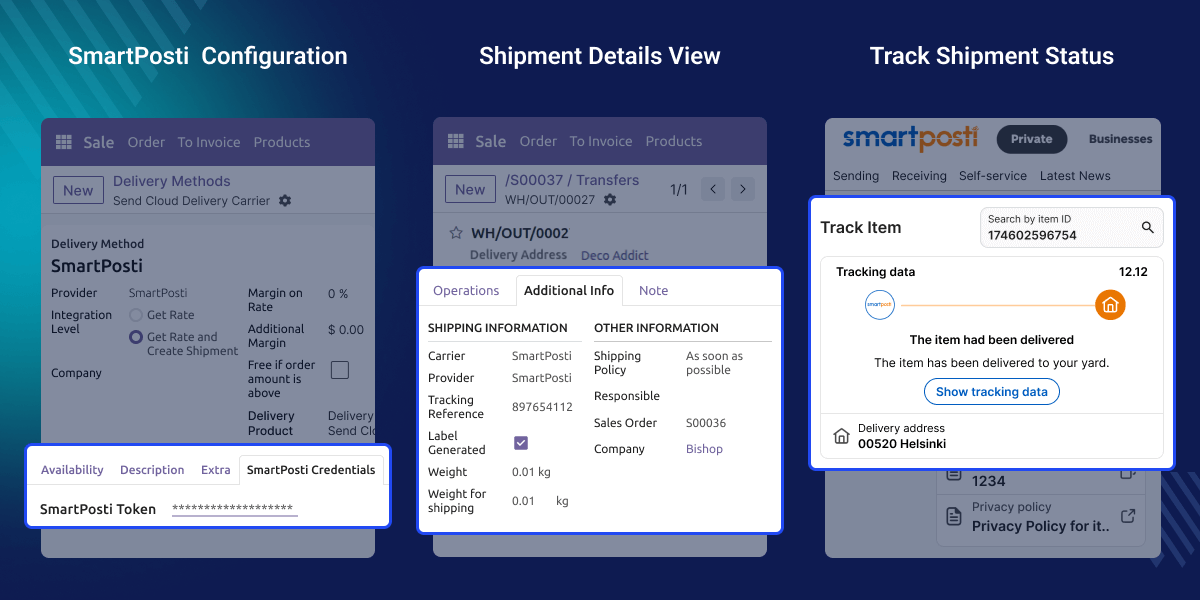
Doing Smartposti shipping by hand is hard and can make mistakes. Businesses need an easy way to do Smartposti shipping in Odoo.
Odoo Smartposti Shipping Integration helps admins use fixed rates, create shipments, and print labels in one place. This saves time and makes shipping work simple.
For example, a store gets orders in Odoo every day. The admin picks Smartposti, uses the fixed rate, and confirms the order. The shipment and label are made, and tracking and returns are easy.
The Odoo Smartposti Shipping Integration works in conjunction with the following module:
You need to install the module mentioned above to use Odoo Smartposti Shipping Integration.
Use one fixed Smartposti shipping rate.
Create Smartposti shipments directly from Odoo delivery orders in a few easy steps.
Smartposti shipping and return labels are generated automatically and can be downloaded from Odoo.
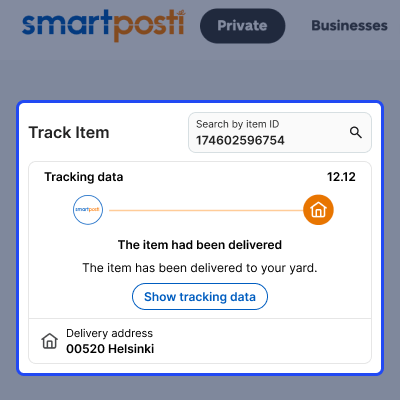
Track Smartposti shipments directly from Odoo using the tracking button, which opens the Smartposti tracking portal.
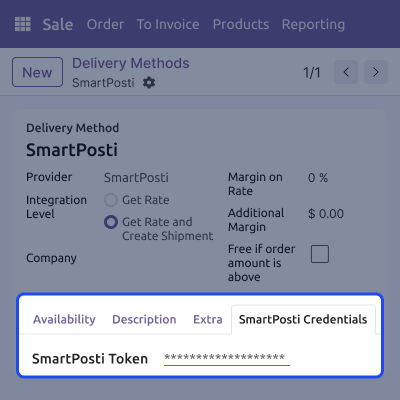
Use Smartposti as a delivery method in Odoo. All shipping settings stay in one place.
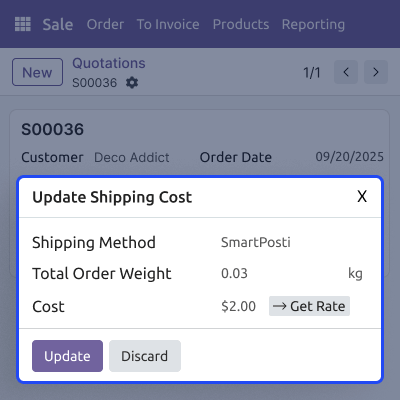
Use one fixed Smartposti shipping rate on the sales order. No hard math is needed.
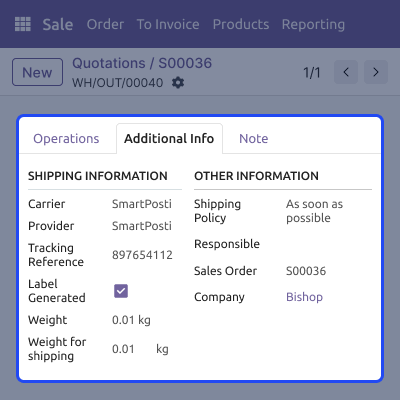
Create shipments and labels easily from the delivery order.
Track shipments and handle returns easily in Odoo.
For any query or issue, please create a support ticket here CREATE A TICKET HERE
You may also check our other top-quality Odoo Modules.
Detailed technical features and requirements to help you understand the module’s capabilities and ensure smooth integration with your system.
Detailed technical features and requirements to help you understand the module’s capabilities and ensure smooth integration with your system.
We’re partnered with top-tier, trusted providers!
Want to know more how exactly we are going to power up your eCommerce Website with Cloud to fasten up your store
* Server Configuration may vary as per application requirements.



