Send Again
Close
Odoo Taqnyat SMS Gateway is used to send SMS directly from Odoo simply. It helps you stay connected with your customers through one system.
You can send single or bulk SMS to customers, vendors, and partners. The module also allows automatic SMS alerts for order confirmation, shipping updates, and important messages.
You can send personal SMS messages to each customer. It also helps you send promotional SMS for sales, discounts, new products, and special occasions. It makes communication easy and effective.
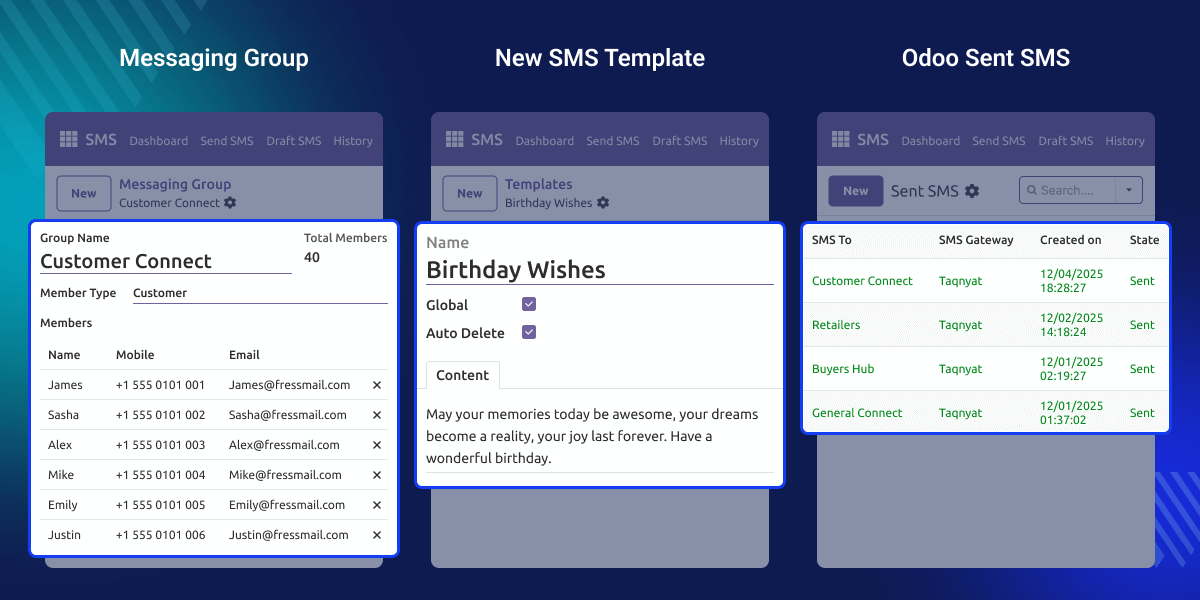
Businesses need a fast and reliable way to talk to customers. Odoo Taqnyat SMS Gateway makes this easy to use.
The module is easy to set up and works well for sending a large number of SMS. It is suitable for growing businesses and continues to perform smoothly as message volume increases.
Real-life example of using this module
For example, an online store using Odoo can send messages automatically. These messages tell customers when an order is placed, shipped, or delivered.
During sales, the store can also send the same message to many customers at once to share offers and discounts.
Before using Odoo Taqnyat SMS Gateway, you need to install one more module. This required module is called Odoo SMS Notification After installing it, you can use this SMS module without any problem.
Create and manage multiple SMS groups to send messages to specific customers, partners, or selected user segments.
Prepare and save multiple SMS templates in advance for faster, consistent, and error-free communication
Control SMS access for individual users to maintain proper control and permission access.
Trigger SMS templates automatically based on defined conditions such as order status or system events.
Send SMS messages automatically without manual effort to ensure timely and reliable notifications.
Track and view the delivery status of all sent SMS messages directly from Odoo.
After setup, Odoo Taqnyat SMS lets you send text messages directly from Odoo. It is easy to use and helps you reach customers quickly.
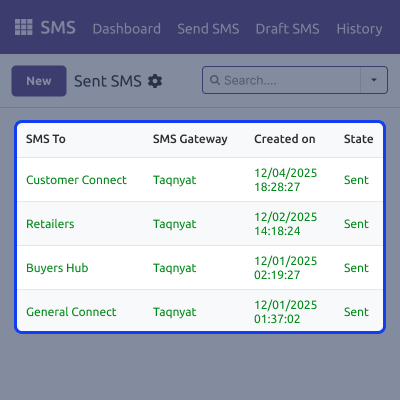
You can create SMS groups to keep contacts together and send messages easily. It saves time when you need to message many people.
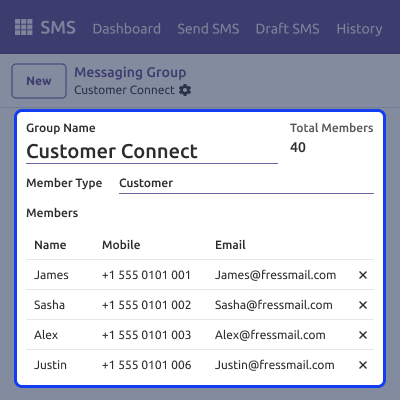
You can write SMS messages once and save them to use again later. It helps keep your messages consistent.
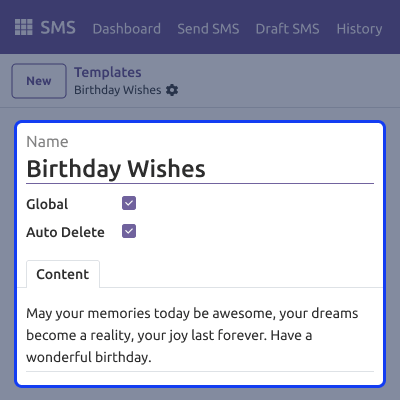
Odoo keeps a record of all sent SMS messages. You can open each message to see its status.
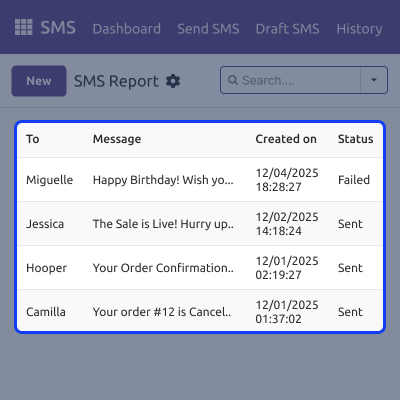
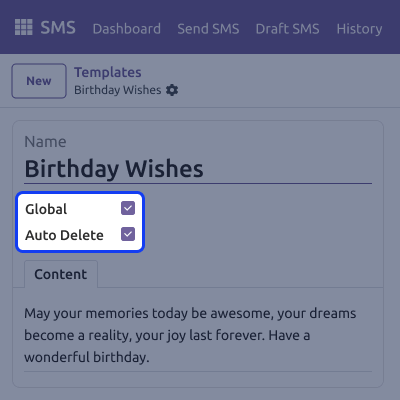
You can enable the auto-delete feature to manage SMS data efficiently in Odoo. It helps reduce stored records and maintain a clean system.
For any query or issue, please create a support ticket here CREATE A TICKET HERE
You may also check our other top-quality Odoo Modules.
Detailed technical features and requirements to help you understand the module’s capabilities and ensure smooth integration with your system.
Detailed technical features and requirements to help you understand the module’s capabilities and ensure smooth integration with your system.
We’re partnered with top-tier, trusted providers!
Want to know more how exactly we are going to power up your eCommerce Website with Cloud to fasten up your store
* Server Configuration may vary as per application requirements.



