Send Again
Close
Odoo Virtual Try-On adds Augmented Reality (AR) to your site. Shoppers can try on items first. This works for sunglasses, necklaces, earrings, masks, and nose rings. It also works for other wearable items. It uses the camera on their device. It uses real 3D GLB models too. This makes shopping fun.
Shoppers tap the 3D Try-On button. They find it on the product page. Then they allow camera access. This module spots key face points on its own. It places the item in the right spot. This gives a real Virtual Try-On look.
Store admins can turn on Virtual Try-On. They pick which products to use it for. They can upload Binary glTF (.glb) files. Admins can also build VTO categories to sort items. They can link 3D GLB models to products. They can link them to variants too. Some variants may have no model. If so, the module uses the default one.
This module works well on phones. It also works on tablets. It works on desktop browsers too. This gives shoppers a smooth experience. Optimized GLB models load fast. They boost browser speed too. They boost image quality as well.
This module suits many stores. Think sunglasses and necklaces. Think earrings, masks, and nose rings too. Think eyewear, jewelry, and helmets as well. It suits other wearable items too.
This module spots facial landmarks fast, keeping Virtual Try-On steady as the shopper moves.
Shoppers see wearable items in real time. This helps them buy with more confidence.
Admins can link a separate 3D GLB model to each product variant.
Some variants have no 3D model. When this happens, this module loads the default model instead.
It runs smoothly on phones, tablets, and desktop browsers alike.
This helps place supported wearable products accurately for a realistic Virtual Try-On experience.
Online shoppers often feel unsure. This is true for sunglasses, necklaces, earrings, masks, and nose rings. They cannot see how the item looks on them. Static images do not build enough trust to buy. Without a live preview, shoppers stay unsure. This can lower sales. It can also cause more items to come back.
Odoo Virtual Try-On fixes this. It lets shoppers try items on themselves. It uses Augmented Reality (AR) to do this. They do it right before they buy. This makes shopping fun. It also helps shoppers buy with more trust.
Odoo Virtual Try-On is built for real online stores. It mixes real-time face tracking with 3D GLB models. This gives shoppers a true preview. It boosts customer joy too. And it helps shoppers make better choices.
Let shoppers preview sunglasses and eyewear before placing an order with a live Virtual Try-On experience.
Let shoppers preview necklaces, earrings, and nose rings before purchasing with realistic virtual previews.
Allow shoppers to preview masks and other wearable accessories using Virtual Try-On before purchase.
Create an engaging shopping journey with real-time Virtual Try-On and realistic 3D product previews.
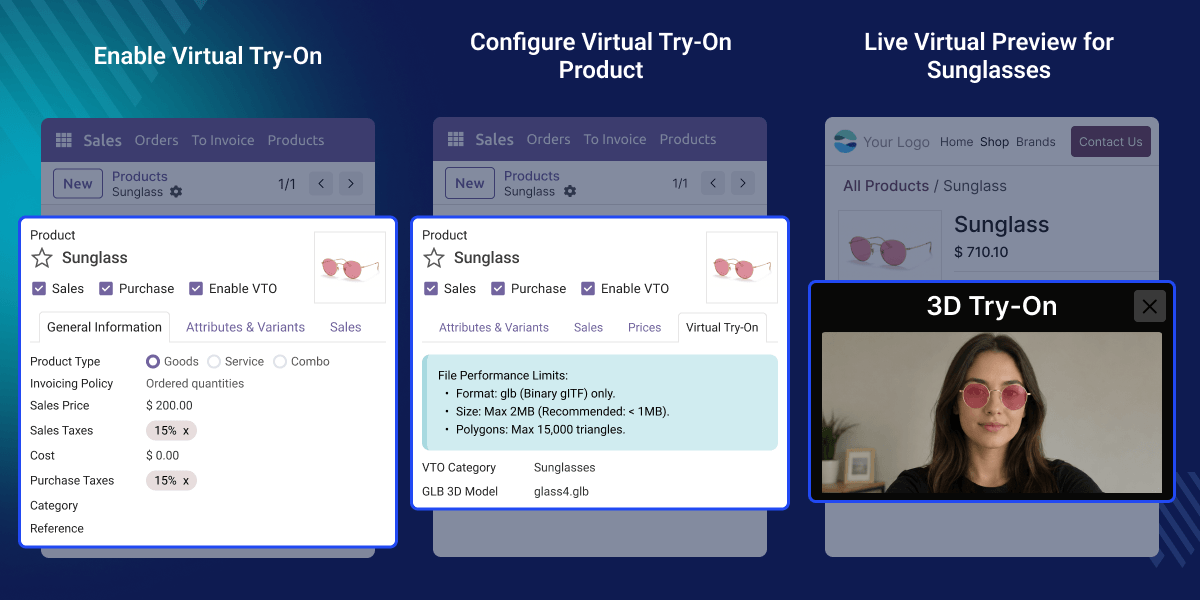
This feature allows administrators to enable Virtual Try-On for selected products directly from the product form. Once enabled, the products are ready for the website Virtual Try-On experience.
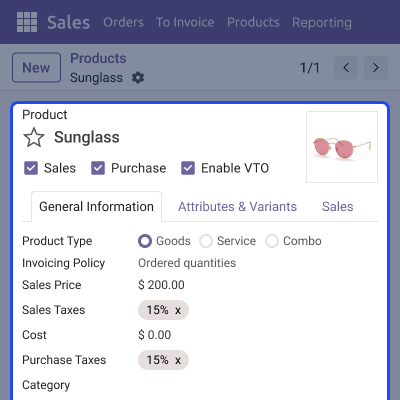
This feature allows administrators to configure 3D models for the Virtual Try-On experience. Assign a VTO category and upload an optimized Binary glTF (.glb) model for each product.
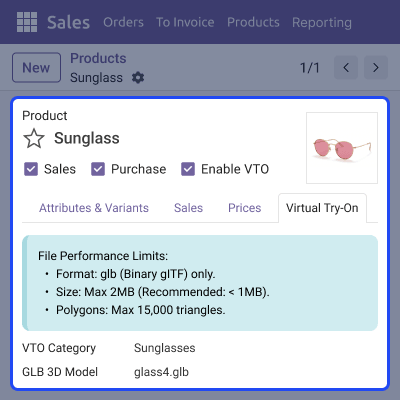
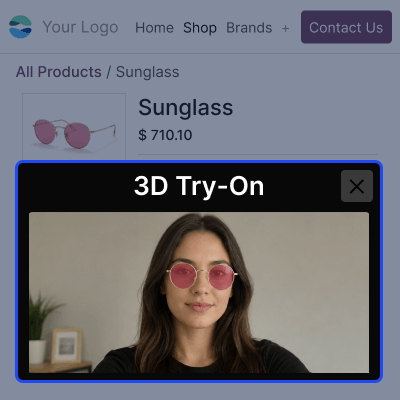
Customers can launch the Virtual Try-On experience directly from the website product page using the dedicated 3D Try-On button. Once they allow camera access, shoppers see wearable items live, right on themselves.
For any query or issue, please create a support ticket here CREATE A TICKET HERE
You may also check our other top-quality Odoo Modules.
Detailed technical features and requirements to help you understand the module’s capabilities and ensure smooth integration with your system.
Detailed technical features and requirements to help you understand the module’s capabilities and ensure smooth integration with your system.
We’re partnered with top-tier, trusted providers!
Want to know more how exactly we are going to power up your eCommerce Website with Cloud to fasten up your store
* Server Configuration may vary as per application requirements.



