Send Again
Close
This module connects your Odoo website with Vodafone M-Pesa. It lets customers pay for their orders with a mobile number. This gives a safe and simple way to buy things on your site. Set up your merchant account with the required API keys and account details. The app helps you complete the setup quickly. It does not change the look of your live cart page.
Once live, customers can choose Vodafone M-Pesa during checkout. They add their own mobile number to start. The payment goes through a secure payment flow. You can also add a short help message for your customers. Clear steps guide for your users. This helps them avoid confusion during checkout.
This module lets you pick active countries, currencies and journals. It makes the whole setup very easy to manage. This system helps you give safe online sales. It improves how people shop on your site and adds a trusted mobile payment option.
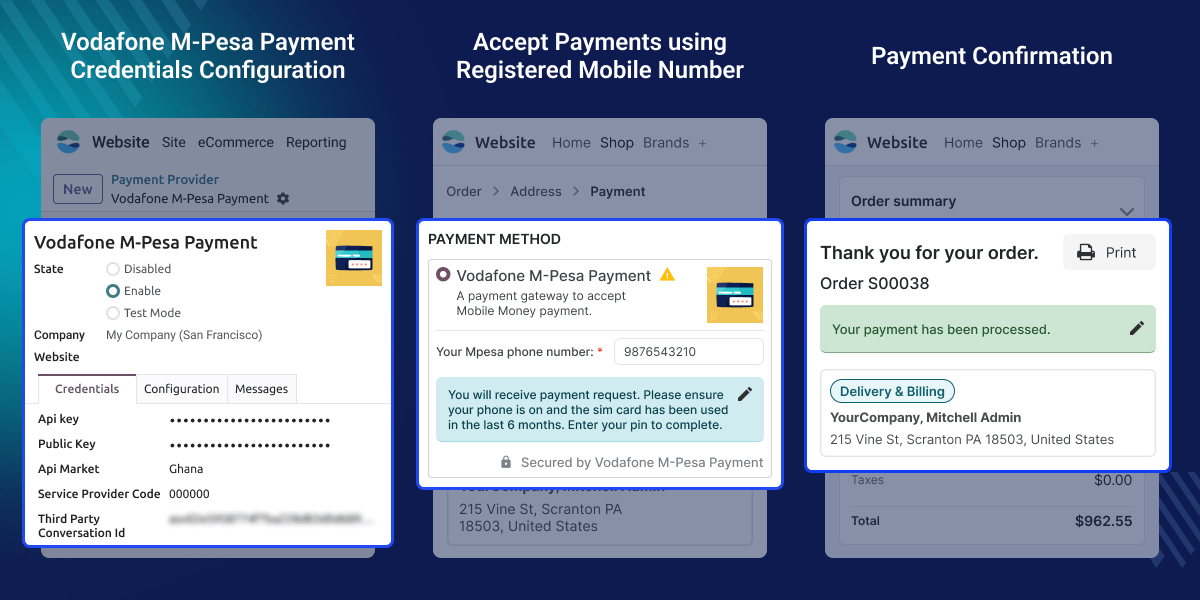
Configure your Vodafone M-Pesa payment provider with the required merchant credentials to start accepting online payments.
Manage countries, currencies, journals, and payment settings from a single platform.
Allow customers to pay using their registered Vodafone M-Pesa mobile number during checkout.
Display a custom customer help message to guide customers during the payment process.
Control payment availability by configuring supported countries, currencies, and journals.
Enable secure payment processing through Vodafone M-Pesa.
Many customers prefer mobile money over debit or credit cards. They want a fast, easy, and familiar way to pay for online orders. By default, Odoo does not support Vodafone M-Pesa. Businesses need an additional module to accept Vodafone M-Pesa payments.
Odoo Vodafone M-Pesa Payment connects your Odoo website with your Vodafone M-Pesa merchant account. Customers select this payment method at checkout and enter their mobile number to complete the payment. This module makes the setup simple, speeds up checkout, and helps keep online payments secure.
Allow customers to pay for online orders using Vodafone M-Pesa. This provides a convenient payment option without using debit or credit cards.
Configure your Vodafone M-Pesa Merchant Account, payment settings, and customer guidance from a single place.
Offer Secure Online Payments by allowing customers to pay through Vodafone M-Pesa using their Registered Mobile Number.
Configure your Vodafone M-Pesa Payment Provider with the required merchant details. Enable secure online payments on your Odoo website.
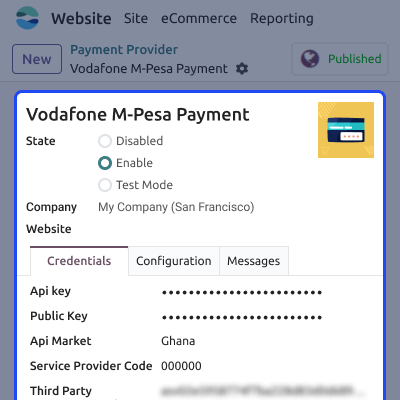
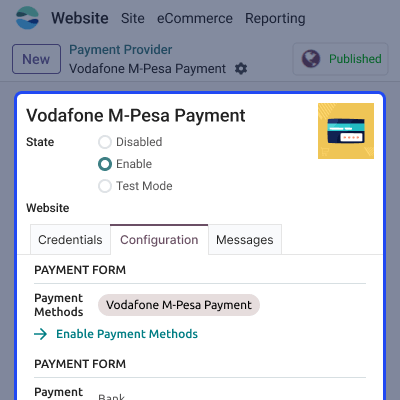
Manage Payment Configuration from one place to control how Vodafone M-Pesa works on your website. Manage payment settings to match your business needs.
Allow customers to pay using their Registered Mobile Number during checkout. Offer a simple and secure payment experience.
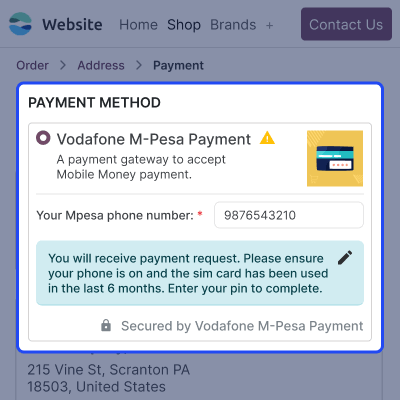
Configure a Customer Help Message to guide customers during checkout. Help customers complete their payments with clear instructions.
For any query or issue, please create a support ticket here CREATE A TICKET HERE
You may also check our other top-quality Odoo Modules.
Detailed technical features and requirements to help you understand the module’s capabilities and ensure smooth integration with your system.
Detailed technical features and requirements to help you understand the module’s capabilities and ensure smooth integration with your system.
We’re partnered with top-tier, trusted providers!
Want to know more how exactly we are going to power up your eCommerce Website with Cloud to fasten up your store
* Server Configuration may vary as per application requirements.



