Send Again
Close
Odoo Warehouse on Order Line helps send products from different warehouses using one sale order. You can choose a warehouse for each product easily.
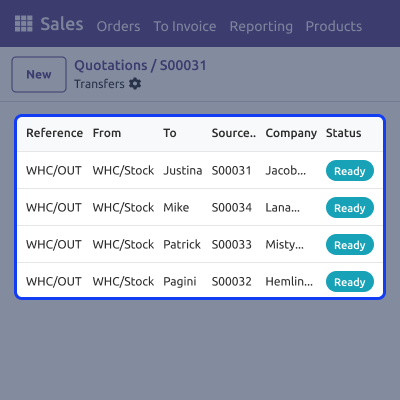
When the order is confirmed, the system creates separate deliveries for each warehouse. This happens automatically without extra work. .
The module works with the normal sales process. It makes sure products are sent from the correct warehouse.
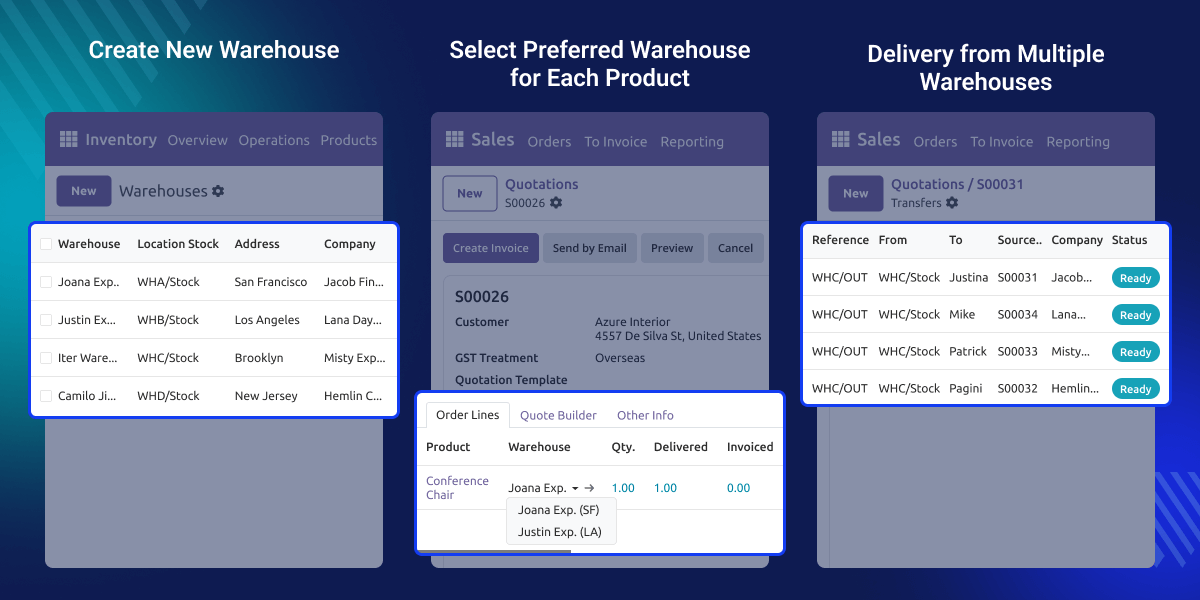
Managing sales from many warehouses can be hard. People often need to make many orders, which takes time and can cause mistakes.
For example, a business keeps products in different warehouses but gets one customer order. Without help, the team has to split the order by hand.
Odoo Warehouse on Order Line fixes this problem. It keeps everything in one order and makes the right deliveries automatically.
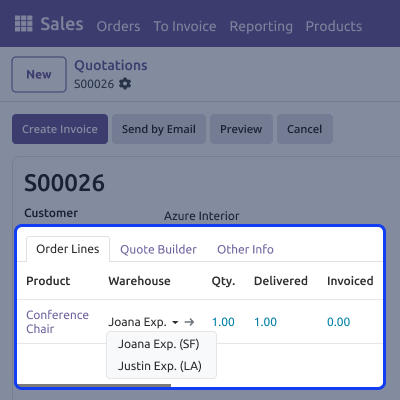
Choose a warehouse for each product in the order.
Delivery orders are created by themselves when the order is confirmed.
Only warehouses from your own company are shown.
Each warehouse gets its own delivery for the same order.
Odoo Warehouse on Order Line helps you work with many warehouses in one company. You can decide where products are kept and how they move.
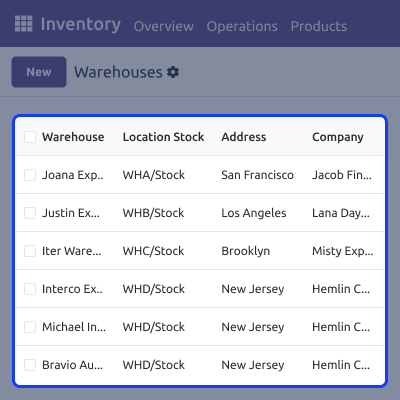
You can choose a different warehouse for each product in one sale order. This makes selling from many locations easy.
Odoo Warehouse on Order Line creates delivery orders automatically based on the selected warehouse. Each warehouse gets its own delivery to handle.
For any query or issue, please create a support ticket here CREATE A TICKET HERE
You may also check our other top-quality Odoo Modules.
Detailed technical features and requirements to help you understand the module’s capabilities and ensure smooth integration with your system.
Detailed technical features and requirements to help you understand the module’s capabilities and ensure smooth integration with your system.
We’re partnered with top-tier, trusted providers!
Want to know more how exactly we are going to power up your eCommerce Website with Cloud to fasten up your store
* Server Configuration may vary as per application requirements.



