Send Again
Close
Odoo Website Midtrans Payment Acquirer connects your store to Midtrans. It lets you accept payments in Indonesian Rupiah (Rp). The process is simple and secure.
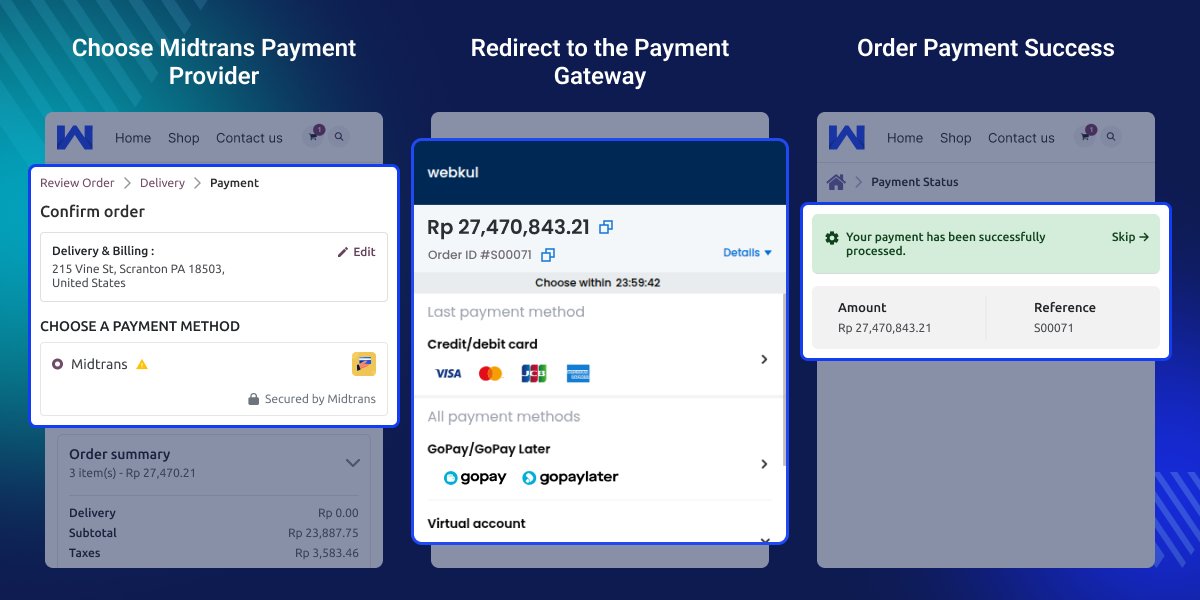
When a customer selects Midtrans at checkout, they are sent to the official Midtrans payment page. They complete the payment there safely.
After payment, the order updates in your system. The module supports cards, bank transfers, Google Pay, and other payment options from Midtrans.
Businesses in Indonesia need to accept payments in Indonesian Rupiah (Rp). Midtrans is a trusted payment gateway used by many online stores.
Odoo Website Midtrans Payment Acquirer helps you connect your store with Midtrans in a secure way. It uses a redirect method, so you do not need to handle sensitive card details in your system.
This makes payments safer for both you and your customers. Customers complete their payment on the official Midtrans page and return to your store with an updated order status.
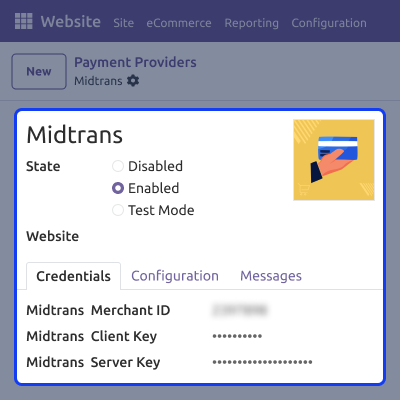
Enter Merchant ID, Client Key, and Server Key to connect Midtrans safely.
Customers are sent to the official Midtrans page to complete payment safely.
The module accepts payments only in Indonesian Rupiah (Rp).
The order status updates right after payment approval.
Customers can pay using cards, bank transfers, Google Pay, and more.
Check whether the payment is successful or failed.
Odoo Website Midtrans Payment Acquirer provides a simple setup interface for quick configuration. Admin can connect Midtrans in just a few steps.
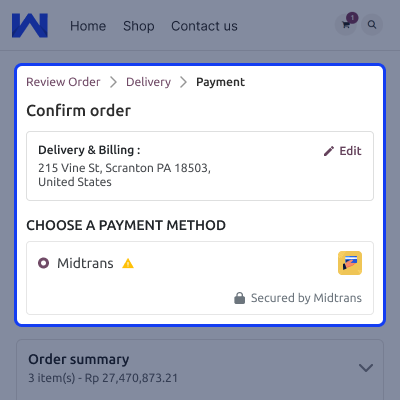
Odoo Website Midtrans Payment Acquirer ensures a smooth checkout process for customers. The Midtrans option appears clearly on the payment page.
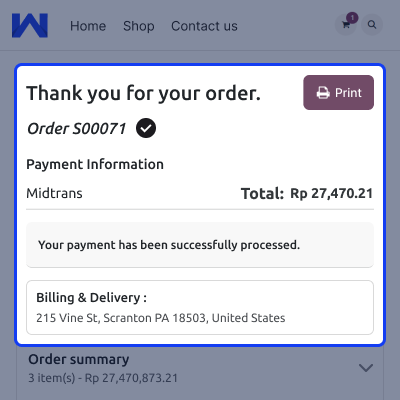
After payment, the customer sees a confirmation page with clear details.
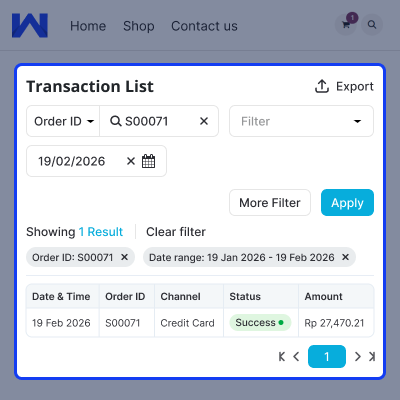
Odoo Website Midtrans Payment Acquirer helps the admin track all payment records in a clear and simple way.
For any query or issue, please create a support ticket here CREATE A TICKET HERE
You may also check our other top-quality Odoo Modules.
Detailed technical features and requirements to help you understand the module’s capabilities and ensure smooth integration with your system.
Detailed technical features and requirements to help you understand the module’s capabilities and ensure smooth integration with your system.
We’re partnered with top-tier, trusted providers!
Want to know more how exactly we are going to power up your eCommerce Website with Cloud to fasten up your store
* Server Configuration may vary as per application requirements.



