USD
  • EUR
  • INR
  • USD
Cart
Cart 0
  • You have no items in your shopping cart.
    Odoo Apps Extensions
    Cart
    Cart 0
    • You have no items in your shopping cart.
    Hire a Developer
    ×
    Contact Us!
    Send Again
    Close
    Please Login to Write Your Review
    Odoo Website Nexi XPay Payment Provider

    Odoo Website Nexi XPay Payment Provider

    x
    Free

    * Required Fields

    $67.00
    Add To Cart

    Odoo Website Nexi XPay Payment Provider adds Nexi XPay to your website for easy checkout,
    repeat payments, refunds, and global sales.


    • Connect Nexi XPay to your website checkout.

    • Use the Nexi XPay Hosted Payment Page.

    • Save card tokens for future payments.

    • Support recurring payments with MIT.

    • Process eligible refunds with ease.

    • Accept payments in multiple currencies.

    • Support customers across multiple countries.

    • Offer a simple online payment flow.

    Odoo Website Nexi XPay Payment Provider
    Odoo Website Nexi XPay Payment Provider
    $67.00
    Odoo Silver Partner
    Odoo Functional Certified Experts
    Check How It Works
    $67.00
    Configure and Buy
    X
    • Description
    • Reviews
    • FAQ
    • Customers ()
    • Specifications
    • Cloud Hosting
    • Changelog

    Odoo Website Nexi XPay Payment Provider lets you accept Nexi XPay payments on your website. Customers get a simple and clear way to pay for their orders.

    Customers can pay through the Nexi XPay Hosted Payment Page. This makes the checkout process easy to follow.

    It also supports card tokenization for eligible future payments. This helps businesses manage repeat payments with ease.

    You can also use Merchant-Initiated Transactions (MIT) for supported recurring payments. This is useful for businesses that charge customers on a regular basis.

    Supports eligible refunds as well. You can return payment amounts when an order is cancelled or a refund is needed.

    You can accept payments in multiple supported currencies. This helps you serve customers from different markets.

    Multi-country support gives your business more ways to sell online. Nexi XPay lets you manage these payment needs through one payment provider.

    Also, there's an option for admins to add the Odoo Website Nexi Payment Provider. It enables businesses to accept secure online payments through the Nexi payment gateway.
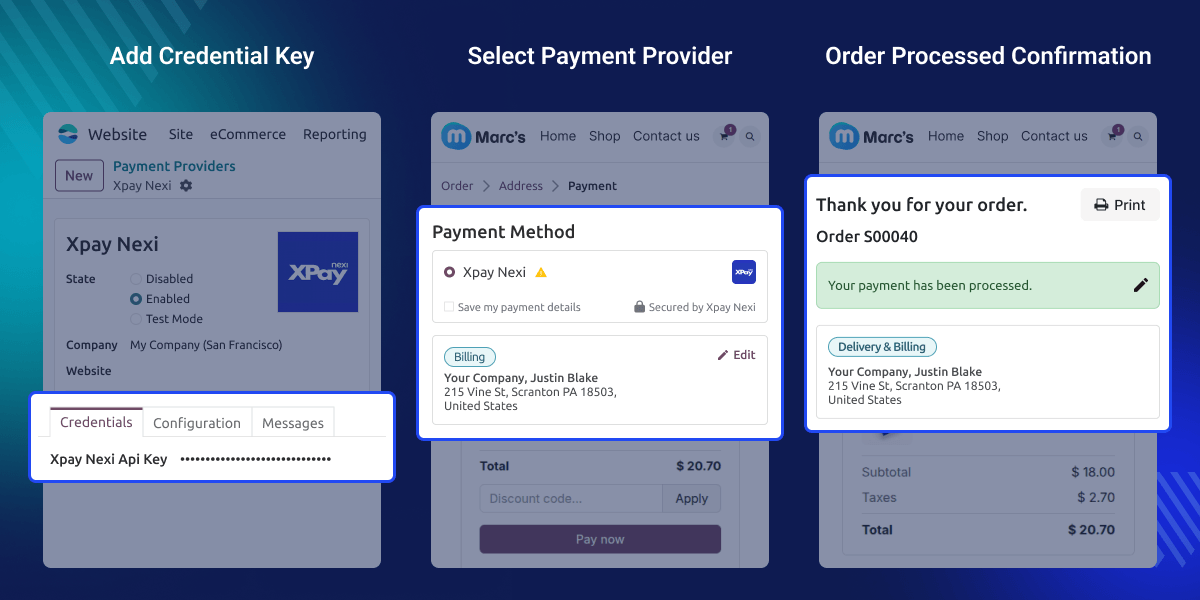
    Odoo Website Nexi XPay Payment Provider

    Highlighted Features of Odoo Website Nexi XPay Payment Provider

    Hosted Payment Page

    Let customers pay through the Nexi XPay Hosted Payment Page with ease.

    Card Tokenization

    Use secure card tokens for eligible future payments without saving card details.

    Recurring Payments

    Support repeat payments through Merchant-Initiated Transactions when allowed.

    Refund Support

    Return eligible payment amounts when customers need a refund.

    Multi-Currency Support

    Accept payments in supported currencies from customers in different markets.

    Multi-Country Support

    Serve customers in supported countries with a simple payment setup.

    Why Do We Need Odoo Website Nexi XPay Payment Provider?

    A basic payment setup may not meet every business need. You may need hosted checkout, repeat payments, refunds, and support for global sales.

    Handling all these tasks without the right payment provider can make payment management more difficult. It supports key payment steps, from customer checkout to payment completion and eligible refunds.

    Odoo Website Nexi XPay Payment Provider brings these payment options into one place. It helps you offer a simple checkout and manage your payment needs.

    Use Cases

    Online Stores

    Accept Nexi XPay payments when customers place orders through your website.

    Subscription Services

    Use supported recurring payment flows for repeat billing needs.

    International Selling

    Accept payments in supported currencies and serve customers across supported countries.

    Refund-Based Businesses

    Process eligible refunds when customers cancel orders or request payment returns.

    Select Nexi XPay Provider

    Choose Nexi XPay from the available payment providers on your website. It lets you set up Nexi XPay as a payment option for your customers.

    • Select Nexi XPay from the payment provider list.
    • Open the provider settings from your payment configuration.
    • Enable Nexi XPay for website payments.
    • Set up the provider before accepting customer payments.
    Select Nexi XPay Provider

    Add Payment Credentials

    Choose Nexi XPay from the available payment providers on your website. It lets you setup Nexi XPay as a payment option for your customers.
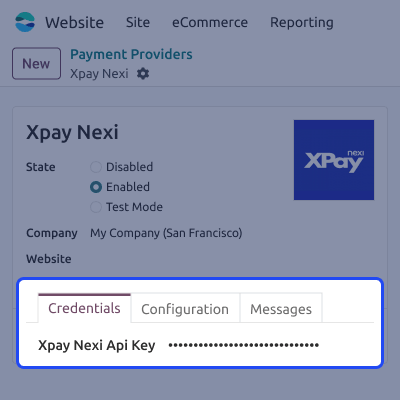
    • Enter the required Nexi XPay credential details.
    • Add the provided keys in the correct fields.
    • Save the payment settings after entering the details.
    • Update the credentials when required.
    • Keep the payment setup ready for processing.
    Add Payment Credentials

    Choose Payment Method

    Customers can select Nexi XPay as their payment method during checkout. This gives them a clear option to continue with the Nexi XPay payment flow.
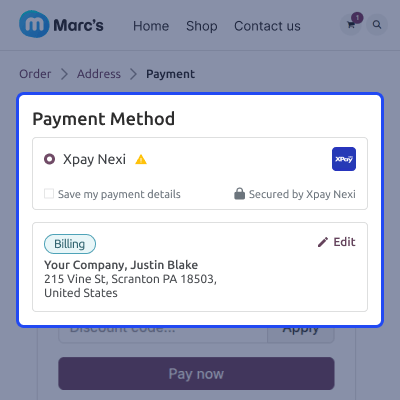
    • Show Nexi XPay as a payment option at checkout.
    • Let customers select their preferred payment method.
    • Start the Nexi XPay payment flow from checkout.
    • Help customers complete their order payment with ease.
    Choose Payment Method

    Confirm Order Payment

    After the payment is completed, customers can view the order confirmation. This gives them a clear result for their payment and order.

    • Show a confirmation after successful order processing.
    • Let customers check their completed order details.
    • Provide a clear end point for the checkout flow.
    • Help customers confirm that their order was processed.
    Confirm Order Payment

    Support

    For any query or issue, please create a support ticket here CREATE A TICKET HERE

    You may also check our other top-quality Odoo Modules

    Specifications

    Product Version1.0.0
    ReleasedToday
    CategoryOdoo AppsPayment
    Last UpdatedAugust 26, 2026 (Today)
    Supported VersionsOdoo  17.x  18.x  19.x  

    Ratings

    We'd love to hear your thoughts! Share your feedback and help us craft an even better experience tailored just for you.

    Write a review

    FAQs

      What is Odoo Website Nexi XPay Payment Provider?
    It connects Nexi XPay with your website and lets customers pay for orders through a simple online payment flow.
      Does it support the Nexi XPay Hosted Payment Page?
    Yes, Customers can complete their payment on the Nexi XPay Hosted Payment Page during the website checkout process.
     Does Website Nexi XPay Payment Provider support recurring payments?
    Yes, it supports eligible recurring payment flows through Merchant-Initiated Transactions (MIT) and tokenized payment details.
      Can I process refunds?
    Yes, you can process eligible refunds when a payment needs to be returned to the customer.
      Does the module support multiple currencies?
    Yes, you can accept payments in multiple supported currencies based on your payment and business setup.
      Can I accept payments from different countries?
    Yes, the module supports payment operations for customers across multiple supported countries.
     Does the customer pay on the website?
    Customers are redirected to the Nexi XPay Hosted Payment Page to complete the payment before returning to the order flow.
      Can the module handle future payments?
    Yes, Card tokenization can support eligible future payment flows without directly using the customer's card details.
      Is the module useful for online stores?
    Yes, It is useful for businesses that need hosted checkout, recurring payments, refunds, and multi-market payment support.

    Specification

    Detailed technical features and requirements to help you understand the module’s capabilities and ensure smooth integration with your system.

    Cloud Hosting

    Detailed technical features and requirements to help you understand the module’s capabilities and ensure smooth integration with your system.

    Default Configuration Details of Server

    1 GB
    RAM
    1 Core
    Processor
    30 GB
    Hard Disk
    1 GB RAM & 1 Core Processor
    Database

    Want to know more how exactly we are going to power up your eCommerce Website with Cloud to fasten up your store

    * Server Configuration may vary as per application requirements.

    Change Logs

    Not Available


