Send Again
Close
Odoo Website Spare Parts helps businesses show and manage spare parts on Odoo website. It has a clean and easy-to-use interface. It makes organizing spare parts simple and clear. Users don’t need to know any coding to set up how parts look, add filters, and make changes as needed.
Whether users are selling machine parts, electronics, or car components, this module keeps everything neat and easy to find. It keeps the online shopping experience better for customers while keeping things simple to manage in the background.
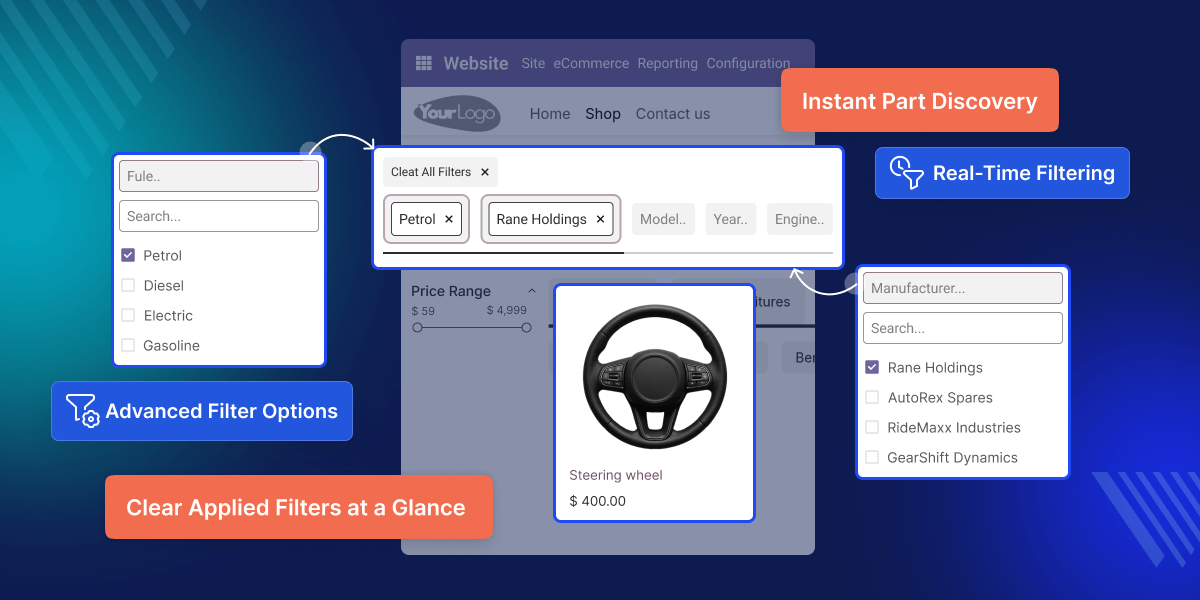
Imagine a local auto parts dealer using Website Spare Parts to make things easier for their customers. When customers visit the website, they can quickly choose their car’s brand and year. Right away, the website shows only the parts that match their car. It saves time and makes it simple to find the right items.
This module has fewer returns and questions. The business gets more online sales, and customers are happier because everything is clear and easy to use.
This module works in conjunction with the following modules:
You need to install the module mentioned above to use Odoo Website Spare Parts.
Users can arrange spare parts easily on the website without needing any technical skills.
Customers can quickly find spare parts using filters such as brand, model, or year. It makes it easy for them to narrow down the options and see only the parts that fit their needs.
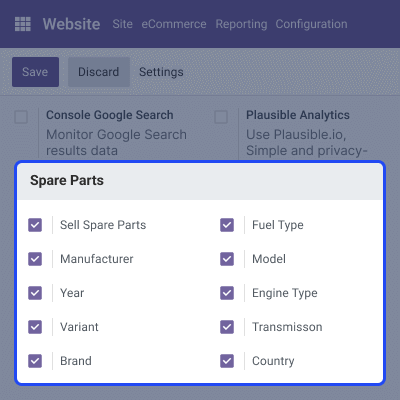
Users can easily choose which spare parts to show or hide from the backend. This gives full control over how the parts are organized and displayed on the website.
Filters update the results right away as customers make their selections. This means they don’t have to wait or reload the page to see the matching parts.
Users can easily organize and display spare parts on their website using simple tools and filters. Odoo Website Spare Parts help keep everything neat and easy to find, so customers can quickly browse the parts without any confusion.
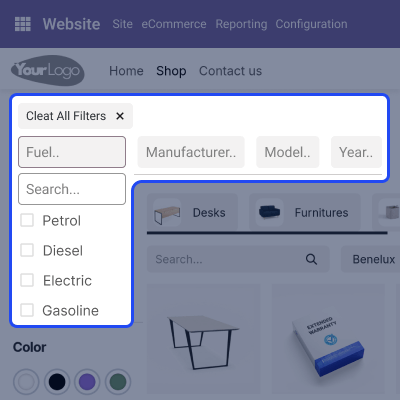
Advanced filter tools help users quickly find the exact spare parts they need. By narrowing down results based on brand, model, or year, these filters make searching faster and more accurate.
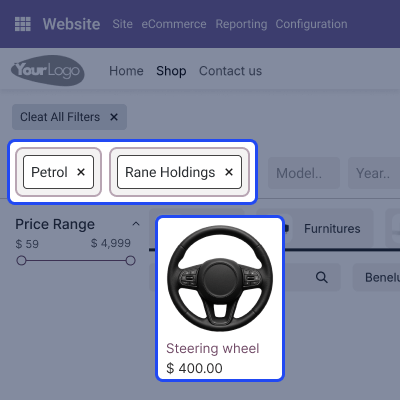
Users can control how spare parts are visible and organized using Odoo Backend. It is easy to manage everything in one place and customize the display to fit needs.
For any query or issue please create a support ticket here CREATE A TICKET HERE
You may also check our other top-quality Odoo Modules.
Detailed technical features and requirements to help you understand the module’s capabilities and ensure smooth integration with your system.
Detailed technical features and requirements to help you understand the module’s capabilities and ensure smooth integration with your system.
We’re partnered with top-tier, trusted providers!
Want to know more how exactly we are going to power up your eCommerce Website with Cloud to fasten up your store
* Server Configuration may vary as per application requirements.



