Send Again
Close
Odoo WordPress SSO Connector links your Odoo account with OIDC-compatible apps. Users can access multiple apps without signing in again.
Set up OIDC clients from the Odoo backend. Enter the client details, redirect URIs, and sign-in options. Keep every client connection in one place for easy management.
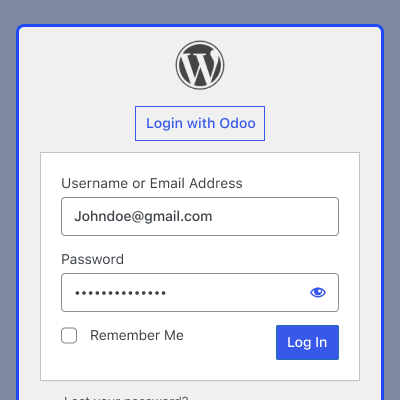
Users select Login with Odoo when they open a connected app. Odoo checks their identity through the OpenID Connect (OIDC) protocol before giving access.
The module also provides flexible authentication access for different Odoo user categories. This helps administrators manage application access according to their business requirements.
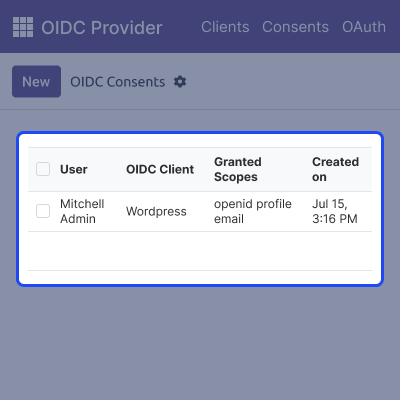
The module stores consent details for users linked to each connected app. Admins can check approved scopes and update consent records as needed.
Manage all client apps from one dashboard. Update client settings and view connected apps without switching between systems.
Connected apps become easier to access with Odoo WordPress SSO Connector. It cuts down on repeat sign-ins and makes access easy to manage.
Apart from this, if you also want to simplify Single Sign-On across Odoo websites, then the Odoo Website SSO module can help provide a smooth and unified login experience.
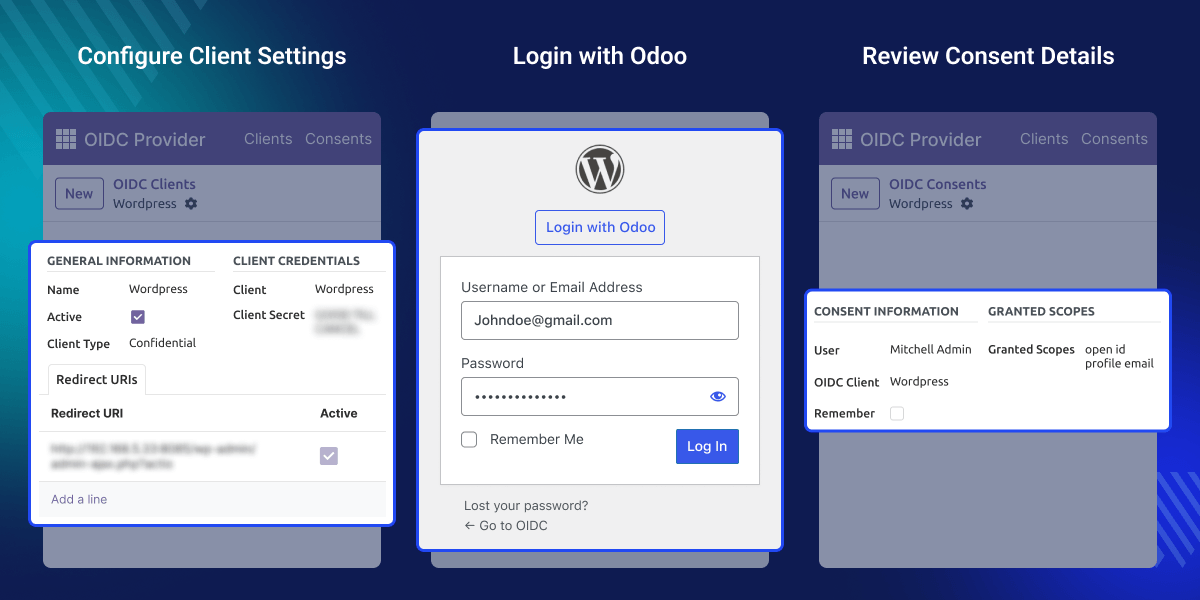
Set up multiple OIDC clients in one Odoo backend. Manage client details from one place and easily control each connection.
Users can access connected apps with one sign-in through their Odoo account. They can access supported platforms without entering their login details again.
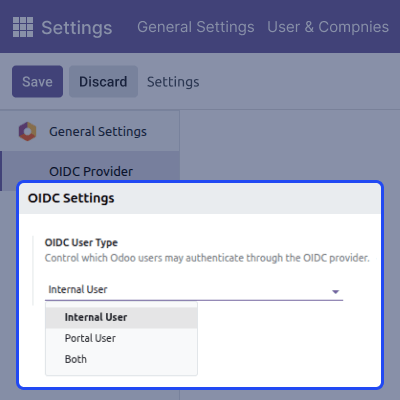
Administrators can control which Odoo users can authenticate through OIDC, giving them better control over application access.
Check approved access scopes and user consent records directly in Odoo. Keep permission details clear and easy to manage for each connected app.
Many businesses use different applications every day. Users often sign in to each one separately. Signing in again adds extra steps and can make access less convenient.
Applications that use OpenID Connect (OIDC) still need a trusted identity provider. Without one, users must manage different sign-in methods for each application.
Odoo WordPress SSO Connector lets users sign in once with their Odoo account. They can then open other connected applications without signing in again.
Administrators can manage OIDC clients and review user consent from the Odoo backend. This keeps user access simple and reduces manual work.
Some businesses may need different access levels for different user groups. This helps administrators keep application access aligned with their business needs.
Additionally, if you want to enable Microsoft-based sign-in for Odoo websites and simplify the login process, then the Odoo Microsoft SSO module can help provide a smooth authentication experience.
Connect multiple apps to Odoo with OpenID Connect (OIDC). Employees can use one Odoo account to access business apps without signing in again.
Set up Odoo as the sign-in service for connected applications. This makes user access simple and keeps all sign-in settings in one place.
Administrators can manage OIDC clients, review user consent, and manage application access from the Odoo backend. This keeps user permissions organized and easy to review.
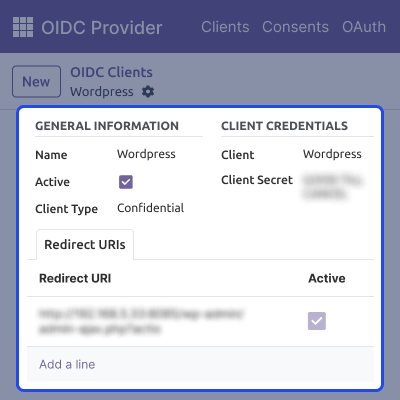
Set up OIDC clients from the Odoo backend. Add the required details before connecting applications with your Odoo account.
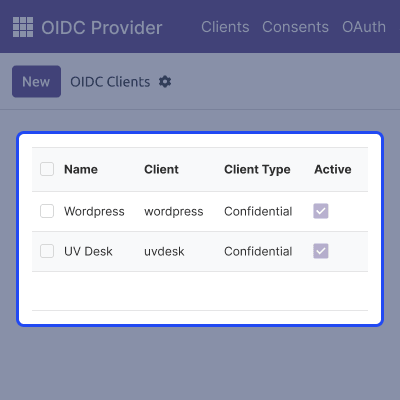
Keep all client applications together in one place. Open any client quickly and manage application details with ease.
Control which Odoo users can authenticate through the OIDC provider. Choose the required user type to manage authentication access for connected applications.
Sign in to connected applications with your Odoo account. Complete one login and continue to the selected application without signing in again.
Review application access from the Odoo backend in one place. Manage permission details for each connected application in a simple and clear way.
For any query or issue, please create a support ticket here CREATE A TICKET HERE
You may also check our other top-quality Odoo Modules.
Detailed technical features and requirements to help you understand the module’s capabilities and ensure smooth integration with your system.
Detailed technical features and requirements to help you understand the module’s capabilities and ensure smooth integration with your system.
We’re partnered with top-tier, trusted providers!
Want to know more how exactly we are going to power up your eCommerce Website with Cloud to fasten up your store
* Server Configuration may vary as per application requirements.



