Send Again
Close
Keeping employee attendance correct is important for every business. Checking attendance by hand takes time and can cause mistakes. This module makes attendance tracking easy and automatic
Odoo ZKTeco Attendance Integration connects your ZKTeco biometric device with Odoo. It brings all attendance records into one place, so you can manage them easily.
You can sync attendance in different ways. Sync records manually, automatically, through webhooks, or by using ADMS cloud mode. Pick the method that works for your business.
This module records employee check-in, check-out, and break time. This helps HR teams track working hours correctly and reduces manual work.
You can add employees to biometric devices or remove them directly from Odoo. There is no need to update every device one by one.
This module stops duplicate attendance punches to keep records clean. In ADMS mode, it also syncs the device timezone, so attendance always shows the correct time.
Whether you have one office or many branches, this module helps you manage attendance easily, save time, and keep attendance records accurate.
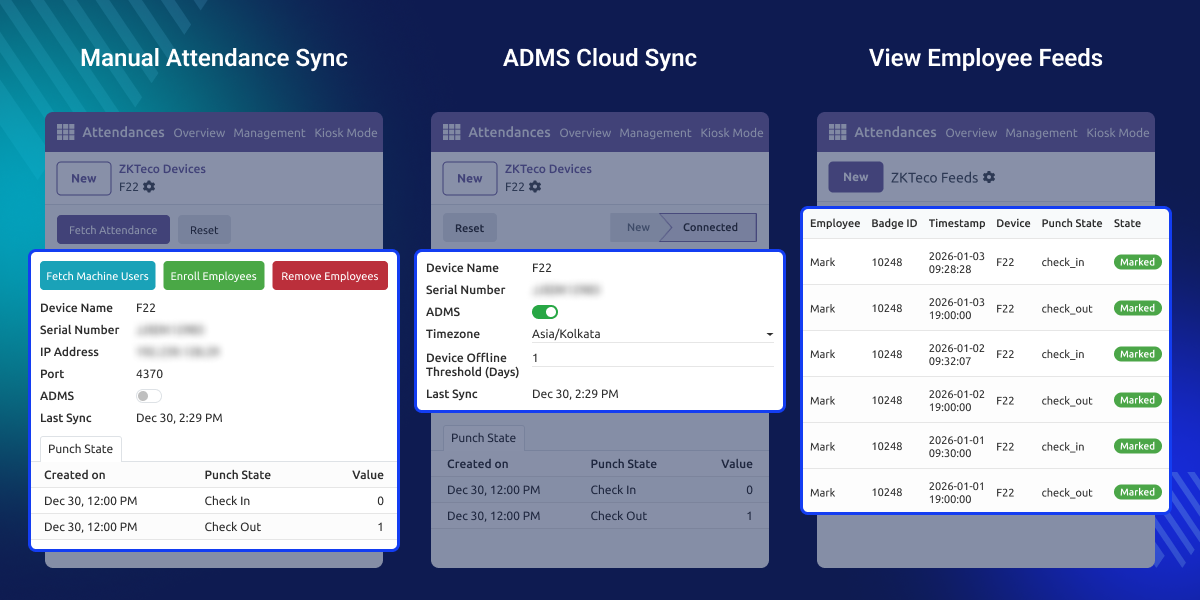
Connect your ZKTeco device with Odoo using simple details like the IP address and port number.
Sync attendance manually, by cron, through webhooks, or with ADMS cloud mode based on your business needs.
Attendance records update automatically every 10 minutes, so you do not need to sync them by hand.
Add new employees or remove existing ones from biometric devices directly through Odoo.
Record employee break-in and break-out times correctly for accurate attendance records.
In ADMS mode, the device is marked as disconnected if no attendance data is received within the set time.
The timezone selected in Odoo is automatically applied to the device, so attendance records always show the correct time.
Employees enrolled on the biometric device are automatically added to Odoo as machine users.
Prevent duplicate punches and keep attendance records clean with easy settings.
Remove enrolled employees from the biometric device directly from Odoo.
Copy employee profiles and fingerprints from one biometric device to multiple target devices, with the option to update existing users or skip them.
Enable Flush Attendance Feed to automatically archive or delete old attendance records based on your configured settings.
Many businesses use ZKTeco biometric devices to record employee attendance. However, the attendance data stays on the device unless it is copied manually.
Odoo does not connect with ZKTeco devices by default. This means HR teams need to export attendance files and upload them again. This takes time and may cause mistakes.
Odoo ZKTeco Attendance Integration connects your biometric device with Odoo. Attendance records are synced automatically, so you do not need to update them by hand.
It also tracks check-in, check-out, and break times in one place. This helps HR teams save time and keep attendance records correct.
Built for real business needs, this module provides a simple and reliable way to manage employee attendance with Odoo.
Record employee check-ins and check-outs every working day.
Track work time and attendance for factory employees.
Keep teacher and staff attendance records up to date.
Manage attendance from all office branches in one place.
Connect your ZKTeco device with Odoo in a few easy steps. Use simple device details to start syncing attendance.
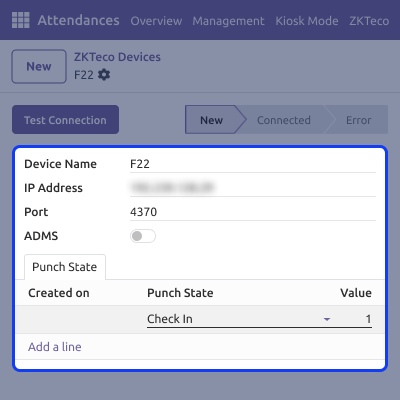
Get attendance records whenever you want. Sync records manually or let Odoo update them automatically.
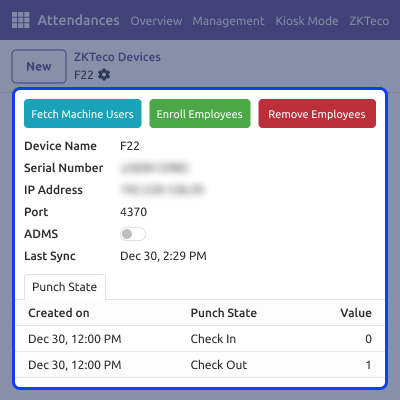
Odoo ZKTeco Attendance Integration manages employee punches to keep attendance records clean. Stop extra entries using simple attendance rules.
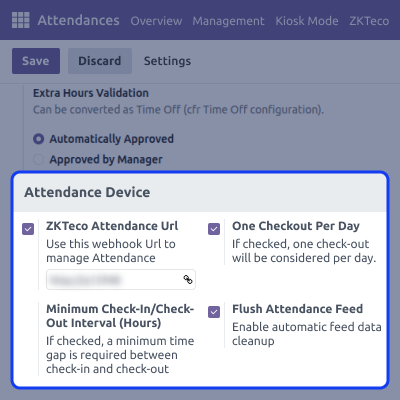
Connect biometric devices using ADMS cloud mode. Attendance records and device users stay updated automatically.
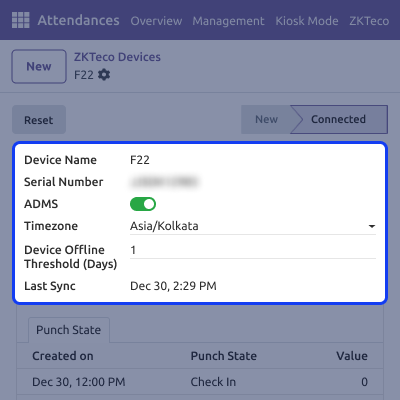
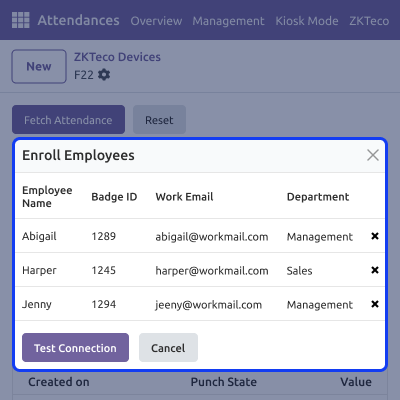
Manage biometric device users directly from Odoo. Add or remove employees without using the device screen.
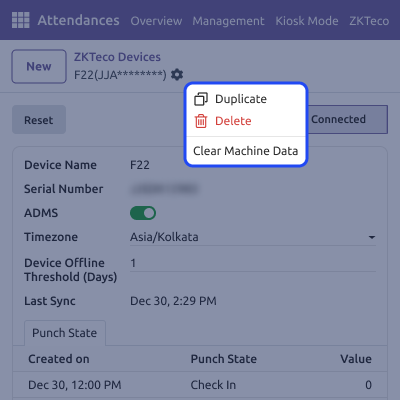
Remove unwanted data from the biometric device quickly. This helps improve device speed and free storage space.
For any query or issue, please create a support ticket here CREATE A TICKET HERE
You may also check our other top-quality Odoo Modules.
Detailed technical features and requirements to help you understand the module’s capabilities and ensure smooth integration with your system.
Detailed technical features and requirements to help you understand the module’s capabilities and ensure smooth integration with your system.
We’re partnered with top-tier, trusted providers!
Want to know more how exactly we are going to power up your eCommerce Website with Cloud to fasten up your store
* Server Configuration may vary as per application requirements.



