Send Again
Close
Pimcore PrestaShop Connector connects Pimcore with PrestaShop, allowing you to import and export catalog data in both directions. Products, categories, brands, and variants stay synchronized across both platforms with less manual work.
The connector works directly inside Pimcore, where you can configure your store connection, map objects and fields, and run import or export jobs from a single interface. It also supports multi-store and multi-language catalogs.
You can connect your PrestaShop store using the PrestaShop Admin API, the Webservice API, or both. The connector automatically selects the appropriate connection for each operation while synchronizing product images, feature attributes, related products, and product variants.
Large catalog synchronizations run as background jobs, allowing you to monitor live progress, review job history, and rerun completed jobs without creating duplicate records.
Pimcore PrestaShop Connector helps businesses manage product information in Pimcore while selling through PrestaShop. It reduces repetitive work, improves catalog accuracy, and simplifies ongoing catalog management.
If you also manage product information in Akeneo, you can explore the PrestaShop Akeneo Connector to synchronize your catalog with PrestaShop.
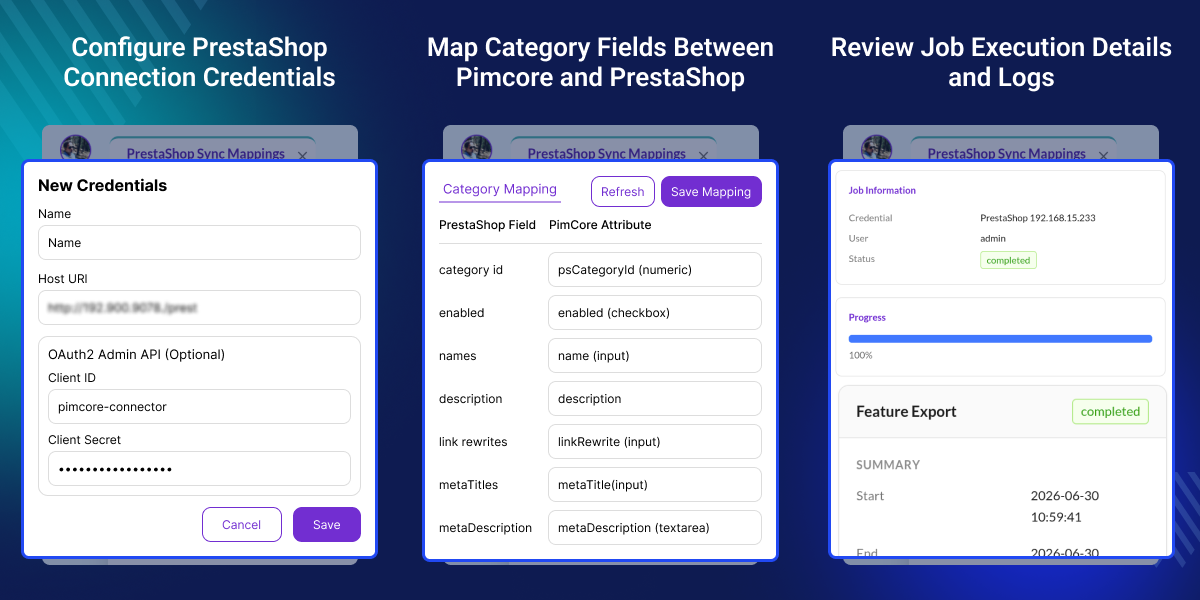
Import and export products, categories, brands, and variants between Pimcore and PrestaShop.
Configure your store, map data, and run synchronization jobs directly from Pimcore.
Map Pimcore objects and fields to PrestaShop without changing your existing data structure.
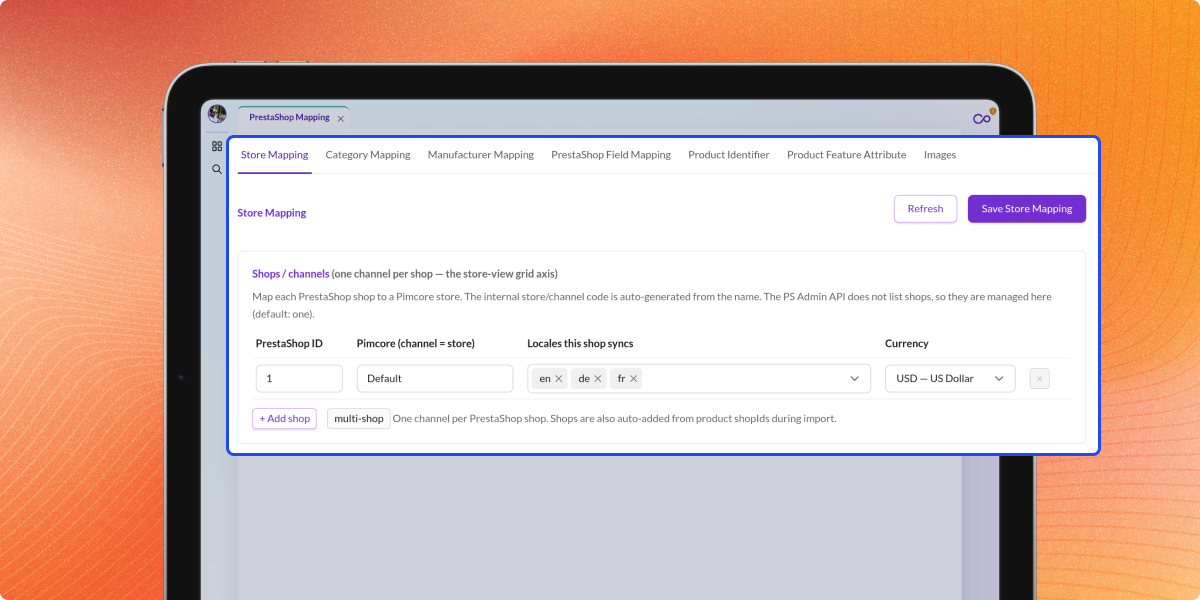
Manage multiple stores and languages while keeping every catalog synchronized.
Synchronize product variants, images, features, and related products across both platforms.
Run large synchronization jobs in the background while tracking progress and job history.
Managing product information separately in Pimcore and PrestaShop requires duplicate updates, which increases manual work and the risk of inconsistent catalog data.
Without an automated connection, products, categories, brands, and variants must be updated individually in both platforms as the catalog grows.
Pimcore PrestaShop Connector automates two-way synchronization between Pimcore and PrestaShop. It supports multiple stores, multiple languages, product variants, and background processing to simplify catalog management.
Businesses can maintain accurate product information, reduce repetitive tasks, and manage growing catalogs more efficiently from a single platform.
If you also sell on Etsy, you can explore the PrestaShop Etsy Connector to synchronize products and import Etsy orders.
Keep products, variants, brands, images, and size or color options synchronized automatically.
Update products, brands, and related items from one platform while keeping your store current.
Manage multiple stores and languages while synchronizing every catalog automatically.
Synchronize large catalogs through background jobs with minimal manual effort.
Manage products in Pimcore and publish synchronized updates to your PrestaShop store.
Update products in one platform and synchronize changes automatically with the other.
Map Pimcore objects and fields with PrestaShop entities before running synchronization jobs. Proper mapping keeps products and catalog data aligned across both platforms.
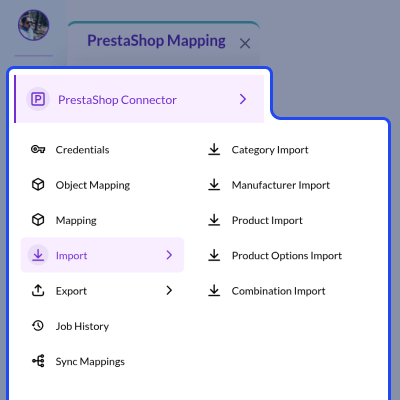
Import products, categories, manufacturers, and product options from PrestaShop into Pimcore, where they can be enriched before the next synchronization.
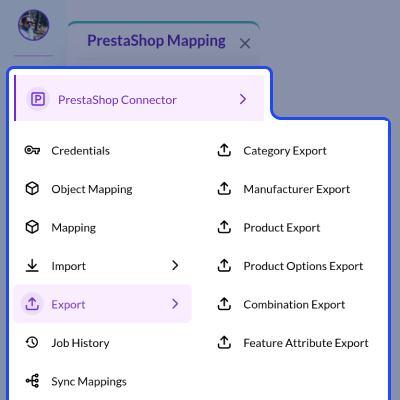
Export your Pimcore catalog to PrestaShop to publish the latest products, categories, manufacturers, and feature data with every synchronization.
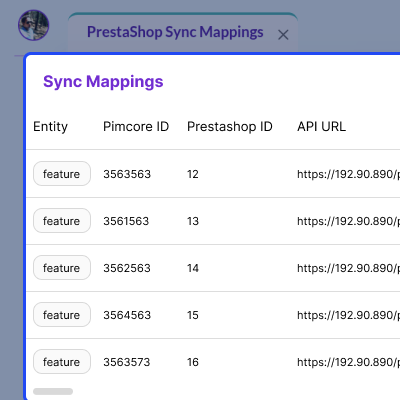
Monitor synchronized records from one location to verify mappings, review linked records, and prevent duplicate entries during future synchronization jobs.
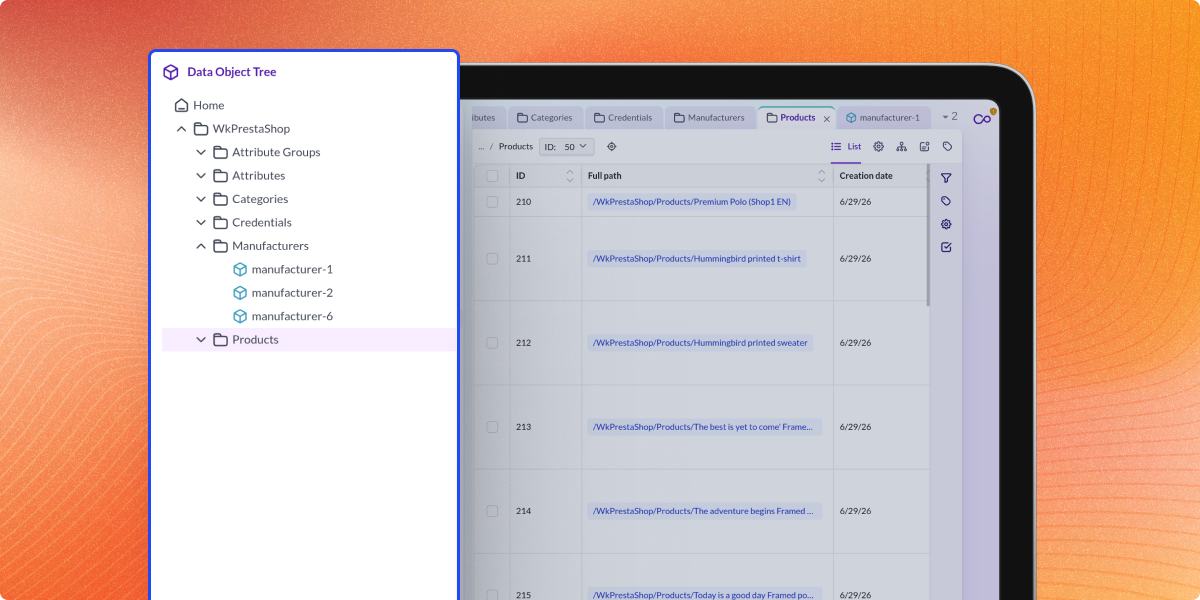
Manage products, categories, attributes, and connector settings directly from Pimcore to keep every synchronization job updated with the latest catalog information.
For any query or issue, please create a support ticket here http://webkul.uvdesk.com/
You may also check our other top-quality PrestaShop Extensions.
Large import and export jobs run in the background. You can track progress, view job history, and continue working in Pimcore while the synchronization runs.
Yes. Use available filters to synchronize only the products or catalog data you need. This saves time and avoids unnecessary updates.
Yes. Configure your PrestaShop store, manage field mappings, run synchronization jobs, and review job history directly from the Pimcore admin panel.
Yes. Import catalog data from PrestaShop into Pimcore or export updates from Pimcore back to PrestaShop to keep both platforms synchronized.
Yes. The connector supports multiple PrestaShop stores and multiple languages, allowing you to manage all synchronized catalogs from a single Pimcore instance.
Detailed technical features and requirements to help you understand the module’s capabilities and ensure smooth integration with your system.
Detailed technical features and requirements to help you understand the module’s capabilities and ensure smooth integration with your system.
We’re partnered with top-tier, trusted providers!
Want to know more how exactly we are going to power up your eCommerce Website with Cloud to fasten up your store
* Server Configuration may vary as per application requirements.



