Send Again
Close
PrestaShop Canva Connect - If you manage a large catalogue, updating product photos, category banners, brand logos or supplier images usually means downloading files, editing them in an external tool, then uploading them one by one. PrestaShop Canva Connect removes that loop entirely by linking your Canva account directly to your shop's back office. Edit images in Canva, return to PrestaShop, and your changes are applied automatically — saving hours of manual work and keeping your catalogue visually consistent.
This module is built for store owners, merchandisers and marketing teams who already use Canva to create promotional banners, seasonal imagery or brand assets. Instead of treating Canva as a separate design tool, it becomes part of your PrestaShop workflow: open any product, category, brand or supplier record, launch Canva with the current image, and send the finished design straight back.
What makes this different from uploading images manually is the direct integration. The module adds an "Edit in Canva" action to every relevant PrestaShop grid, so there is no need to export, download or re-upload. For teams that need to update many images at once, the bulk queue and cron processing handle the heavy lifting in the background.
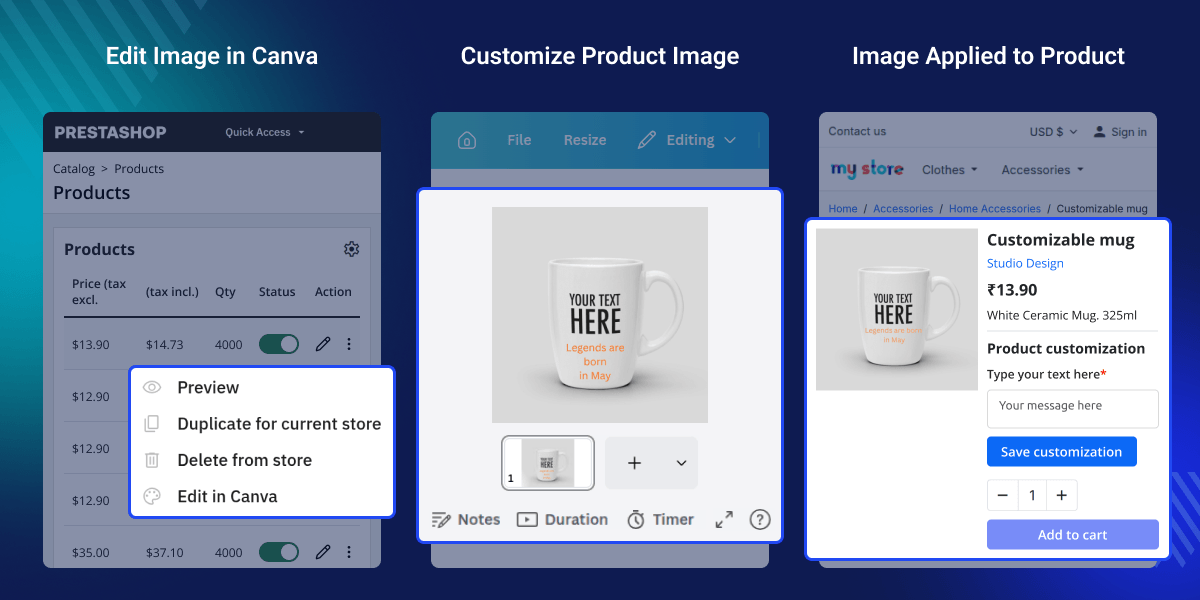
Open any product, category, brand or supplier record in the PrestaShop back office and choose "Edit in Canva" from the actions menu.
Browse every design in your connected Canva account without leaving PrestaShop.
All imported designs appear in a central library where you can search, filter by source, sort by name or size, and page through results.
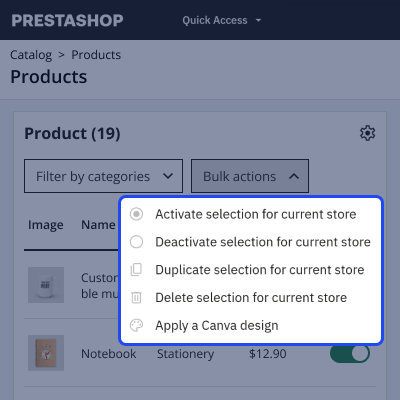
Select multiple products, categories, brands or suppliers from any grid and apply one library design to all of them at once.
Most store owners already have a Canva account full of on-brand banners, seasonal graphics and product visuals. The gap is getting those designs into PrestaShop without a tedious export-and-reupload cycle. This module closes that gap by making Canva part of your daily back-office workflow — one click sends an image to Canva, and one click brings the finished design back.
The result is faster catalogue updates and more consistent imagery. Whether you are refreshing a seasonal sale banner across twenty categories or tweaking a product photo for a single SKU, the time saved adds up quickly. Teams that used to wait for a designer to export and re-upload files can now make edits themselves and see results immediately.
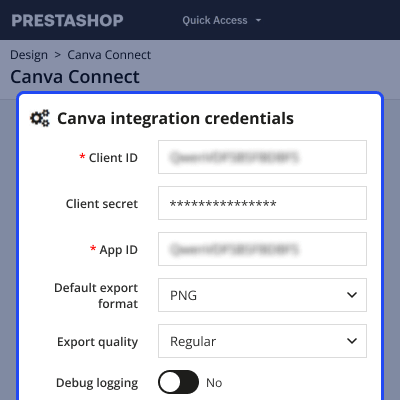
Before you can edit images, the module needs your Canva integration credentials and a confirmed HTTPS connection. The settings page guides you through each step with clear status indicators.
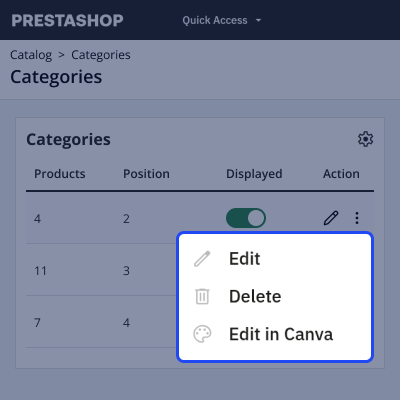
The "Edit in Canva" action appears on every Product, Category, Brand and Supplier grid in the back office. Select one item, click the action, and the current image opens in Canva. When you finish editing and click "return" button in Canva, the module automatically downloads the finished design, verifies it using Canva's signing keys, and writes it back to the correct catalogue image.
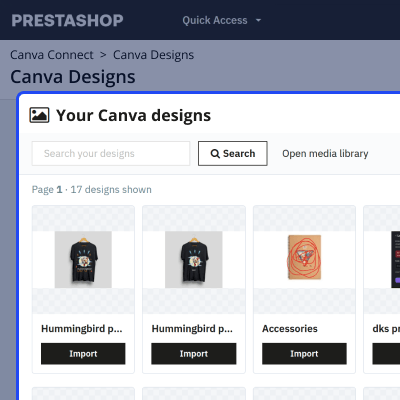
The Designs page lists every design in your Canva account, with search and pagination. Import any design into the media library, where it is stored locally and can be reused across your catalogue. The library itself supports search, filtering, sorting and paging, so even large collections stay manageable.
When you need to update many items with the same design, the bulk action on any grid queues a job for each selected item. The queue page shows how many jobs are waiting, running, done or failed, and gives you controls to run pending jobs, retry failures or clear finished entries. A tokenised cron URL lets you automate processing without manual intervention.
For any query or issue please create a support ticket here http://webkul.uvdesk.com
You may also check our other top-quality PrestaShop Extensions.
Detailed technical features and requirements to help you understand the module’s capabilities and ensure smooth integration with your system.
Detailed technical features and requirements to help you understand the module’s capabilities and ensure smooth integration with your system.
We’re partnered with top-tier, trusted providers!
Want to know more how exactly we are going to power up your eCommerce Website with Cloud to fasten up your store
* Server Configuration may vary as per application requirements.



