Send Again
Close
Prestashop Generate AI Model by Image - Generate AI-powered models for your products using the Prestashop Generate AI Model by Image. Once generated, these models can be saved and displayed as product images on the Front Office.
The module also enables you to offer customers a virtual try-on experience by generating realistic AI models based on key attributes such as age, gender, body physique, and skin complexion.
With this module, you can significantly reduce time and photography costs while maintaining a consistent, professional visual appearance across your products, helping to attract and engage more customers.
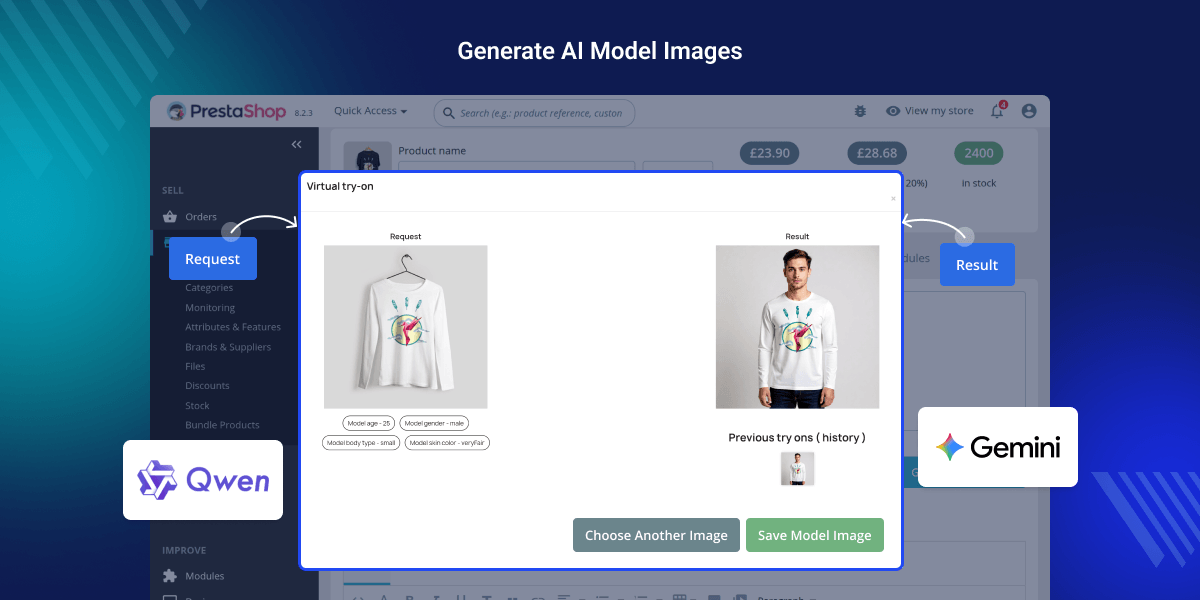
Generate realistic AI model images for products using attributes like age, gender, body type, and skin tone.
Supports AI engines such as QWEN and GEMINI NANO for image generation..
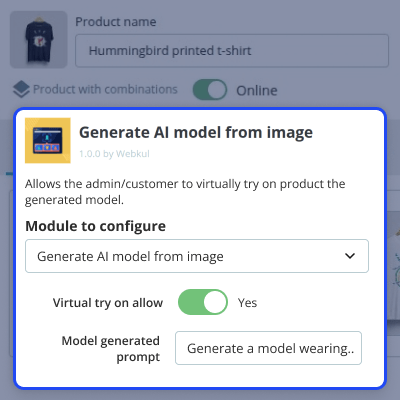
Allows the admin to use custom prompts for generating AI model images.
Boost engagement by letting users visualize products on different model types.
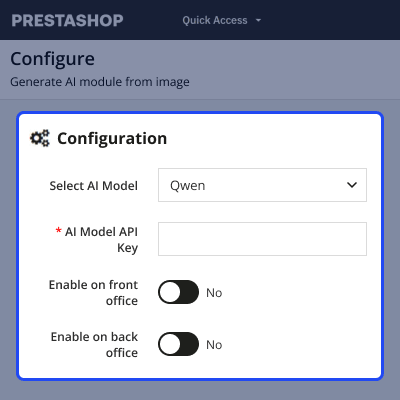
After the successful installation of the module, the admin can configure the module through the back office settings panel. Key configuration options include.
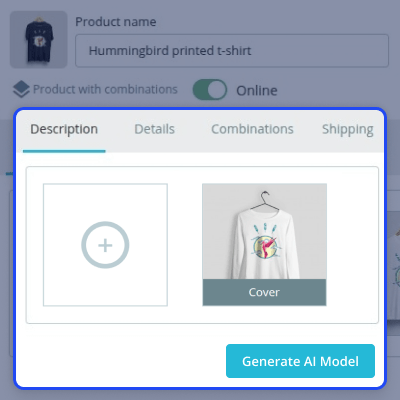
After the successful installation of the module, a new button 'Generate AI Model' gets available under basic settings tab in the product page in the back office. On clicking the button, a popup appears on the page where the admin can choose product image for model generation. After selecting the image, the admin can choose model attributes (age, gender, body type, skin tone). After selecting the features, click on the Try Now button to generate the AI Model Image.
The module supports custom prompt input, allowing admins to define specific instructions for AI image generation.
Please note that this feature is available only in the back office.
For any query or issue please create a support ticket here http://webkul.uvdesk.com
You may also check our other top-quality PrestaShop Extensions.
Detailed technical features and requirements to help you understand the module’s capabilities and ensure smooth integration with your system.
Detailed technical features and requirements to help you understand the module’s capabilities and ensure smooth integration with your system.
We’re partnered with top-tier, trusted providers!
Want to know more how exactly we are going to power up your eCommerce Website with Cloud to fasten up your store
* Server Configuration may vary as per application requirements.



