Send Again
Close
PrestaShop POS Cloud Printer - Enable seamless printing of customer receipts directly from your POS system by using the PrestaShop POS Cloud Printer. This module helps to reduce the checkout time and enhances operational efficiency at every POS outlet.
This add-on supports multiple printer types, allowing the admin to configure and connect thermal printers effortlessly. It delivers clear, high-quality receipts with crisp text and graphics, helping your brand look professional and improving the in-store experience.
By integrating directly with your PrestaShop POS, this add-on ensures smooth communication between your POS terminals and printers for fast and reliable printing.
Note - To use this module, you need to install the PrestaShop Point of Sale System (POS).
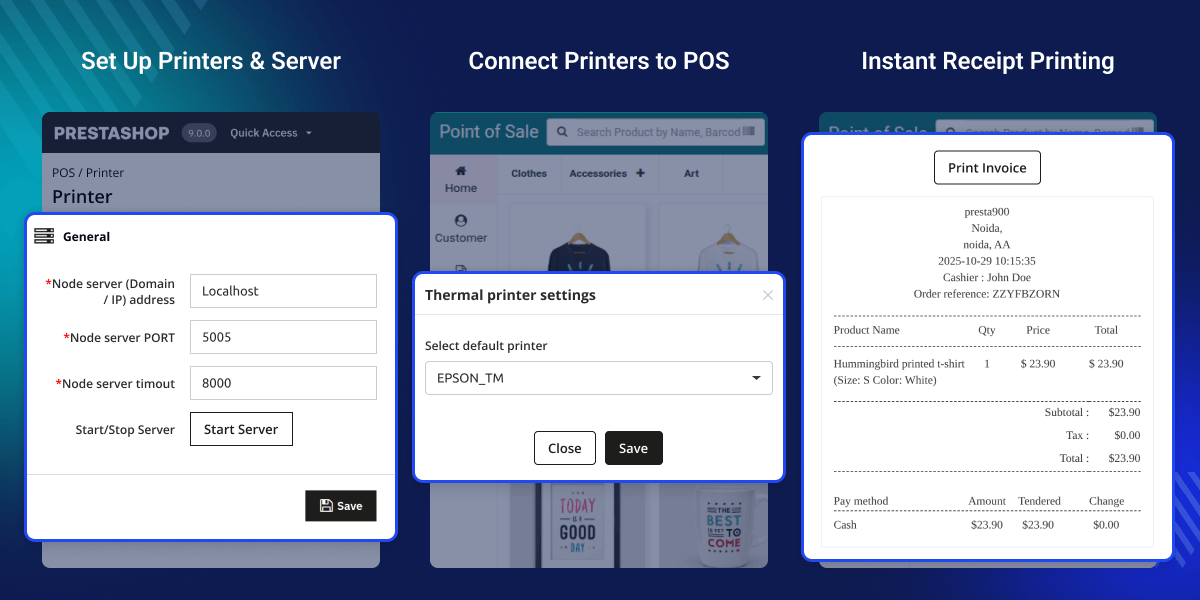
Uses a Node.js-based local server to connect your POS with printers, enabling communication between the browser and printing devices.
Allows you to connect and manage multiple printers within the same setup, so print jobs can be handled across different devices as needed.
Works with commonly used printers such as thermal, laser, and barcode printers.
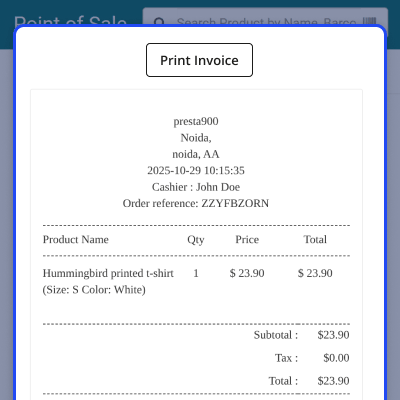
Generate and print sales receipts, invoices, and credit slips directly during order processing in the POS interface.
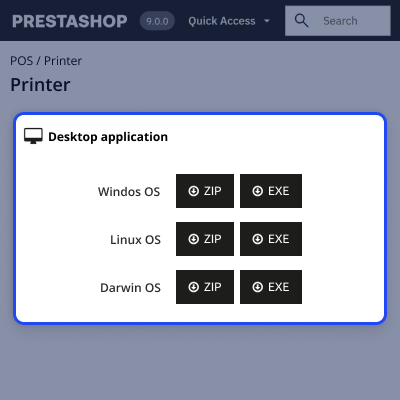
Install the required POS printer application on your system
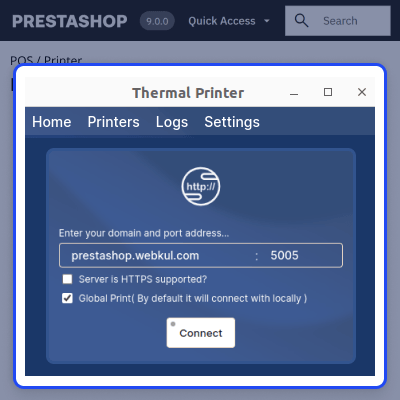
Configure the POS thermal printer app using your server details and manage connected devices and logs
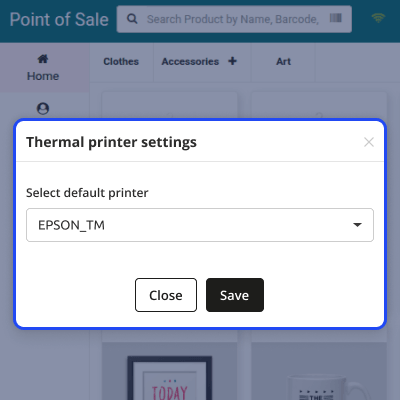
The POS agent can select and manage the default printer directly from the POS dashboard
The POS agent can generate and print documents directly from the POS interface
For any query or issue please create a support ticket here http://webkul.uvdesk.com
You may also check our other top-quality PrestaShop Extensions.
Detailed technical features and requirements to help you understand the module’s capabilities and ensure smooth integration with your system.
Detailed technical features and requirements to help you understand the module’s capabilities and ensure smooth integration with your system.
We’re partnered with top-tier, trusted providers!
Want to know more how exactly we are going to power up your eCommerce Website with Cloud to fasten up your store
* Server Configuration may vary as per application requirements.



