Send Again
Close
The QloApps Paddle Payment Gateway is a secure payment solution for QloApps that enables hotel businesses to accept online payments through Paddle.
The module provides a smooth checkout experience, secure payment processing, transaction tracking, and refund management directly from the QloApps back office.
Note: Ensure that Paddle supports your business location and payment requirements before enabling this gateway.
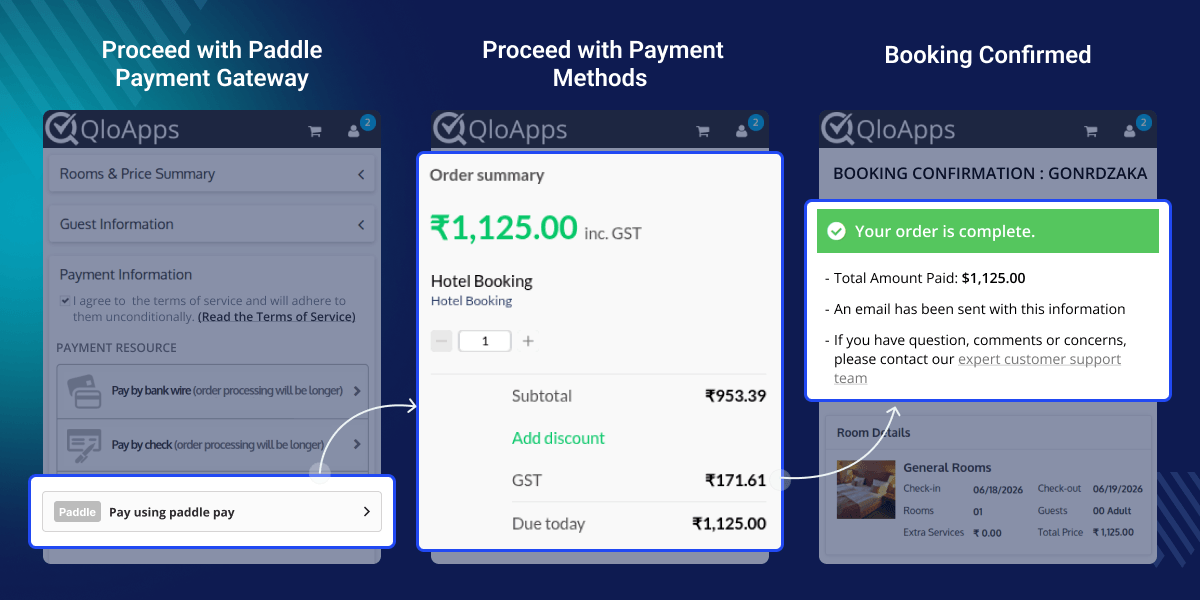
Accept online booking payments securely through Paddle.
Supports both testing and live payment environments for easy deployment.
Receive real-time payment and transaction updates through Paddle webhooks.
Admins can initiate full or partial refunds directly from transaction details.
Monitor payment records, customer details, and refund history from a dedicated panel.
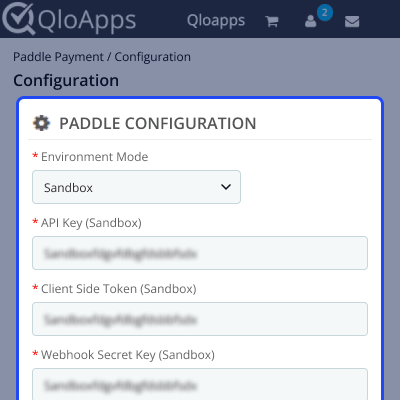
Admins can configure Paddle by entering the required API credentials and environment settings from the QloApps back office.
Note: Switching between Sandbox and Production mode requires updating the corresponding Paddle credentials.
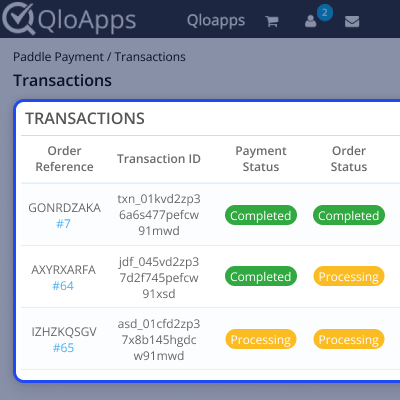
All Paddle payments are available in a dedicated Transactions tab where admins can monitor payment records, customer details, transaction IDs, booking references, payment amounts, and statuses.
When an admin clicks on a transaction from the transaction list, a detailed transaction summary page opens.
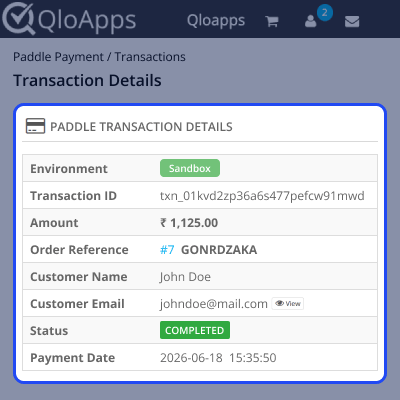
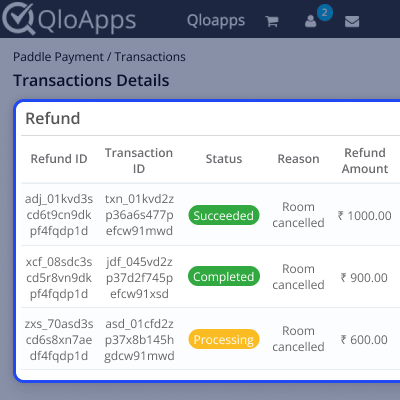
The transaction summary page displays complete transaction information including customer details, payment amount, transaction status, and refund history.
Admins can process full or partial refunds directly from this page and track all refund records for complete visibility.
For assistance, create a support ticket here.
Explore more QloApps Add-ons to enhance your website functionality.
Detailed technical features and requirements to help you understand the module’s capabilities and ensure smooth integration with your system.
Detailed technical features and requirements to help you understand the module’s capabilities and ensure smooth integration with your system.
We’re partnered with top-tier, trusted providers!
Want to know more how exactly we are going to power up your eCommerce Website with Cloud to fasten up your store
* Server Configuration may vary as per application requirements.



