Send Again
Close
The QloApps Amazon Pay Payment Gateway enables hotels to offer a trusted and secure digital wallet payment option directly within their QloApps hotel booking website.
Guests can complete their bookings using their saved Amazon account details, ensuring a fast, familiar, and encrypted checkout experience while improving conversion rates and customer trust.
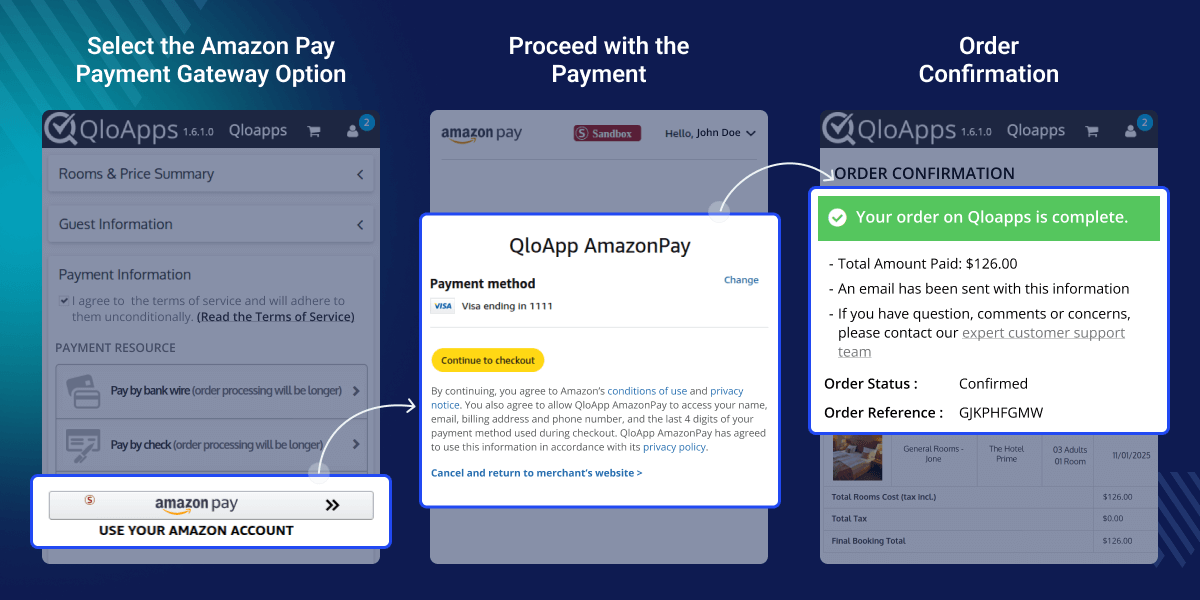
Allows guests to securely pay using their Amazon credentials without leaving the hotel booking website.
Ensures encrypted API communication using merchant credentials and signed private/public keys.
Admins can easily process complete or partial refunds directly from the QloApps back office.
All Amazon Pay transactions are displayed in a centralized admin section with filter options for quick tracking.
Switch between testing (Sandbox) and Production environments to ensure smooth and secure deployment.
Instant Payment Notifications (IPN) keep order status, refunds, and transaction updates synchronized automatically.
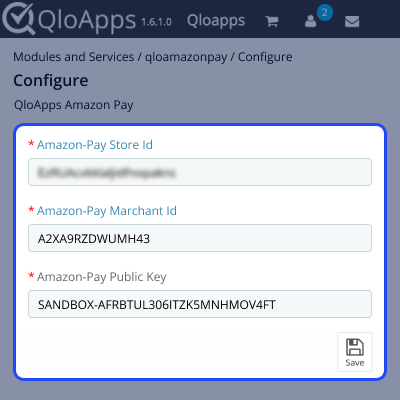
Admins need to configure the Amazon Pay gateway by entering the required merchant credentials, including the Amazon Pay Store ID and Amazon Pay Merchant ID, which uniquely identify the business account within Amazon’s payment system.
The admin must also provide the Amazon Pay Public Key, which is used by Amazon to verify digitally signed API requests and ensure secure communication between QloApps and Amazon Pay.
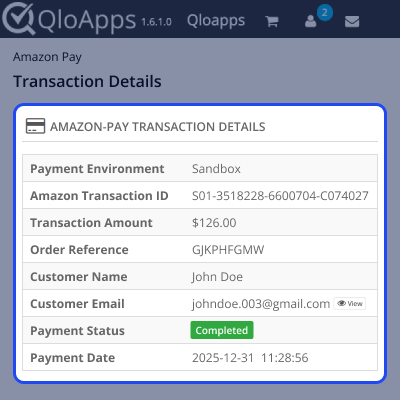
All Amazon Pay transactions are listed in a dedicated admin panel section, allowing administrators to track order reference, transaction ID, payment amount, refunded amount, customer details, and transaction status.
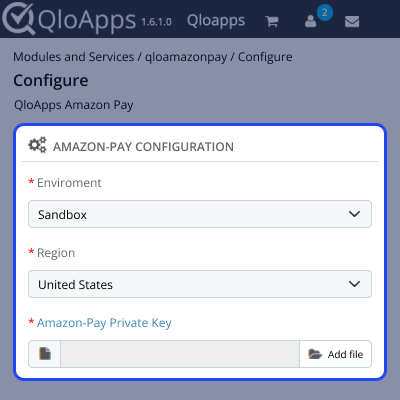
The configuration section allows the admin to select the appropriate Environment (Sandbox for testing or Production for live transactions) to ensure smooth and secure payment integration.
Admins must choose the correct Region based on their registered Amazon Pay merchant account to establish proper connectivity with Amazon’s regional payment services.
To enable secure API communication, the admin needs to upload the Amazon Pay Private Key (.pem file), which is used to digitally sign requests and authenticate transactions between QloApps and Amazon Pay servers.
If you have any queries or require assistance, please raise a ticket on the QloApps Forum.
Explore other QloApps Add-ons to enhance your hotel booking functionality.
Detailed technical features and requirements to help you understand the module’s capabilities and ensure smooth integration with your system.
Detailed technical features and requirements to help you understand the module’s capabilities and ensure smooth integration with your system.
We’re partnered with top-tier, trusted providers!
Want to know more how exactly we are going to power up your eCommerce Website with Cloud to fasten up your store
* Server Configuration may vary as per application requirements.



