Send Again
Close
The QloApps Datatrans Payment Gateway is a powerful add-on for QloApps that enables hotels to accept secure online payments through Datatrans directly on their booking website. With Datatrans' trusted payment infrastructure, guests can complete bookings securely using multiple payment methods and currencies, while hotel owners can efficiently manage transactions and refunds from the QloApps back office.
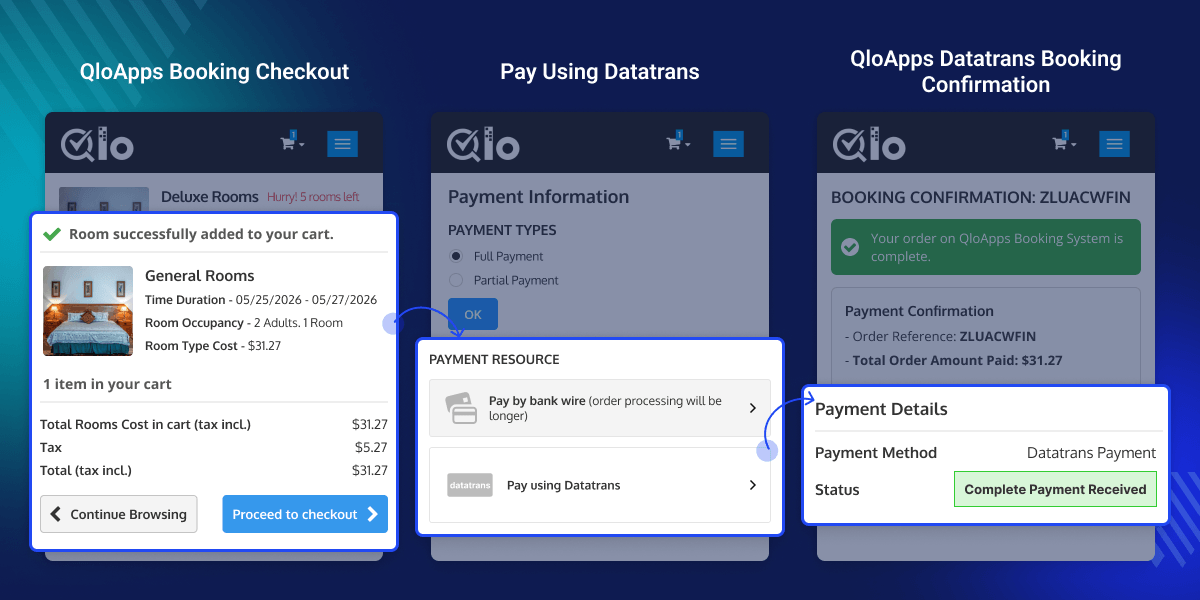
Accept payments through cards and other Datatrans-supported payment methods while supporting multiple international currencies for local and global guests.
Access a complete overview of all Datatrans transactions through a dedicated admin section to monitor payments, view transaction details, and manage refunds easily.
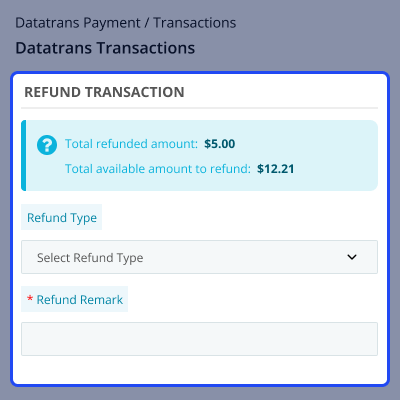
Process full or partial refunds directly from the QloApps back office. Admins can enter custom refund amounts and maintain a complete refund history for tracking.
Datatrans provides a secure and encrypted payment environment with high compliance standards to ensure safe and reliable transactions.
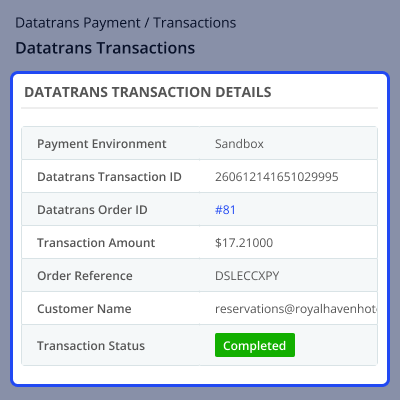
View complete payment and customer information, including transaction IDs, order references, payment status, transaction amounts, and customer details.
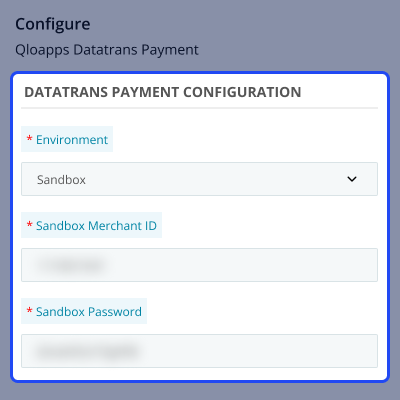
Switch between Sandbox Mode for testing and Production Mode for live transactions, allowing you to verify your integration before going live.
Managing hotel payments requires a secure, reliable, and user-friendly payment solution. The QloApps Datatrans Payment Gateway enables hotels to accept payments from guests worldwide through multiple payment methods and currencies. With secure payment processing, detailed transaction tracking, flexible refund management, and a seamless checkout experience, hotels can simplify online bookings and improve guest satisfaction.
Configure the module easily by selecting your preferred environment and entering the Datatrans credentials provided through your Datatrans merchant account.
Once configured, your hotel website will be ready to securely accept online payments through Datatrans.
Admins can access complete payment information by opening any transaction from the Datatrans Transactions list. The detailed transaction page displays important information such as the Datatrans Transaction ID, Datatrans Order ID, payment environment, transaction amount, order reference, customer information, payment status, and transaction date.
The QloApps Datatrans Payment Gateway simplifies refund management directly from the QloApps back office. Admins can issue full refunds or enter a custom amount for partial refunds. Each refund is recorded automatically, helping maintain complete refund history and transparency.
For any query or issue, please create a support ticket here.
You may also explore our other top-quality QloApps Add-ons.
Detailed technical features and requirements to help you understand the module’s capabilities and ensure smooth integration with your system.
Detailed technical features and requirements to help you understand the module’s capabilities and ensure smooth integration with your system.
We’re partnered with top-tier, trusted providers!
Want to know more how exactly we are going to power up your eCommerce Website with Cloud to fasten up your store
* Server Configuration may vary as per application requirements.



