Send Again
Close
The QloApps Group Booking Module simplifies the management of group reservations by allowing hotels to create and manage multiple room bookings under a single reservation. It is an ideal solution for hotels that frequently accommodate corporate clients, travel agencies, educational institutions, tour groups, event organizers, and other large guest groups.
Instead of handling multiple individual bookings, hotel staff can organize all related reservations in one place, making room allocation, customer management, invoicing, payment processing, and order tracking more efficient while reducing manual effort.
The module also introduces dedicated group booking management, flexible invoice formats, room group management, booking type identification, refund management, and front-office visibility, providing a seamless experience for both administrators and guests.
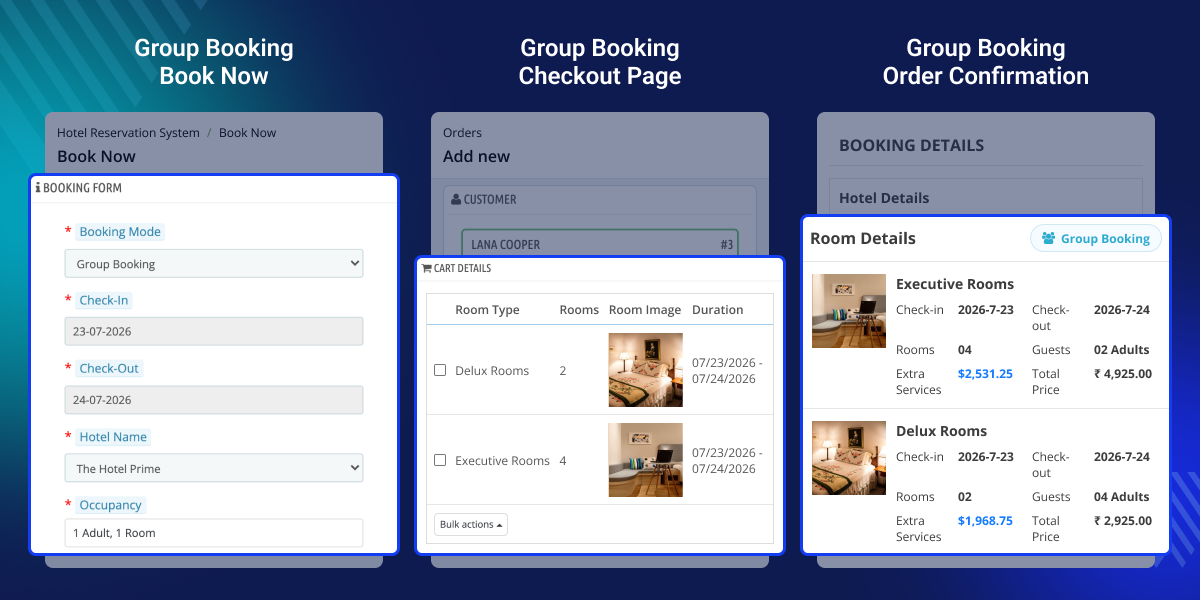
Create and manage multiple room reservations under a single group booking for faster and more organized reservation management.
Add multiple room groups, configure occupancy, and assign rooms using automatic or manual room allotment.
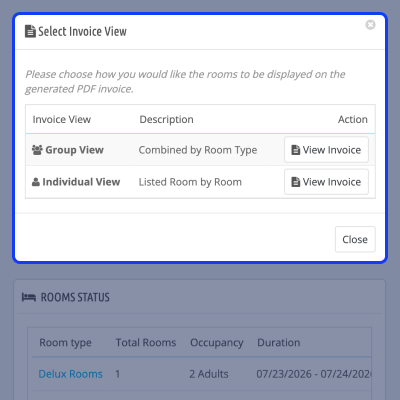
Generate Group View or Individual View invoices and download invoices for all, group, or individual bookings.
Manage bookings, room services, payments, invoices, and process refunds directly from the Order Details page.
Edit room groups, add new group rooms or individual rooms, and perform bulk actions for efficient reservation management.
Identify group reservations quickly using dedicated booking badges, booking type labels, and separate booking KPIs.
Allow guests to identify group bookings and access dedicated group booking invoices directly from their account.
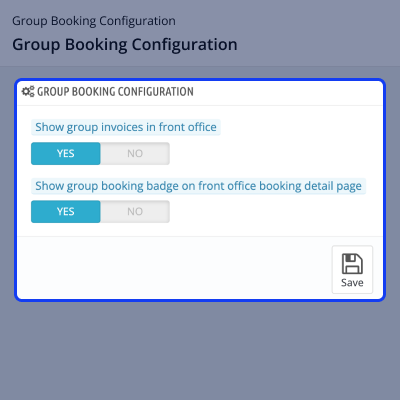
The QloApps Group Booking module provides simple configuration options that allow administrators to control how group booking information is displayed in the front office.
Note: Both configuration options can be enabled or disabled at any time to suit your hotel's operational requirements and guest experience.
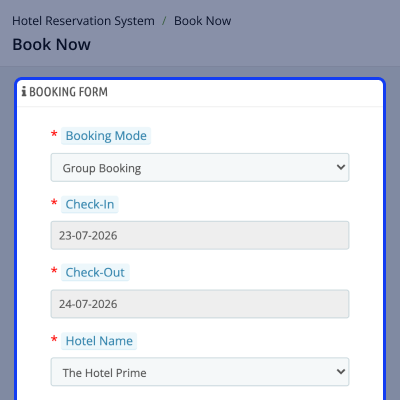
The QloApps Group Booking module allows administrators to create and manage group reservations directly from the back office. To begin, navigate to the Hotel Reservation System and select Group Booking as the booking mode.
After selecting the hotel, check-in and check-out dates, occupancy, and room requirements, administrators can search available rooms, create one or more room groups, and choose either Auto Allotment or Manual Allotment for room assignment.
Once the required rooms are added, administrators can review the booking summary, assign a customer, manage room services, select a payment method, and complete the reservation—all from a single booking workflow.
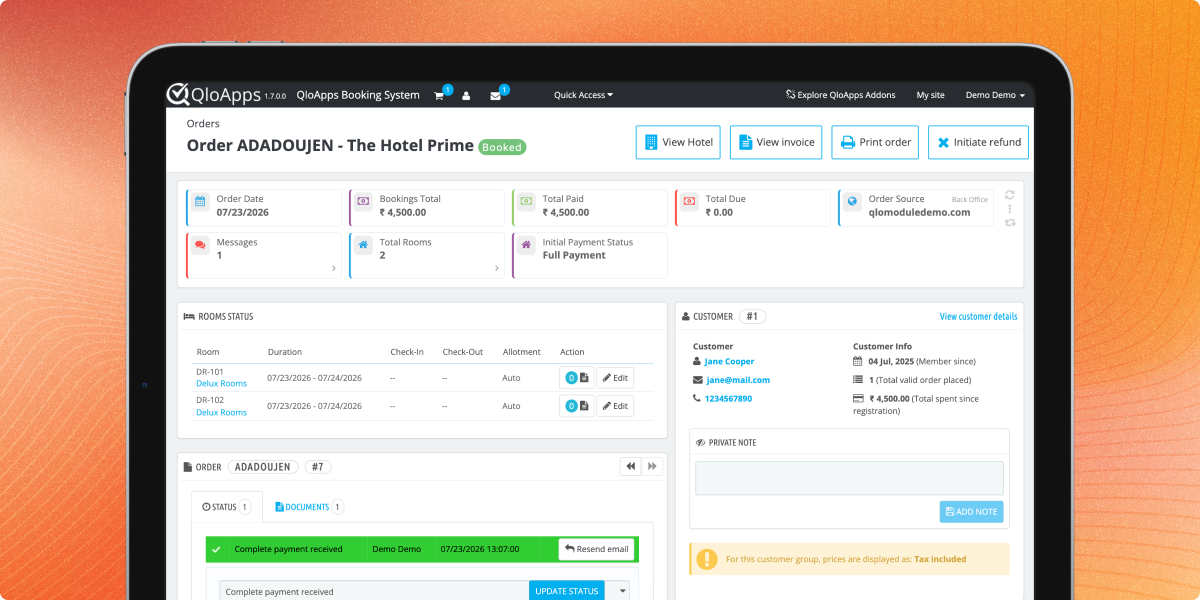
The Order Details page provides complete booking information, including the booking type, making it easy to identify whether the reservation belongs to a Group Booking or an Individual Booking.
From the same page, admins can manage booking operations, view room allocation, access invoices, and initiate refunds whenever applicable, ensuring efficient reservation management from a single interface.
The Group Booking module offers two invoice formats, allowing administrators to choose the invoice layout that best suits their billing requirements.
Note: These invoice formats apply only to service products. Room booking invoices remain unchanged unless explicitly configured otherwise.
For assistance, create a support ticket here.
Explore more QloApps Add-ons to enhance your hotel website functionality.
Detailed technical features and requirements to help you understand the module’s capabilities and ensure smooth integration with your system.
Detailed technical features and requirements to help you understand the module’s capabilities and ensure smooth integration with your system.
We’re partnered with top-tier, trusted providers!
Want to know more how exactly we are going to power up your eCommerce Website with Cloud to fasten up your store
* Server Configuration may vary as per application requirements.



