Send Again
Close
QloApps Marketplace Booking iCalendar - The QloApps Marketplace Booking iCalendar Module helps marketplace administrators and sellers synchronize room availability across multiple booking channels using iCalendar feeds. It provides seller-wise calendar imports and exports, channel management, booking exports, synchronization logs and email configuration to simplify calendar management and reduce the risk of double bookings.
If you want to learn how to launch your free hotel website with the help of QloApps then Click Here
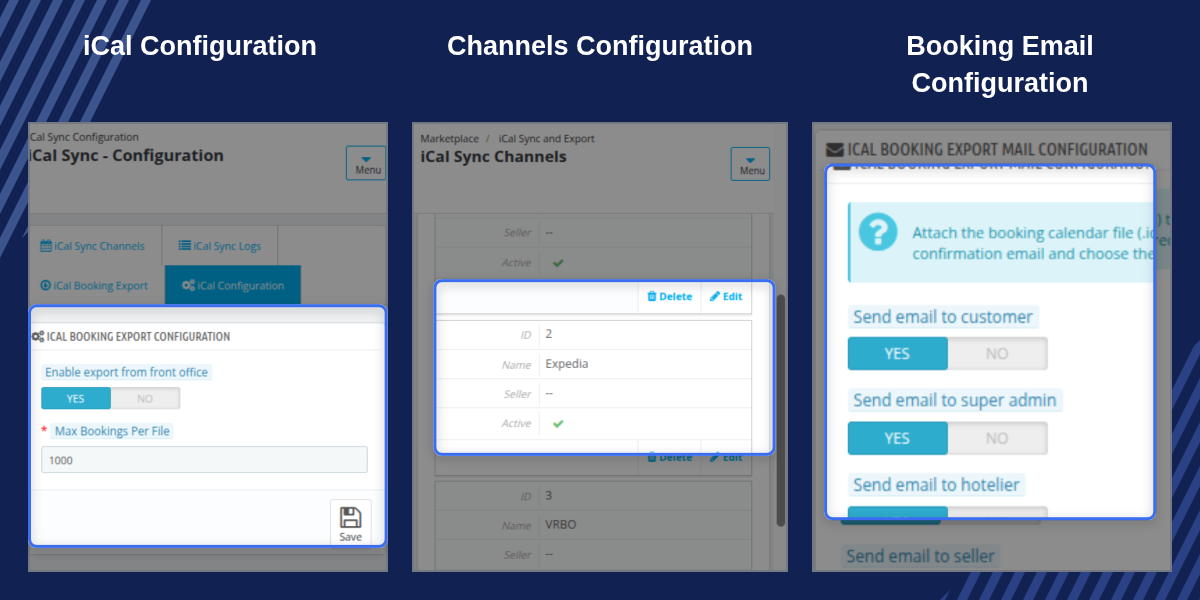
Show each seller a secure export URL and per-channel import URLs for their room types, with last sync time for every channel.
Provide channels from the admin side, and let sellers add their own by switching on Allow sellers to create channels.
Decide per channel which imported event types block rooms and whether the event end date is blocked as well.
Limit exported events to the number of days ahead you set, with a default of 365 days, instead of sharing every future event.
Select sellers, admin hotels, hotels and dates, and download one file or a separate file per seller as a zip.
Let sellers download booking calendars themselves, with a Max Bookings Per File limit that defaults to 1000.
Attach the booking .ics to order confirmation emails for the customer, super admin, hotelier and seller.
Allow sellers to override the email recipient settings from their own account when you enable it.
Synchronising room availability across channels is time-consuming for a single property, and the effort multiplies when many sellers each manage their own calendars. Missed updates lead to double bookings.
The module gives each seller a feed for their own room types and gives the marketplace admin one place for channels, settings and logs. Imports run on a schedule, and every event is recorded against its seller.
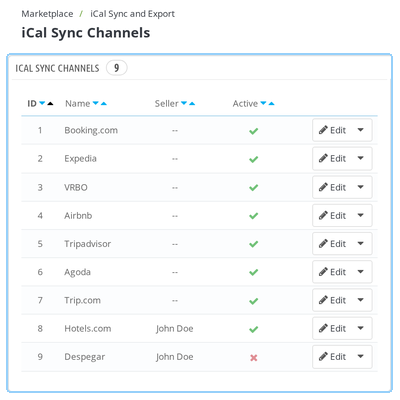
The Channels screen, under Marketplace Management > iCal Sync and Export, lists the channels used for calendar sync. Booking.com, Expedia, VRBO and Airbnb are available on installation.
Each row shows the channel name, the seller it belongs to and its active state. Admin channels are shared with sellers, and each channel carries an optional import window and event rules.
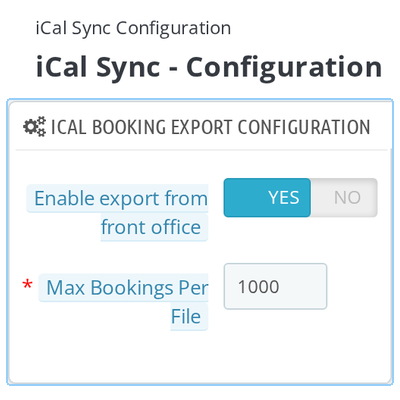
The Configuration screen groups the settings into panels.
iCal Sync Settings: Allow sellers to create channels, limit the export offset and set the offset in days.
Booking Export Configuration: Enable export from the front office and set the Max Bookings Per File.
Mail Configuration: Choose whether the customer, super admin, hotelier and seller receive the .ics, and whether sellers can change this.
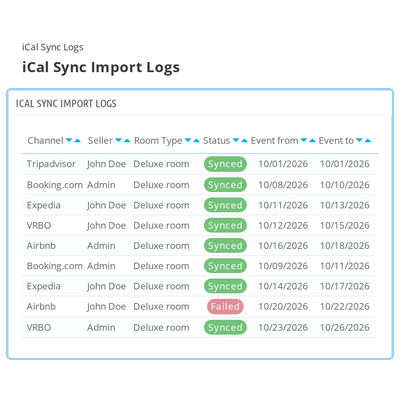
iCal Sync Import Logs records every imported event with its seller, channel, room type, hotel, UID, event dates, a Synced or Failed status and the time of logging.
Admin staff confirm that each seller's channel events reached the right room type and find failed events quickly. Events imported for admin hotels are marked as Admin.
In the seller account, iCal Sync Channels lists the channels available for importing room type calendars. Channels provided by the admin show their status and cannot be edited or removed.
When the admin allows it, sellers add their own channels with Add new channel and edit or delete them. This keeps each seller's feeds under their own account.
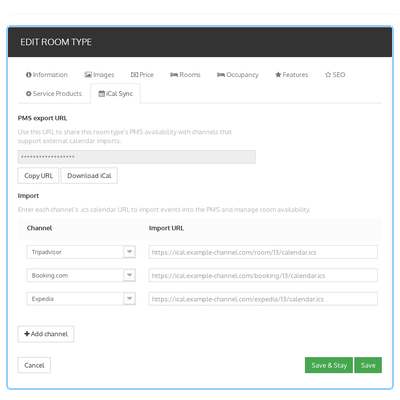
Each room type in the seller account gains an iCal Sync tab. Export shows the room type's PMS export URL with Copy URL and Download iCal actions.
Import lets the seller choose a channel, enter its .ics calendar URL and save. Sellers can link several channels to one room type and see the sync status of each.
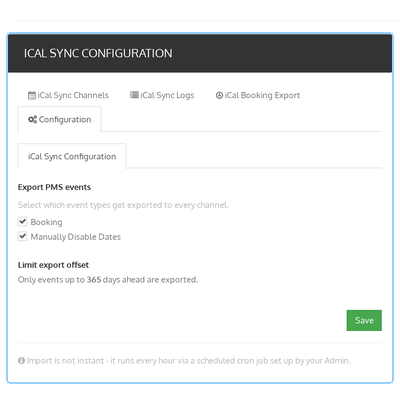
Seller iCal Sync Configuration controls what each seller's exported calendar contains. Sellers tick Booking, Manually Disable Dates or both, and see the export offset set by the admin.
When the admin enables seller mail settings, a mail configuration tab lets sellers choose who receives the booking .ics file.
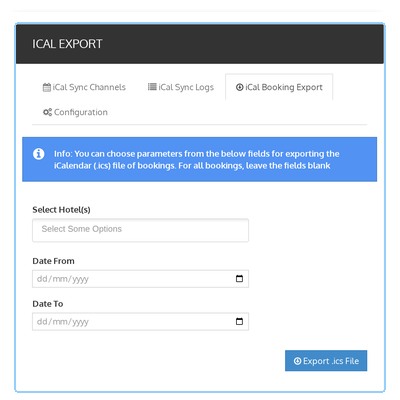
Sellers download a booking calendar from the front office through iCal Export. They select hotels, set Date From and Date To, and export an .ics file of their bookings.
Each file holds up to the Max Bookings Per File limit set by the admin, 1000 by default, so exports stay manageable.
For any query or issue, please create a support ticket here: QloApps Support Portal.
You may also explore our other QloApps modules: QloApps Add-ons.
Detailed technical features and requirements to help you understand the module’s capabilities and ensure smooth integration with your system.
Detailed technical features and requirements to help you understand the module’s capabilities and ensure smooth integration with your system.
We’re partnered with top-tier, trusted providers!
Want to know more how exactly we are going to power up your eCommerce Website with Cloud to fasten up your store
* Server Configuration may vary as per application requirements.



