Send Again
Close
The QloApps Marketplace MangoPay Payment Gateway is a secure and automated payment solution for QloApps Marketplace, designed to manage multi-vendor payments efficiently across partner hotels.
The module enables guests to make secure card payments while automatically handling admin commissions and seller-wise settlements, ensuring transparent and smooth marketplace operations.
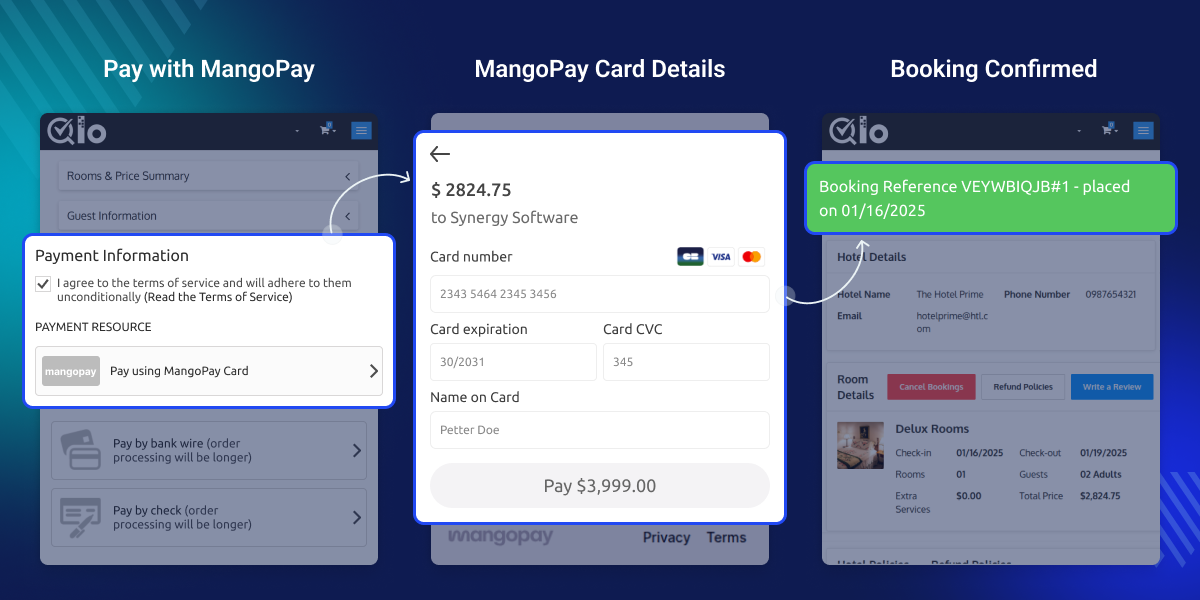
Automatically splits booking amounts between admin and sellers based on marketplace commission rules.
Creates MangoPay users and wallets for sellers to manage payouts securely.
Allows guests to pay securely using supported card payment methods via MangoPay.
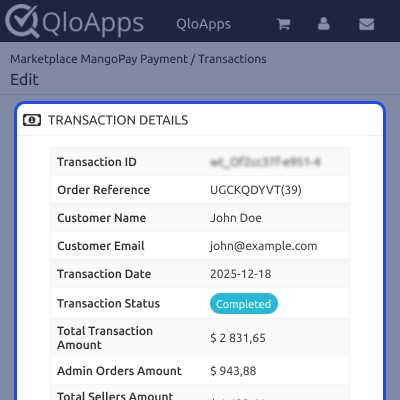
Admins can view detailed seller-wise commission distribution for every transaction.
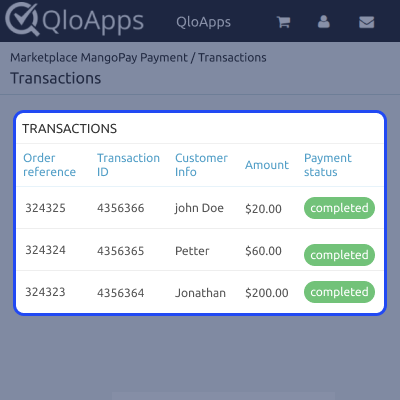
All MangoPay transactions are available in a dedicated Transactions tab.
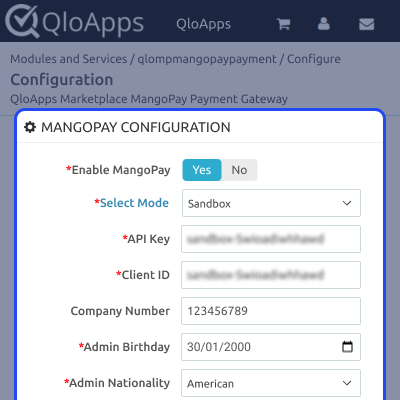
Admins can configure MangoPay by entering required business, admin, and API credentials from the back office.
This section allows enabling the gateway, selecting the environment, and setting up company details for compliance.
All MangoPay payments are listed in a centralized Transactions tab, allowing admins to track orders, customers, amounts, and transaction statuses.
Clicking on any transaction opens a detailed summary view showing transaction ID, order reference, customer details, total amount, admin commission, and seller-wise distribution.
For assistance, create a support ticket here.
Explore other QloApps Add-ons to extend your marketplace functionality.
Detailed technical features and requirements to help you understand the module’s capabilities and ensure smooth integration with your system.
Detailed technical features and requirements to help you understand the module’s capabilities and ensure smooth integration with your system.
We’re partnered with top-tier, trusted providers!
Want to know more how exactly we are going to power up your eCommerce Website with Cloud to fasten up your store
* Server Configuration may vary as per application requirements.



