Send Again
Close
The QloApps Marketplace Pay At Hotel add-on is a powerful solution for marketplace-based hotel platforms where guests often hesitate to pay online due to trust, security, or payment failure concerns. Instead of forcing customers to complete an online transaction, this module allows them to reserve rooms from any hotel listed on your marketplace and pay directly at the property during check-in. This payment flexibility not only removes friction from the booking process but also increases the likelihood of confirmed reservations.
By enabling guests to pay at the hotel, it builds trust, enhances guest comfort, and encourages more bookings—while giving hotels the opportunity to interact personally with guests, strengthen relationships, and improve brand loyalty. Easy to use and requiring no backend configuration, QloApps Marketplace Pay At Hotel ensures a smooth, secure, and guest-friendly booking experience across your entire marketplace.
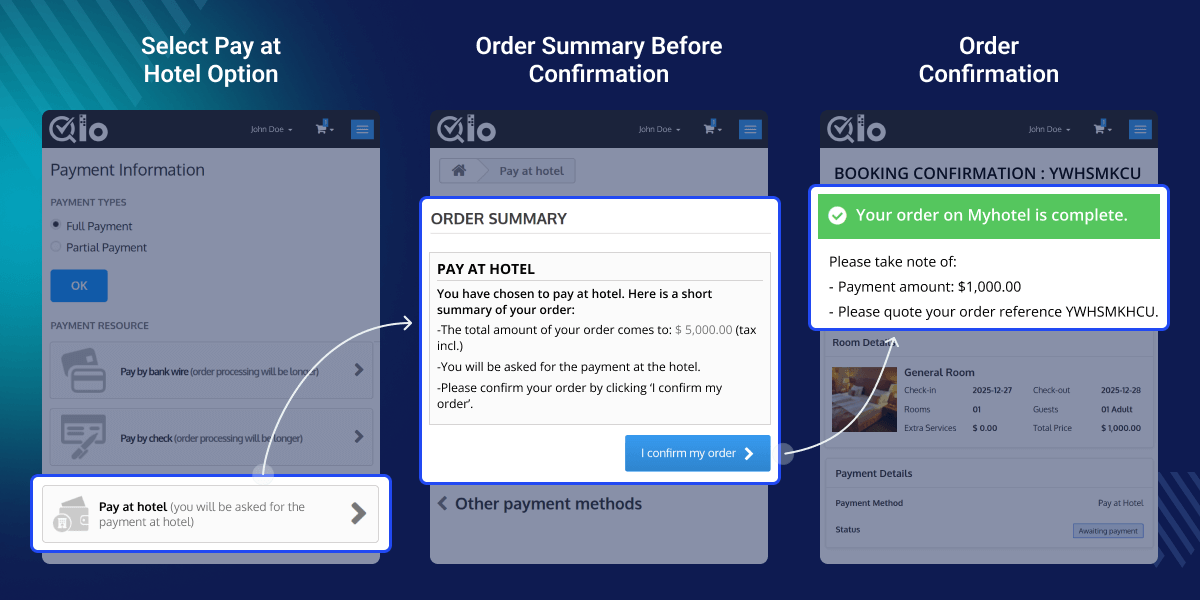
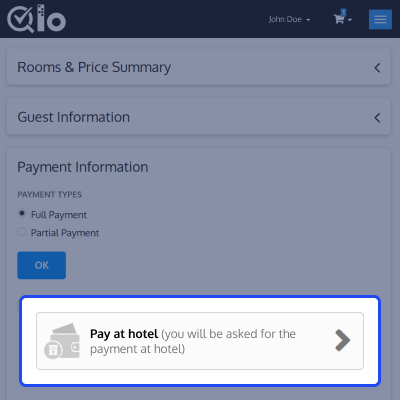
Allows guests to book rooms from any hotel listed on your marketplace without entering card details or completing an online transaction. Payment is made safely at the property during check-in.
Removes payment barriers that often stop guests from completing reservations, resulting in smoother bookings and improved conversion rates.
Creates an opportunity for personal engagement at check-in, helping hotels build stronger relationships, trust, and guest loyalty.
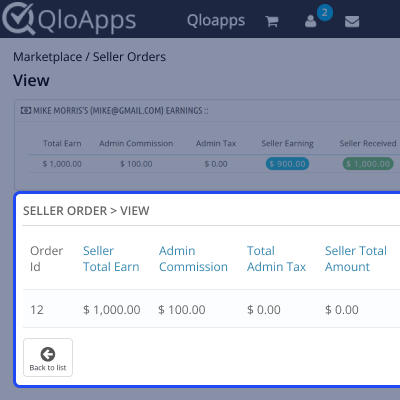
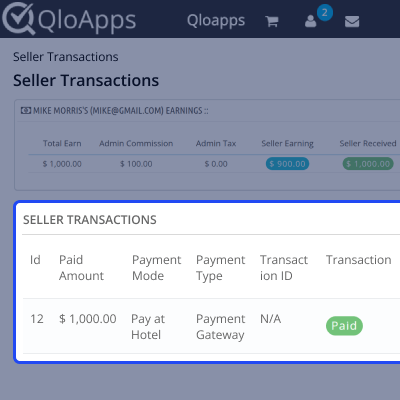
For any query or issue, please create a support ticket here.
You may also explore our other top-quality QloApps Add-ons.
Detailed technical features and requirements to help you understand the module’s capabilities and ensure smooth integration with your system.
Detailed technical features and requirements to help you understand the module’s capabilities and ensure smooth integration with your system.
We’re partnered with top-tier, trusted providers!
Want to know more how exactly we are going to power up your eCommerce Website with Cloud to fasten up your store
* Server Configuration may vary as per application requirements.



