Send Again
Close
The QloApps Maya Payment Gateway is a secure and reliable payment add-on for QloApps, enabling hotel owners to accept online payments via Maya (formerly PayMaya).
This module ensures a smooth and secure checkout experience by redirecting customers to Maya’s hosted payment page, supporting card payments, real-time validation, and automatic booking confirmation after successful payment.
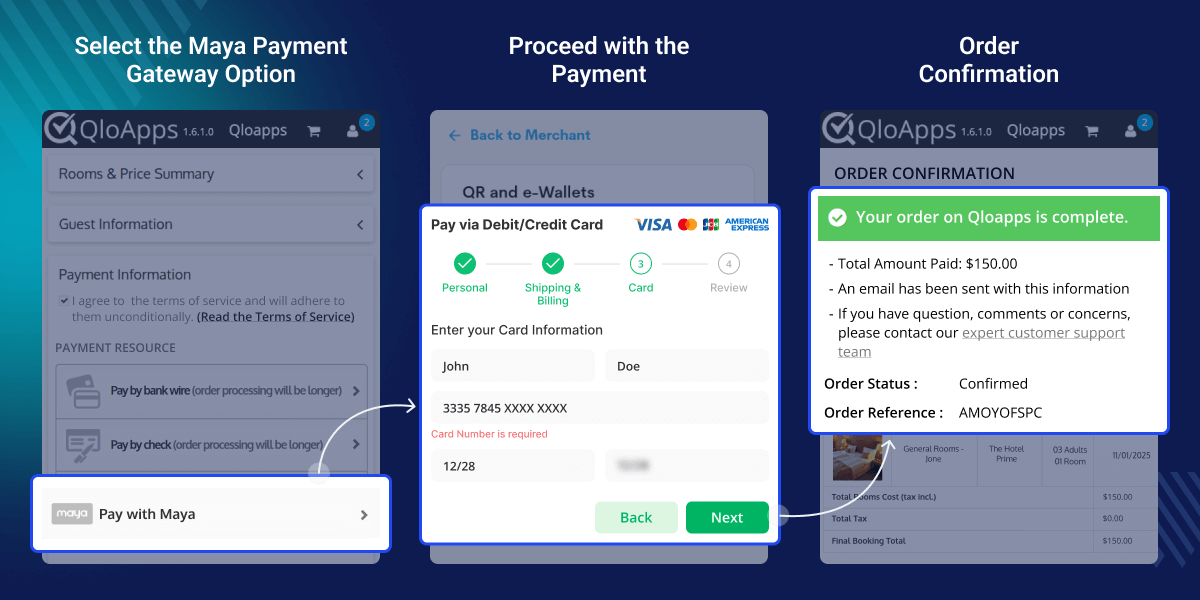
Accept secure payments through Maya with encrypted and PCI-compliant processing.
Supports credit and debit card payments via Visa and MasterCard.
Customers are securely redirected to the Maya payment page to complete transactions.
Order status is updated automatically after successful payment verification.
Ensures real-time transaction validation through secure webhook callbacks.
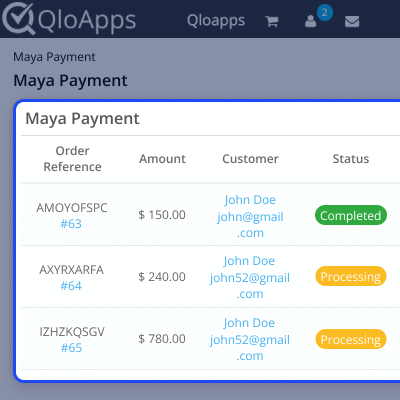
Admins can view all payment transactions and details directly from the back office.
Supports both testing (Sandbox) and production environments.
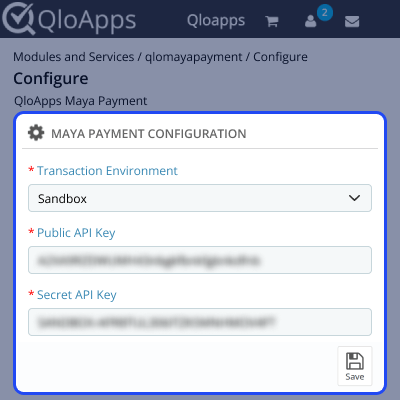
Admins can configure the Maya payment gateway from the QloApps back office by entering the required API credentials.
The configuration includes selecting the environment (Sandbox or Production) and adding the Public API Key and Secret API Key obtained from the Maya Business Manager dashboard.
All Maya payments are displayed in a centralized Transactions tab, allowing admins to track payment status, order details, and transaction references in one place.
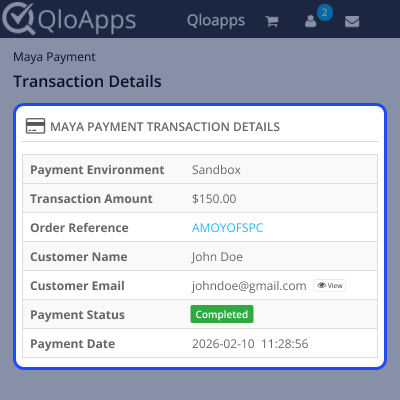
Admins can view detailed transaction information by clicking on any entry. This includes payment reference ID, order details, amount, and payment status, helping in easy tracking and reconciliation.
For assistance, create a support ticket here.
Explore more QloApps Add-ons to enhance your platform’s capabilities.
Detailed technical features and requirements to help you understand the module’s capabilities and ensure smooth integration with your system.
Detailed technical features and requirements to help you understand the module’s capabilities and ensure smooth integration with your system.
We’re partnered with top-tier, trusted providers!
Want to know more how exactly we are going to power up your eCommerce Website with Cloud to fasten up your store
* Server Configuration may vary as per application requirements.



