USD
  • EUR
  • INR
  • USD
Cart
Cart 0
  • You have no items in your shopping cart.
    QloApps Extensions
    Cart
    Cart 0
    • You have no items in your shopping cart.
    Hire a Developer
    ×
    Contact Us!
    Send Again
    Close
    Please Login to Write Your Review
    QloApps QuickBooks Connector

    QloApps QuickBooks Connector

    x
    Free

    * Required Fields

    $119.99
    Add To Cart


    QloApps QuickBooks Connector integrates QloApps with QuickBooks to automate hotel accounting and financial management. It synchronizes customers, hotels, room types, service products, bookings, invoices, payments, and refunds between both platforms, reducing manual effort, improving accounting accuracy, and helping hotel businesses maintain up-to-date financial records with ease.


    • Seamlessly integrates QloApps with QuickBooks using secure OAuth authentication.

    • Automatically synchronizes customers, hotels, room types, service products, bookings, invoices, payments, and refunds.

    • Supports both manual and automatic synchronization with configurable sync settings.

    • Tracks synchronization status with QuickBooks IDs, last sync date, time, and real-time status.

    • Automates synchronization using CRON jobs to keep accounting records accurate and up to date.

    QloApps QuickBooks Connector
    QloApps QuickBooks Connector
    $119.99
    Check How It Works
    $119.99
    Configure and Buy
    X
    • Description
    • Reviews
    • FAQ
    • Customers ()
    • Specifications
    • Cloud Hosting
    • Changelog

    The QloApps QuickBooks Connector seamlessly integrates QloApps with QuickBooks to simplify hotel accounting. It automatically synchronizes customers, hotels, room types, service products, orders, invoices, payments, and refunds between both platforms. This reduces manual data entry, improves accuracy, and helps administrators manage financial operations more efficiently.

    The connector supports both automatic and manual synchronization with configurable sync settings. It also uses CRON-based automation to keep accounting records updated regularly.

    With centralized accounting management, hotel administrators save time, reduce errors, and maintain accurate financial records effortlessly.
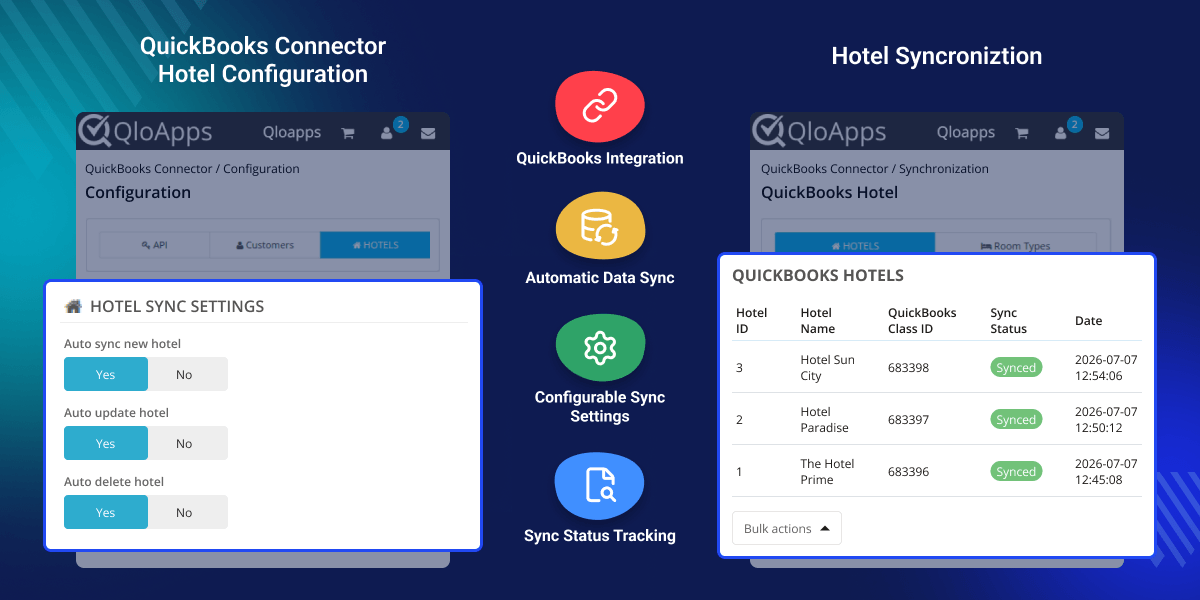
    QloApps QuickBooks Connector

    Highlighted Features

     Import properties while setup

    When setting up the module if there is no property in QloApps then you can import all the properties of your myallocator channel manager to your QloApps. And if you do not have a single property in Myallocator and at least one property in Qlopps, then you can export properties of QloApps to MyAllocator.

     Property and Room type Mapping

    Map QloApps properties with Myallocator properties so that both QloApps and Myallocator know which hotel of QloApps has to be synced with which hotel of MyAllocator. Likewise, select room types of QloApps with room types of Myallocator to map with each other.

     Easy accessibility of bookings made

    All bookings made via the Myallocator channel manager are shown on the Booking Manager tab. Myallocator Booking Id, Order Number, Currency, Order Source, and Order Date can all be accessed by the admin.

     Price and Availability Manager

    The system presents a tabular form of room type prices and inventories on different dates. If you make any change in the inventory and rates in QloApps then it will reflect in the table. Then with the click of a single button the date will be synced to Myallcator.

     Quantity Notification Settings

    Admin can set quantity in the inventory notification limit to receive notification when inventory reaches the limit. Admin have the option to decide the minimum limit per room type on which he wants to receive a low inventory notification in the feeds and the dashboard.

     Inventory and Rates Syncing Feeds

    Admin can view the list of inventory and rates sync feeds, booking feeds and quantity notification feeds. The records of rates and inventory sync will be listed so that you can check when you did the synchronization. Then you will have feeds of bookings made on Myallocator through various OTAs. At the end you will have low inventory notifications.

    API Configuration

    Configure API credentials to securely connect QloApps with QuickBooks, enabling seamless authentication and reliable synchronization between both platforms.
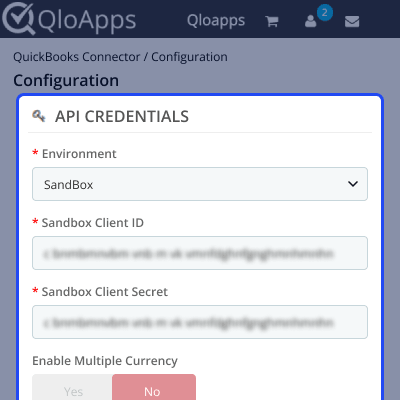
    • Client ID: Enter the Zoho API Client ID for authentication.
    • Client Secret: Enter the Zoho API Client Secret securely.
    • Realm ID (Company ID): Specify your QuickBooks organization identification number.
    • Redirect URI: Select the appropriate Zoho authentication server domain.
    • Webhook URL: Choose your QuickBooks regional dashboard domain.
    • Connect: Establish a secure connection with your QuickBooks account.
    QloApps QuickBooks Connector API Configuration

    Customers Configuration

    Configure customer synchronization preferences to automatically maintain accurate customer records and simplify account management across both integrated platforms.
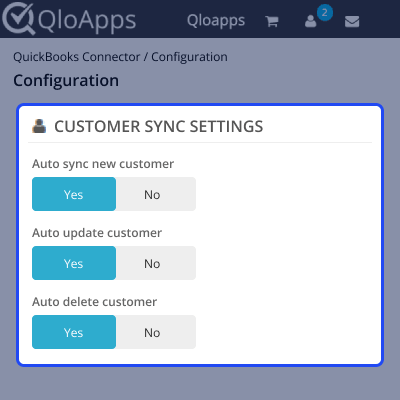
    • Auto Sync New Customer: Automatically synchronize newly registered customers.
    • Auto Update Customer: Update customer information automatically after modifications.
    • Auto Delete Customer: Disable deleted customer records automatically.
    • Enable Zoho Customer Portal: Allow customers access to their QuickBooks portal.
    QloApps QuickBooks Connector Customer Configuration

    Hotels Configuration

    Automatically synchronize hotel information to maintain consistent property records and simplify hotel management between QloApps and QuickBooks.
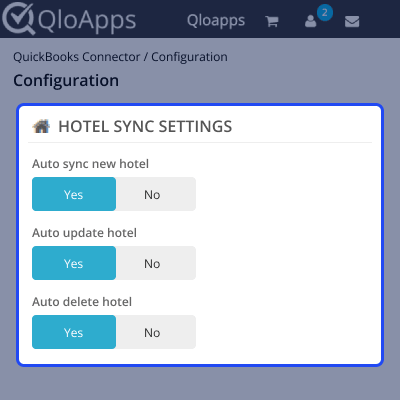
    • Auto Sync New Hotels: Automatically synchronize newly created hotels.
    • Auto Update Hotel: Update hotel information automatically after modifications.
    • Auto Delete Hotel: Disable deleted hotel records automatically.
    QloApps QuickBooks Connector Hotel Configuration

    Room Types Configuration

    Synchronize room type information automatically to ensure accommodation records remain accurate and updated across both connected business platforms.
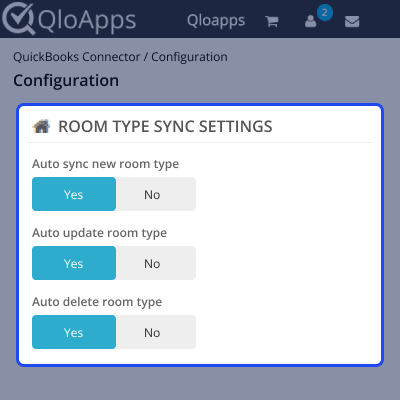
    • Auto Sync New Room Types: Automatically synchronize newly created room types.
    • Auto Update Room Type: Automatically update modified room type information.
    • Auto Delete Room Type: Disable deleted room types automatically.
    QloApps QuickBooks Connector Room Type Configuration

    Service Products Configuration

    Manage service product synchronization to keep hotel products updated and accurately reflected in QuickBooks without manual intervention.
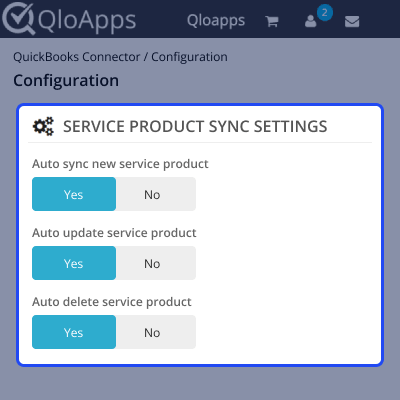
    • Auto Sync New Service Product: Automatically synchronize newly created service products.
    • Auto Update Service Product: Automatically update modified service product information.
    • Auto Delete Service Product: Disable deleted service products automatically.
    QloApps QuickBooks Connector Service Products Configuration

    Orders Configuration

    Configure synchronization settings for orders, invoices, payments, and refunds to automate hotel accounting and financial record management.
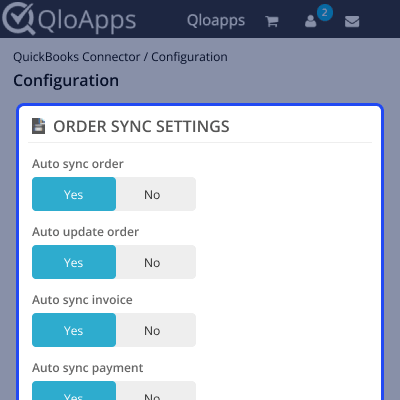
    • Auto Sync New Orders: Automatically synchronize newly created booking orders.
    • Auto Update Order: Automatically update modified order information.
    • Auto Sync New Invoices: Automatically synchronize newly generated invoices.
    • Auto Sync New Payment: Automatically synchronize newly received payments.
    • Auto Sync Credit Notes: Automatically synchronize generated refunds.
    QloApps QuickBooks Connector Order Configuration

    CRON Configuration

    Configure automated CRON synchronization to regularly update accounting records and keep QloApps and QuickBooks perfectly synchronized always.
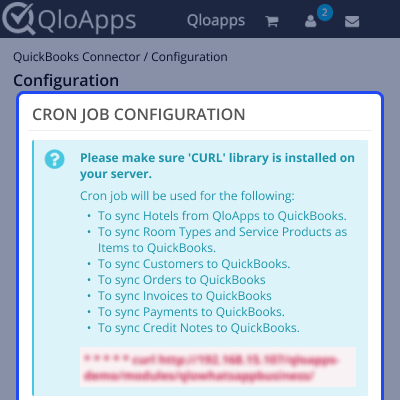
    • CRON URL: Execute this URL periodically for automatic synchronization.
    • CRON Schedule: Run every five minutes for continuous synchronization.
    QloApps QuickBooks Connector CRON Configuration

    QloApps QuickBooks Connector Support

    For assistance, create a support ticket here.

    Explore more QloApps Add-ons to enhance your website functionality.

    Specifications

    Product Version1.0.0
    Released5 days ago
    CategoryQloAppsConnectors
    Last UpdatedAugust 4, 2026 (Today)
    Supported VersionsQloApps  1.6.x  1.7.x  

    Ratings

    We'd love to hear your thoughts! Share your feedback and help us craft an even better experience tailored just for you.

    Write a review

    Specification

    Detailed technical features and requirements to help you understand the module’s capabilities and ensure smooth integration with your system.

    Cloud Hosting

    Detailed technical features and requirements to help you understand the module’s capabilities and ensure smooth integration with your system.

    Default Configuration Details of Server

    1 GB
    RAM
    1 Core
    Processor
    30 GB
    Hard Disk
    1 GB RAM & 1 Core Processor
    Database

    Want to know more how exactly we are going to power up your eCommerce Website with Cloud to fasten up your store

    * Server Configuration may vary as per application requirements.

    Change Logs

    Not Available


