Send Again
Close
QloApps Revenue Management System (RMS) solves hotel pricing challenges by offering an intelligent, rule-driven pricing and analytics module built directly into the QloApps ecosystem. It enables hotels to automate pricing decisions while maintaining full control over how rates are calculated and applied at both hotel and room-type levels.
The system automatically adjusts room prices using configurable pricing rules based on real-world demand factors such as occupancy percentage, lead time, seasons, weekdays, months, and last-minute booking windows. This ensures room rates remain competitive during low demand and maximize revenue during high-demand periods without constant manual intervention.
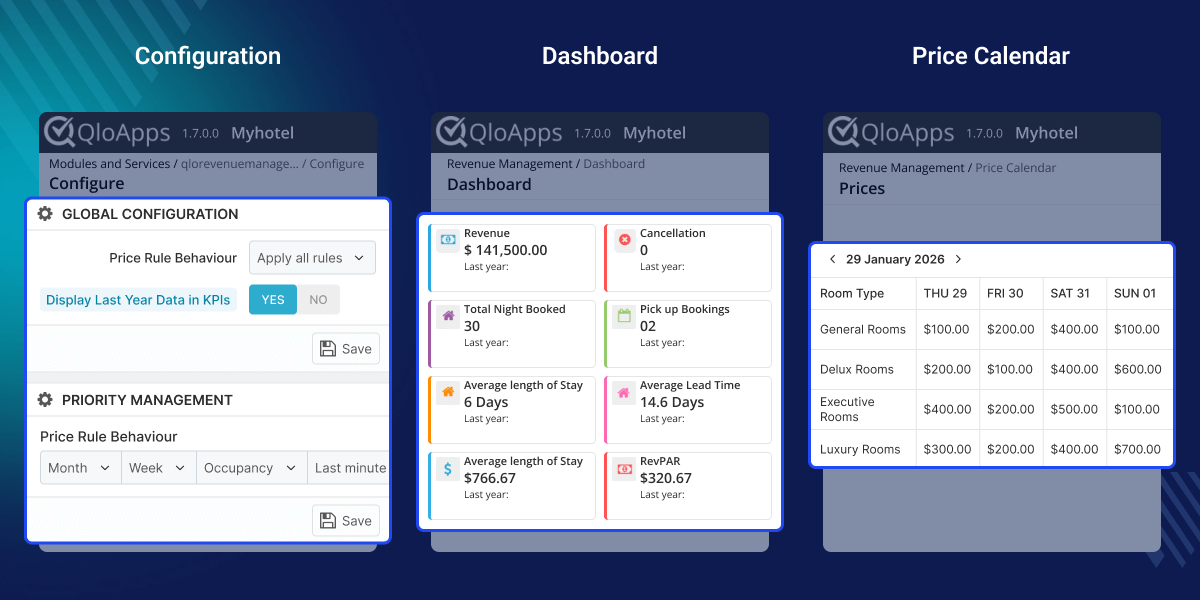
Automatically adjust room prices based on occupancy, lead time, season, weekdays, months, and last-minute demand using configurable pricing rules.
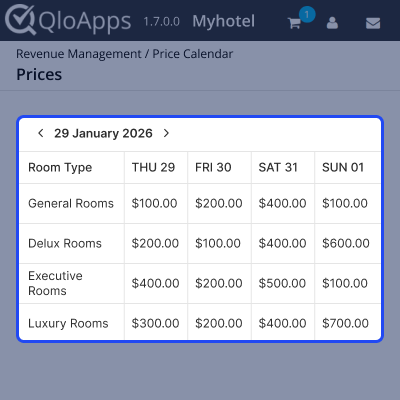
View dynamically adjusted room prices by date and room type through a visual price calendar, complete with applied rule history.
Generate and download CSV reports for channels, months, weekdays, pickup, rate bands, and overall performance tracking.
Managing hotel room pricing manually is complex, time-consuming, and often leads to missed revenue opportunities. Demand fluctuates daily based on occupancy levels, booking behavior, seasons, weekdays, and last-minute demand, making static pricing ineffective.
QloApps RMS centralizes pricing intelligence and performance analytics, giving hotels clear visibility into trends, booking pace, and year-over-year growth—so revenue decisions are always backed by data.
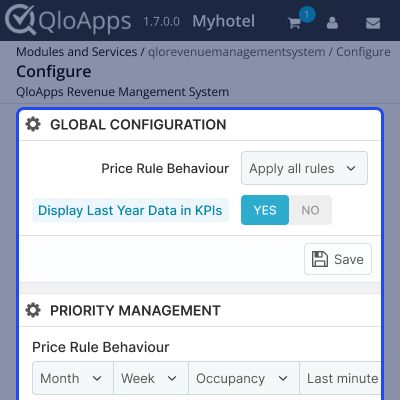
The QloApps Revenue Management System offers a flexible configuration setup that allows admins to control how and when pricing rules are applied across hotels and room types.
This flexibility ensures pricing strategies align perfectly with operational and revenue goals.
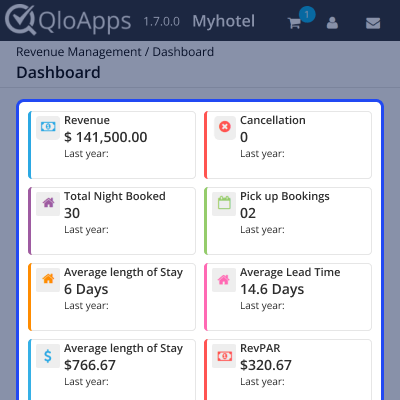
The QloApps Revenue Management Dashboard provides a centralized view of hotel performance with real-time insights and year-over-year comparisons.
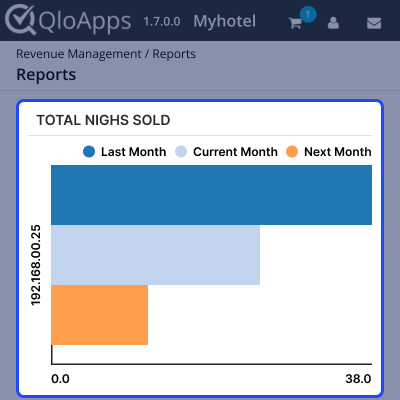
QloApps RMS includes downloadable reports that help hotels analyze performance, demand patterns, and revenue trends in detail.
The visual price calendar displays dynamically adjusted room prices across dates and room types, providing complete pricing transparency.
For any query or issue, please create a support ticket here.
You may also explore our other top-quality QloApps Add-ons.
Detailed technical features and requirements to help you understand the module’s capabilities and ensure smooth integration with your system.
Detailed technical features and requirements to help you understand the module’s capabilities and ensure smooth integration with your system.
We’re partnered with top-tier, trusted providers!
Want to know more how exactly we are going to power up your eCommerce Website with Cloud to fasten up your store
* Server Configuration may vary as per application requirements.



