USD
  • EUR
  • INR
  • USD
Cart
Cart 0
  • You have no items in your shopping cart.
    QloApps Extensions
    Cart
    Cart 0
    • You have no items in your shopping cart.
    Hire a Developer
    ×
    Contact Us!
    Send Again
    Close
    Please Login to Write Your Review
    QloApps SendGrid Mail

    QloApps SendGrid Mail

    x
    Free

    * Required Fields

    $49.00
    Add To Cart

    QloApps SendGrid Mail sends QloApps emails through SendGrid's Web API over HTTPS, helping hotels
    deliver booking confirmations, password resets, and guest notifications without configuring an SMTP server.


    • Send booking confirmations, password resets, and guest notifications through SendGrid.

    • Configure email delivery using a single SendGrid API key instead of SMTP credentials.

    • Preserve HTML and text content, CC, BCC, Reply-To, and attachments.

    • Protect saved API keys with password-field handling.

    • Validate API key format and prevent activation without a saved key.

    • Test email delivery and view SendGrid HTTP status codes and error messages.

    QloApps SendGrid Mail
    QloApps SendGrid Mail
    $49.00
    Check How It Works

    Need Help Deciding?

    Support answers within one business day.

    Open a ticket
    $49.00
    Configure and Buy
    X
    • Description
    • Reviews
    • FAQ
    • Customers ()
    • Specifications
    • Cloud Hosting
    • Changelog

    QloApps SendGrid Mail sends QloApps emails through SendGrid's Web API over HTTPS, helping hotels deliver booking confirmations, password resets, and guest notifications without configuring an SMTP server.

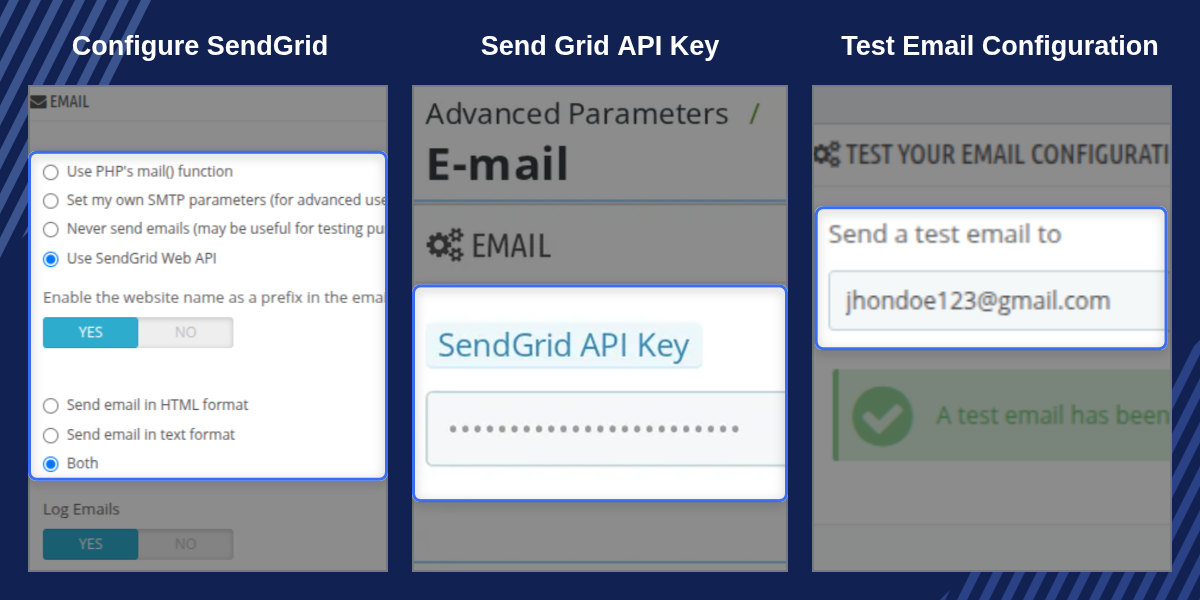
    QloApps SendGrid Mail adds SendGrid as a mail delivery option under Advanced Parameters > E-mail, alongside the existing SMTP and local mail settings. Once an API key is saved, outgoing messages, including booking confirmations, password resets, and guest and staff notifications, are sent through SendGrid's Web API over HTTPS instead of a direct SMTP connection.

    It is designed for independent hotels, resorts, and multi-property groups that want to simplify email configuration without managing their own outbound mail server. The module integrates with the standard QloApps E-mail configuration screen, making it easy to configure SendGrid without learning a separate Back Office section.
    QloApps SendGrid Mail

    Highlighted Features

    Reliable SendGrid Delivery

    Route booking confirmations, password resets, and guest notifications through SendGrid's Web API over HTTPS.

    Simple API Key Setup

    Replace SMTP server details with a single SendGrid API key configured on the existing E-mail settings screen.

    Secure Key Storage

    Store the API key in a password field that does not redisplay the saved value after it has been entered.

    API Key Format Validation

    Reject API keys that do not match SendGrid's expected format before saving them to the shop configuration.

    Native Test Email

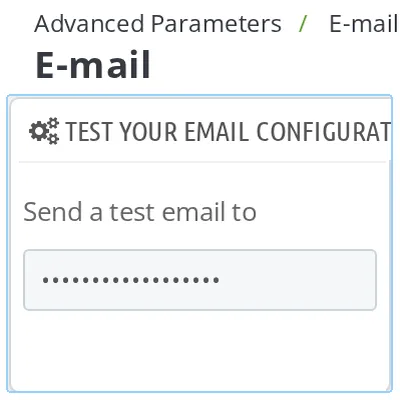
    Verify email delivery using the existing "Send a test email" button without requiring an additional setup step.

    Automatic Safe Fallback

    Revert the mail method automatically when the module is disabled or uninstalled, and remove the stored API key during uninstallation.

    Clear Delivery Error Messages

    Display SendGrid's HTTP status and error text in the Back Office when an email delivery attempt fails.

    Complete Email Content Support

    Support HTML and text content, CC, BCC, Reply-To addresses, and attachments as prepared by QloApps.

    Why Use QloApps SendGrid Mail?

    Reliable email delivery is essential for hotel operations. Booking confirmations, payment receipts, and password resets depend on messages reaching guests and staff. Basic SMTP setups and shared hosting environments can require additional configuration and troubleshooting when email delivery issues occur.

    QloApps SendGrid Mail provides an API-based delivery option through SendGrid. Hotels can configure email delivery from one familiar Back Office screen, test the setup, and review clear error messages when a sending request fails.

    QloApps SendGrid Mail Configuration

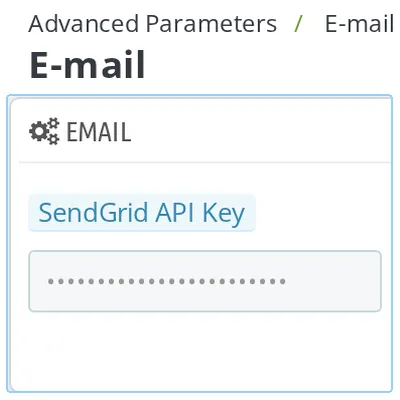
    The module adds a SendGrid configuration panel under Advanced Parameters > E-mail, alongside the existing SMTP settings.

    • Use SendGrid Web API: Select SendGrid from the standard mail-method options to route outgoing emails through the API.
    • SendGrid API Key: Enter the API key generated in your SendGrid account.
    • Hidden saved key: The saved key is not redisplayed in the configuration field.
    • Key replacement: Enter a new API key whenever you need to replace the existing one.

    The configuration remains within the existing E-mail settings screen, so administrators do not need to learn a separate Back Office section.
    QloApps SendGrid Mail Configuration

    QloApps SendGrid Mail Delivery

    Once the API key is saved and SendGrid is selected as the mail method, QloApps routes outgoing messages through SendGrid's Web API over HTTPS instead of SMTP.

    • Booking confirmations and guest notifications.
    • Password reset emails and other outgoing messages.
    • HTML and plain-text email content.
    • CC and BCC recipients.
    • Reply-To addresses and attachments.

    The module supports the message content and fields prepared by QloApps, helping preserve the intended email format and recipient information.
    QloApps SendGrid Mail Delivery

    QloApps SendGrid Mail Safeguards

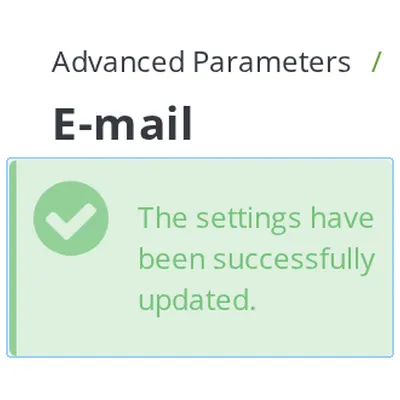
    The module validates its configuration and provides clear feedback to help administrators identify issues with SendGrid email delivery.

    • API key validation: Rejects keys that do not match SendGrid's expected character format before saving them.
    • Delivery error messages: Displays SendGrid's HTTP status and error text in the Back Office when a sending request fails.
    • Automatic fallback: Switches the mail method back to "Never send emails" when the module is disabled or uninstalled.
    • Key cleanup: Removes the stored API key during uninstallation.

    These safeguards help administrators manage the module's configuration and understand reported delivery failures.
    QloApps SendGrid Mail Validation and Safeguards

    QloApps SendGrid Mail Support

    For any query or issue, please create a support ticket here.

    You may also explore our other QloApps modules.

    Specifications

    Product Version4.0.0
    Released17 days ago
    Last UpdatedOctober 16, 2026 (14 days ago)
    Supported VersionsQloApps  1.6.x  1.7.x  

    Ratings

    We'd love to hear your thoughts! Share your feedback and help us craft an even better experience tailored just for you.

    Write a review

    Frequently Asked Questions

     Does enabling SendGrid change my existing SMTP settings?
    No. SendGrid is added as a separate option in the existing mail-method list. Switching back to SMTP or another mail method leaves your existing SMTP settings unchanged.
     What happens to my SendGrid API key if I leave the field blank when saving?
    The previously saved API key is retained. QloApps SendGrid Mail only replaces the stored key when a new value is entered and saved, preventing routine saves on the E-mail configuration page from clearing it accidentally.
     Can I verify that SendGrid is working before guests start receiving emails?
    Yes. The standard "Send a test email" button on the E-mail configuration page works once SendGrid is selected and an API key is saved. If delivery fails, the module displays SendGrid's error message.
     What happens if I disable or uninstall the module while SendGrid is active?
    The mail method automatically reverts to "Never send emails" when the module is disabled or uninstalled. Uninstalling the module also removes the stored SendGrid API key.
     Does the module send attachments and CC or BCC recipients?
    Yes. The module sends outgoing messages through SendGrid's Web API with their supported content, including HTML and text bodies, CC, BCC, Reply-To addresses, and attachments prepared by QloApps.
     Why does the API Key field reject the key I entered?
    QloApps SendGrid Mail validates the API key format before saving. It accepts letters, numbers, dots, underscores, and hyphens, with a length between 10 and 255 characters. If validation fails, copy the API key again from your SendGrid account's API Keys page and check its format.
     

    Specification

    Detailed technical features and requirements to help you understand the module’s capabilities and ensure smooth integration with your system.

    Cloud Hosting

    Detailed technical features and requirements to help you understand the module’s capabilities and ensure smooth integration with your system.

    Default Configuration Details of Server

    1 GB
    RAM
    1 Core
    Processor
    30 GB
    Hard Disk
    1 GB RAM & 1 Core Processor
    Database

    Want to know more how exactly we are going to power up your eCommerce Website with Cloud to fasten up your store

    * Server Configuration may vary as per application requirements.

    Change Logs

    Changelog

    Version 4.0.0

    • Added compatibility with QloApps version 1.7.0.

    Version 1.0.0

    • Initial release of the module.
    • Added compatibility with QloApps version 1.6.x.
    • Added "Use SendGrid Web API" as the fourth option under Advanced Parameters > E-mail.


