QloApps TT Smart Lock Connector: Deliver seamless, keyless room access with secure eKeys and automated smart-lock management. Eliminate physical keys and make check-ins fast, modern, and contactless.
- Automatically generates unique eKeys for each booking and sends them to guests.
- Supports access for both room doors and common areas like pools, gyms, and lounges.
- Cron automation sends eKeys and reminder emails before check-in.
- Admins can import locks, assign lock IDs, view, revoke, or regenerate eKeys anytime.
- Enhances guest experience, reduces front desk workload, and boosts operational efficiency.
- Description
- Reviews
- FAQ
- Customers ()
- Specifications
- Cloud Hosting
- Changelog
QloApps TT Smart Lock Connector connects TT Smart Lock with your QloApps system, helping properties manage room and common area access without traditional keys or manual effort
This module automates e-key generation, improves security, and makes guest check-ins completely hassle-free. Admins can assign smart locks to rooms, enabling guests to receive a unique eKey for their stay, and they can also assign locks to common areas.
QloApps TT Smart Lock Connector ensures a hassle-free, secure, and contactless check-in experience for guests while reducing the workload on hotel staff.
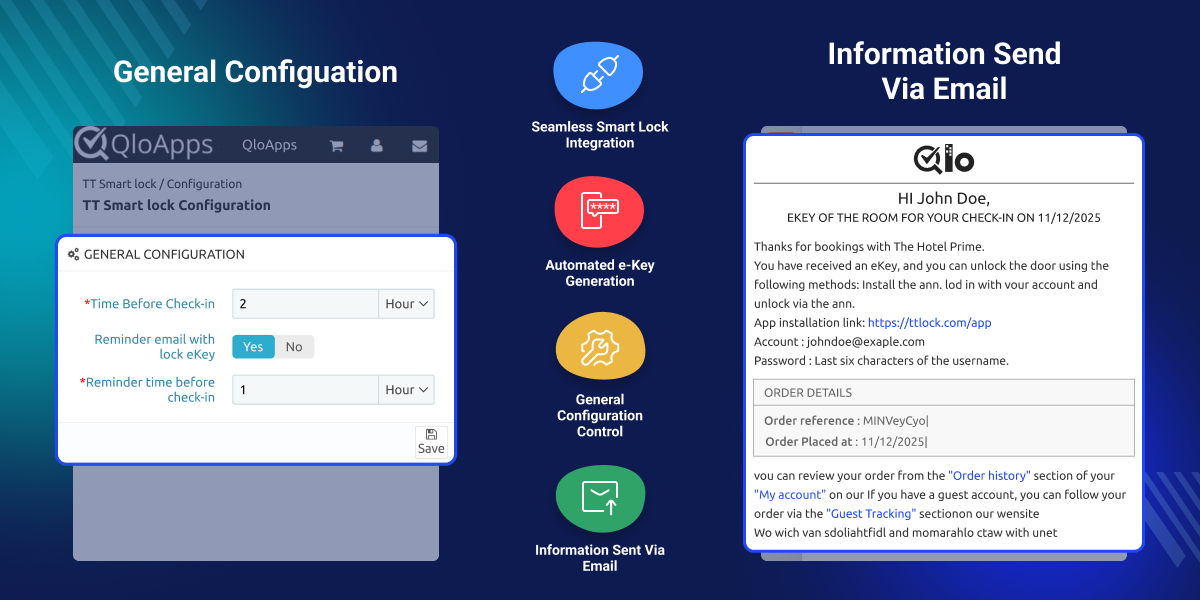
Highlighted Features of QloApps TT Smart Lock Connector
Smart Lock Assignment to Rooms
Admins can assign a Lock ID to each room from imported TT Smart Locks under room configuration, ensuring that only rooms with assigned locks support eKey access.
Contactless Check-In Experience
Guests receive their eKey via email before check-in, allowing them to enter their rooms without visiting the front desk.
Reduced Front Desk Workload
Eliminates the need to issue or manage physical keycards, allowing staff to focus on improving guest experiences.
Enhanced Security
Each access eKey is generated specifically for a booking and expires automatically after checkout, preventing unauthorized use.
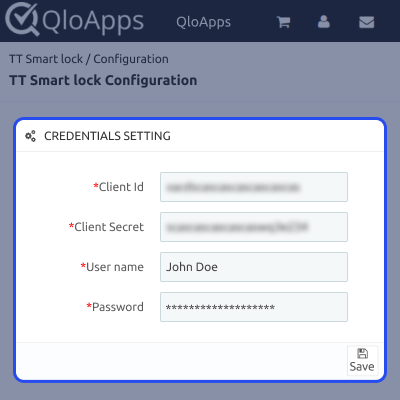
How QloApps TT Smart Lock Connector Works
- Once a room with smart lock assigned is booked and confirmed, the system generates a secure digital e-key for that guest.
- Guest eKeys can be shared automatically via email based on cron and general settings or sent manually by the admin if required.
Lock Configuration
- Admins can assign smart locks to specific rooms within the hotel.
- Each lock is linked to a unique Room ID, ensuring security and seamless management.
- Admins can import existing locks from Assa Abloy or manually add new ones.
- Lock settings can be adjusted to match hotel policies and guest requirements.

General Configuration
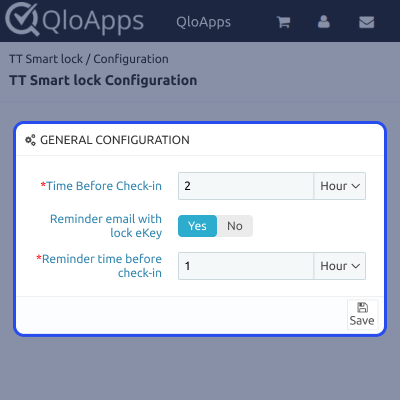
- Admins can configure the time before Check-in(e.g., 2 hours or 1 day before check-in).
- Option to enable or disable reminder emails.
- Admin can set Reminder time before check-in.

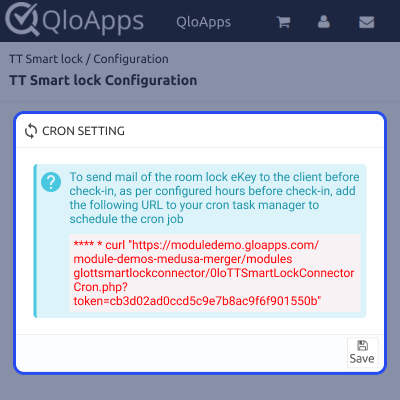
Cron setting
- The system generates smart lock eKeys automatically, sends guest emails before check-in and automates reminder emails when cron settings are enabled.

Admin Control & eKey Management
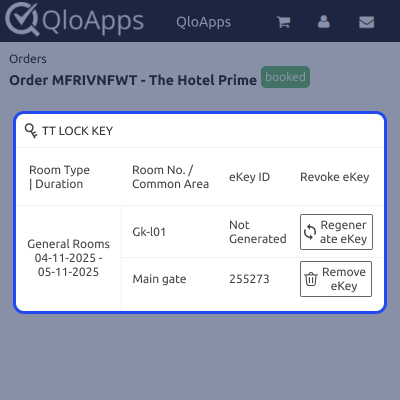
- From order details, admins can view generated eKeys, revoke them for security reasons or regenerate new ones for the guest.

QloApps TT Smart Lock Connector Support
For any queries or support requests, please create a ticket at Webkul Support.
Explore our other top-quality QloApps Add-ons to enhance your hotel operations.
Specifications
Specification
Detailed technical features and requirements to help you understand the module’s capabilities and ensure smooth integration with your system.
Cloud Hosting
Detailed technical features and requirements to help you understand the module’s capabilities and ensure smooth integration with your system.
Move to Cloud Today
We’re partnered with top-tier, trusted providers!
Default Configuration Details of Server
RAM 1 Core
Processor 30 GB
Hard Disk
Database
Want to know more how exactly we are going to power up your eCommerce Website with Cloud to fasten up your store
* Server Configuration may vary as per application requirements.