Send Again
Close
The QloApps Viva Wallet Payment Gateway is a payment integration module that allows hotel owners to accept secure online payments from guests directly through the QloApps Booking System. It helps streamline the payment process by enabling smooth transaction handling, multiple payment options, and a reliable checkout experience.
The gateway supports various payment methods, including major cards like Visa, Mastercard, and Amex, along with digital payment options such as Apple Pay, Google Pay, and PayPal.
Note: It is primarily used across the European Economic Area (EEA), allowing hotels in supported regions to provide guests with a convenient and secure payment solution.
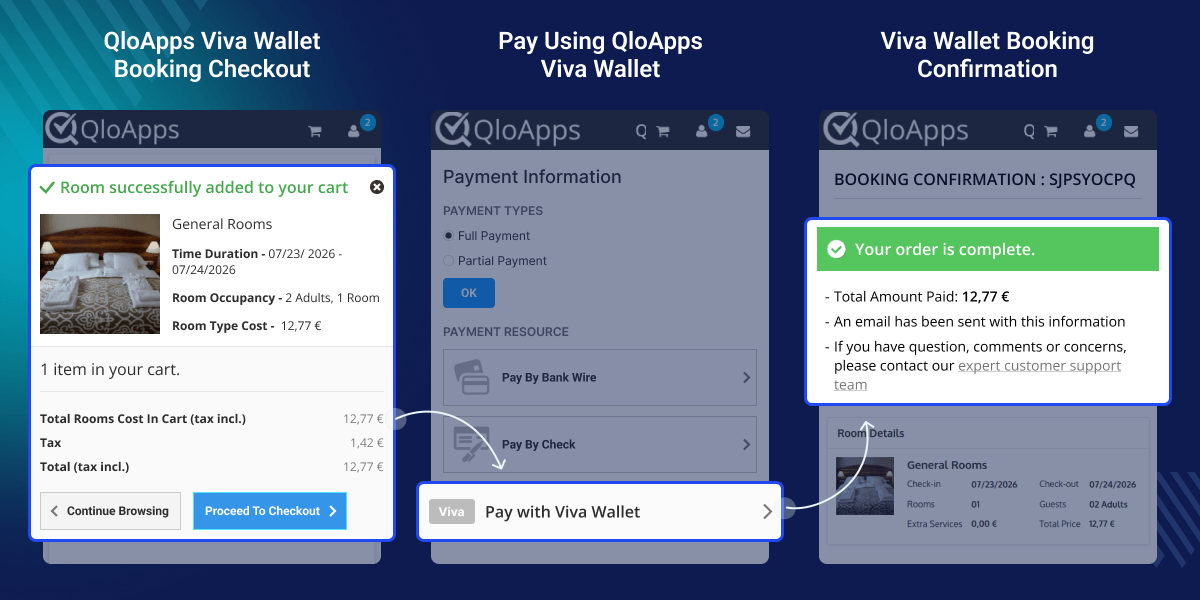
Enables hotel owners to accept secure and reliable online payments directly through the QloApps booking engine with real-time transaction processing.
Supports various payment options including Visa, Mastercard, Amex, Apple Pay, Google Pay, and PayPal to provide guests with flexible payment choices.
Allows hotels to accept payments from international guests by supporting Viva Wallet’s available currency options for smoother global transactions.
Provides real-time payment status updates through webhook integration for successful, failed, pending, and refund transactions.
Allows hotel administrators to process both complete and partial refunds directly from the QloApps backend with easy refund management.
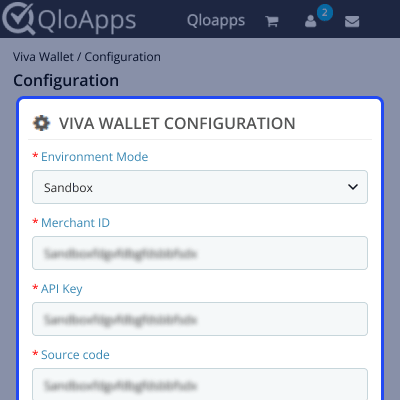
Configure the Viva Wallet Payment Gateway by entering the required merchant credentials obtained from the Viva Wallet Merchant Dashboard.
Note: Switch to Production mode only after updating your live Viva Wallet credentials.
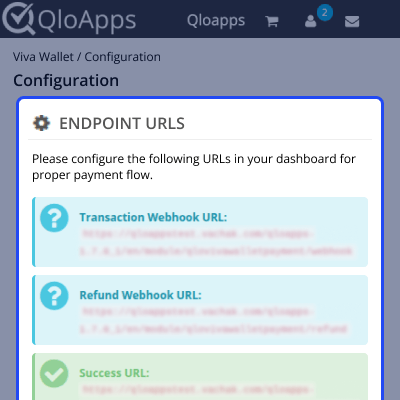
Configure Viva Wallet endpoint URLs to ensure a smooth payment flow by managing transaction notifications, refund updates, and customer redirections.
It includes Transaction Webhook URL, Refund Webhook URL, Success URL, and Failed URL to handle real-time payment status updates and payment result responses.
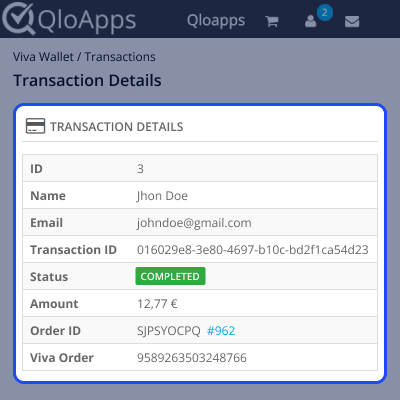
The Viva Wallet Transaction Detail section allows admin users to view and manage complete payment records made through the Viva Wallet Payment Gateway.
It displays important transaction information such as Booking Order ID, customer details, transaction ID, Viva Wallet Order ID, payment amount, and transaction status.
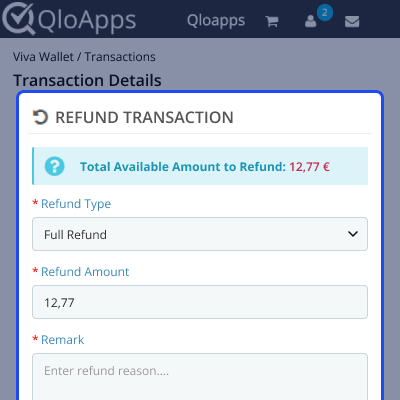
The Refund Transaction section allows admin users to process refunds for payments made through the Viva Wallet Payment Gateway directly from the QloApps backend.
Admins can initiate either a Full Refund to return the complete payment amount or a Partial Refund to refund a specific amount, along with adding remarks before completing the refund process.
For assistance, create a support ticket here.
Explore more QloApps Add-ons to enhance your website functionality.
Detailed technical features and requirements to help you understand the module’s capabilities and ensure smooth integration with your system.
Detailed technical features and requirements to help you understand the module’s capabilities and ensure smooth integration with your system.
We’re partnered with top-tier, trusted providers!
Want to know more how exactly we are going to power up your eCommerce Website with Cloud to fasten up your store
* Server Configuration may vary as per application requirements.



