- Description
- Reviews
- FAQ
- Specifications
- Cloud Hosting
- Changelog
UnoPim AI Product Feed for ChatGPT / OpenAI Search is a dedicated ai product feed generator unopim module that connects your UnoPim product catalog directly to OpenAI's shopping discovery layer.
Built as a openai shopping feed unopim solution, it generates structured, standards-compliant product feeds that ChatGPT can index and surface to shoppers looking for products like yours.
It generates structured, standards-compliant product feeds that ChatGPT can index and surface to shoppers looking for products like yours.
The module supports both TSV and JSON output formats. TSV is recommended for ChatGPT Search and follows OpenAI's preferred ingestion structure, while JSON support ensures flexibility for other AI-driven integrations.
Every feed URL is protected by a cryptographically secure token generated from the admin panel. This means your feed is only accessible to authorized services like ChatGPT — not to the open web.
Merchants can choose how feeds get generated. Trigger them manually from the admin panel, schedule them with a configurable cron job running anywhere from every hour to every week, or run them on demand via a simple Artisan CLI command.
A clean dashboard keeps you informed at all times. It logs the last five generation attempts with real-time status polling so you always know if your feed is current, pending, or encountered an issue.
For stores with large catalogs, the module processes products in configurable batches. This prevents PHP memory errors during generation and ensures smooth operation regardless of catalog size.
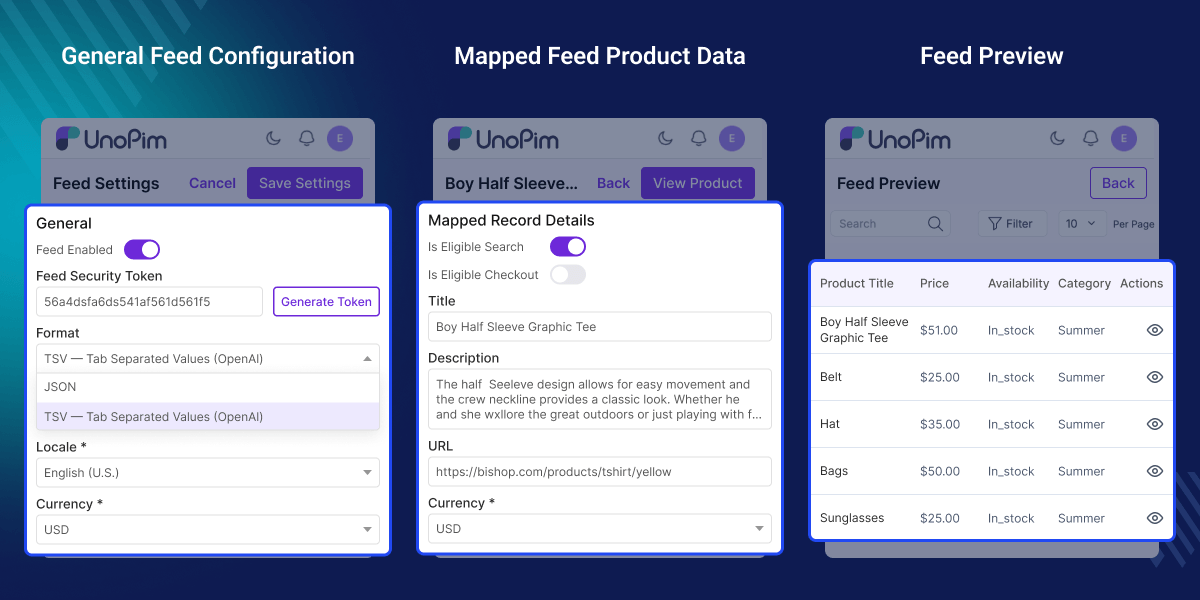
Highlighted Features of UnoPim AI Product Feed for OpenAI Search
TSV and JSON Feed Generation
Generate your product feed in TSV format — the format recommended by OpenAI for ChatGPT Search — or switch to JSON for broader AI platform compatibility.
Secure Token-Based Authentication
Each feed gets a unique, cryptographically secure access token. Only the URL holder can access the feed data.
Real-Time Generation Dashboard
The admin dashboard shows the status of the last 5 feed generation attempts so you can confirm updates or spot issues.
Advanced Attribute Mapping
Map UnoPim attributes like name, description, SKU, price, and image to OpenAI feed fields.
Manual Feed Generation
Trigger a full feed rebuild anytime directly from the admin panel.
CLI Feed Generation & URL Print
Run php artisan openai-feed:generate and use --show-url to get the feed URL instantly.
Why Do We Need AI Product Feed Module?
ChatGPT Search is becoming a real product discovery channel. Shoppers are asking ChatGPT to recommend products, compare prices, and find where to buy — and OpenAI needs a structured product feed to surface your catalog in those results.
UnoPim has no native way to generate and serve a product feed in the format OpenAI requires. There is no built-in token authentication, no TSV export tailored to ChatGPT's field structure, and no scheduler for keeping that feed automatically updated.
This module closes that gap. It handles feed generation, formatting, security, scheduling, and monitoring inside UnoPim itself — no third-party services or manual exports required.
Webkul has built and maintained PIM and e-commerce integrations across multiple platforms, and this module brings the same reliability to the OpenAI channel.
Use Cases
-
D2C Brands Expanding to AI Search
Show products in ChatGPT results using a compliant and updated TSV feed.
-
Multi-Channel/Locale Feed Automation
Automate feed generation for multiple channels and locales using cron scheduling.
-
Stores with Large Catalogs
Handle large product catalogs using batch processing without server issues.
-
Seasonal or Flash Sale Catalogs
Generate feeds instantly after price updates to reflect current offers in ChatGPT.
Configure Feed Settings
Set up your OpenAI feed in one place with full configuration control.
- Enable or disable the feed instantly
- Choose TSV or JSON output format
- Select channel and locale for feed data
- Enter seller name and URL
- Configure return policy and target countries
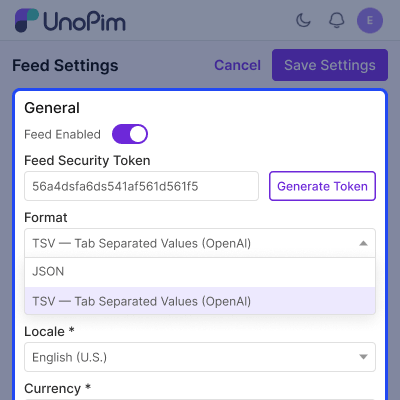
Attribute Mapping Setup
Connect UnoPim attributes to OpenAI feed fields.
- Map attributes like title, price, SKU, image
- Persistent mapping for future runs
- Validation for required fields
- Configure batch size and update interval
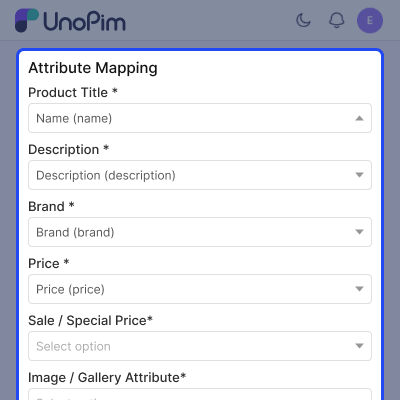
Configurable Product Support
Support for variants and extended product attributes.
- Supports weight, color, size, GTIN, MPN
- Each variant exported as separate entry
- Works across all channels and locales
- No manual attribute code needed
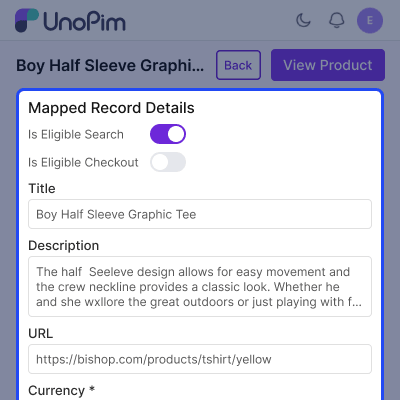
Feed Generation and Feed URL Publishing
Generate and publish feed easily with secure access.
- Manual feed generation from admin panel
- Schedule updates from 1 to 168 hours
- Track last 5 generation logs with status
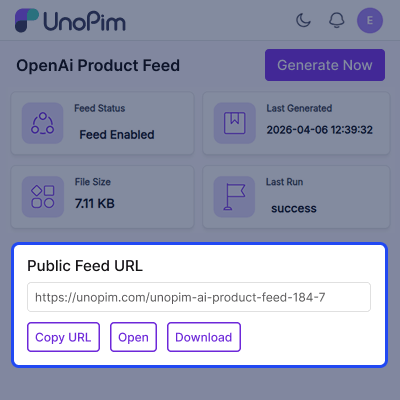
- Download feed or copy secure URL
- Optional token for public or secure access
Support
For any query or issue, please create a support ticket here http://webkul.uvdesk.com/. You may also check our all UnoPim Extensions.
Specifications
Frequently Asked Questions
Specification
Detailed technical features and requirements to help you understand the module’s capabilities and ensure smooth integration with your system.
Cloud Hosting for Websites & Applications
Power your website or application with flexible, scalable cloud infrastructure designed for performance and growth.
Move Your Website or Application to the Cloud
Get started with Cloudkul hosting tailored to your needs.
Configure Your Cloud Server
Choose server resources based on your workload, expected traffic, and performance requirements.
Start with the cloud resources your project needs today and adjust your server configuration as your business grows.
Explore flexible cloud hosting plans and choose your ideal configuration.
* Starting price is indicative. Final pricing and available server resources depend on the selected hosting configuration and requirements.
Change Logs
- - Feature Add (+)
- - Feature remove (-)
- - Bug Fixed (!)
- - Modification (*)
- * Updated the feed to follow the latest OpenAI product feed specification. Removed the deprecated sale_price_start_date and sale_price_end_date columns. Standalone products no longer include group_id and now send listing_has_variations=false.
- * Updated JSON output to use correct data types, including boolean values, an integer return_deadline_in_days, variant_dict as an object, and target_countries and additional_image_urls as arrays. Empty fields are now omitted instead of being sent as empty strings.
- * Updated target_countries in TSV output to use JSON array format, such as ["US","CA"].
- ! Fixed feed file naming so the extension matches the selected format, including products.json, products.jsonl, and .gz for compressed files.
- + Added JSONL output format, which generates one record per line.
- + Added optional gzip compression for TSV and JSONL feeds.
- + Added SFTP delivery to upload generated feeds to the SFTP location provided by OpenAI during merchant onboarding, using a stable file name. Passwords and private keys are stored encrypted, and failed uploads are recorded in generation history.
- + Added attribute mappings for condition, shipping price, product length, width, height, dimensions unit, review count, and star rating.
- + Added seller privacy policy and terms of service URL settings required for ChatGPT Checkout. Added support for sending accepts_exchanges.
- + Added a Stop button to the dashboard to stop running or queued feed generations. Incomplete files are discarded while the last successful feed is retained. The feature requires Generate Feed permission and supports all queue drivers.
- * Updated TSV formatting to escape embedded quotes using RFC 4180 rules instead of backslash escaping.
- * Normalized gender, age_group, and condition values to the OpenAI-supported enum values instead of using attribute option labels.
- * Updated GTIN handling to send values only when they have a valid length and check digit.
- * Updated return_deadline_in_days to be sent only when returns are accepted.
- * Updated sale_price handling to omit values unless they are strictly lower than the regular price. Products with zero prices are now excluded.
- ! Fixed checkout eligibility handling so is_eligible_checkout cannot be true when is_eligible_search is disabled.
- * Updated weight and dimension validation to omit units that are not supported by the OpenAI specification.
- ! Fixed variant preview details to include inherited values from the parent product instead of rendering an empty record.
- ! Fixed preview search to cover the entire catalog and display the correct total count instead of limiting results to the current page.
- ! Fixed product status filters to use boolean values matching the PostgreSQL column type.
- * Updated the public feed endpoint to stream files instead of loading the entire feed into memory.
- ! Fixed translations for 14 locales that previously displayed text from other languages. Each locale now uses its own translations.
- * Updated configuration history to display only changed fields instead of raw JSON. On/off settings now show true/false consistently, and saving an unchanged attribute mapping no longer creates a new version.
- * Added feed token rotation tracking to configuration history while keeping SFTP passwords and private keys excluded.
- * Updated attribute, currency, and locale dropdowns to display names only, matching the core admin interface.
- ! Fixed missing icons on the Download and Preview Feed buttons by correcting references to unavailable admin icon fonts.
- * Updated the Last Generated display to show readable timestamps on a single line, such as "2 hours ago (26 Oct 2026, 08:01 AM)".
- * Replaced the rotating upload icon in the generation banner with the standard core spinner.
- - Removed the unused SettingsController and settings.blade.php files, which referenced non-existent routes.
- * Moved the Gzip compression switch directly below the Feed enabled setting.
- * Added tooltips to the Open and Download buttons to explain their purpose. Open provides the public link used by OpenAI, while Download saves the file through the admin panel.
- + Added a migration to introduce a nullable stopped_at column in openai_feed_logs.
- * Removed double hyphens and dashes from module text across all 33 locales.
- * Updated public feed and status endpoints to accept tokens through the Authorization: Bearer header, keeping tokens out of web server and proxy access logs. The ?token= query parameter remains supported, and token-protected feeds now use Cache-Control: private.
- * Improved feed preview performance by removing full catalog mapping for row counts. The total now uses the last successful generation count or the product count when settings have changed since that generation.
- * Updated asset delivery to include precompiled theme assets in publishable/ and publish them through vendor:publish --tag=openai-feed-assets, removing the need to run npm install and npm run build during installation.
- ! Fixed admin layout handling when theme assets are missing by skipping the stylesheet instead of causing an error.
- * Updated dark mode panels to use gray-800 and gray-900 instead of cherry-800 and cherry-900.
- * Changed the package license to proprietary.
- + Added Playwright specifications for public feed gzip decompression, supporting both enabled and disabled compression.
- + Added 105 Pest tests covering specification mapping, output formats, compression, SFTP settings and failures, preview fixes, stopping feed generation, and configuration history.
- + Added compatibility with UnoPim 3.0, PHP 8.4.1, and Laravel 13.
- ! Raised the minimum platform requirements to UnoPim 3.0, PHP 8.4.1, and Laravel 13. UnoPim 2.x remains supported by version 1.1.0.
- ! Fixed two-level variant feeds to emit sellable leaf variants instead of intermediate
variant_groupnodes. - ! Updated two-level variant feed rows to use the leaf SKU's
item_id. - ! Fixed inherited variant values not being resolved in UnoPim 3.0, restoring titles, brands, descriptions, images, categories, and super-attribute values.
- ! Added support for measurement attributes and correctly populated numeric weight and weight units.
- ! Fixed PHP 8.4
fputcsv()deprecation notices by providing explicit enclosure and escape parameters without changing output. - ! Fixed default feed installation for PostgreSQL by seeding
channel_codeandlocale_code. - ! Made
openai-feed:installidempotent when the service provider is already registered using its imported short class name. - ! Fixed installer reporting to correctly report failed database initialization.
- ! Fixed admin page actions not working after AJAX navigation by defining page scripts on
window. - ! Fixed test database isolation by replacing
TRUNCATEwithDELETEin the test suite. - - Removed an invalid
publishes()registration and its corresponding unused installer step. - * Updated Settings and Generate actions to use AJAX and the core
{ message, type, redirect_url }response contract. - * Integrated the Settings form with UnoPim 3.0's global unsaved-changes save bar.
- * Registered the package test namespace and PHPUnit suites during installation.
- * Added Pest coverage for AJAX contracts, validation errors, optional fields, preview pages, datagrids, two-level variants, and measurement parsing.
- * Added 24 tests with 67 assertions.
- * Added the
generation_failedmessage to all 33 locales.
- Made the Ai Feed Generation module compatible with the latest UnoPim release.
- Updated the module for the UnoPim 2.0.0 application stack.
- Aligned installation and package registration with the latest UnoPim structure.
- + Multi-format feed generation in TSV (recommended for ChatGPT) and JSON formats.
- + Cryptographically secure token-based authentication for feed access.
- + Dashboard with real-time status polling for the last 5 generation attempts.
- + Attribute mapping to map standard UnoPim attributes (name, description, etc.) to OpenAI required fields.
- + Manual feed generation triggered directly from the admin panel.
- + Automated feed generation via built-in cron task with configurable intervals (1–168 hours).
- + CLI feed generation via openai-feed:generate Artisan command.
- + Ability to print the public feed URL with token via CLI (--show-url option).
