- Description
- Reviews
- FAQ
- Customers ()
- Specifications
- Cloud Hosting
- Changelog
UnoPim Dynamic Pricing Rule Module makes bulk price updates easy using flexible conditions. It helps teams manage large catalogs with less effort. You can create rules based on product attributes and apply changes quickly. This saves time and reduces errors.
This module supports channel and locale-based settings. You can set different prices for different markets without duplicating rules. All updates run in the background. This keeps the admin panel fast, even with large catalogs.
Apart from this, if you require to create custom PDF templates for product view, then you can check UnoPim PDF Generator.
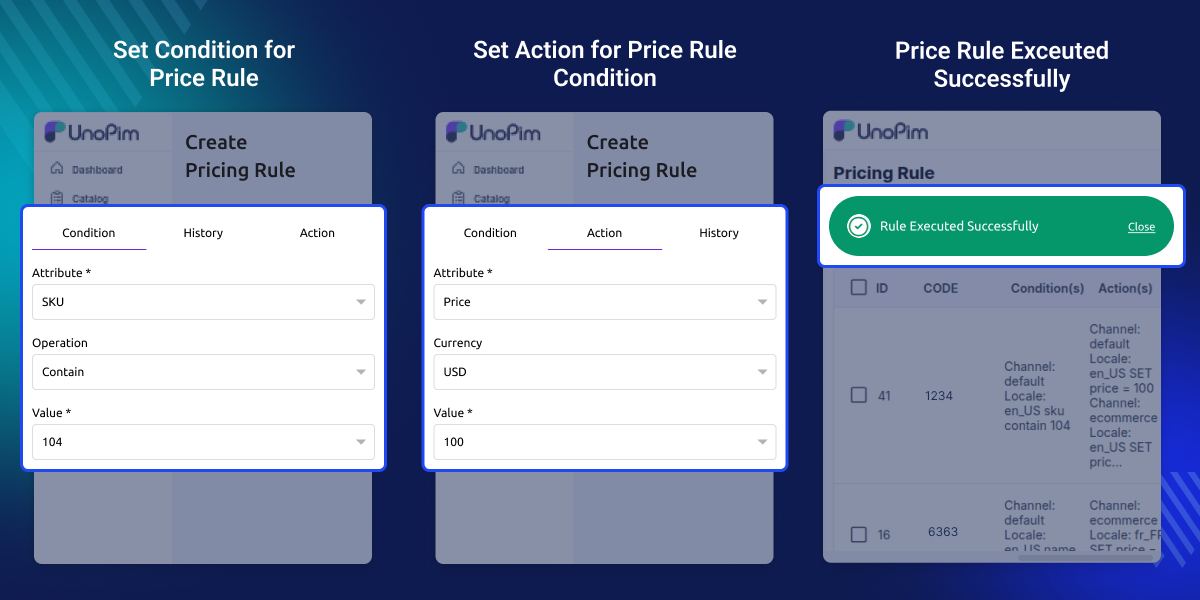
Highlighted Features of UnoPim Dynamic Pricing Rule Module
Condition Based Price Updates
Set rules and update prices based on defined conditions.
Bulk Catalog Price Changes
Update prices for many products in one run.
Flexible Pricing Rules
Create rules using product data and simple logic.
Scalable Catalog Updates
Handle large catalogs with batch processing.
Attribute Based Product Selection
Pick products using attributes and filters.
Background Processing
Run updates without slowing down the system.
Why Use a Dynamic Pricing Module in UnoPim?
Managing prices manually is hard when your catalog grows. Updating one product at a time takes too long and can cause mistakes. Default systems offer limited control. They do not support advanced filters, multi-channel pricing, or bulk updates.
Businesses need a simple way to manage prices across markets. Automation saves time and keeps pricing consistent. UnoPim Dynamic Pricing Rule module uses rules and background jobs to handle updates in a structured way.
Additionally, you can also check UnoPim Public Image URL which enables to create public URL's for product media.
Real World Use Cases for Pricing Automation
-
Seasonal Price Changes
Update prices based on season or demand.
-
Regional Pricing
Set different prices for different countries or regions.
-
Bulk Discount Updates
Apply discounts to selected product groups.
-
Multi Channel Sync
Keep prices aligned across all sales channels.
-
Segment Based Pricing
Update prices based on SKU, brand, or other attributes.
-
Campaign Preparation
Quickly update prices before promotions.
Product Attribute Condition Engine
This engine selects products based on attribute values. It helps you target the right products without manual work.
- Key Features:
- Use any product attribute in rules
- Support “contains” and “equals” conditions
- Combine multiple conditions
- Case-insensitive matching
- Dynamic product selection
- Works with existing product data
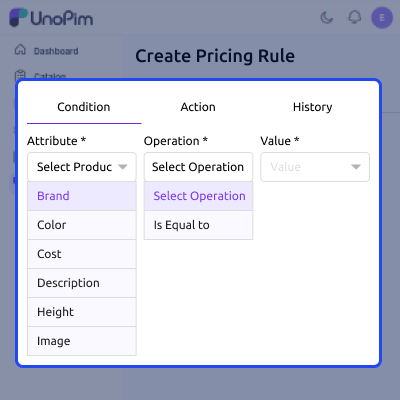
Price Action & Update Engine
This engine controls how prices are updated. It applies new values to selected price fields.
- Key Features:
- Update only price-related attributes
- Set values for selected currencies
- Apply multiple actions in one rule
- Block invalid inputs
- Direct value updates
- Keep other product data safe
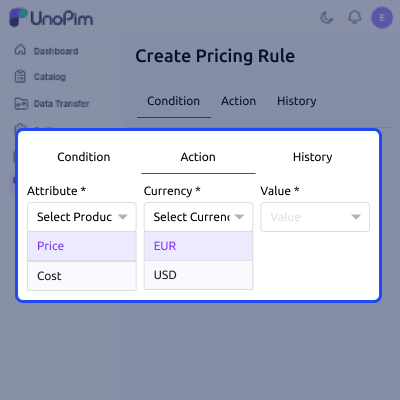
Multi Channel & Locale Based Pricing Control
This feature helps you manage pricing across channels and regions.
- Key Features:
- Central pricing control
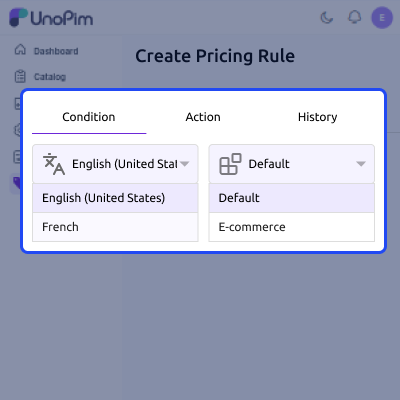
- Channel-based pricing rules
- Locale-based conditions
- Different pricing for each market
- Easy channel selection
- Default scope support
Asynchronous Pricing Processing Engine
Price updates run in the background using job queues. This keeps the system stable.
- Key Features:
- Batch processing (1,000 products per set)
- Parallel job execution
- No admin panel delay
- Queue driver support
- Works with large catalogs
- Smooth execution
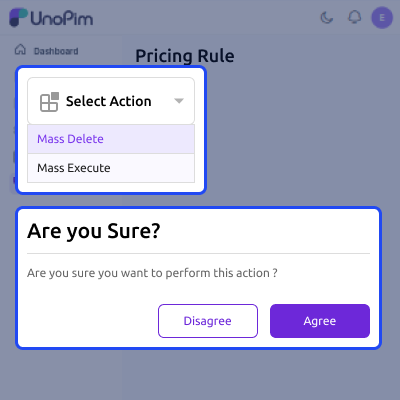
Admin Control, Permissions & Rule Management
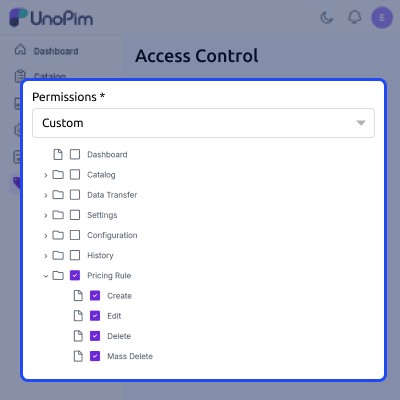
The admin panel lets you manage rules and user access.
- Key Features:
- Create, edit, and delete rules
- Run or delete rules in bulk
- Role-based access control
- Search and filter options
- Clean grid view
- Block incomplete rules
Support
For any query or issue, please create a support ticket here http://webkul.uvdesk.com/. You may also check our all UnoPim Extensions.
Specifications
Frequently Asked Questions
Specification
Detailed technical features and requirements to help you understand the module’s capabilities and ensure smooth integration with your system.
Cloud Hosting
Detailed technical features and requirements to help you understand the module’s capabilities and ensure smooth integration with your system.
Move to Cloud Today
We’re partnered with top-tier, trusted providers!



Default Configuration Details of Server
RAM 1 Core
Processor 30 GB
Hard Disk
Database
Want to know more how exactly we are going to power up your eCommerce Website with Cloud to fasten up your store
* Server Configuration may vary as per application requirements.
Change Logs
- - Feature Add (+)
- - Feature remove (-)
- - Bug Fixed (!)
- - Modification (*)
- Now fully compatible with UnoPim 3.0.0 (Laravel 13, PHP 8.4).
- Added - The package declares its own requirements (PHP ^8.4.1, Laravel ^13.0, Concord ^1.16), MIT license and feature list.
- Changed - The rule screens now use core's own admin chrome — page layout, tabs, breadcrumbs from the menu, and the global save bar with Discard. Saving no longer reloads the page or jumps back to the first tab.
- Changed - Condition and action tabs save over AJAX through core's form component; the module's hand-rolled Update buttons are gone.
- Fixed - The rule screens are styled correctly against 3.0's renamed palette.
- * Compatibility bump — now supports UnoPim 2.0+, Laravel 12+, and PHP ^8.3.
- * Updated installation instructions to align with the latest UnoPim structure.
- * Service provider registration updated — now requires adding provider in bootstrap/providers.php (replacing legacy config/app.php method).
- * Module registration flow improved as per UnoPim 2.x conventions.
- ! Minor stability improvements for rule execution and module bootstrapping.
- + Initial version of the Pricing Rule Module.
- + Admin menu integration for managing pricing rules.
- + Create, edit, and delete pricing rules from the admin panel.
- + Save and update rule conditions and rule actions.
- + Rule execution support through the unopim:price-rule:run Artisan command.
- + Queue job support for applying pricing rules to products.
- + Database migration for the rules table.
- + Translation support for multiple locales.
- + Basic test coverage for pricing rule workflows.
