- Description
- Reviews
- FAQ
- Customers ()
- Specifications
- Cloud Hosting
- Changelog
Shopware UnoPim Connector connects UnoPim with Shopware. This Shopware UnoPim Connector helps store owners manage product data from one place.
This module supports two way sync between both platforms. It also helps with Shopware UnoPim Integration and smooth UnoPim Product Synchronization. You can sync products, stock, images, product status, and SEO data with ease.
Admins can run sync tasks automatically or manually. This helps save time and reduces repeat work. This connector also includes attribute, category, and language mapping tools.
These tools help match product data correctly in UnoPim and Shopware. Businesses can create separate sync profiles for stores or product groups.
Each profile can use different settings and mapping rules. This module also stores sync logs for all tasks. Admins can check success logs, failed tasks, and error details in one place.
You can also check our Shopware Akeneo PIM Connector to connect your Shopware store with Akeneo PIM and manage product data from one place.
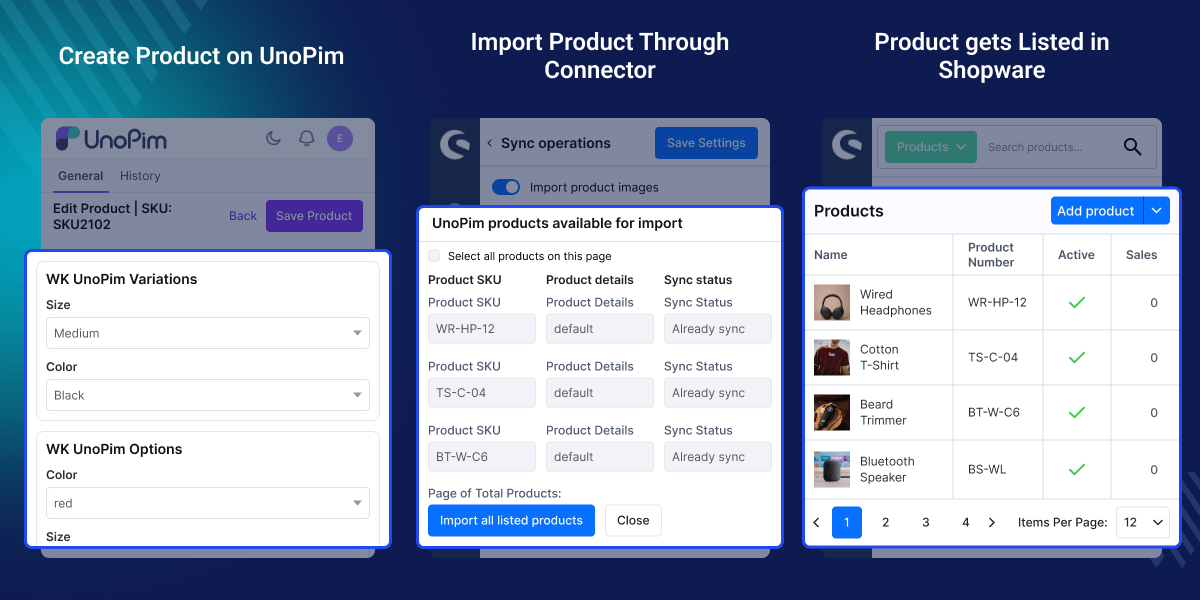
Highlighted Features Shopware UnoPim Connector
UnoPim to Shopware Sync
Send products, stock data, images, and SEO details from UnoPim to Shopware.
Shopware to UnoPim Sync
Sync product updates and stock changes from Shopware to UnoPim.
Auto and Manual Sync
Run sync tasks on schedule or start them by hand when needed.
Multiple Sync Profiles
Create different profiles for importing and exporting products.
Attribute Mapping
Match UnoPim fields with Shopware fields in a simple way.
Category and Language Mapping
Map category data and language data between both systems.
Why do we need Shopware UnoPim Connector?
Managing product data in many systems takes time. Manual updates can also cause stock errors and missing data. Shopware does not include advanced UnoPim sync tools by default.
This makes large catalogs hard to manage. This connector helps keep product details updated in UnoPim and Shopware. It also reduces repeat work for store teams.
You can create separate sync profiles for each store or catalog. This gives better control over sync tasks. Many businesses use this type of tool to save time and keep product data correct.
Use Cases
-
Multi Store Management
Use separate sync profiles for different Shopware stores.
-
Bulk Product Updates
Move large product catalogs with less manual work.
-
Stock Management
Keep stock data updated on both platforms with smooth Shopware inventory sync.
-
Track Product Sync Problems
Admins can check synchronization logs to find failed tasks and fix product data issues quickly.
UnoPim to Shopware Synchronization
This module syncs product data from UnoPim to Shopware. It helps teams manage product updates from one place.
- Sync products with ease
- Update stock data fast
- Sync product images
- Export SEO data
- Update product details
- Support large catalogs
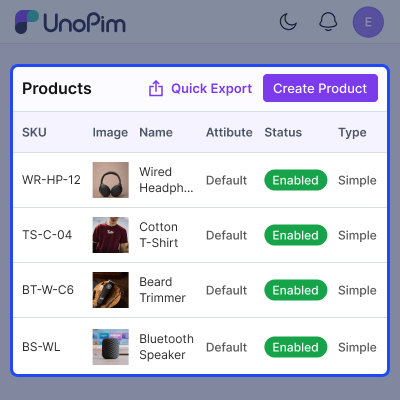
Shopware to UnoPim Synchronization
This connector also syncs data from Shopware to UnoPim. This helps keep UnoPim product records up to date.
- Import product data
- Sync stock updates
- Transfer product status
- Keep product data updated
- Cut down manual work
- Run sync tasks often
Synchronization Profile Management
This module allows businesses to create many synchronization profiles. Each profile can use separate settings and mapping rules.
- Create sync profiles
- Manage profile settings
- Run profile based sync
- Use separate mappings
- Enable or disable profiles
- Support many workflows
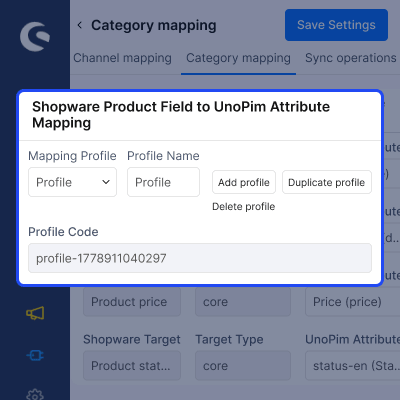
Attribute Mapping Management
This module includes easy field mapping tools. Admins can match UnoPim fields with Shopware fields.
- Create custom mappings
- Map product fields
- Enable or disable mappings
- Manage mapping profiles
- Set sync rules
- Support flexible mapping
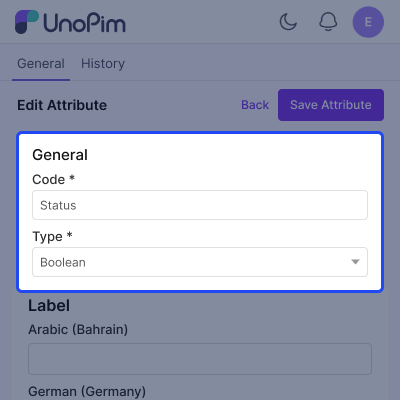
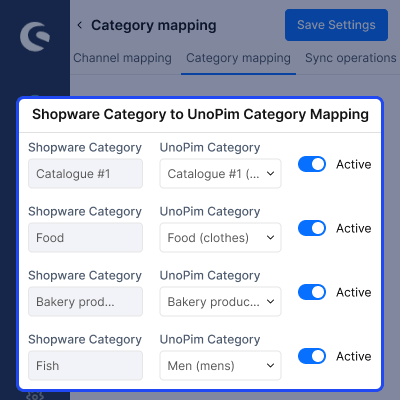
Category and Language Mapping
This connector supports category and language mapping tools. This helps stores manage local product data.
- Map store categories
- Enable category mapping
- Manage language mapping
- Support local product data
- Set language sync rules
- Keep category data clean
Bulk and Single Product Operations
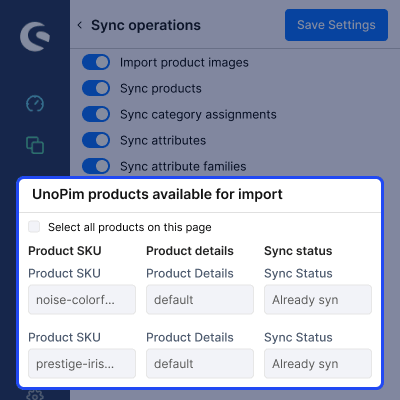
This module supports bulk and single product sync. This helps with large and small updates.
- Import products in bulk
- Export products in bulk
- Import one product
- Export one product
- Manage large catalogs
- Run manual sync tasks
Synchronization Logs Management
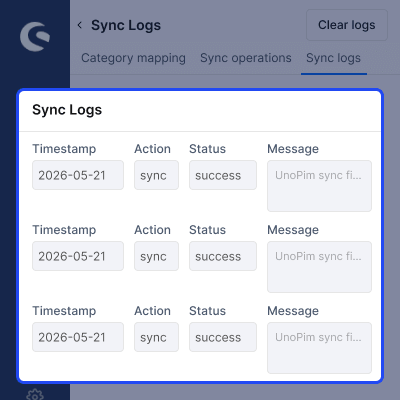
This module stores detailed synchronization logs. Admins can review successful and failed tasks from one place.
- Store import logs
- Store export logs
- View failed tasks
- Check error details
Support
For any query or issue, please create a support ticket here http://webkul.uvdesk.com/. You may also check our all UnoPim Extensions.
Specifications
Frequently Asked Questions
Specification
Detailed technical features and requirements to help you understand the module’s capabilities and ensure smooth integration with your system.
Cloud Hosting
Detailed technical features and requirements to help you understand the module’s capabilities and ensure smooth integration with your system.
Move to Cloud Today
We’re partnered with top-tier, trusted providers!



Default Configuration Details of Server
RAM 1 Core
Processor 30 GB
Hard Disk
Database
Want to know more how exactly we are going to power up your eCommerce Website with Cloud to fasten up your store
* Server Configuration may vary as per application requirements.
Change Logs
- - Feature Add (+)
- - Feature remove (-)
- - Bug Fixed (!)
- - Modification (*)
- Initial Launch
