- Description
- Reviews
- FAQ
- Customers ()
- Specifications
- Cloud Hosting
- Changelog
UnoPim Supplier Data Portal makes it easy to manage supplier products. Suppliers log in to their portal and can add or import products. Each product goes through a review stage. Admins or supplier handlers check the data. They can approve or reject products.
Bulk approval is also available to save time. Rejected products include comments. Suppliers can update their products and submit them again for review. This keeps the catalog clean and reduces errors.
You can also check UnoPim Maker-Checker Workflow for product and asset approval.
Highlighted Features
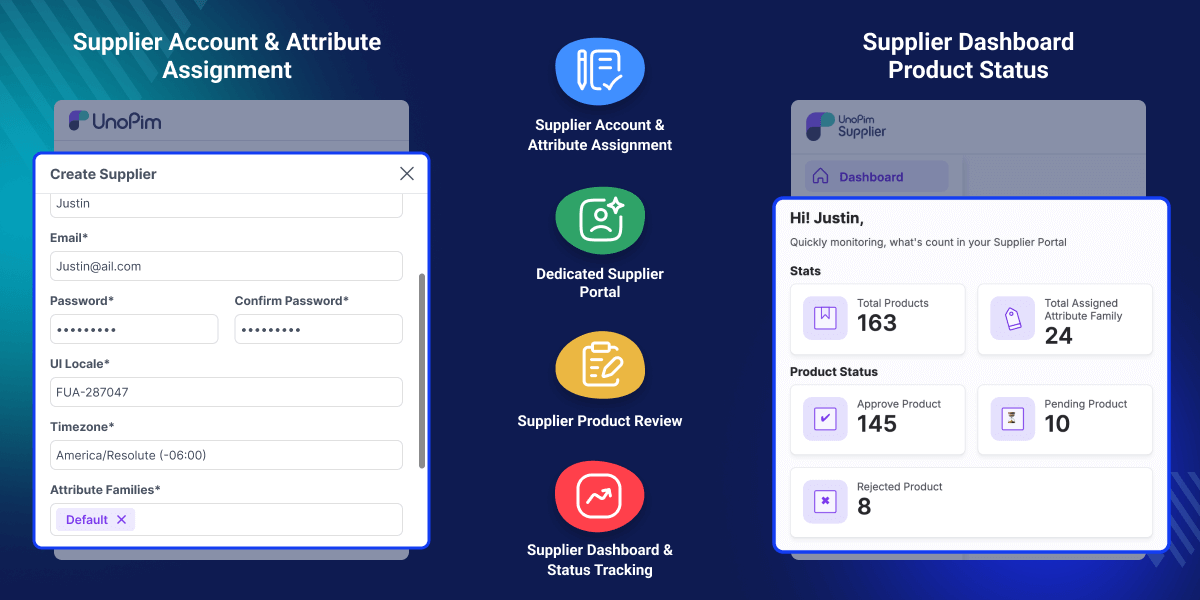
Dedicated Supplier Portal
Suppliers get their own portal to create or import products and track their status easily.
Approval-Based Product Flow
All supplier products must be approved before they are published in the catalog.
Bulk Product Review
Admins can approve multiple products at once, and rejected items include clear comments.
Supplier Dashboard
Suppliers can view approved, pending, and rejected products from one dashboard.
Why Do You Need UnoPim Supplier Data Portal?
UnoPim Supplier Data Portal module keeps product data under control. It reduces mistakes. Only approved products reach the catalog. This improves data quality. It also saves admin effort.
If you need help with UnoPim setup and training, then UnoPim Starter Pack is perfect. It gives full installation, easy configuration, and basic support to get you started quickly.
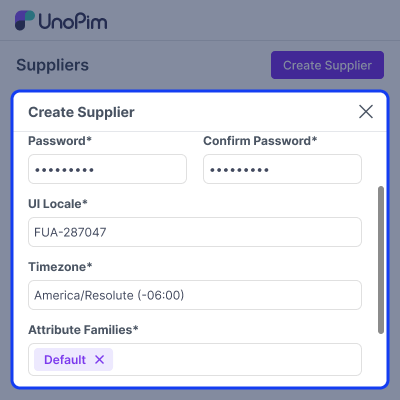
Supplier Account Setup
After installing the module, set up supplier accounts.
- Go to Supplier → Accounts → Create Supplier.
- Enter supplier details.
- Enable the account.
- Assign an attribute family.
- Save and create login credentials for the supplier.
Product Review Workflow
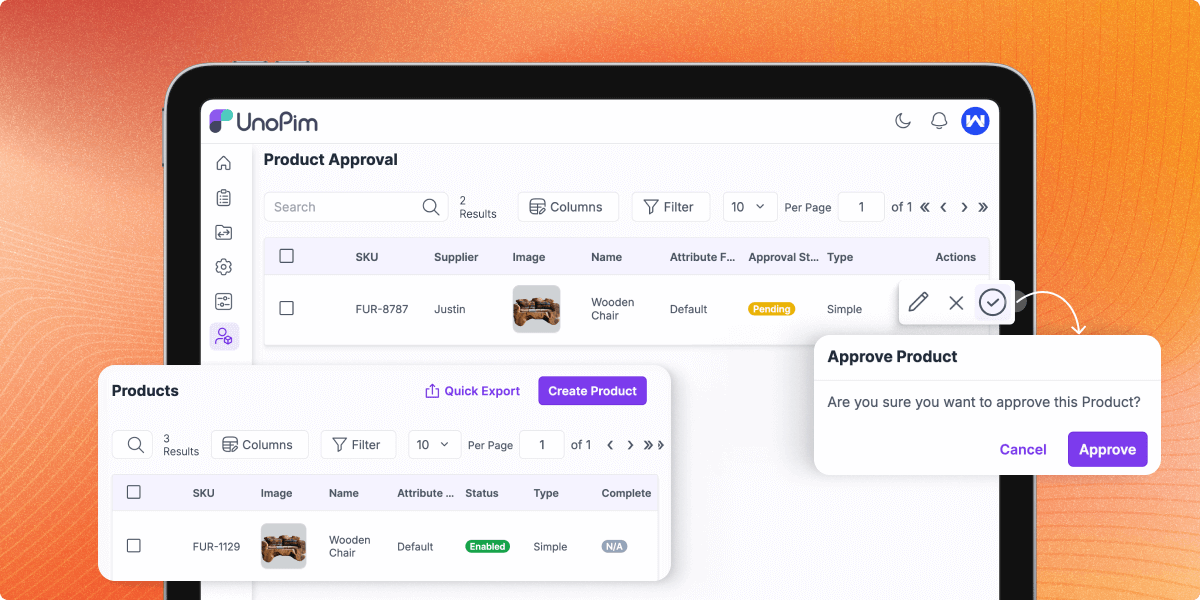
When suppliers add products:
- Products are created or imported.
- Items move to the review stage.
- Admin or handler reviews the products.
- Products can be approved or rejected.
- Rejected products show comments.
- Approved products appear in the catalog.
Support
For any query or issue, please create a support ticket here http://webkul.uvdesk.com/. You may also check our all UnoPim Extensions.
Specifications
Frequently Asked Questions
Specification
Detailed technical features and requirements to help you understand the module’s capabilities and ensure smooth integration with your system.
Cloud Hosting
Detailed technical features and requirements to help you understand the module’s capabilities and ensure smooth integration with your system.
Move to Cloud Today
We’re partnered with top-tier, trusted providers!



Default Configuration Details of Server
RAM 1 Core
Processor 30 GB
Hard Disk
Database
Want to know more how exactly we are going to power up your eCommerce Website with Cloud to fasten up your store
* Server Configuration may vary as per application requirements.
Change Logs
- - Feature Add (+)
- - Feature remove (-)
- - Bug Fixed (!)
- - Modification (*)
- + Full compatibility with Latest Version of Unopim
- + Breadcrumbs on every portal page.
- * Rebuilt on core's components and layouts — 36 duplicated views removed (92 → 56).
- * Configurable products now use core's variant structures.
- * Export profiles gained core's filters, scoped to the supplier's own catalogue.
- * Admin supplier screens moved to /admin/supplier/…; route names unchanged.
- - Comments stripped from the package sources.
- - Elasticsearch: the portal's query builder never initialised the shared query object, so any property filter threw before reaching the index, and attribute filters were written to a throwaway query that was silently dropped. The grids now own one query per operation, like core's.
- - Elasticsearch: the approval status filter called the query manager statically, and both grids used the deprecated ElasticSearchQuery facade — the supplier scope, the pending scope and the sort all went to a query that was never executed.
- - Elasticsearch: supplier exports enumerated the catalog index instead of the supplier index, so an export returned nothing (or, where ids happened to collide, the wrong rows). Exports now walk the supplier index, scoped to the owning supplier.
- - The supplier dashboard returned a 500 for an unknown widget type instead of a 400.
- - Removed a debug log that dumped a full backtrace on every datagrid filter.
- - Creating a supplier account failed on PostgreSQL — the unique e-mail rule sent an empty id to ignore. Supplier and admin forms now build it with Rule::unique()->ignore().
- - A supplier editing their own account was checked against the admins table instead of suppliers.
- - Export profiles could not be created, updated or run on PostgreSQL — file_path and field_separator are now nullable, and the job rows carry the type, action and validation_strategy values core writes.
- - The export and import listings joined the job-track table, which hid every profile that had never been run and failed outright on PostgreSQL. Both now read supplier_job_instances.supplier_id.
- - The job tracker's "user" column joined the admins table; it now joins suppliers.
- - The export/import create screens shipped a pre-selected type that was never submitted, so a profile could not be saved without changing the type first.
- - Import/export progress used MySQL-only json_extract, which broke the tracker on PostgreSQL.
- * Product edit screens submit over AJAX again, so saving no longer reloads the page.
- - Deleting an export profile that never produced a file no longer fails.
- * Job metadata is stored as an array like core's, so tracker notifications and mails read it back correctly.
- + Compatibility with **UnoPim 2.1.6** (PHP 8.2–8.4, Laravel 12).
- ! Fixed missing supplier logo and status icons after installation, eliminating the need for a manual asset build.
- ! Fixed supplier logout functionality to properly terminate user sessions.
- ! Restored product status filtering (Pending, Approved, Rejected) on both admin and supplier product grids.
- ! Fixed duplicate route registration that caused `php artisan route:cache` and `php artisan optimize` to fail.
- ! Fixed configurable product import failures.
- ! Fixed media import failures when no image directory was configured.
- ! Fixed product export failures when the **With Media** filter was left empty.
- ! Fixed locale deletion errors by indicating when a locale is currently in use.
- ! Improved import and export error handling with user-friendly validation messages instead of application errors.
- ! Fixed attribute and option dropdown validation errors caused by invalid input.
- ! Cleaned up the Suppliers administration page by removing stray text and correcting mislabeled fields.
- ! Fixed an IDOR vulnerability that allowed suppliers to access another supplier's import/export jobs, files, and error reports.
- ! Added permission validation for supplier approve, update, and delete actions.
- ! Improved authentication security by introducing login rate limiting, preventing account enumeration during password reset, and enforcing stronger password requirements.
- ! Fixed an SQL injection vulnerability in product and approval grid sorting.
- + Elasticsearch support for supplier products — indexed into a dedicated _supplier_products index and searchable, filterable, and sortable from the supplier and admin grids when ELASTICSEARCH_ENABLED=true.
- + Added php artisan supplier:product:index to build and backfill the supplier index.
- * Supplier products are indexed automatically on create, update, and delete via a model observer.
- * Supplier and admin grids now query the dedicated supplier index, scoped to the logged-in supplier and to pending products respectively for correct pagination and totals.
- * New products carry their pending status into the index immediately, so they appear in the admin approval queue right away.
- * Full compatibility with UnoPIM 2.0.0
- + Added real-time dashboard notifications for supplier product approval/rejection
- * Refreshed Export and Import UI for improved workflow
- + Added installer artisan command for module setup
- ! Fixed supplier login issue caused by authentication configuration
- ! Fixed broken images on dashboard and login page
- ! Fixed unauthorized access on supplier export and import pages
- ! Fixed duplicate approve/reject confirmation dialog issue
- ! Fixed supplier icon display in admin sidebar
- + Added 83 test cases covering permissions, data transfer, notifications, and install command
- * Updated Playwright end-to-end test cases
- + Supplier Portal integration for Unopim v1.0.0
- + Supplier authentication guard and provider
- + Supplier dashboard with product status metrics
- + Product management (add, edit, approve/reject tracking)
- + Admin management of suppliers and products
- + Supplier database migrations and seeders
- + NPM builds for Admin and Supplier UI
- + Audit and Auth configuration support for Supplier users
- + Fully isolated session handling for: Admin users, Supplier users (separate session, cookies, and middleware)
- + Dedicated supplier middleware group (supplier.web) for secure route isolation
