Send Again
Close
CS-Cart EBS Payment Gateway connects the EBS payment system with your CS-Cart store. It allows customers to pay using major credit cards through a trusted Indian payment gateway. Customers are redirected to the EBS payment page to complete the transaction. No account registration on the EBS server is needed.
The gateway processes payments in Indian Rupee. Stores can also accept international transactions after getting approval from EBS. This helps broaden the customer base without needing a separate setup.
Store owners control who sees the payment option. Access can be limited by customer group, and a surcharge can be applied to EBS transactions from the panel. Both staging and live modes are available. Merchants can test the full payment flow before enabling it for real orders.
You can also use the CS-Cart Stripe Payment Gateway addon to support more card payment options on your store.
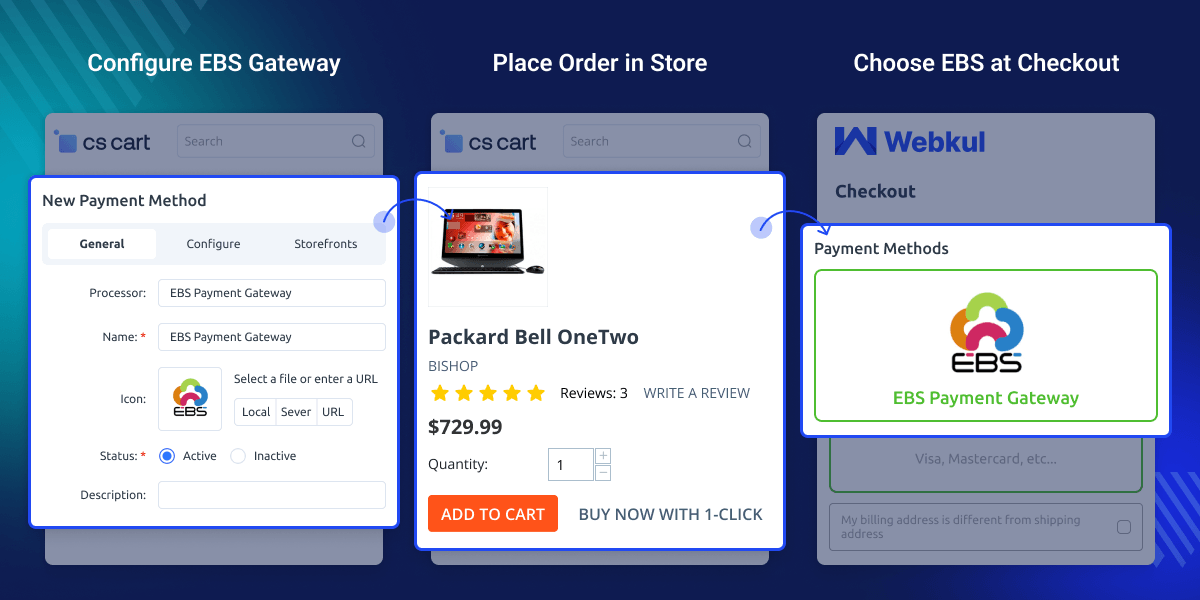
The admin can integrate the EBS payment gateway with the CS-Cart store for easy and fast transactions.
The plugin supports various types of credit cards like Visa, Master Card, Maestro, Amex, JCB, and Diners.
The CS-Cart ESB payment gateway is feasible with Indian currency (INR).
The admin can choose the payment method availability according to user groups, like all/guest/registered users.
CS-Cart EBS Payment Gateway helps stores accept online payments through a trusted Indian payment gateway. Customers don't need to create an account on the EBS server to complete a payment.
The default CS-Cart setup does not include EBS support. Stores serving customers in India need a dedicated payment option that works with the EBS system without a custom build.
The addon manages payment visibility, customer group access, surcharge settings, and mode configuration from the panel. It fits into the existing checkout without changing anything else in the store.
Additionally, you can also use the CS-Cart Mobikwik Wallet addon to offer wallet based payments alongside card payments on your store.
CS-Cart EBS Payment Gateway is useful for stores that want a reliable EBS card payment option with minimal setup.
Lets customers pay with supported credit cards through the EBS checkout page during order placement.
Handles INR transactions and approved international payments from the same checkout without separate configuration.
Setting up the gateway requires an active EBS merchant account. The admin needs the EBS account ID and secret key before the payment method can go live.
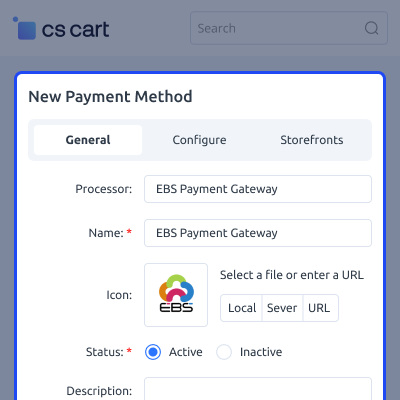
The panel's payment methods section handles the full configuration.
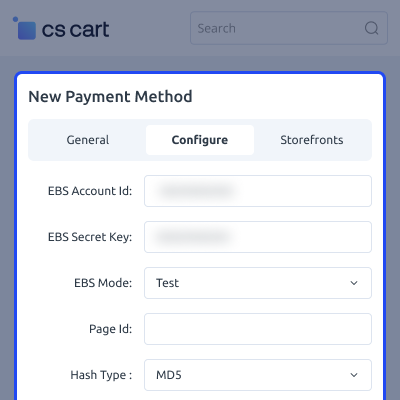
After setup, the admin controls credentials, mode, and checkout behavior from the Configure tab.
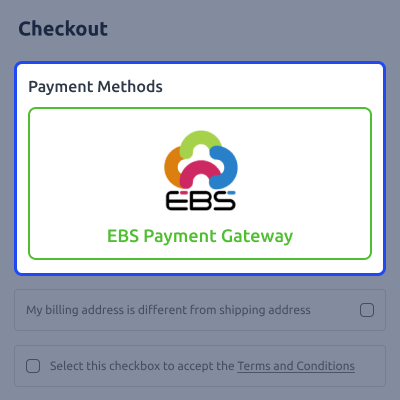
Customers see EBS as a payment option at checkout alongside other methods. No EBS account is needed, they enter card details on the EBS payment page and confirm.
A collection of security guidelines is called PCI DSS. It ensures that every business maintains a secure environment. When a store owner accepts, processes, captures, and transmits a customer's credit card information, they must follow this.
For any query or issue please create a support ticket here http://webkul.uvdesk.com
You may also check our other top-quality CS-Cart Extensions.
Detailed technical features and requirements to help you understand the module’s capabilities and ensure smooth integration with your system.
Detailed technical features and requirements to help you understand the module’s capabilities and ensure smooth integration with your system.
We’re partnered with top-tier, trusted providers!
Want to know more how exactly we are going to power up your eCommerce Website with Cloud to fasten up your store
* Server Configuration may vary as per application requirements.



