Send Again
Close
CS-Cart Seller Plan Contract helps marketplace owners add digital agreements to seller plans before vendors join the marketplace. Admins can create separate contracts for different seller plans and add custom terms, conditions, and business requirements.
Vendors review and sign the agreement during registration or whenever they switch to another seller plan. After signing, contract copies are shared with both the vendor and admins for easy record keeping. The add on helps manage seller agreements digitally, reducing manual paperwork and keeping contract records organized.
Additionally, if sellers want to advertise their products and businesses with paid banners, they can also check CS-Cart Multi-Vendor Seller Ads Booking add on.
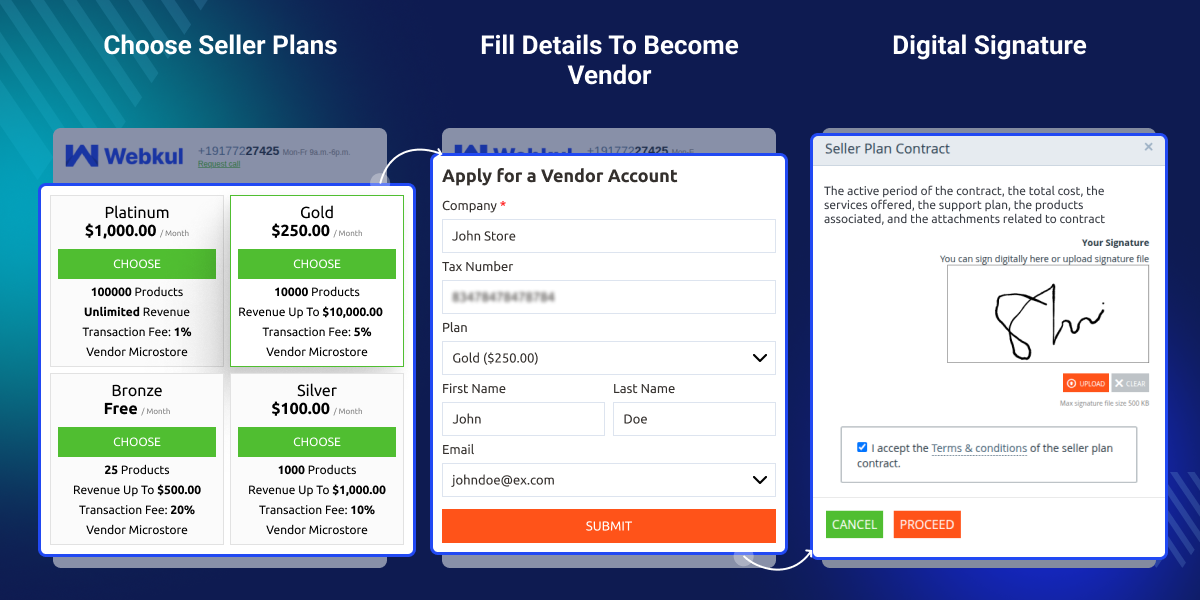
The vendor can select the offered plan based on their preferences.
Support uploading the stamp image.
Before registering, the seller can digitally sign the seller's plan contract.
The seller can cancel the contract at any moment.
The seller has the right to revoke the contract's cancellation.
The admin can customize the email template for each step of the seller's journey.
The CS-Cart Seller Plan Contract is a document that outlines the terms and conditions of an online e-commerce business. This contract serves as a legally binding agreement between the seller and CS-Cart. It builds relationships and responsibilities between both parties.
The CS-Cart Seller Plan Contract is necessary to protect both the seller and CS-Cart. It ensures that sellers follow the platform's guidelines and rules and establishes the payment terms for using the platform.
Also, if you want customers to download invoices directly from their orders, then you can check CS-Cart Seller Invoice add on.
Require suppliers to sign agreements before listing products on the marketplace.
Use different contracts for franchise partners based on their subscription plans.
Ensure distributors accept pricing, payment, and sales terms before joining.
Assign region-specific contracts to vendors operating in different markets.
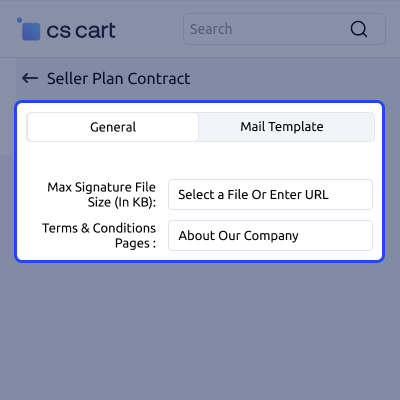
Control signature upload limits and assign terms and conditions pages for seller plan contracts. These settings help maintain valid contract submissions and ensure vendors review the correct legal terms.
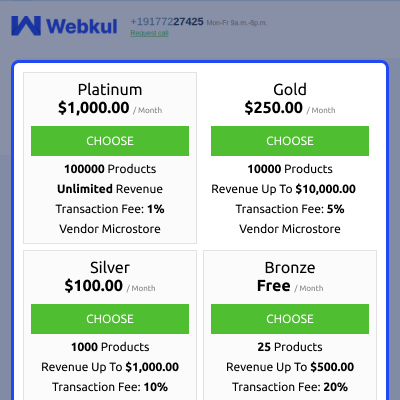
The plan selected by the vendors based on their preferences and needs is as follows:
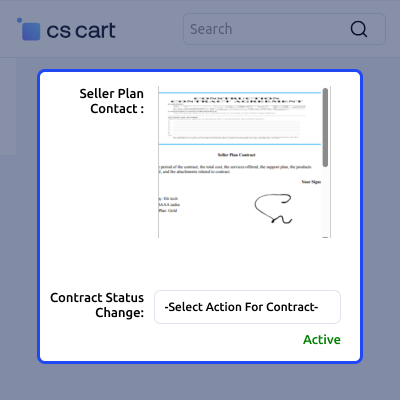
View and manage signed seller plan contracts from the vendor panel. Vendors can view contract records, track contract status, and manage contract requests.
This helps vendors manage plan agreements and contract updates without admin assistance.
For any query or issue please create a support ticket here http://webkul.uvdesk.com
You may also check our other top-quality CS-Cart Modules.
Detailed technical features and requirements to help you understand the module’s capabilities and ensure smooth integration with your system.
Detailed technical features and requirements to help you understand the module’s capabilities and ensure smooth integration with your system.
We’re partnered with top-tier, trusted providers!
Want to know more how exactly we are going to power up your eCommerce Website with Cloud to fasten up your store
* Server Configuration may vary as per application requirements.



