Send Again
Close
Cash Convenience: Odoo Marketplace Cash on Delivery (COD) – Pay Your Way!
Odoo Marketplace Cash on Delivery (COD) payment option on Odoo Marketplace is a great way to make sure that customers have a choice when it comes to paying for their orders.
This makes it easier for customers to buy from you, and it also makes them happier because they have more options. Adding a COD option makes it easier for customers to buy from you.
It's like a special button that says "pay with cash when you get your order". This makes the checkout process smoother and more user-friendly, which helps you stay ahead of the competition.
This makes it easier for businesses to manage their cash payments, which helps with day-to-day operations and makes customers happier because they know that their payments are being handled correctly.
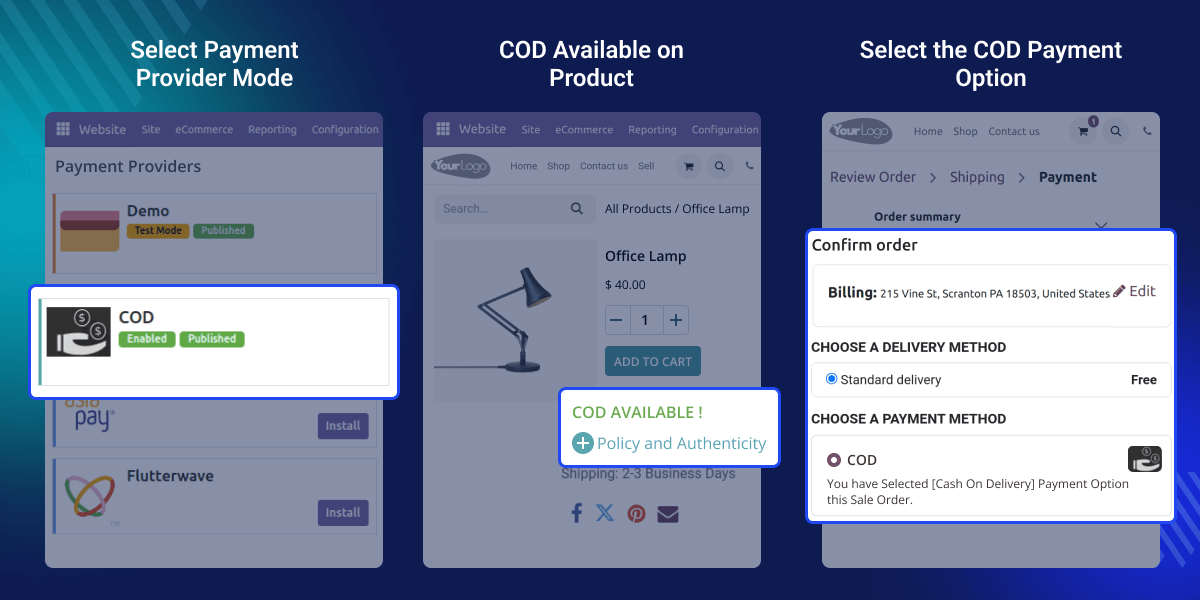
If you only accept online payments on your website, you might be missing out on sales. This is because some customers might not have a way to pay online.
By offering different payment options, you can make it easier for customers to buy from you. As the person in charge of your online marketplace, you have the power to decide which payment options are available.
You can choose to allow customers to pay with cash when they receive their order, which is called cash on delivery (COD). You can set this option for specific products or for orders that are a certain amount or more. This way, you can make sure that customers have a choice and are more likely to make a purchase.
Odoo Marketplace Cash On Delivery Module works with these other modules: Odoo's multi-seller online store.
To make Odoo Marketplace COD work right, you need to install the required modules first.
All cash on delivery orders are saved in the Odoo Marketplace backend. Transaction details are also kept in the Odoo Marketplace backend.
Enable cash on delivery (COD) based on set cart amount ranges. Amounts outside the range cannot use COD.
You can do it without much trouble. The steps are straightforward. Just follow the instructions, and you'll have it all set up in no time.
Enable cash on delivery (COD) based on location or total cart amount. This includes specific countries, states, or zip codes.
Odoo Marketplace Cash on Delivery (COD) payment option is simple for customers. It can boost your sales and make customers happy. Customers like having this easy payment choice.
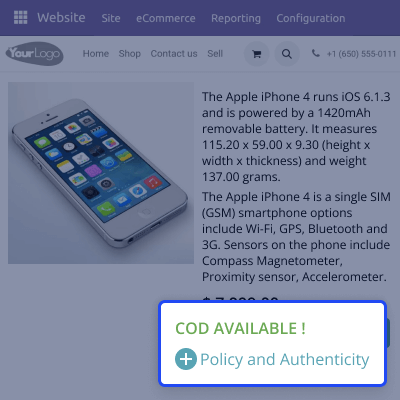
Easy integration and setup lets you add payment options easily. This includes cash on delivery (COD) through a single-step process. This improves customer payment flexibility.

Select COD eligibility for customers. You can enable it based on location, region, or the total cart amount. This lets you provide flexible payment options.

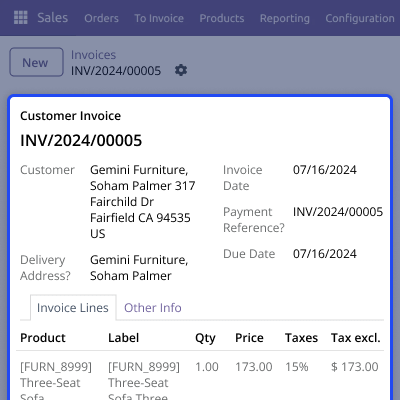
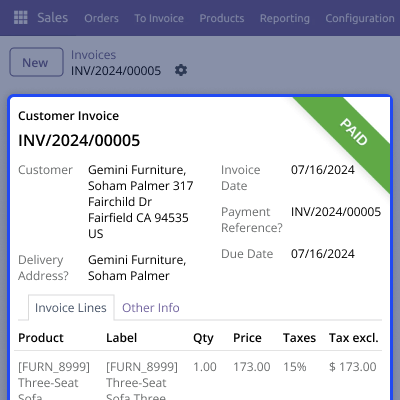
COD orders create admin credit invoices. Next, these create debit invoices for sellers. The system deducts commissions automatically. Admin commissions are managed in the backend Pay-To-Seller invoices.
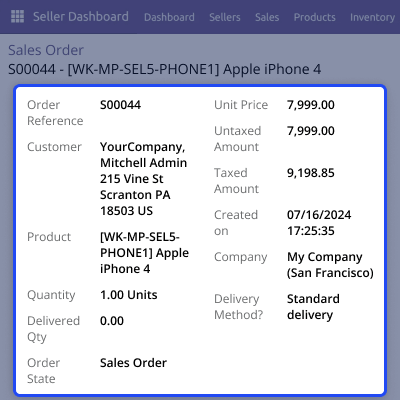
All cash-on-delivery orders are carefully recorded in the Odoo Marketplace backend. Detailed transaction information is securely stored, ensuring transparency and accountability.
Set cart amount ranges for Cash-on-Delivery (COD) payments. Orders within the specified range are eligible for COD, while those outside this range are automatically excluded. This ensures streamlined payment processing and improved customer service.
Webkul's dedicated support provides you with customizations and troubleshooting solutions for Odoo Marketplace Cash on Delivery
For any query or issue please CREATE A TICKET HERE
You can also explore our additional Marketplace Extensions.
Detailed technical features and requirements to help you understand the module’s capabilities and ensure smooth integration with your system.
Detailed technical features and requirements to help you understand the module’s capabilities and ensure smooth integration with your system.
We’re partnered with top-tier, trusted providers!
Want to know more how exactly we are going to power up your eCommerce Website with Cloud to fasten up your store
* Server Configuration may vary as per application requirements.



