Send Again
Close
Odoo SEO-URL Redirect/Rewrite For Brand helps you create clean, keyword-based URLs for brand pages. It replaces default slugs with readable, SEO-friendly links to improve visibility.
Old brand URLs can be redirected to new ones, preventing 404 errors and preserving your search rankings. This provides a smooth experience for users and helps search engines crawl your site effectively.
The module includes a dedicated section for brand URL settings. It also supports multi-language URLs and bulk updates for easier management.
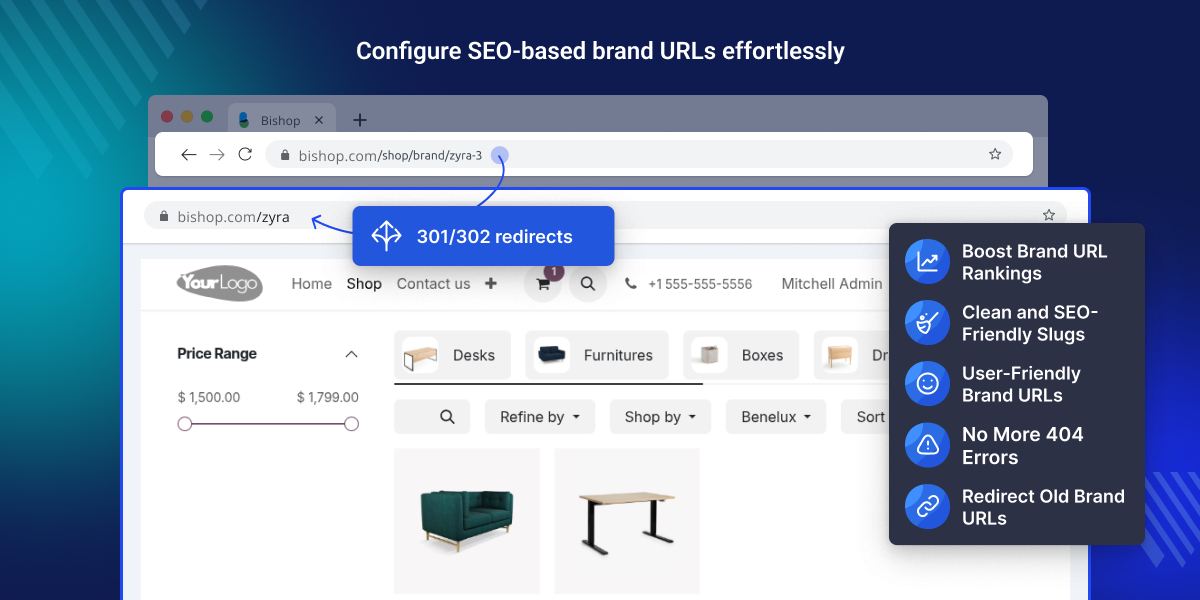
By default, Odoo generates brand URLs with IDs or technical slugs like /brand/brand-123, which are neither SEO-friendly nor easy for users to read.
With this module, you can change them to clean and relevant URLs like /nike, which are easier to remember and help improve your website’s Google ranking
For example, if your store sells Nike products and you change the brand page URL from /brand/Nike-42 to /Nike, the module automatically redirects visitors from old URL to new one.
This prevents 404 errors, keeps your website traffic steady, and improves your brand’s visibility in search results.
The Odoo SEO-URL Redirect/Rewrite For Brand module depends on the following module to function properly:
Odoo SEO-URL Redirect/Rewrite.
To use this module, make sure the required modules listed above are installed.
Create clean, keyword-rich URLs for brand pages to improve search engine visibility and user readability.
Automatically redirect outdated brand URLs to the updated ones to avoid 404 errors and maintain SEO value.
Create SEO-optimized URLs in every active website language to enhance global search visibility and audience reach.
Manage brand URL settings separately from products and categories for easier access and better control.
Remove the default /brand/ prefix to shorten URLs and make them easier for users to read and remember.
Attach suffixes like .html or .php to brand URLs to match your website style or maintain SEO consistency.
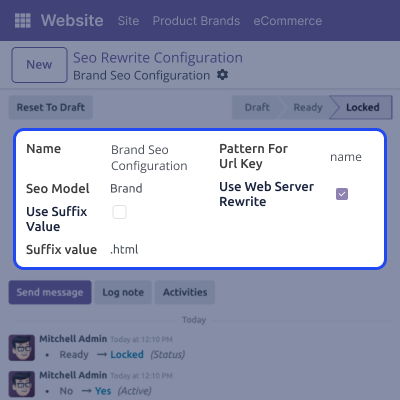
Modify brand slugs in the backend using Odoo SEO-URL Redirect/Rewrite For Brand to create clean, keyword-optimized URLs that support better SEO. Make brand URLs more relevant and readable for users and search engines.
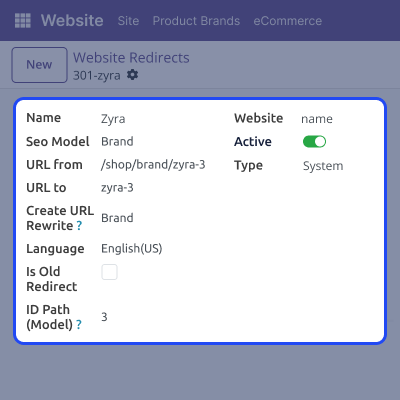
You can safely update brand URLs by setting 301 or 302 redirects. Redirects guide both users and search engines to the right page smoothly, avoiding errors or broken links. Redirecting old URLs prevents broken links and helps keep your website’s SEO performance stable.
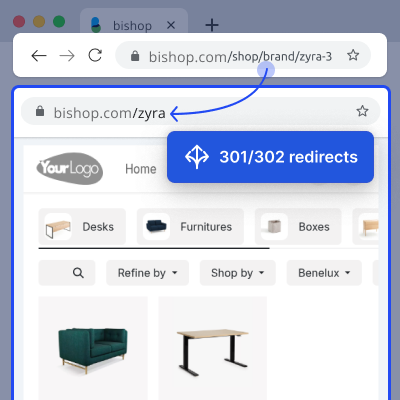
Display clean, user-friendly brand URLs directly on your website for improved SEO and a smoother customer experience.
For any query or issue, please create a support ticket here CREATE A TICKET HERE
You may also check our other top-quality Odoo Modules.
Detailed technical features and requirements to help you understand the module’s capabilities and ensure smooth integration with your system.
Detailed technical features and requirements to help you understand the module’s capabilities and ensure smooth integration with your system.
We’re partnered with top-tier, trusted providers!
Want to know more how exactly we are going to power up your eCommerce Website with Cloud to fasten up your store
* Server Configuration may vary as per application requirements.



