Send Again
Close
Odoo Website Rental Sale adds a rental flow to the Odoo website. Customers can browse products marked with the For Rent label.
Customers can open a rental product and choose pickup and return dates and times. These dates set the rental duration for the booking.
The product page shows the rental price for the selected period. Customers can check the amount before adding the product to the cart.
The security amount is shown on the product page. Customers can review it before they continue with the booking.
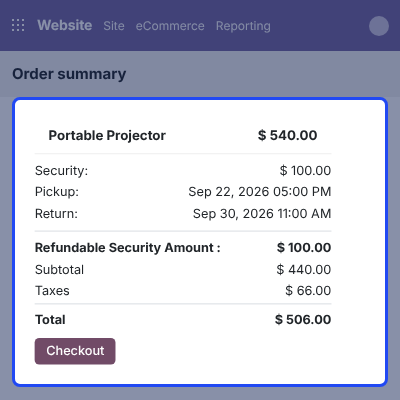
The cart keeps the main rental details in one place. Customers can check the product, rental dates, security amount, subtotal, taxes, and total before checkout.
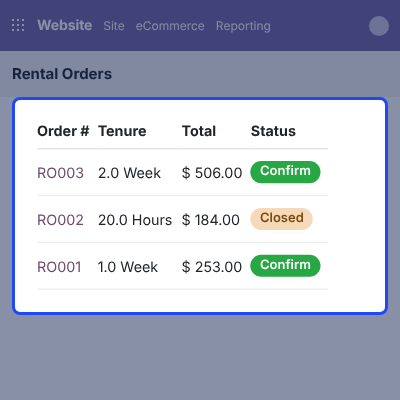
After placing an order, customers can open Rental Orders from their website account. They can check the order number, product, rental period, total amount, and status.
The website booking connects with the related rental operations after the order is confirmed.
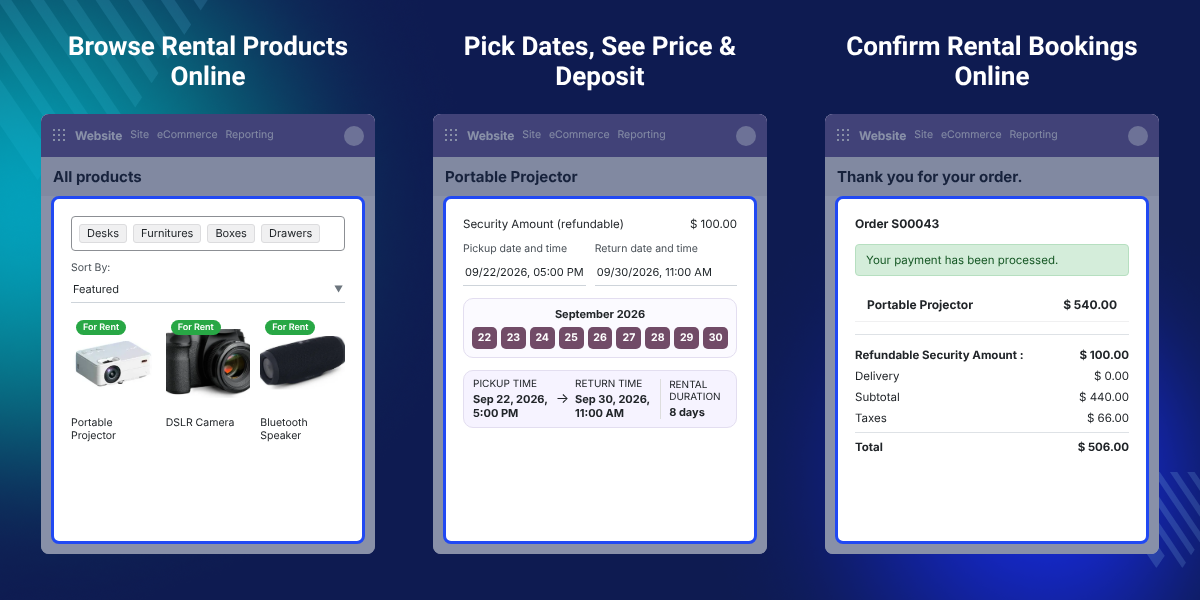
Odoo Website Rental Sale displays rental products in the website shop with rental labels, product details, images, and categories.
Customers can choose pickup and return dates and times from the rental product page.
The rental amount changes with the selected rental period and configured rental rate.
Customers can see the security amount on the product page before adding the product to the cart.
The checkout shows rental dates, security amount, subtotal, taxes, and total for review before order confirmation.
Customers can open their rental orders and check the product, rental period, total amount, and order status.
A standard website sale is made for regular product purchases. It does not provide the steps needed to book a product for a set period.
Rental products need pickup and return dates. The rental price must also match the period chosen by the customer.
Customers may also need to check a security amount before placing an order. Showing these details during the booking gives customers a clear view of the cost.
Odoo Website Rental Sale adds these rental steps to the website purchase flow. For backend rental management, businesses can also use Odoo Rental Sale. For marketplace-based rental operations, Odoo Marketplace Rental Sale can be used.
Odoo Website Rental Sale helps businesses offer projectors, speakers, screens, and other event equipment for set rental periods.
Photography businesses can let customers choose rental dates for cameras and other equipment before placing an online booking.
Businesses can offer products for minute, hour, or day-based rentals with rates set for the required period.
Businesses can offer products for weekly, monthly, or yearly rentals when customers need them for longer periods.
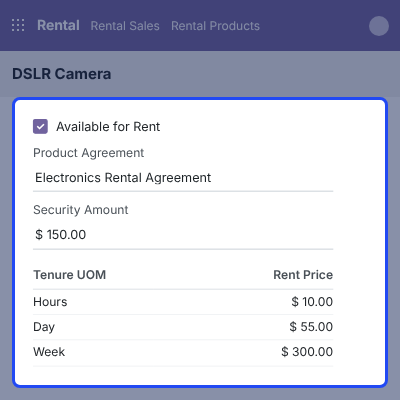
Set up rental products with the required agreement, rental units, security amount, and rental rates. These settings control the rental options avalable when customers book a product online.
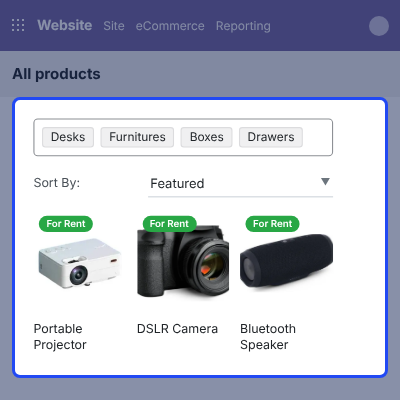
Available rental products appear in the website shop with clear rental identification. Customers can browse products by category and open a product to view its rental details.
Customers can choose pickup and return dates and times from the rental product page. The selected dates determine the rental duration for the booking.
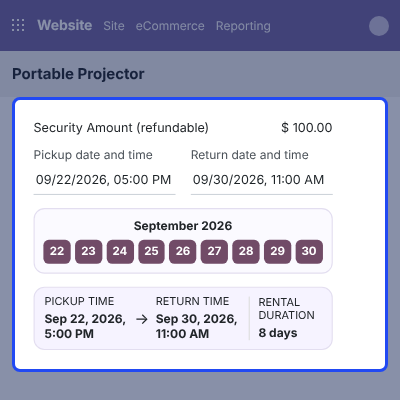
The rental price uses the selected rental period and configured rental rate. Customers can see the amount for their chosen duration before continuing.
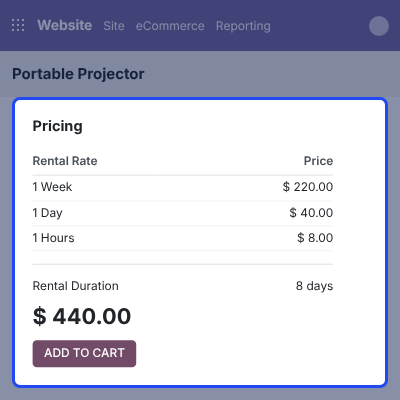
The cart keeps the main rental details together. Customers can check the product, dates, security amount, subtotal, taxes, and total before placing the order.
After confirmation, customers can access their rental orders from the website account. Each order shows the rental product, rental period, total amount, and current status.
The order details remain available in the customer account for later review.
For any query or issue, please create a support ticket here CREATE A TICKET HERE
You may also check our other top-quality Odoo Modules.
Detailed technical features and requirements to help you understand the module’s capabilities and ensure smooth integration with your system.
Detailed technical features and requirements to help you understand the module’s capabilities and ensure smooth integration with your system.
We’re partnered with top-tier, trusted providers!
Want to know more how exactly we are going to power up your eCommerce Website with Cloud to fasten up your store
* Server Configuration may vary as per application requirements.



