Send Again
Close
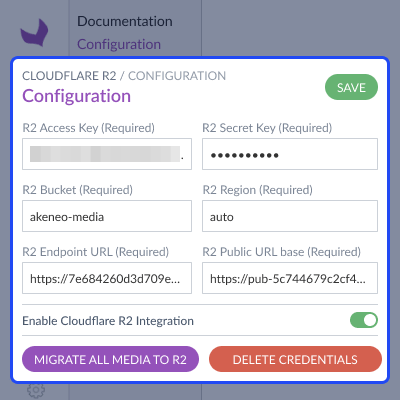
Akeneo Cloudflare R2 Connector lets Akeneo PIM users store product media in Cloudflare R2 cloud storage instead of on application server. This reduces local storage use and makes media management easier for large catalogs.
After setup, every new media upload goes straight to Cloudflare R2. Product managers and catalog teams can still use Akeneo as they do today. So, no workflow changes are needed. Akeneo PIM R2 integration includes a dedicated settings page.
Administrators can manage bucket details, endpoints, access credentials, and public media URLs in one place. Existing media files can be moved from local storage to Cloudflare R2 using a migration process.
Migration runs in background and skips files that have already been moved. This module supports simple products, variants, product models, localizable media, and channel specific media values. It also works with Akeneo import and export processes.
Additionally, you can use Akeneo DAM Extension to manage your digital assets with ease. It helps you store, organize, and access images, videos, and documents in a clear and structured way.
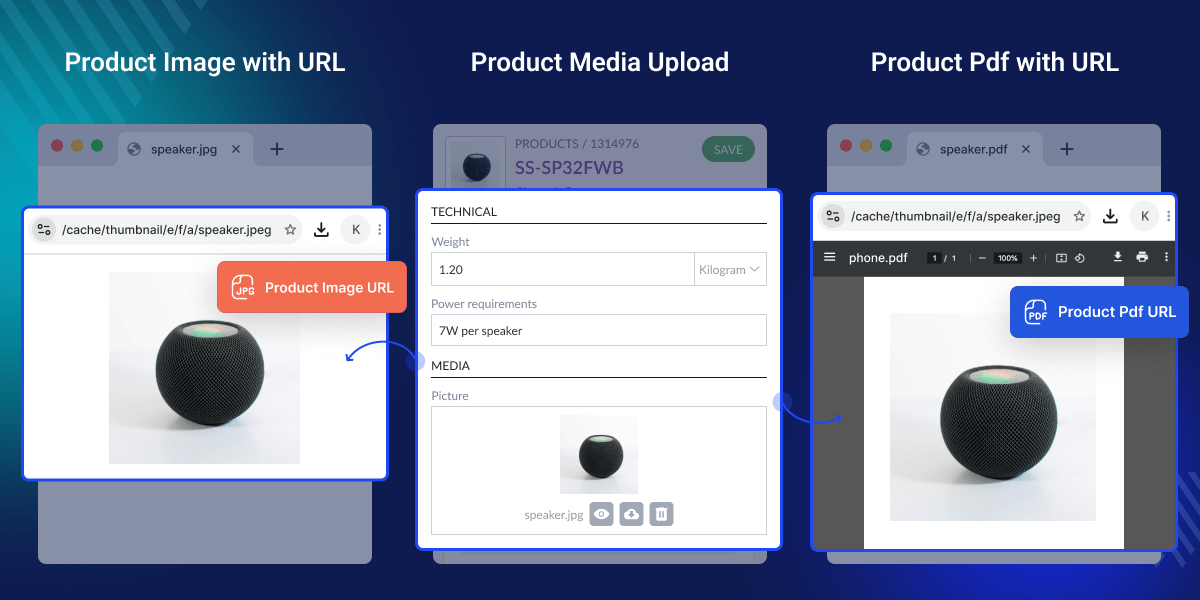
Akeneo connects to a Cloudflare R2 bucket to store product files externally, making storage easy to scale.
New files upload to Cloudflare R2 automatically while daily Akeneo work stays same with no change in process.
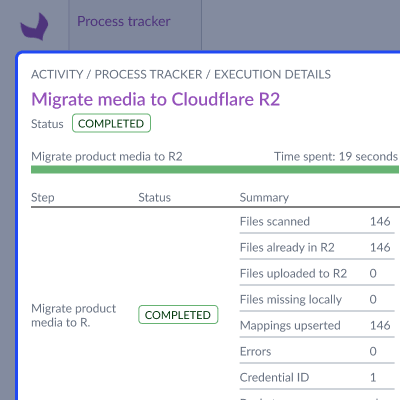
Files move from local storage to Cloudflare R2, and this process runs in background so work continues without delay.
Storage stays clean and in order by finding bad links, removing unused files, and updating file data to keep everything accurate.
Akeneo Cloudflare R2 Connector is built for catalogs with thousands of images, PDFs, manuals, and product files. As catalog grows, local storage fills up fast. Storing all files on application server can make storage harder to manage and, as a result, can also increase costs over time.
Cloudflare R2 Akeneo integration, essentially, gives you cloud storage that can grow as needed. Additionally, it helps businesses keep media files off Akeneo application server. As a result, this gives you a more flexible way to store files.
Akeneo Cloudflare R2 connector uploads files, moves files, and manages media on its own while keeping your current workflow same. Businesses with large catalogs often use cloud storage to make file management easier and, consequently, rely less on local server storage.
Moreover, you may also like Akeneo Category Image & Description extension. It helps you easily add and manage category images and descriptions. As a result, your categories look clear and engaging. In addition, it improves browsing experience for customers.
Store product files in a Cloudflare R2 bucket instead of Akeneo server. This frees server space and helps scale media storage as catalog grows.
Store images, videos, PDFs, and other files in product media cloud storage. This makes access, viewing, and management easy even at large catalog scale.
Send new media files to Cloudflare R2 automatically and Bulk move existing files to reduce manual work and simplify file handling.
Create public links and show thumbnails. Remove unused files to keep storage organized and efficient.
Use Cloudflare R2 to store and manage product media in cloud, keeping files off your server and scaling smoothly as media needs grow.
Use background tasks to move product media from local storage to Cloudflare R2 so large file sets can be transferred while daily work continues without delays.
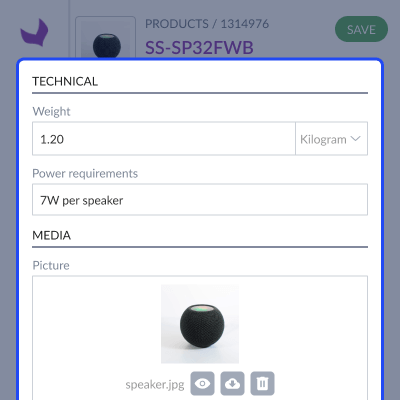
Manage media for product models and variants while keeping shared files linked and ensuring data stays unchanged and consistent across all products.
For any query or issue, please create a support ticket here http://webkul.uvdesk.com/. You may also check our top-quality Akeneo Extensions.
Detailed technical features and requirements to help you understand the module’s capabilities and ensure smooth integration with your system.
Detailed technical features and requirements to help you understand the module’s capabilities and ensure smooth integration with your system.
We’re partnered with top-tier, trusted providers!
Want to know more how exactly we are going to power up your eCommerce Website with Cloud to fasten up your store
* Server Configuration may vary as per application requirements.



