Send Again
Close
Akeneo Workflow Bundle adds structured collaboration workflows to Akeneo PIM Community Edition. It helps teams assign product enrichment and review tasks without moving product data to another system.
Create workflows with ordered enrichment and review steps. Assign each step to a user group, define editable attributes, set channels and locales, and give users a clear task scope.
Akeneo Workflow Bundle supports one time and continuous workflows. Products can enter automatically based on selected conditions or be added manually from the product grid.
Teams can review completed product data before it moves to the next step. Reviewers can approve the work or reject it with a comment and send it back to a selected earlier step.
Each task includes a due date and priority based on the allotted time. Users can manage their work from the My Workflows screen and continue using Akeneo's native product grid and product form.
This module also records workflow activity on each product. Dashboards, permissions, bulk actions, task claims, and server side access checks help teams manage product workflows with better control.
Apart from this, you can check the UnoPim Maker-Checker Workflow to manage product creation, review, and approval with a structured workflow.
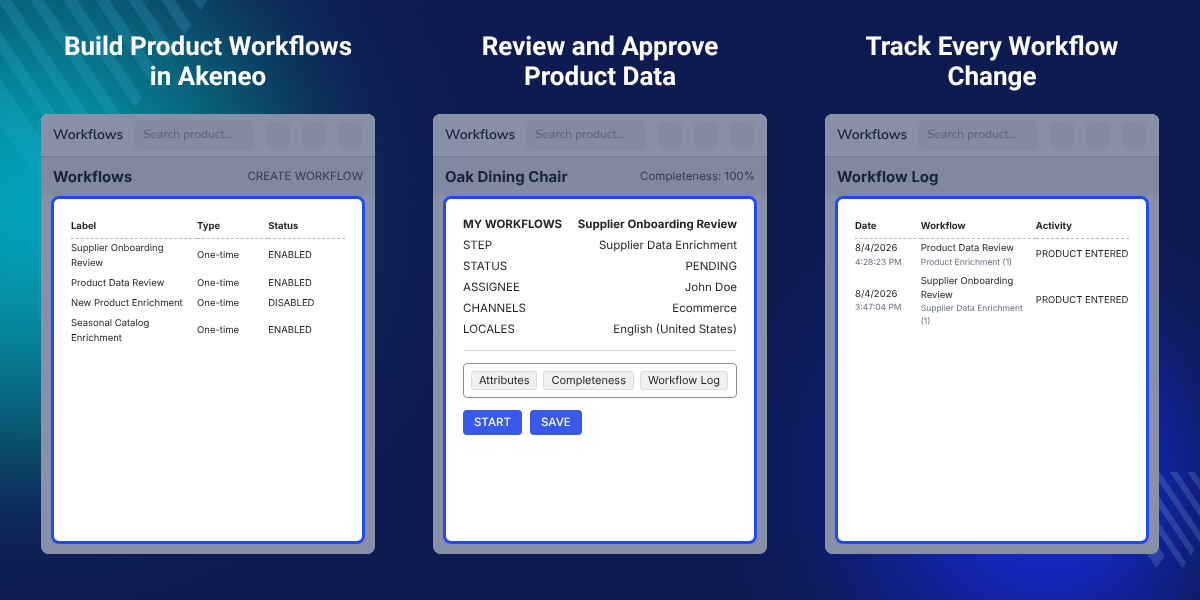
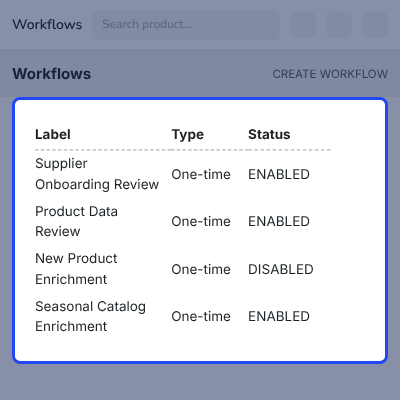
Create and manage product workflows from a native Akeneo grid with entry settings, product selection rules, and ordered workflow steps.
Assign each workflow step to a user group and limit access to selected users when required.
Control the attributes, channels, and locales available at each workflow step so users only edit assigned product data.
Use one time workflows for initial enrichment and continuous workflows when products need to return for review after selected attributes change.
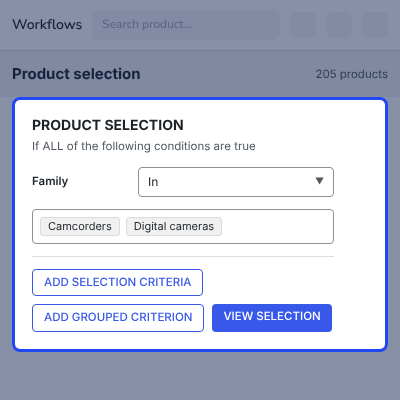
Select products using Akeneo filter widgets such as family, status, completeness, and attributes, with ALL or ANY condition groups.
Automatically add qualifying products to workflows when they are saved using Akeneo storage events without cron or queue processing.
Add products manually from the product grid when they need to enter a workflow outside the configured selection rules.
Starting a task claims it for the user and prevents two users from completing the same workflow task at the same time.
Akeneo Product Workflow Module helps teams manage product enrichment, task assignment, review, and approval directly within Akeneo.
Akeneo Community Edition does not include the same native workflow features as Akeneo Enterprise Edition. This module provides a structured workflow where each product follows defined steps, users receive assigned tasks, and reviewers can return products with clear feedback.
Akeneo Workflow Bundle also controls which attributes, channels, and locales users can edit at each workflow step. This keeps product updates within the scope assigned to each team member.
You may also like our UnoPim Digital Asset Management, which helps you store and organize digital assets such as images, videos, and documents.
Akeneo Workflow Bundle supports structured product enrichment, review, and approval processes for different product management scenarios.
Send new products through content and attribute enrichment steps before they reach the review stage.
Assign completed product information to reviewers who can check the required data before approval.
Use one time workflows to prepare selected products for a new seasonal catalog.
Add supplier products to an enrichment workflow and assign different data fields to the appropriate teams.
Use continuous workflows to send products back for review when selected attributes change.
Assign content, merchandising, and review tasks to different user groups within one workflow.
Akeneo Collaboration Workflow lets administrators create and manage product workflows from a native Akeneo grid. Each workflow can have its own entry settings, product selection rules, and ordered steps.
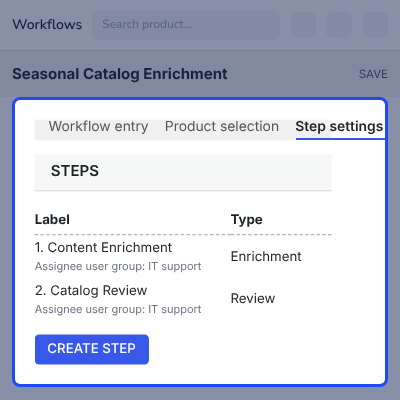
Each workflow can contain ordered Enrichment and Review steps. Administrators can assign each step to a user group and optionally limit access to selected users.
Product selection uses Akeneo's native filter widgets. Administrators can select products using family, status, completeness, or any available attribute.
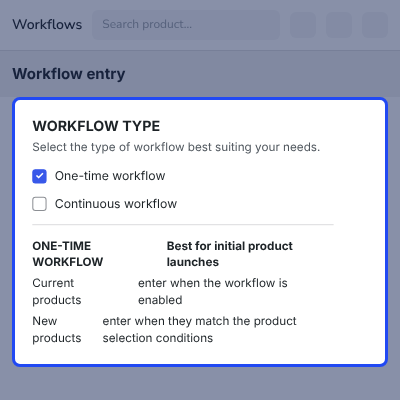
This module supports two workflow entry types. One time workflows allow products to enter once, while continuous workflows allow products to re enter when watched attributes change.
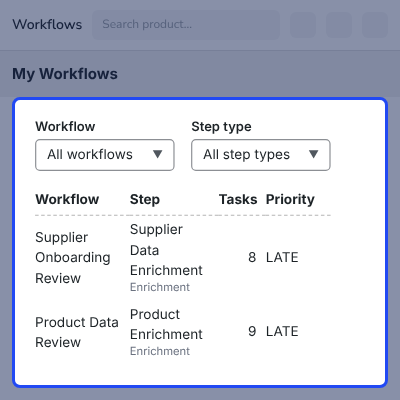
Users can manage workflow tasks through Akeneo's native product grid. My Workflows shows each workflow step with waiting product counts, priority, and assigned users.
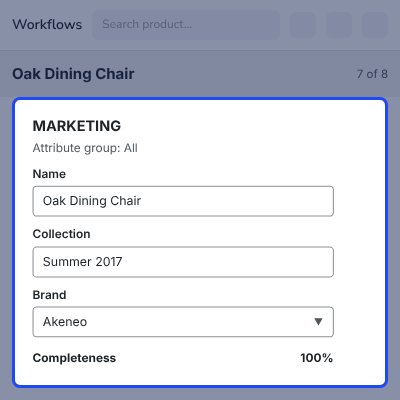
This workflow product page uses the native Akeneo product form while limiting access to the current task scope.
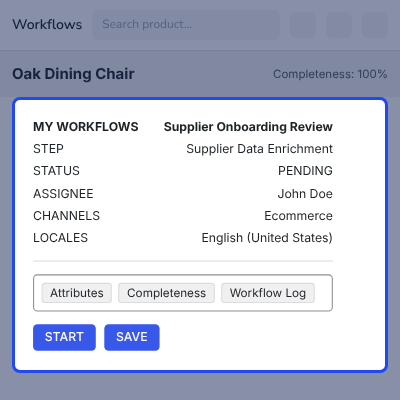
Akeneo Product Review Workflow lets reviewers check completed product information before moving it forward. The available actions include Start, Done, Approve, and Reject beside the Save option.
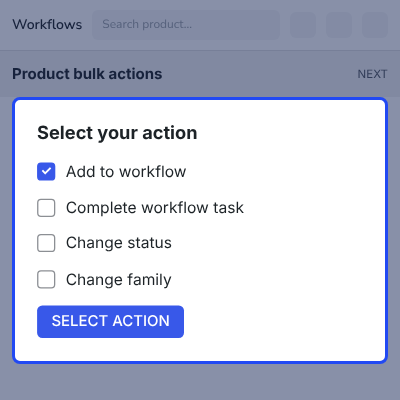
This module adds two workflow actions to Akeneo's native bulk action wizard. Add to workflow sends selected products into a workflow while skipping products with active runs.
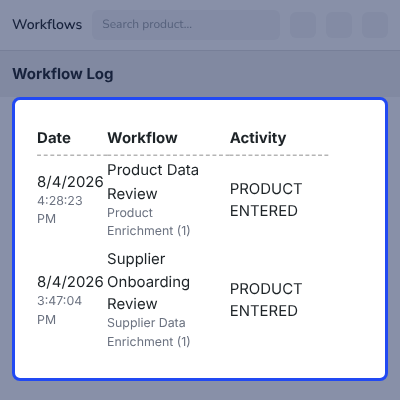
This Workflow Log records workflow transitions directly on the product page. Each record includes the author, date, workflow, step, activity, and comment.
For any query or issue, please create a support ticket here http://webkul.uvdesk.com/. You may also check our top-quality Akeneo Extensions.
Detailed technical features and requirements to help you understand the module’s capabilities and ensure smooth integration with your system.
Detailed technical features and requirements to help you understand the module’s capabilities and ensure smooth integration with your system.
We’re partnered with top-tier, trusted providers!
Want to know more how exactly we are going to power up your eCommerce Website with Cloud to fasten up your store
* Server Configuration may vary as per application requirements.



