- Description
- Reviews
- FAQ
- Customers ()
- Specifications
- Cloud Hosting
- Changelog
AureusERP Multi Tenant SAAS lets you run one platform and sell Aureus ERP as a hosted service, so customers pick a plan, pay online and receive a ready workspace without any manual setup on your side.
Every customer works in a separate space with its own database, its own database login, its own files and its own settings, so nothing is ever shared between two customers on the platform.
Customers choose a plan on a public pricing page, switch between monthly and yearly prices, pick a currency and enter a workspace address that is checked live while they type it in.
Each plan can carry its own free trial, a free option or paid add-ons, and the platform owner decides which apps every plan includes and how many days each trial is allowed to last.
Payments run through Stripe or Razorpay, or through manual billing for invoice customers, and a workspace is built only after the payment is truly confirmed by the payment service itself.
A separate super admin panel on the main domain lets your staff manage tenants, plans, subscriptions, payments, database servers, backups, website pages and email wording from a single place.
Additionally, if you still need help installing Aureus ERP on a hosting server and setting up the domain, Aureus ERP Starter Pack covers that installation and setup work for you.
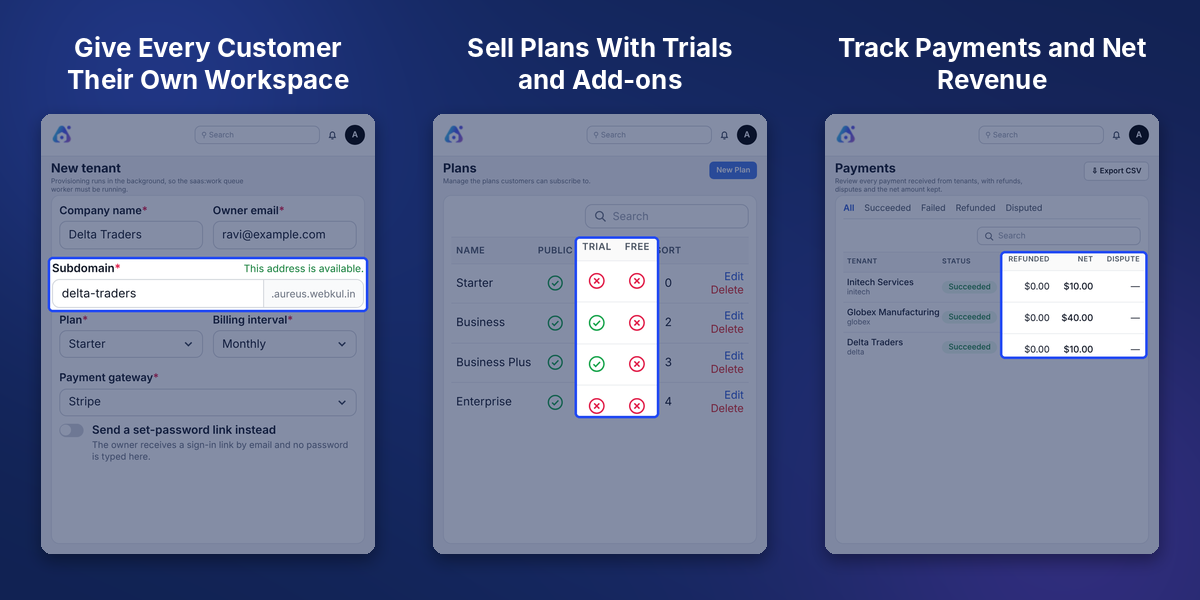
Highlighted Features
Own Workspace Address For Every Customer
Each customer gets a private workspace such as mycompany.yourdomain.com, with a live check on the chosen address.
Monthly and Yearly Plans in Many Currencies
Customers switch between monthly and yearly prices, see the yearly saving and pick their currency.
Per-Plan Free Trials and Free Plans
Each plan can offer its own trial days, and a free plan never charges anything or asks for a card.
Stripe, Razorpay and Manual Billing
The right payment service is chosen by country and currency, and invoice customers can be billed manually.
Workspace Built After Confirmed Payment
Returning from the payment page is not enough, so the workspace is created only on real confirmation.
Locked, Cancelled and Erased Workspace States
Past due workspaces get a grace period, then turn read-only, and cancelled ones keep their data.
Backups Before Deletion and Easy Restore
A backup is saved before deletion, and a deleted workspace can be restored or reopened fresh.
Website Builder With Live Preview
Edit website text beside a live preview, save drafts and publish only when the page is ready.
Why Do We Need AureusERP Multi Tenant SAAS
AureusERP Multi Tenant SAAS is needed because selling an ERP as a service takes more than installing software, since every customer needs a sign-up, a payment, a private workspace and billing records.
A normal Aureus ERP install serves one company, so there is no built-in way to take plan payments, split customers into separate databases or lock a workspace when a payment fails.
Doing these jobs by hand does not scale, because each new customer would need a manual database, a manual address and a manual invoice, which slows growth and invites mistakes.
This package sits beside Aureus ERP without changing it, and it adds plans, trials, gateway payments, lifecycle rules and a control panel so the whole service can run on its own.
Apart from this, the platform needs MySQL or MariaDB, a running queue worker and a scheduler. Stores built on WooCommerce can also use Aureus ERP WooCommerce Connector to sync orders and stock with Aureus ERP.
Use Cases
-
ERP Vendors Selling Hosted Subscriptions
Offer Aureus ERP as a monthly or yearly service, with each customer on a private workspace.
-
Agencies Billing by Invoice
Start a manual subscription for customers who prefer to pay by invoice or bank transfer.
-
Trial-Led Growth
Let new visitors try a plan for the trial days you set, before the first charge is made.
-
Platform Teams Running Many Customers
Spread workspaces over database servers and watch the queue, scheduler and mail on the health page.
Create Tenant Workspaces From Admin Panel
Staff can create a workspace by hand from the Tenants list using a form with company name, subdomain, owner name, owner email, country, plan, billing interval and payment gateway.
This helps when a customer is onboarded over a call, because the address is checked as you type and the owner can receive a set-password link instead of a typed password.
- Live check shows when a subdomain is available
- Choose country, plan, billing interval and payment gateway
- Send a set-password link instead of typing a password
- Provisioning runs in the background through the queue worker
- Owner password is stored only as a hash
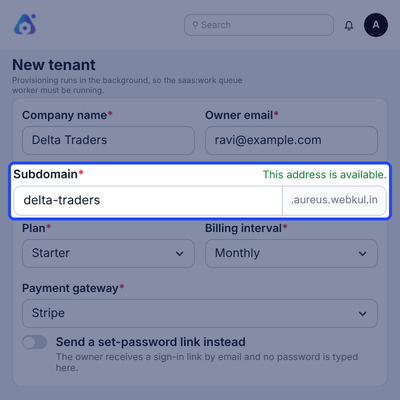
Tenant List With Workspace States
Tenants list shows every customer with its address, state, plan, owner email and creation time, and it has tabs for Pending, Provisioning, Trial, Active, Past due and Locked workspaces.
Because each state has its own tab, support staff can quickly find a stuck setup, a customer with a failed payment or a locked workspace without searching through the whole list.
- Tabs for every workspace state
- Name, subdomain, plan and billing interval in one row
- Owner email and creation time on each tenant
- Search box, filters and a column chooser
- New tenant button on the same page
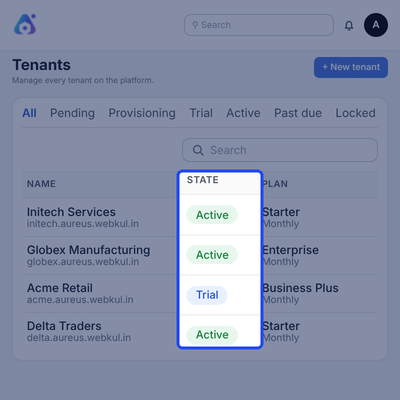
Plans With Trial and Free Options
Plans list shows each plan with its slug, whether it is public, whether it offers a trial, whether it is free and its sort order, with Edit and Delete actions on every row.
Owners can see at a glance which plans start with a trial and which are free, so the pricing catalog stays easy to manage as the number of plans grows over time.
- Public, Trial and Free flags for every plan
- Sort order column for each plan
- Edit and Delete actions on each row
- New Plan button above the list
- Search box and column chooser
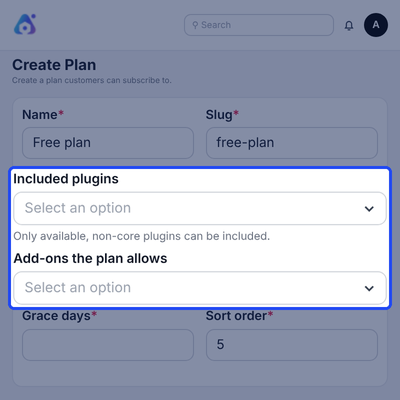
Plan Builder With Plugins and Add-ons
Create Plan form takes a name, a slug and a short description, then lets you pick the included plugins and the add-ons the plan allows from two dropdowns.
Plugin changes apply to new subscriptions, so existing customers keep the plugins they signed up with unless you change their plan or choose to roll new ones out to them.
- Shown on the public site toggle
- Free plan toggle for plans with no price and no trial
- Give new plugins and add-ons to existing subscribers automatically
- Grace days before a failed payment locks a workspace
- Sort order to arrange plans on the pricing page
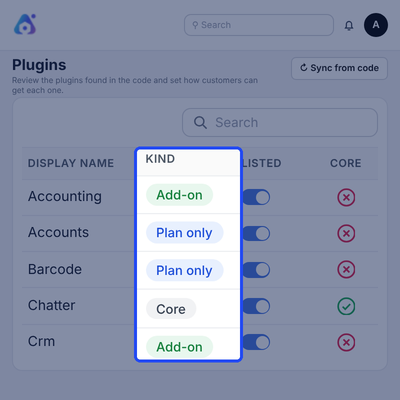
Plugin Catalog With Core, Plan Only and Add-on Kinds
Plugins list reads the apps found in the code and shows each one as Core, Plan only or Add-on, with columns for availability, public listing and core status.
A Sync from code button picks up new apps with one click, so the catalog stays in step with your Aureus ERP code without any manual entry of plugin names.
- Core apps stay on for every customer
- Plan only apps are sold inside plans
- Add-ons can be bought on top of a plan
- Listed toggle controls the public site
- Sync from code button for new apps
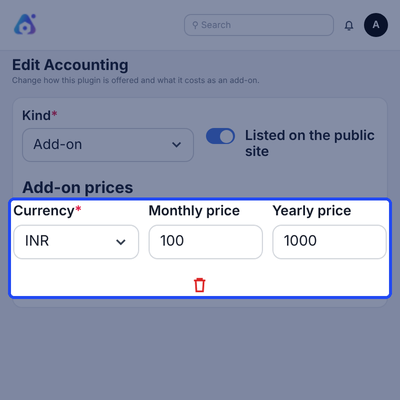
Add-on Pricing in Each Currency
This plugin edit screen lets you set its kind and add one price block per currency, each with a monthly price and a yearly price, for example one block for INR and one for USD.
Listing the plugin on the public site is a simple toggle, so you decide which apps customers can buy on top of their plan and what each one costs in every currency.
- Kind selector with Add-on option
- Listed on the public site toggle
- Currency, monthly price and yearly price per block
- Delete icon removes a price block
- Display name stays fixed for customers
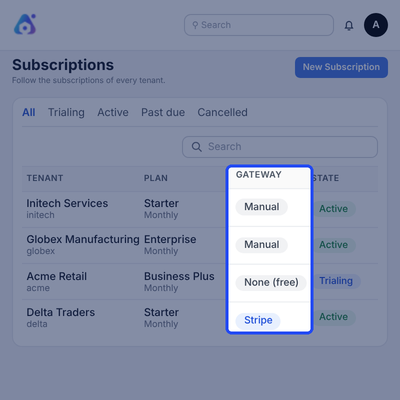
Subscriptions With Manual and Gateway Billing
Subscriptions list follows every tenant with its plan, billing interval, gateway, state and period end, and it has tabs for Trialing, Active, Past due, Cancelled, Ended, Incomplete and Paused.
Manual, Stripe and free trial subscriptions sit side by side, which helps your billing team see who pays by card, who pays by invoice and who is still on a trial.
- Tabs for every subscription state
- Gateway column shows Manual, Stripe or none for free trials
- Period end with the time left
- Search box and filters
- New Subscription button for manual billing
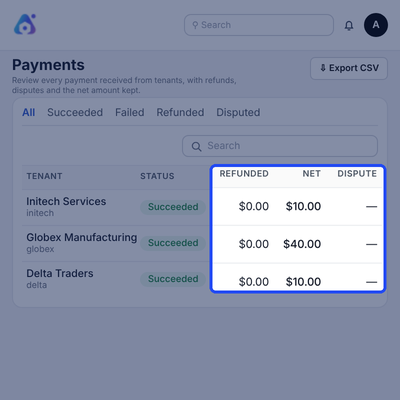
Payments With Refunds, Disputes and Net Amount
Payments list shows every payment received from tenants with amount, status, refunded amount, net amount and dispute, and it has tabs for Succeeded, Failed, Refunded and Disputed.
An Export CSV button gives your finance team a copy of the records, and refunds and disputes made at the gateway are copied in so the net amount kept stays correct.
- Status tabs for Succeeded, Failed, Refunded and Disputed
- Refunded and Net columns on every payment
- Dispute column for gateway disputes
- Gateway column with the invoice reference
- Export CSV button
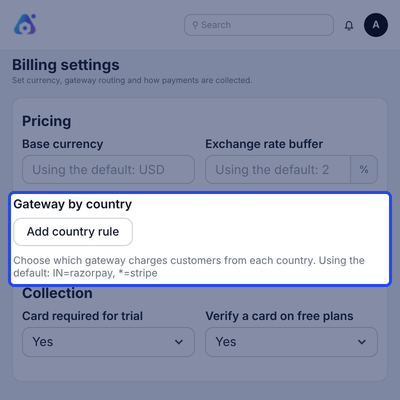
Billing Settings With Gateway Routing
Billing settings hold the base currency, an exchange rate buffer in percent and a Gateway by country list, where you choose which gateway charges customers from each country.
Collection block decides whether a card is required for a trial and whether a card is verified on free plans, so you control risk without changing any single plan.
- Base currency for plan prices
- Exchange rate buffer in percent
- Add country rule for gateway routing
- Card required for trial: Yes or No
- Verify a card on free plans: Yes or No
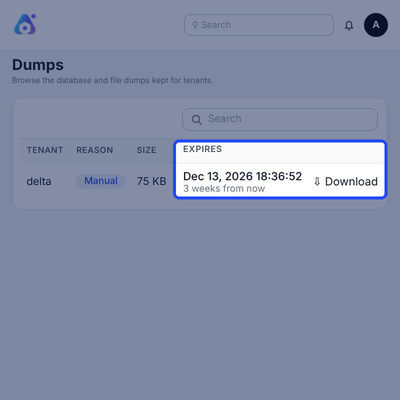
Backup Dumps With Secure Download
Dumps list shows the database and file dumps kept for tenants, with the tenant, reason, size, creation time, expiry time and restore status together in one table.
Each dump has a Download action that opens links for the database dump and the files archive, so a customer export can be handed over without touching the server.
- Reason badge such as Manual for each dump
- Size and creation time
- Expiry date with the time left
- Restored column
- Download action for database dump and files archive
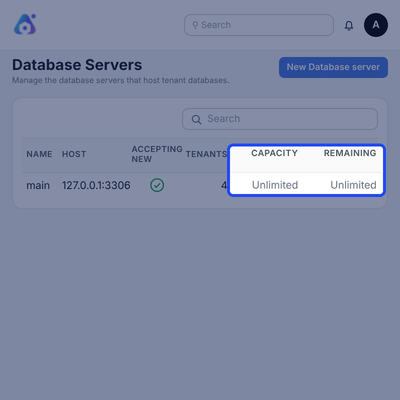
Database Servers With Tenant Capacity
Database Servers list shows each server with its name, host, whether it accepts new workspaces, its tenant count, its capacity and the capacity that is still remaining.
You can add more servers as you grow and cap how many workspaces each one holds, so new customers always land on a server that still has room for them.
- Name and host for every server
- Accepting new indicator
- Tenants count per server
- Capacity and remaining columns
- New Database server button
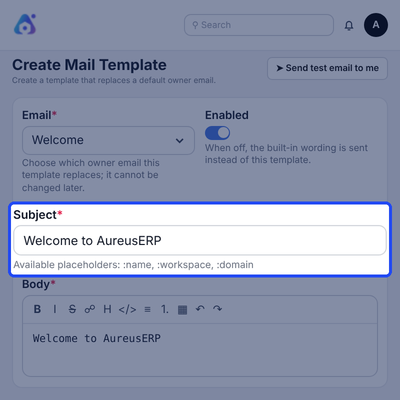
Editable Mail Templates With Placeholders
Mail template form replaces a default owner email, such as Welcome, with your own subject and a body written in a rich text editor that has formatting tools.
Placeholders such as :name, :workspace and :domain fill in customer details, and the Send test email to me button lets you check the wording before customers see it.
- Choose which owner email the template replaces
- Enabled toggle falls back to the built-in wording
- Subject line with placeholders
- Body editor with bold, links, lists, tables and images
- Preview shown below the form
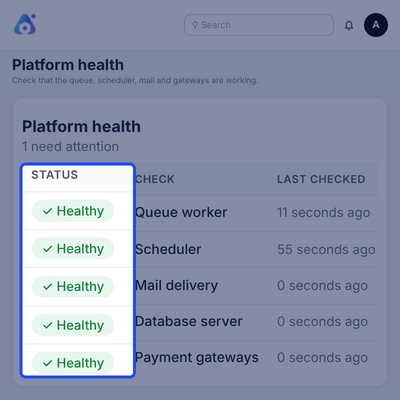
Platform Health Checks
Platform health page checks the queue worker, scheduler, mail delivery, database server and payment gateways, and it shows a Healthy status with the time of the last check.
A summary line counts how many checks need attention, so an admin can spot a stopped worker or a broken mail setting before any customer notices a problem.
- Queue worker check
- Scheduler check
- Mail delivery check
- Database server check
- Payment gateways check
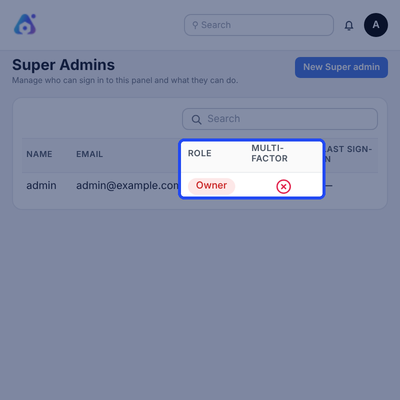
Super Admins With Roles and Multi-Factor
Super Admins list shows who can sign in to the panel with their name, email, role, multi-factor status and last sign-in, and owners can add a new super admin from it.
Roles keep power in the right hands, because support staff can help customers but cannot touch money or other admins, and only the owner manages other admins.
- Four roles: owner, admin, billing and support
- Multi-factor status for each admin
- Authenticator app or emailed code as the second step
- Last sign-in shown per admin
- Sensitive actions are logged
Support
For any query or issue please create a support ticket here: https://webkul.uvdesk.com/en/customer/create-ticket/
Specifications
Frequently Asked Questions
Specification
Detailed technical features and requirements to help you understand the module’s capabilities and ensure smooth integration with your system.
Cloud Hosting
Detailed technical features and requirements to help you understand the module’s capabilities and ensure smooth integration with your system.
Move to Cloud Today
We’re partnered with top-tier, trusted providers!



Default Configuration Details of Server
RAM 1 Core
Processor 30 GB
Hard Disk
Database
Want to know more how exactly we are going to power up your eCommerce Website with Cloud to fasten up your store
* Server Configuration may vary as per application requirements.
