Bagisto Laravel Electronic Theme helps to build an online store for electronics and gadgets. It has ready made pages and support for multiple languages.
- Ready made electronics storefront for Bagisto stores.
- 15 homepage sections with editable content blocks.
- Supports 22 languages including RTL languages.
- Mobile friendly design for all screen sizes.
- Product comparison page for electronics catalogs.
- Product image zoom and gallery support.
- Mega menu with category navigation.
- Customizable banners, sections, and store content.
- WebP images and lazy loading support.
- Featured products, reviews, and brand showcases.
- Search, wishlist, and customer account pages included.
- Built for electronics, gadgets, laptops, and accessories.
- Description
- Reviews
- FAQ
- Customers ()
- Specifications
- Cloud Hosting
- Changelog
Bagisto Laravel Electronic Theme gives you a complete store design for electronics products. You can start with ready made pages instead of building everything yourself.
This theme works well for mobiles, computers, gadgets, accessories, and other tech products. It helps customers find products with ease. The homepage comes with banners, product sections, category blocks, reviews, and brand areas. You can manage all sections from the admin panel.
The theme supports 22 languages. It also includes RTL layouts for Arabic, Hebrew, and Persian stores. Customers can compare products, browse image galleries, save products to wishlists. They can also manage their accounts from any device.
WebP images, lazy loading, and image caching help pages load faster. It also helps to keep browsing and shopping smooth. Apart from this, you can also check the Laravel Multi Vendor Marketplace if required to turn your store into a marketplace.
Highlighted Features
Ready Made Homepage
Use a complete homepage layout with banners, products, categories, and offers.
Multiple Homepage Sections
Choose from sliders, reviews, banners, categories, products, brands, and social content.
Built for Electronics Stores
Show prices, ratings, stock details, and product images in a clear layout.
Multi Language Support
Display your store in 22 languages and reach more customers.
RTL Support
Use layouts built for Arabic, Hebrew, and Persian languages.
Product Compare Page
Help customers compare products before they buy.
Responsive Layout
Give shoppers a smooth experience on phones, tablets, and desktops.
Fast Loading Design
Use built in tools that help pages load faster.
Why Do We Need Bagisto Laravel Electronic Theme?
An electronics store needs more than products. Customers expect clear menus, simple search, product comparisons, and easy browsing.Many store themes need extra design work before they are ready. This leads to an increase in setup time.
This theme includes product sections, category blocks, banners, and customer features from the start. You can update content, banners, menus, and featured products from the admin panel.
This helps you spend more time selling products and less time managing store design. Additionally, if required to integrate a payment gateway to your store, then you can look at Laravel eCommerce Stripe Payment Gateway.
Use Cases for Bagisto Laravel Electronic Theme
Mobile Stores
Show phones, accessories, and related products with clear categories and product sections.
Computer Stores
Display product details, ratings, images, and comparisons in an easy to read format.
Electronics Marketplaces
Manage large catalogs with category menus, featured products, and account pages.
Smart Home Stores
Promote smart devices and home products with banners and homepage sections.
Gaming Stores
Show new products, popular items, and featured collections across the store.
Global Electronics Stores
Serve customers in many countries with language and RTL support.
Complete Electronics Homepage Layout
Bagisto Laravel Electronic Theme comes with a ready homepage for electronics stores. You can manage banners, products, categories, and other homepage content from the admin panel without editing any files.
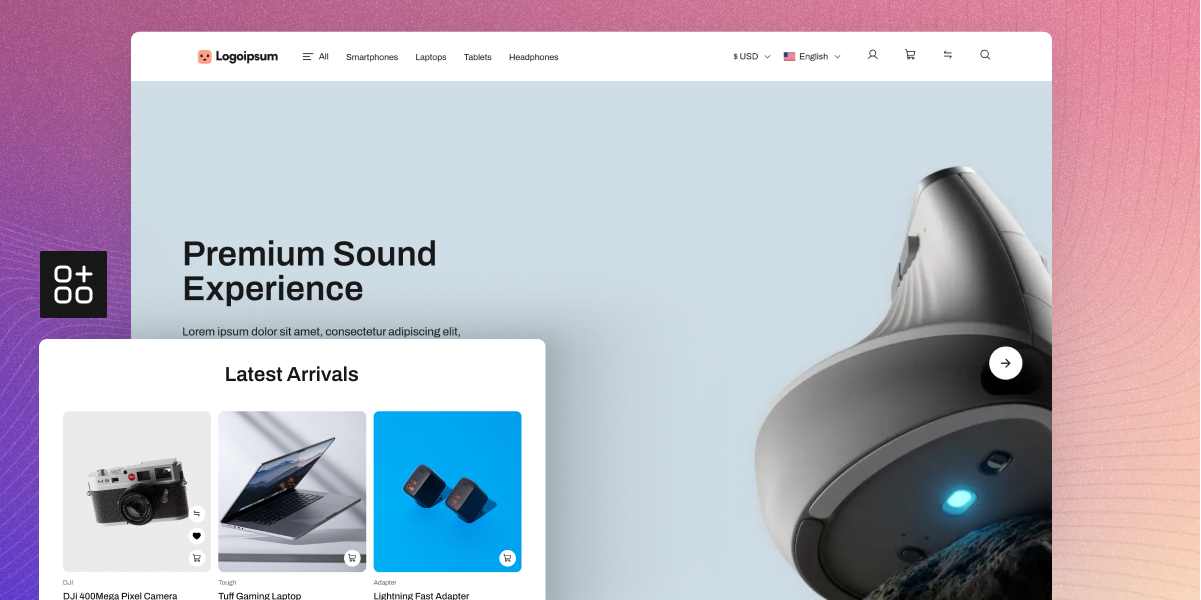
- Hero slider with buttons for offers and store promotions
- Popular categories section for quick product browsing
- Banner grid to show deals and special store offers
- New products section for recently added store items
- Brand logo section to display popular product brands
- Side banners for sales offers and product highlights
- Featured products section for top products and deals

Electronics Product Catalog Experience
The theme makes it easy for customers to find, view, and compare products. Product pages show key details clearly and help shoppers move through the catalog with ease.
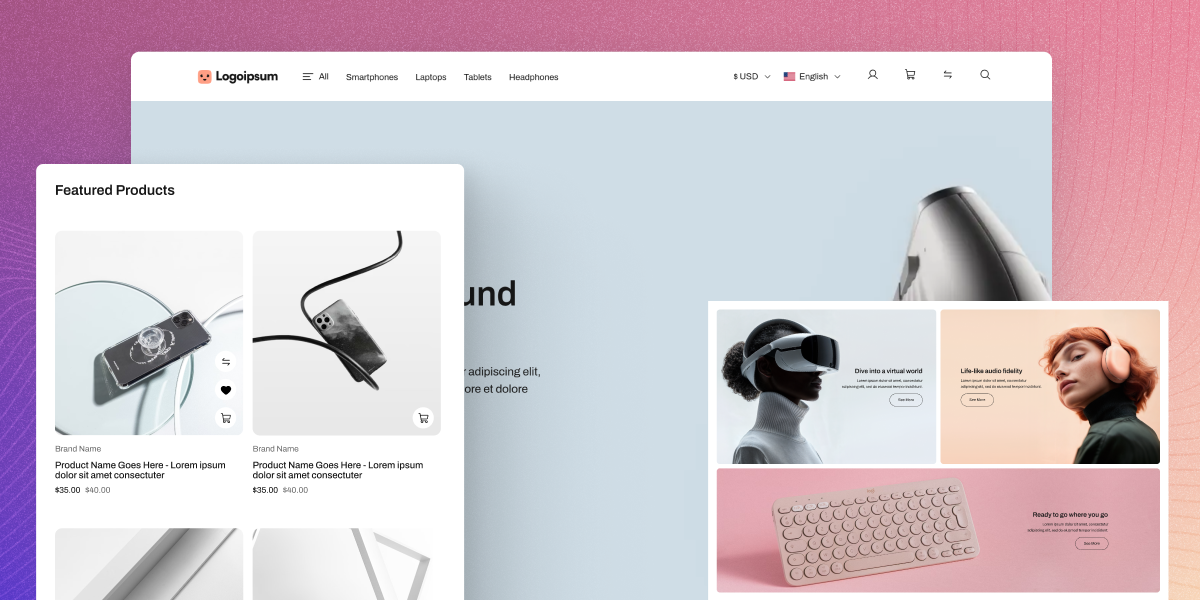
- Image zoom feature for a closer look at products
- Product image gallery with support for many images
- Product ratings shown on product and listing pages
- Stock status display to show product availability
- Clear product pricing shown across store pages
- Product compare page for viewing items together
- Category pages with organized product listings
- Search result pages for quick product discovery
- Wishlist feature to save products for later use
- Product detail pages with useful product information

Language and RTL Support
Sell products in different regions with support for many languages. RTL layouts help create a smooth shopping experience for customers using supported languages.
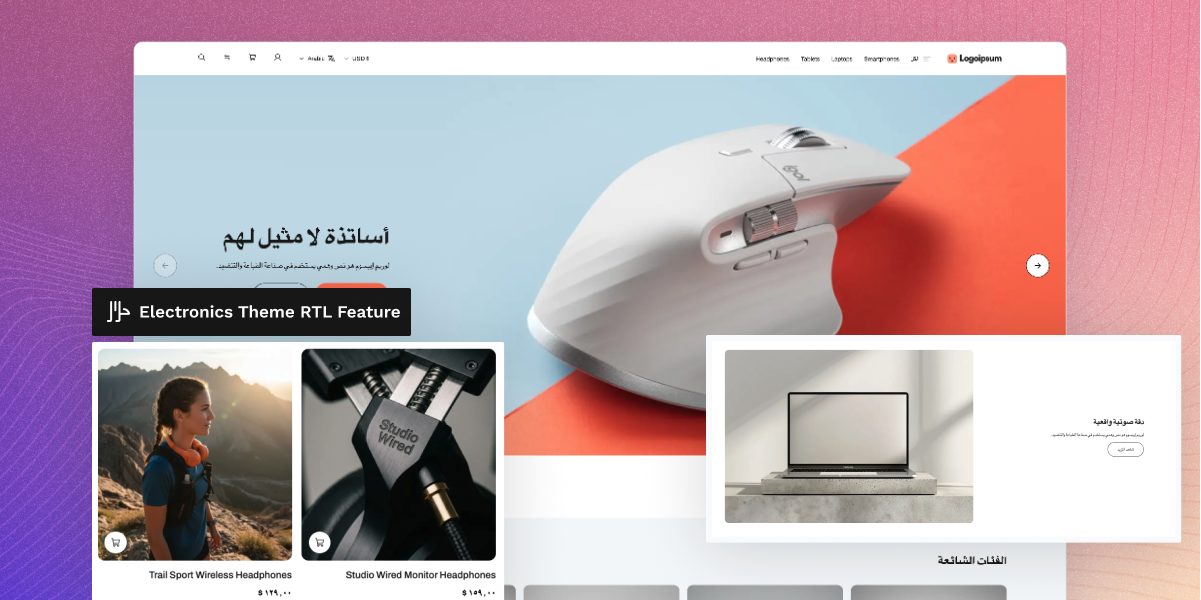
- Support for 22 languages across the storefront
- Arabic language support for regional customers
- Hebrew language support with RTL page layouts
- Persian language support for local storefront use
- RTL layouts for supported right to left languages
- Local content support for different store regions
- Language based banners for local promotions
- Easy navigation across all supported languages

Responsive Design
The theme works well on phones, tablets, laptops, and desktop screens. Customers can browse products and shop comfortably on different devices.
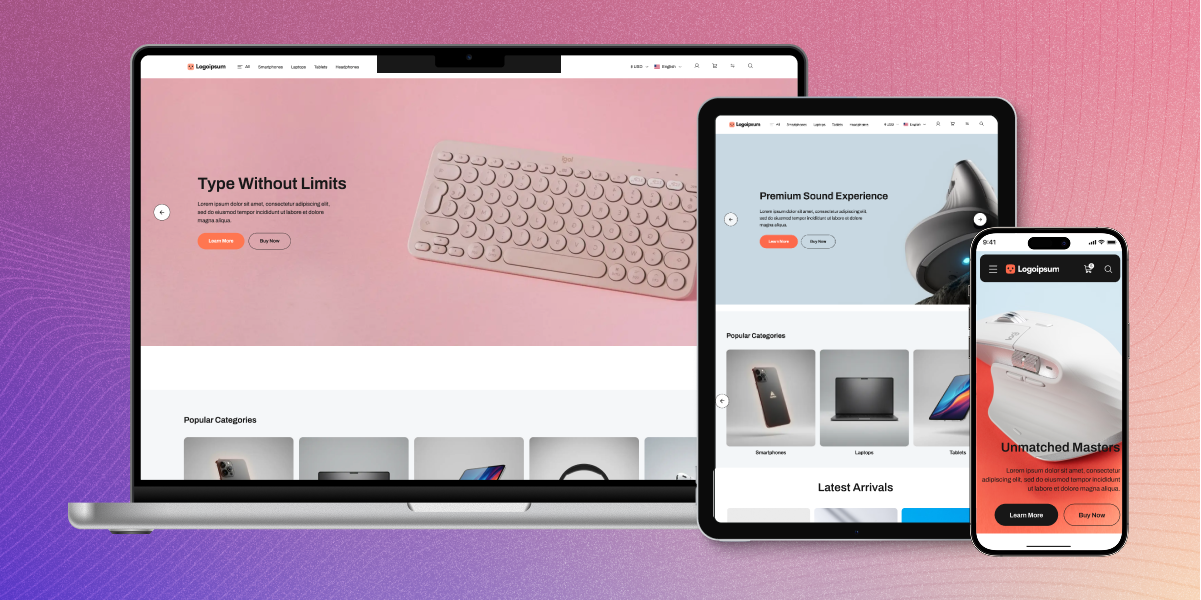
- Mobile friendly layouts for smooth phone shopping
- Tablet friendly pages for better product browsing
- Responsive desktop pages for larger screen sizes
- Product grids that adjust to screen width changes
- Touch friendly menus for mobile device users
- Responsive banners that fit different screen sizes
- Responsive category sections across all devices
- Smooth shopping experience on every screen size

Store Performance Features
The theme includes features that help pages load faster. Faster pages help customers browse products with less waiting time.
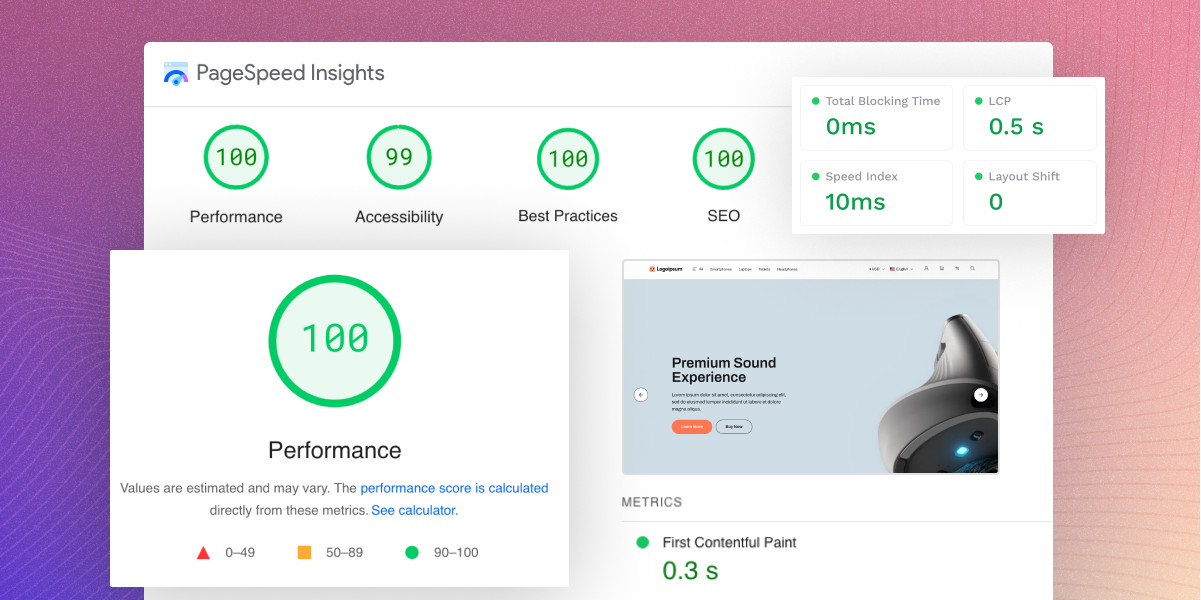
- WebP image support for smaller image file sizes
- Lazy loading for images across store pages
- Image cache support for faster page loading
- Faster image delivery across product pages
- Delayed content loading for better page speed
- Faster loading product image galleries
- Smaller page size for smoother store browsing
- Better mobile speed for phone and tablet users

Mega Menu and Navigation
Large product catalogs are easier to browse with clear menus. Customers can move through categories quickly and find products with less effort.
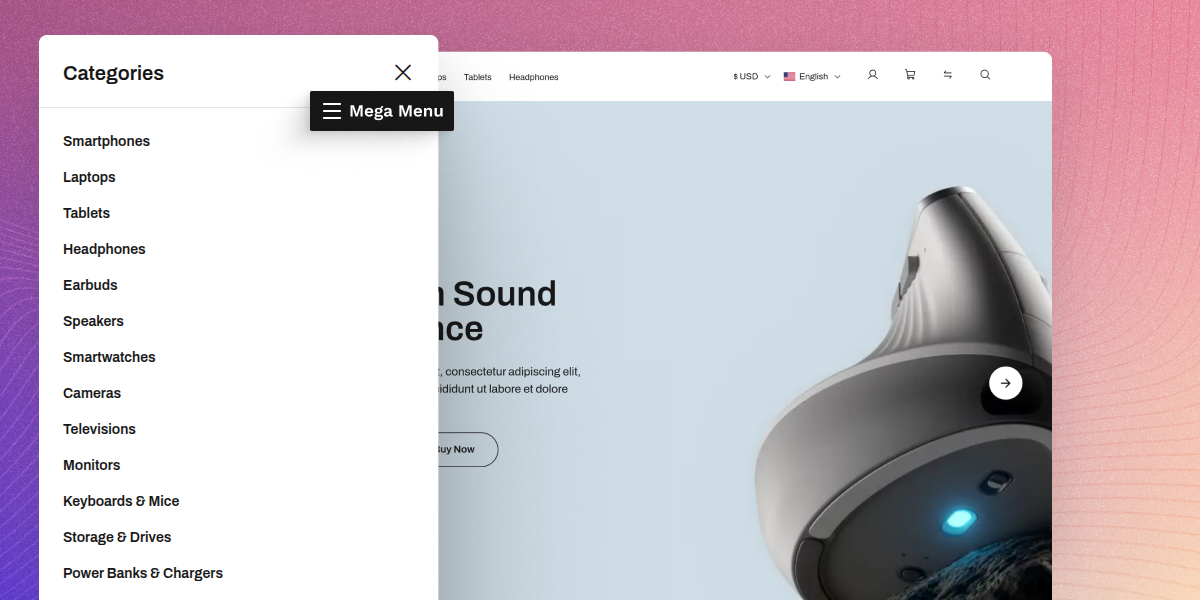
- Mega menu support for stores with many products
- Category images to help shoppers find sections
- Visual category links for easier product browsing
- Organized categories for better product discovery
- Faster catalog browsing through clear menu paths
- Better product discovery across store categories
- Structured menus for simple store navigation
- Electronics category layouts for easy browsing

Customer Account Pages
The theme includes account pages that help customers manage orders, addresses, wishlists, reviews, and other shopping activities in one place.
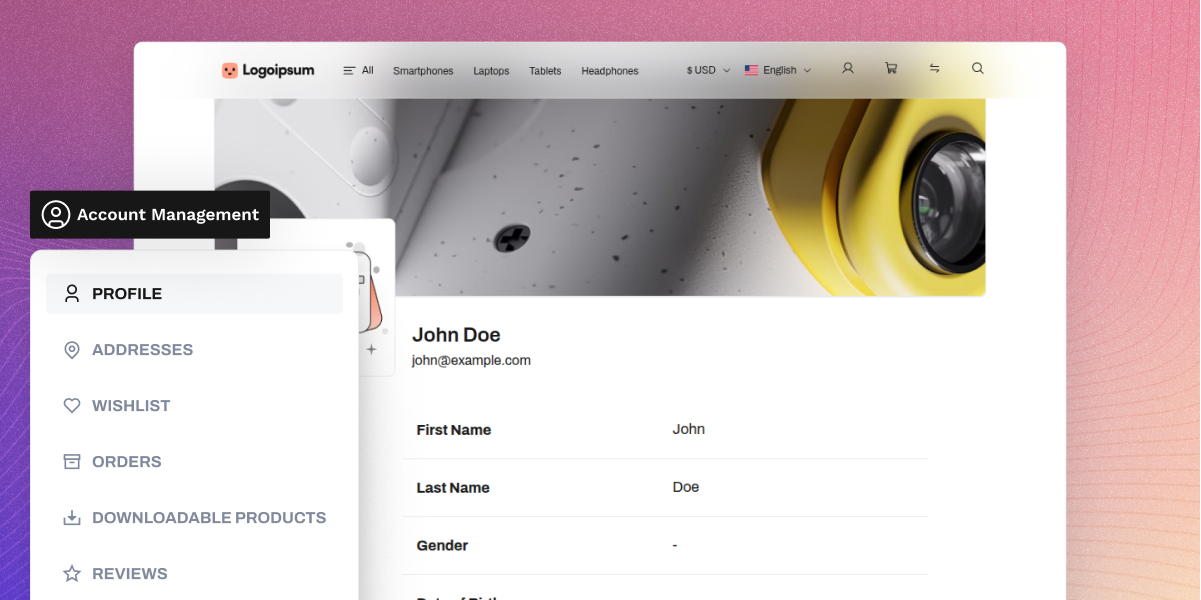
- Customer dashboard for account information access
- Order pages for viewing purchase history details
- Address book for billing and shipping management
- Wishlist page to save products for future orders
- Product review section for customer feedback
- Support for downloadable product purchases
- Return request pages for product return handling
- Contact page support for customer questions
- CMS page support for store information pages
- Custom error page design for a better user experience

Theme Customization
Store owners can update homepage content and promotions from the admin panel. This helps keep the storefront updated for sales, events, and seasonal campaigns.
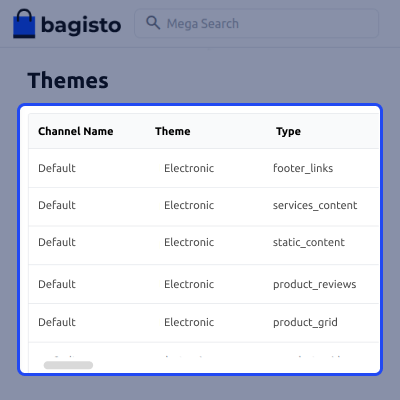
- Change banner images and text from the admin area
- Update links used in banners and homepage buttons
- Move homepage sections to match store priorities
- Hide sections that are not needed on the homepage
- Add new slider items for offers and promotions
- Remove slider items with a few simple clicks
- Update featured content shown on the homepage
- Manage homepage layouts from the admin dashboard

Support
For any query or issue, please create a support ticket here http://webkul.uvdesk.com/. You may also check our top-quality Bagisto Extensions.
Specifications
Frequently Asked Questions
Specification
Detailed technical features and requirements to help you understand the module’s capabilities and ensure smooth integration with your system.
Cloud Hosting
Detailed technical features and requirements to help you understand the module’s capabilities and ensure smooth integration with your system.
Move to Cloud Today
We’re partnered with top-tier, trusted providers!
Default Configuration Details of Server
RAM 1 Core
Processor 30 GB
Hard Disk
Database
Want to know more how exactly we are going to power up your eCommerce Website with Cloud to fasten up your store
* Server Configuration may vary as per application requirements.
Change Logs
- - Feature Add (+)
- - Feature remove (-)
- - Bug Fixed (!)
- - Modification (*)
- * Compatible with Bagisto v2.5.0.
- + Added the Delete Profile action on the customer profile page, asking for the password in a modal and posting to core's shop.customers.account.profile.destroy, as core and the other storefront themes offer.
- + Added a Delete All button on the wishlist page. The method behind it was already in the view, but nothing called it.
- + Added the EU Omnibus lowest-price notice of Bagisto v2.5.0 under the product price, rendered through OmnibusPriceManager::getOmnibusPriceHtml(). The classes of core's Omnibus partial are safelisted, since the theme's build never scans core views.
- + Added a menu label for the mobile header drawer toggle, under electronic::app.components.layouts.header.mobile.menu, in all 22 locales.
- - Removed tailwind.config.cjs and postcss.config.cjs. Breakpoints, colours, fonts, the content max width and the container utility are now declared in app.css through @theme and @utility, and the build runs through @tailwindcss/vite.
- - Removed the channel switch and the home_seo overwrite in SectionTableSeeder, which set every channel to the theme and replaced every channel's home page meta title, description and keywords with "Electronic" on each install. Activate the theme from Appearance → Themes instead.
- - Removed the theme's copy of core's EU withdrawal translations under electronic::app.eu_withdrawal. The views read core's shop::app.eu-withdrawal keys; only electronic::app.eu-withdrawal.back-to-orders, which core has no counterpart for, is kept.
- - Removed six stray menu-images keys that every locale except en carried.
- - Removed the unregistered Shop\Customer\Account\AddressController, the unused components/example.blade.php scaffold, and the unused direction-ltr, direction-rtl and scrollbar-width-hidden utilities. The installer seeds through db:seed --class like the other storefront themes, instead of building locale parameters the seeder already falls back to.
- * Replaced Tailwind CSS 3 with Tailwind CSS 4. Every storefront and admin view moves to its utility names - rounded to rounded-sm, rounded-sm to rounded-xs, outline-none to outline-hidden, the ! important modifier to a suffix, and arbitrary pixel values to the spacing scale. Icon glyphs and order status labels are safelisted through @source inline().
- * Renamed the Vite hot file from electronic-default-vite.hot to shop-electronic-vite.hot, matching the other storefront themes.
- * Updated the Large, Medium and Small image templates to take and return an Illuminate\Image\Image, and match the products, categories and attribute-options storage directories of Bagisto v2.5.0. Product image sizes are fixed at the theme's own dimensions instead of being read from the catalog configuration Bagisto v2.5.0 removed.
- * Moved the storefront API controllers from Http\Controllers\API to Http\Controllers\Shop\API, matching the other storefront themes.
- * Updated the product listing to run through core's storefront search context and catalog cache. Http\Resources\ProductResource is replaced by ProductCardResource, which extends core's card resource and adds the product's brand.
- * Category menu images are stored under categories/{id}/electronic-menu-images and encoded through fromUpload()->toWebp().
- * Seeded homepage images are stored through bagisto_theme_storage(), so the markup carries a media reference that resolves on any storage disk, and seeded footer and slide button links are stored as relative paths instead of being prefixed with APP_URL. Static content and the image carousel resolve them at render time.
- * SectionTableSeeder deletes the sections it seeded before, with their translations and uploaded images, before seeding again, and keeps the PostgreSQL theme_sections sequence in step with the IDs it inserts.
- * Moved the out-of-stock count route into Routes/api.php, alongside core's category API. It is served at api/electronic/categories/out-of-stock-count/{id?} under the shop middleware group instead of electronic/categories/out-of-stock-count/{id?}, and is renamed from electronic.api.categories.out-of-stock-count to electronic.api.categories.out_of_stock_count.
- * Updated the views to name core's routes by their Bagisto v2.5.0 snake_case names - shop.api.checkout.cart.cross_sell.index, shop.api.products.up_sell.index, shop.customers.gdpr.cookie_consent, shop.eu_withdrawal.guest.lookup, customer.social_login.index, and the booking, GDPR, invoice print, EU withdrawal and RMA account routes.
- * Updated the views to use core's renamed translation keys - checkout.onepage.summary.price-and-qty, checkout.onepage.address.phone and customers.account.orders.invoice-pdf.phone.
- * Changed view paths to kebab-case: customers/account/downloadable_products to customers/account/downloadable-products, products/view/social_share to products/view/social-share and socialLogin to social-login.
- * Rebuilt the admin section fields view from core's Bagisto v2.5.0 copy, keeping the theme's select field type.
- * Lazy images are now observed as they are added to the page, so images inside sections Vue renders after load are loaded too.
- * Reordered the translation files of all 22 locales to follow the line layout of en.
- ! Fixed the seeded "Unconventional & Simply Different" banner grid, which placed its captions with inline style attributes that core's static content sanitizer strips, causing the captions to lose their position the first time the section was saved in the Appearance editor. The positions are now classes in the section's own CSS.
- ! Fixed electronic-theme:install stopping for confirmation before migrating and seeding when the application ran in production, which hung an unattended install. Both steps now pass --force.
- ! Fixed re-running electronic-theme:install leaving the home page in the full page cache, which still referenced images the seeder had just deleted and replaced, causing seeded images to appear broken until php artisan responsecache:clear was run manually. The installer now clears the full page cache after seeding.
- ! Fixed modal, confirmation and drawer backdrops using bg-opacity-50, which Tailwind CSS 4 removed and caused the overlay to appear solid grey. They now use bg-gray-500/50.
- ! Fixed the star ratings on the account reviews and compare pages, the account menu chevron and the datagrid sort arrows, which named icons the theme's font does not contain and rendered blank. They now use the font's icon-star, icon-dropdown-right and icon-dropdown-left glyphs.
- ! Removed or corrected classes that never produced any style - whitespace-no-wrap to whitespace-nowrap, !rounded-0 to rounded-none!, justify-left to justify-start, the malformed max-sm!px-2 and max-sm!text-xs on the rental booking slots, and the undefined font-small, bg-el-stock-in and hover:bg-coralOrange-dark.
- ! Fixed the profile gender select, which named a translation key that does not exist for its aria-label. It now reuses the field's own label.
- ! Fixed the customer order page failing with a call to the removed core()->country_name(). It and the invoice PDF now call countryName().
- ! Fixed attribute option counts in category filters, which compared comma-separated values of multiselect and checkbox attributes with option IDs, missing every product with more than one option and failing on PostgreSQL. They now match through db_grammar()->findInSet(), carry the table prefix in raw SQL and compare the boolean status and visible_individually columns with booleans.
- ! Fixed attribute option search using a hardcoded like, which is case-sensitive on PostgreSQL. It now uses db_grammar()->caseInsensitiveLike().
- ! Fixed the customer invoice PDF logo handling. It previously read the logo with file_get_contents() on a storage URL, which failed on non-local storage disks, and labelled every logo image/png. The logo is now read from the disk with its own MIME type and skipped when the file is missing.
- ! Fixed the RMA conversation building attachment URLs from APP_URL and /storage/, which broke on non-local storage disks, and its attachment preview never opening because its state was not reactive. It now uses the message's attachment_url.
- ! Fixed carousel image URLs, which were built by stripping a storage/ prefix and broke on non-local storage disks. Slides now resolve their URLs through bagisto_theme_storage()->imageUrls().
- ! Fixed the cart and checkout logo, category carousel arrows and mobile menu toggle using translation keys that do not exist, causing screen readers to announce the raw key.
- ! Fixed anonymous Blade components being registered from a views/components directory that does not exist. They are now registered from views/shop/components.
- * Compatible with Bagisto v2.4.11.
- + Add theme section types (ImageCarousel, CategoryCarousel, FooterLinks, ProductGrid, ProductReviews) under customize.sections; core-code types keep handling existing sections
- + The theme's small, medium and large image cache templates and product placeholders, registered under customize.image_cache, so they apply to the storefront only and product placeholders honour the images the merchant configures.
- + Category menu images are stored in the theme's own electronic_category_menu_images table, through its own model, repository and category listeners, and uploaded under category/{id}/electronic_menu_images.
- + A social login links view in the theme's style, which lists every provider in LoginController::PROVIDERS that is turned on in configuration, LinkedIn included.
- + A theme breadcrumb, electronic.categories.view, for category pages.
- + A password reveal on every storefront password field.
- + Operator based numeric filters — equals, greater than, less than, or a range — in the storefront datagrid filter drawer, with the apply button moved into the drawer footer.
- + Loading shimmers of the theme's own for the downloadable products, GDPR and RMA account lists, which core v2.4.11 added.
- + The address updated notice on the checkout address step, shown when an address is edited after the step has been passed.
- - The SectionSchema, SectionType and admin Appearance\SectionController overrides, and the forked editor.blade.php. They were built on the schema methods and controller helpers — typeLabels(), guardSingleFooter() — that core v2.4.11 removed, so the Appearance editor and the storefront failed on v2.4.11. Core's editor now lists the theme's types from customize.sections. See UPGRADE.md.
- - The published config/imagecache.php. It replaced core's, so the theme's sizes applied to admin images too. See UPGRADE.md.
- - The CacheFilters templates and their BaseFilter, replaced by the ImageTemplates classes.
- - The uploadImages() of the CategoryRepository override and the tree() of the admin CategoryController override, which were copies of core's.
- - The menu_image_paths column the theme added to the categories table, and the menu images handling of the CategoryRepository and admin CategoryController overrides, replaced by the theme's own menu images table.
- - The container bindings of the admin CategoryController and of CategoryTreeResource. Core renders the category tree through a static collection() call, so the resource binding was never used.
- - The channels query the service provider ran on every boot to decide whether to load the theme's routes. It failed while installing, before the channels table exists.
- - Instagram from the social share links, as core did. The theme ships no Instagram share view, so turning it on threw a missing view error.
- - The Translate Review label on the account reviews page, which did nothing.
- ! The storefront category and product API controllers were bound for every channel, so a channel running another theme was served this theme's product and category data. They are now replaced only on channels running electronic.
- ! The social share and social login views were published into resources/views/vendor, which overrides them for every theme. They are now published into the theme's own views path.
- ! The category page named a category breadcrumb that core does not define, so no breadcrumb was drawn. It now uses the theme's electronic.categories.view.
- ! The theme's routes were loaded only when a channel already ran the theme. They now always load, under the electronic prefix, so the out-of-stock count endpoint moves from api/categories/out-of-stock-count to electronic/categories/out-of-stock-count; its route name is unchanged.
- ! The admin CategoryController override skipped the clean_content() core runs on the category description, so markup that runs script could be stored.
- ! The hero slide's Learn More and Buy Now links were never checked for a scheme that could run script. They now go through the same check as the slide link.
- ! The admin category create and edit views had fallen behind core, missing its VeeValidate errors.length fix, v-pre markers, x-admin::seo field props, the required|integer position rule and the slug error control, and still passed the category_description_prompt config key Bagisto removed in v2.4.7. Both now match core v2.4.11, and the menu images panel is added through render events. See UPGRADE.md.
- ! The image carousel rewrote each stored path into cache/large and its siblings in the browser, which produced broken urls on a storage disk that is not local and drew slides for entries with no image. Slides are now built through image_urls(), entries without an image are dropped, and the first slide is preloaded.
- ! The category menu built its image urls by prefixing /storage/ to the stored paths, which broke on a storage disk that is not local. The category tree now returns each menu image's url from the storage disk.
- ! Footer links were rendered as stored, rows left blank included. Columns are now cleaned through the section type's sanitize(), links left blank are skipped, and the configured copyright text goes through clean_content() as core does.
- ! Checkout, cart estimate shipping and the account address forms kept a state belonging to the country previously selected, so an address could be submitted with a state of another country, which core v2.4.11 now rejects.
- ! The rich text editor toolbar still named TinyMCE 5's formatselect control instead of TinyMCE 6's blocks, so the paragraph and heading dropdown was missing.
- ! The product gallery had no fallback for an image whose file is missing, on desktop or mobile. It now shows the configured placeholder.
- ! Order, review and RMA thumbnails were built from asset('storage/…') and hardcoded placeholder assets, and the category carousel and compare page from a hardcoded placeholder, so none honoured a non-local disk or the merchant's configured placeholder. They now go through the product image helper.
- ! The invoice PDF and the RMA view printed prices unescaped, the RMA view printed custom field values and RMA information without v-pre, and the RMA create form printed attribute labels unescaped.
- ! The datagrid filter drawer named shop::app.components.datagrid.filters.select, a key defined in no locale, and the icon-sort-down and icon-cross classes, which the theme's icon font does not define.
- ! The RMA list drew no view or cancel action icons, because the theme's stylesheet defined neither icon-eye nor icon-cancel, the classes core's RMA datagrid sends.
- ! The downloadable product links drew their checkboxes ticked before any was chosen, and the RMA terms checkbox drew a bare check mark once ticked, with its label set below the box. Both now use the theme's unchecked and checked checkbox icons, and the terms label sits beside the box.
- ! The items, invoices, shipments and refunds tables on the account order page ran their columns together, with every item status on one line. They now use the theme's datagrid table layout, with one status per line.
- ! The RMA create, RMA view and GDPR pages dropped below the account navigation at 100% zoom, because their content column could not shrink beside it.
- ! Hardcoded English strings on the storefront — the footer help and contact text, the carousel image and slide labels, the estimate shipping hints, the RMA "Not Allowed" label and the share fallback alert — now go through trans().
- * The admin section fields view is rebased on core v2.4.11, which adds the repeater row limit, keeping the theme's select field kind that the product grid's column count uses.
- * The admin CategoryController override is no longer bound, so core's controller handles categories. The menu images are encoded through image_manager() rather than a hardcoded GD driver.
- * The migration that creates electronic_category_menu_images drops the old menu_image_paths column without copying its images into the new table, so menu images uploaded before this release have to be uploaded again.
- * The image templates keep the theme's sizes. Swatches in every template, slider images in medium and product images in small go to core's templates, whose sizes there are the same.
- * The mini cart and flash messages write the full page cache placeholders core v2.4.11 replaces per visitor, detected through FullPageCache::willCache(), and a guest with an empty cart no longer requests it.
- * The account orders page reads orders through OrderRepository rather than the model.
- * The datagrid shimmers take the column count of the grid they stand in for.
- * SectionTableSeeder names section types through SectionTypeEnum cases and the section classes' own codes rather than string literals.
- * Added checkout.cart.summary.estimate-shipping.*, components.carousel.go-to-slide, components.carousel.image, components.layouts.footer.*, customers.account.rma.create.not-allowed and products.view.share-not-supported to all 22 locales.
- * Added admin.catalog.categories.menu-images.title and admin.catalog.categories.menu-images.info to all 22 locales.
- * Strings that the theme does not restyle — the password reveal label, the datagrid number filter options and the checkout address updated notice — are referenced from the shop:: namespace rather than copied into the theme's own locales.
- Initial Launch