Send Again
Close
Bagisto Marketplace Shiprocket Shipping adds Shiprocket to Bagisto Marketplace. It helps admins and sellers ship orders from one place. This saves time and keeps daily shipping work simple.
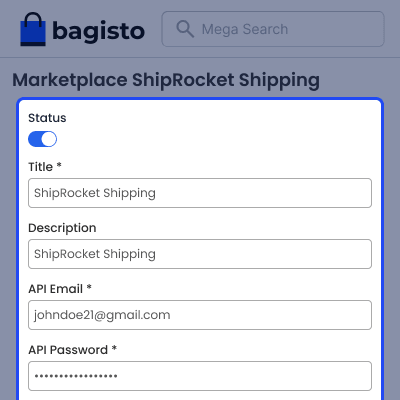
Admin can turn the shipping method on or off at any time. They can also change the shipping title shown on the store. Admin decides if sellers can manage their own Shiprocket account.
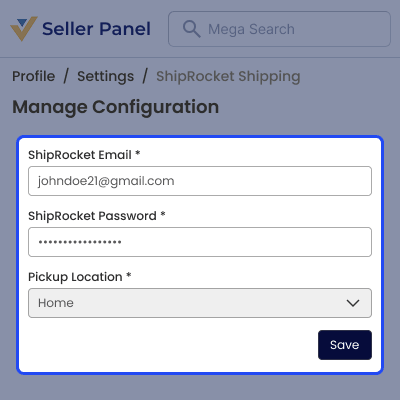
Admin and sellers can add their Shiprocket details and pickup address. Each seller can use their own account to ship orders. This gives every vendor more control over shipping.
This Shiprocket Shipping module for Bagisto Marketplace lets users create shipments and print shipping labels in a few steps. It also supports shipping for all countries or only the countries you choose.
This add-on fits stores with many sellers. It cuts manual work, speeds up order dispatch, and makes shipping easier for both the admin and every seller.
Additionally, sellers who want flexible delivery charges can use Marketplace Table Rate Shipping to set their own rates.
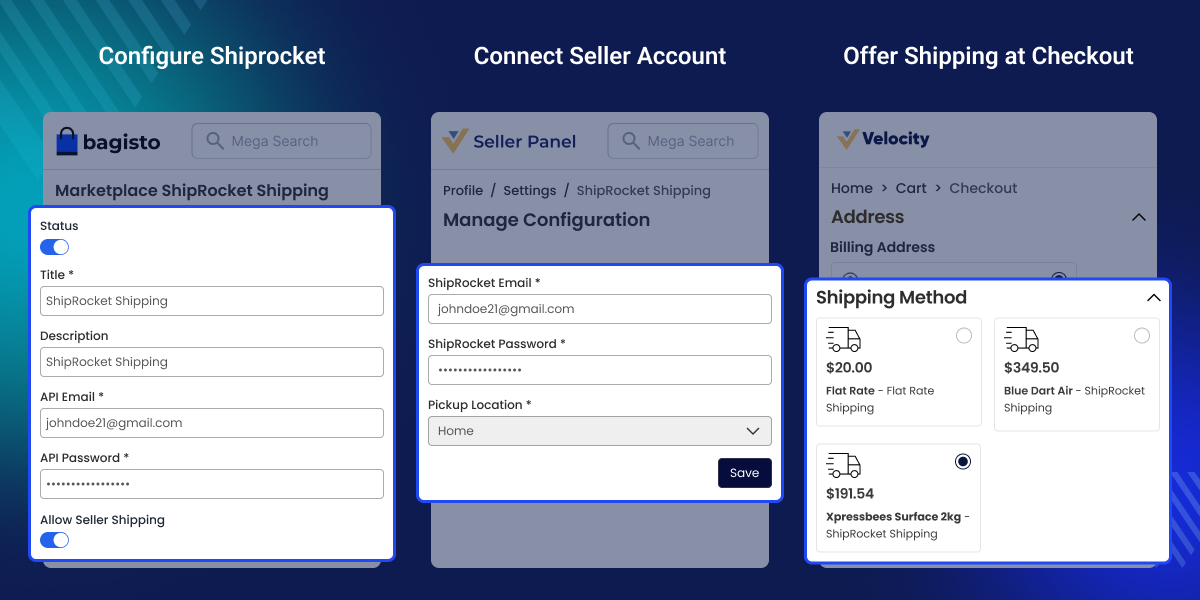
Connect your Shiprocket account and start shipping orders in a few simple steps. This makes shipping setup quick and easy.
Manage shipments, shipping labels, and pickups from the seller panel. This keeps all shipping tasks in one place.
Generate and print shipping labels directly from marketplace orders. This saves time and reduces manual work.
Create pickup requests directly from marketplace orders. This helps sellers schedule courier pickups without extra steps.
Track shipment status and delivery updates from the seller panel. It helps sellers stay informed about every order.
Choose a courier partner from your connected Shiprocket account. This lets sellers select the best shipping option for each order.
Bagisto Marketplace Shiprocket Shipping solves a common marketplace problem. Often, sellers switch between the marketplace and courier sites to complete one delivery.
Without this module, order details are entered by hand, labels are created separately, and delivery updates are checked on other platforms. As a result, this takes more time and increases the chance of errors.
This Shiprocket Shipping module for Bagisto Marketplace brings these tasks into the seller panel. Sellers can create shipments, generate shipping labels, schedule pickups, and track deliveries from one place.
This makes the shipping process faster and easier to manage. As the marketplace grows, the module helps reduce manual work, improves shipping efficiency, and provides a better experience for both admins and sellers.
Furthermore, marketplaces that want to split large orders by seller can pair with Bagisto Marketplace Split Order.
Bagisto Marketplace Shiprocket Shipping helps marketplaces run a simpler and more organized shipping process.
Each seller ships their own orders using a single shipping method across the marketplace.
Sellers add their own Shiprocket account and ship orders without help from the admin.
Sellers save time on shipping tasks while the module supports more sellers and orders as the marketplace grows.
Sellers create shipping labels and book pickups directly from the marketplace without visiting external courier websites.
Admin sets up Shiprocket from a single settings page. This controls how the shipping method works across the marketplace. Admin can also decide whether sellers can use their own Shiprocket accounts.
Sellers can connect their own Shiprocket account from the seller panel and choose a pickup location for future shipments. This gives each seller more control while managing deliveries directly from the marketplace.
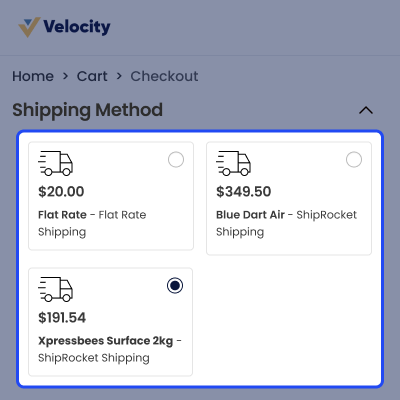
Shiprocket appears as a shipping option during checkout. Buyers can view the shipping charges before placing an order and select the preferred shipping method with ease.
For any query or issue, please create a support ticket here http://webkul.uvdesk.com/. You may also check our all Bagisto Extensions.
Detailed technical features and requirements to help you understand the module’s capabilities and ensure smooth integration with your system.
Detailed technical features and requirements to help you understand the module’s capabilities and ensure smooth integration with your system.
We’re partnered with top-tier, trusted providers!
Want to know more how exactly we are going to power up your eCommerce Website with Cloud to fasten up your store
* Server Configuration may vary as per application requirements.
ThemeCustomizationRepository, the 20 argument product Importer, the renamed marketplace.sales.seller.transaction.save.after and datagrid query_builder.prepare.after events, the PaymentRequestCompleteNotification rewiring, and the relocated marketplace.general.* config codes. None are used here, so no code changes were required. The rating carrier still extends the unchanged core Webkul\Shipping\Carriers\AbstractShipping.composer.json with the core marketplace package conventions by dropping the broken extra.laravel auto discovery block, as the provider is registered manually per the README, and adding a package description and keywords. The real bagisto/laravel-marketplace * dependency is retained.mp-shiprocket:install command to the core marketplace installer pattern. It now runs its own migrations from a resilient realpath() migration path, force publishes the provider's view overrides, clears caches, and prints an ASCII onboarding banner from src/Templates/on-boarding.php on success.


