CS-Cart Aramex Connect Shipping
CS-Cart Aramex Connect Shipping Method helps you manage shipping for Australia and New Zealand. It calculates shipping rates and creates shipping labels automatically.
- Set up Aramex Connect shipping for Australia and New Zealand.
- Get automatic shipping rate calculations from Aramex Connect.
- Easily create and print shipping labels.
- Change pickup date and time when needed.
- Let both admin and vendors create Aramex labels.
- Let admin and vendors choose which shipping methods to allow.
- Description
- Reviews
- FAQ
- Customers ()
- Specifications
- Cloud Hosting
- Changelog
CS-Cart Aramex Connect Shipping makes shipping simple by handling rate calculation and label creation. It improves delivery speed and reduces errors.
With it, admins and vendors can manage their shipping settings, update pickup times, and generate labels. It saves time and boosts shipping performance.
If you want to track multiple custom carriers in one system then check out CS-Cart Custom Shipment Carriers Tracking.
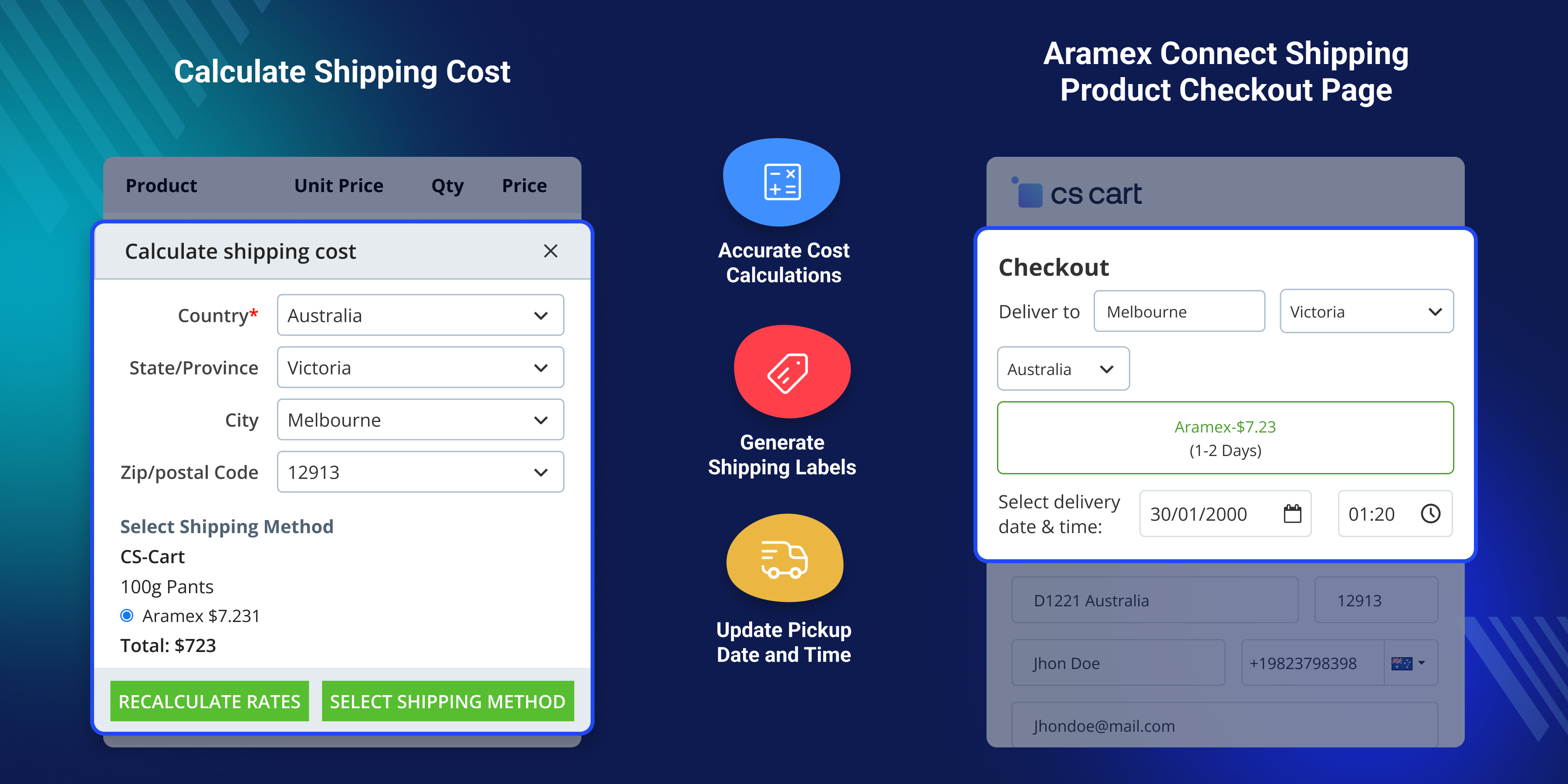
Highlighted Features of CS-Cart Aramex Connect Shipping
Seamless Aramex Integration
Quickly set up and manage Aramex Connect shipping for Australia and New Zealand.
Automated Shipping Cost Calculation
Get real-time shipping costs from Aramex Connect.
Easy Label Generation
Create and print shipping labels quickly and easily.
Update Pickup Date & Time
Admins and vendors can change pickup schedules as needed.
Why Do You Need CS-Cart Aramex Connect Shipping?
CS-Cart Aramex Connect extension offers a smooth, accurate shipping process with real-time cost updates and on-time deliveries.
By using Aramex Connect, businesses can simplify logistics, cut down on errors, and improve service. It helps keep customers happy and store operations running well.
Check our CS-Cart Aramex Shipping Method to integrate Aramex shipping with real-time rates and label generation.
General Settings
After installing the module, the admin needs to set up a new shipping method using Aramex Connect.
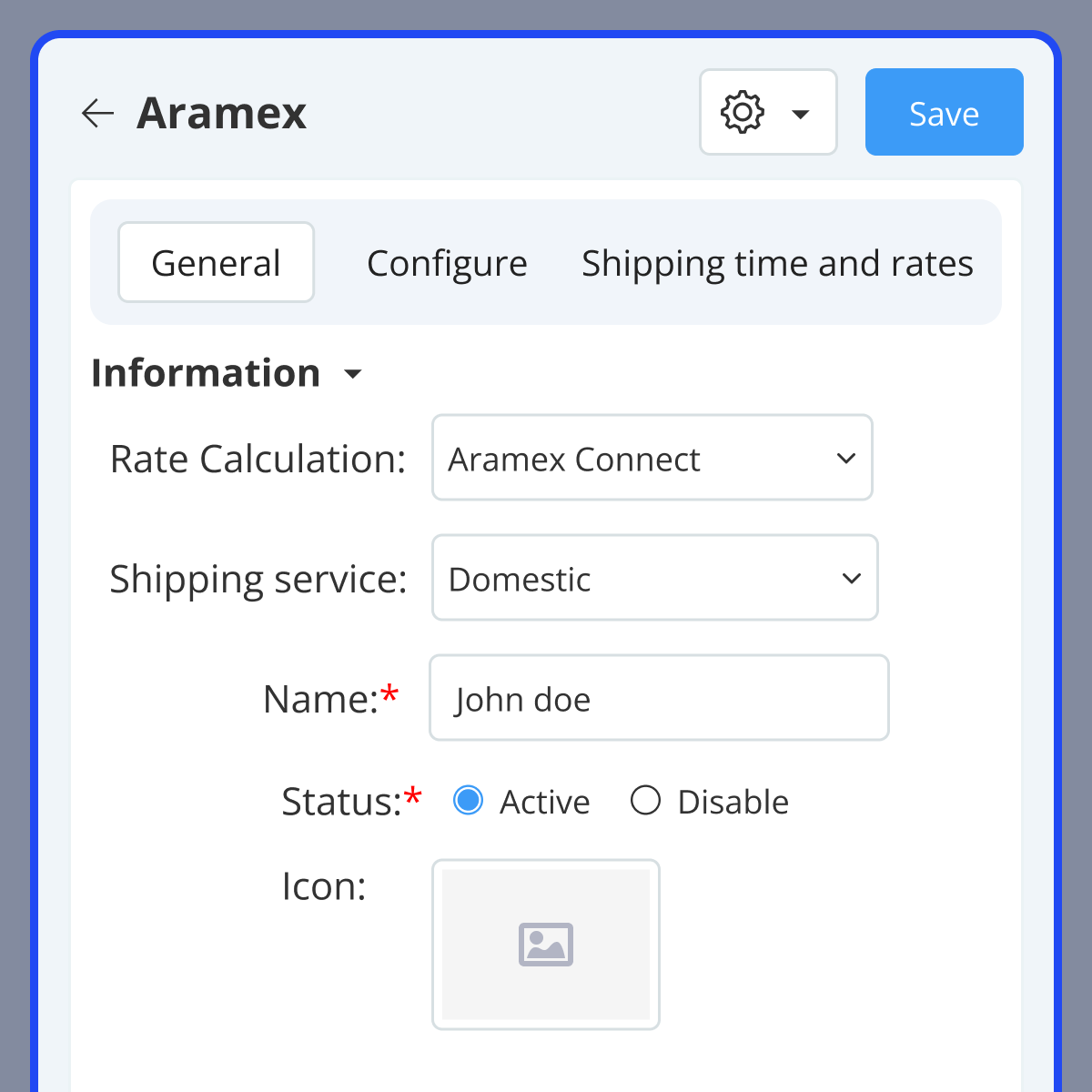
- Navigate to Settings → Shipping Methods.
- Create a new shipping method and choose "Aramex Connect".
- Select a shipping service and give the method a name.
- Enable or disable the method as required.
- Add an icon, set delivery time, and enter a description.
- Set method availability based on user groups or vendors.

CS-Cart Aramex Connect Shipping Configuration
Set up dimensional and account configurations to link your CS-Cart store with Aramex.
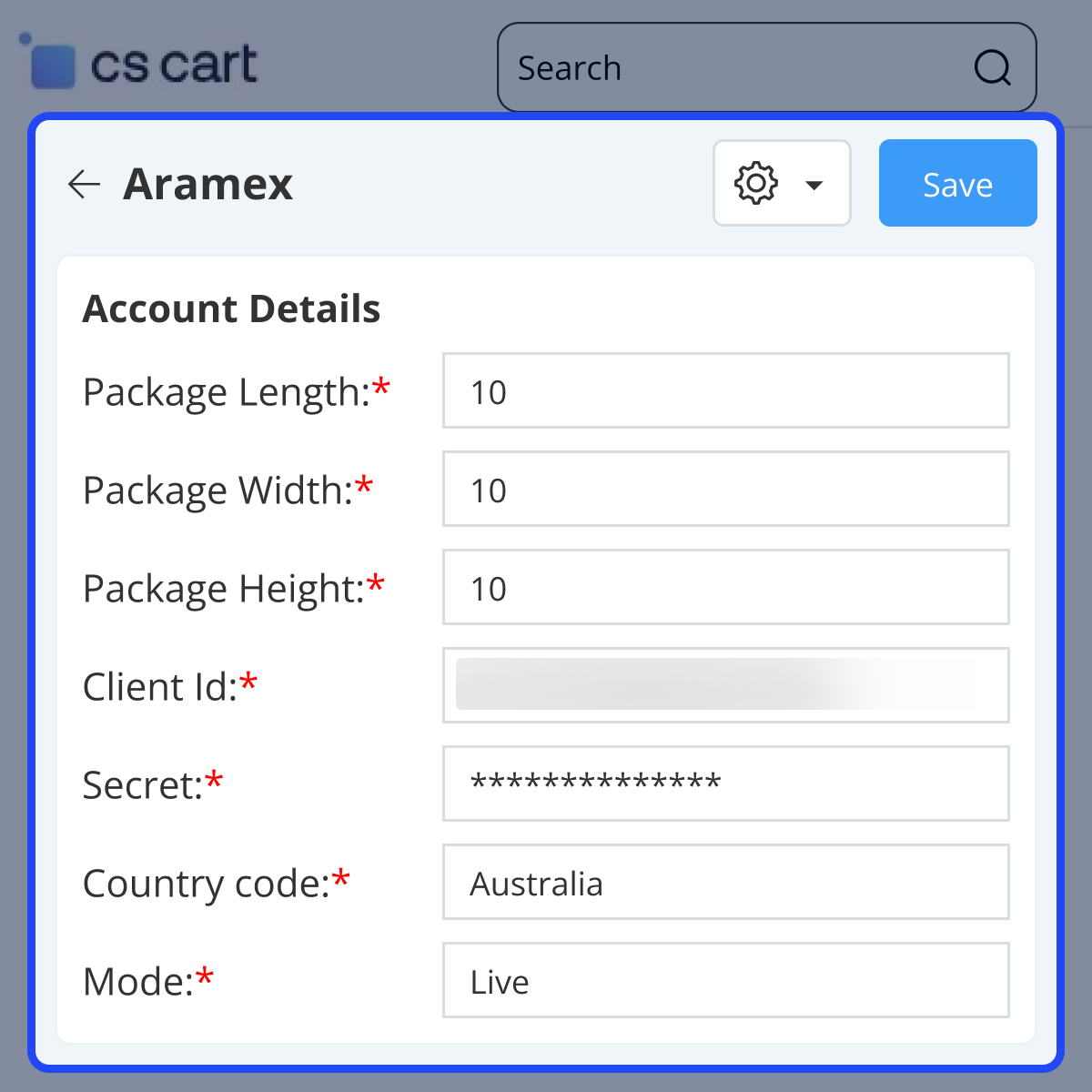
- Enter package dimensions: length, width, and height.
- Add your Aramex Client ID and Secret Key.
- Select the operating region – Australia or New Zealand.
- Choose between Test or Live mode for connection.
- Note: In Test mode, the “Pickup Required” setting is automatically disabled.

Shipping Cost Calculation
Shipping costs are dynamically calculated based on the total product weight and configuration settings.
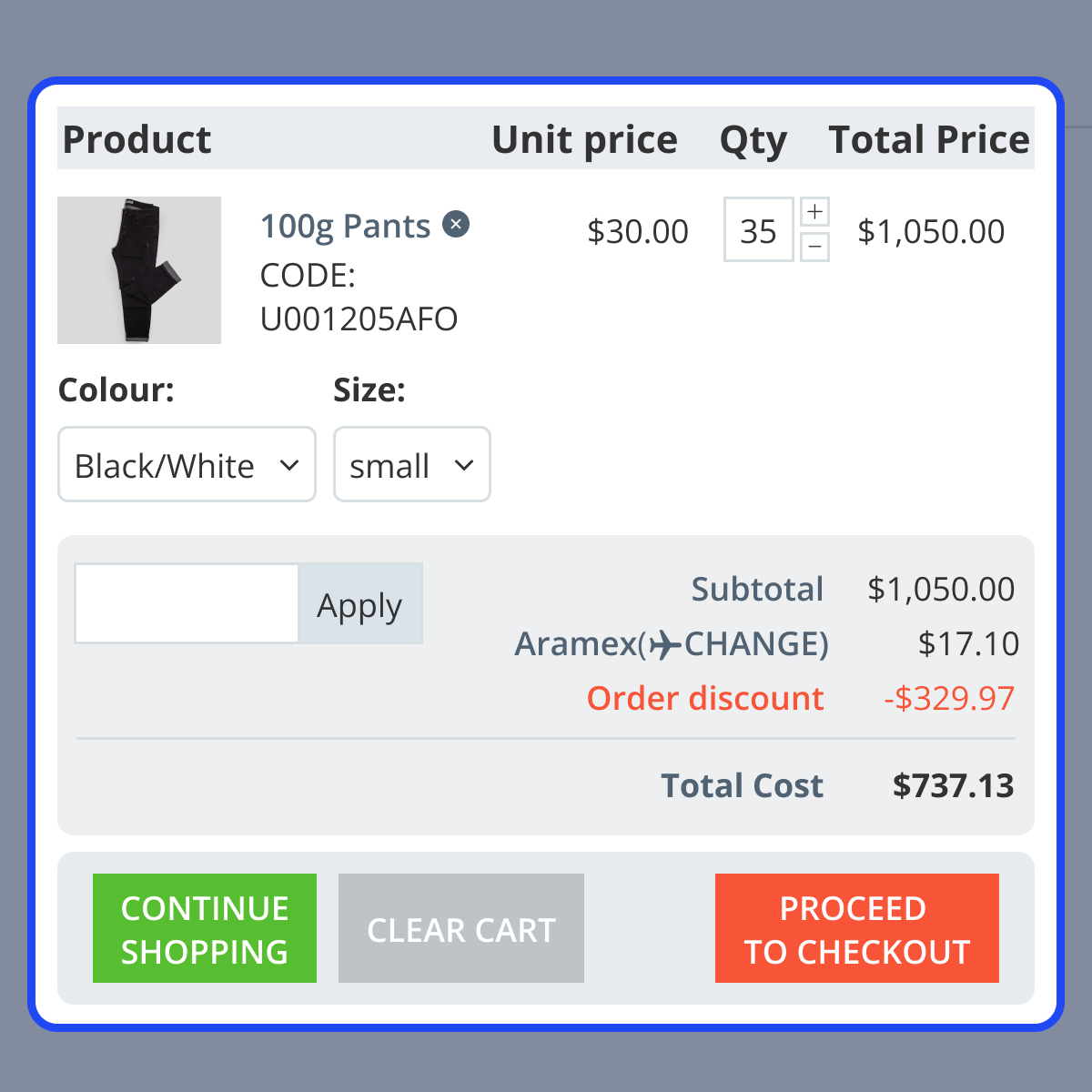
- Shipping rates are shown on the cart page based on current selections.
- When more products are added, the shipping cost updates automatically.
- Maximum weight per package is 25 kg.
- Orders exceeding 25 kg are split into multiple packages.

Support -
For any query or issue please create a support ticket here
You may also check our other top-quality CS-Cart Add-ons.
Specifications
Frequently Asked Questions
Move to Cloud Today
AWS Free tier hosting for one year by amazon web services, for more details please visit AWS Free Tier.
GCP Free tier hosting for one year with 300 credit points by google cloud platform, for more details please visit GCP Free Tier.
Azure free tier hosting for one year with 25+ always free services, for more details please visit Azure Free Tier.
In our default configuration we will provide tremendous configuration for your eCommerce Website which is fast to load and response.
Default Configuration Details of Server
- 1 GB RAM
- 1 Core Processor
- 30 GB Hard Disk
- DB with 1 GB RAM and 1 Core Processor
* Server Configuration may vary as per application requirements.
Want to know more how exactly we are going to power up your eCommerce Website with Cloud to fasten up your store. Please visit the Cloudkul Services.
Get Started with Cloud- + Features
- - Bugs
- + Add shipping method to the CS-Cart Store.


