Send Again
Close
CS-Cart Cloudflare R2 Storage helps store owners connect their CS-Cart store with Cloudflare R2 for cloud file management and media handling. Store owners can save product images, media files, and downloadable products in R2 storage instead of the local server.
This helps reduce hosting storage usage and keeps product media organized for growing online stores. Queue Handler support helps upload bulk images in the background and reduces timeout problems during large uploads.
CS-Cart Multi Vendor and Ultimate stores can manage media files through secure storage buckets and simple file management. Cloudflare R2 support helps stores handle large image collections and heavy media uploads more efficiently.
Stores using Cloudflare services can also use CS Cart Cloudflare Turnstile Captcha to reduce spam submissions.
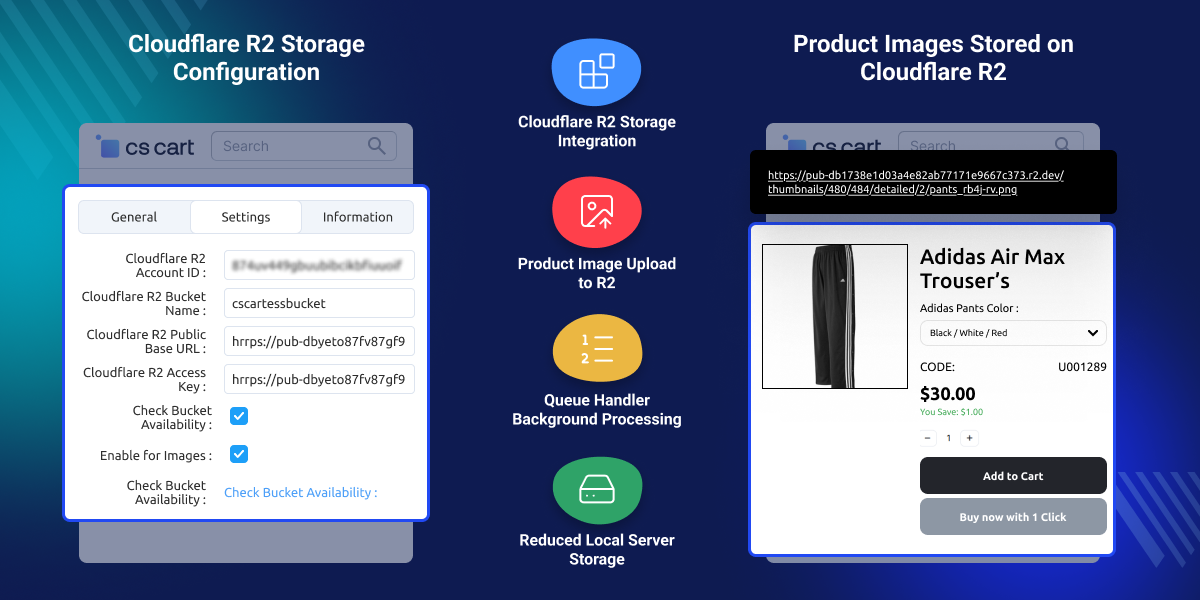
Connect store media files with Cloudflare R2 storage buckets.
Save product images and media files in cloud storage.
Upload bulk product images through background processing.
Reduce hosting storage usage for product media files.
Manage vendor product media through cloud storage.
Connect R2 storage using secure account credentials.
CS-Cart Cloudflare R2 Storage helps store owners manage product images, downloadable files, and media content through Cloudflare R2 for CS-Cart. Local storage can increase server usage and make file handling difficult for growing online stores with large media collections.
This setup helps businesses save product media in Cloudflare R2 instead of depending only on hosting storage. Queue Handler supports process uploads in the background and helps reduce timeout problems during bulk upload tasks.
Useful for media heavy and high-traffic CS Cart stores with large product image libraries. Stores handling large auction product catalogs can combine this module with CS Cart Auction for better media storage management.
CS-Cart Cloudflare R2 Storage helps online stores manage product images, media files, and downloadable products through cloud storage.
Store large product image collections in cloud storage.
Reduce the hosting server load during busy traffic periods.
Save digital product files in Cloudflare R2 storage.
Manage vendor media files through shared cloud storage.
Handle large image collections with simple file management.
Upload many product images through background processing.
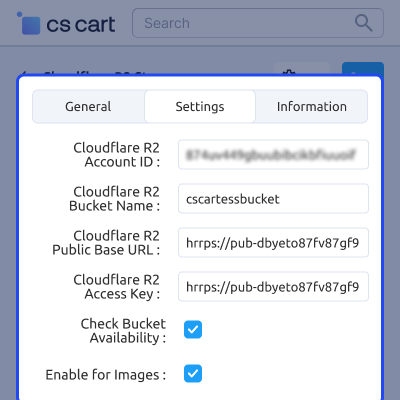
CS-Cart Cloudflare R2 Storage allows store owners to connect their store with Cloudflare R2 using account credentials and bucket configuration settings.
Store admins can manage cloud storage connection settings for product images and media files directly from the CS Cart admin panel.
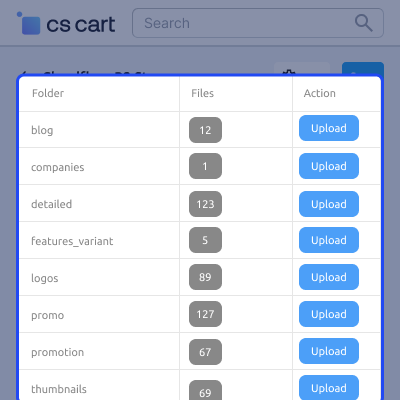
CS-Cart Cloudflare R2 Storage allows store owners to upload product images and media folders directly to Cloudflare R2 from the admin panel.
Store admins can manage bulk image uploads for large product catalogs without manually handling media files from the hosting server.
For any query or issue please create a support ticket here http://webkul.uvdesk.com. You may also check our other top-quality CS-Cart Add-ons.
Detailed technical features and requirements to help you understand the module’s capabilities and ensure smooth integration with your system.
Detailed technical features and requirements to help you understand the module’s capabilities and ensure smooth integration with your system.
We’re partnered with top-tier, trusted providers!
Want to know more how exactly we are going to power up your eCommerce Website with Cloud to fasten up your store
* Server Configuration may vary as per application requirements.



