Send Again
Close
CS-Cart Point of Sale Customer Screen is a one-stop solution for a physical store. The solution works in synchronization with the POS Screen Integration with CS-Cart to give the customer a satisfactory checkout.
CS-Cart POS System is a real-time display solution that enhances transparency at the point of sale. It allows the store owners and vendors to integrate a customer-facing display with the POS system, ensuring an accurate and error-free checkout experience.
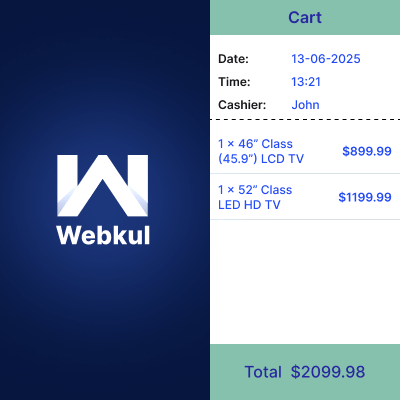
As agents scan or add products using the POS screen integration with CS-Cart, the screen immediately reflects those updates to the customer. This ensures the customer stays informed about their cart contents and the total price during the entire checkout process.
With automatic syncing and seamless compatibility with CS-Cart and Multivendor, the addon provides a smooth and professional in-store experience. Check out our CS-Cart POS App to manage offline store sales seamlessly with real-time inventory and order sync.
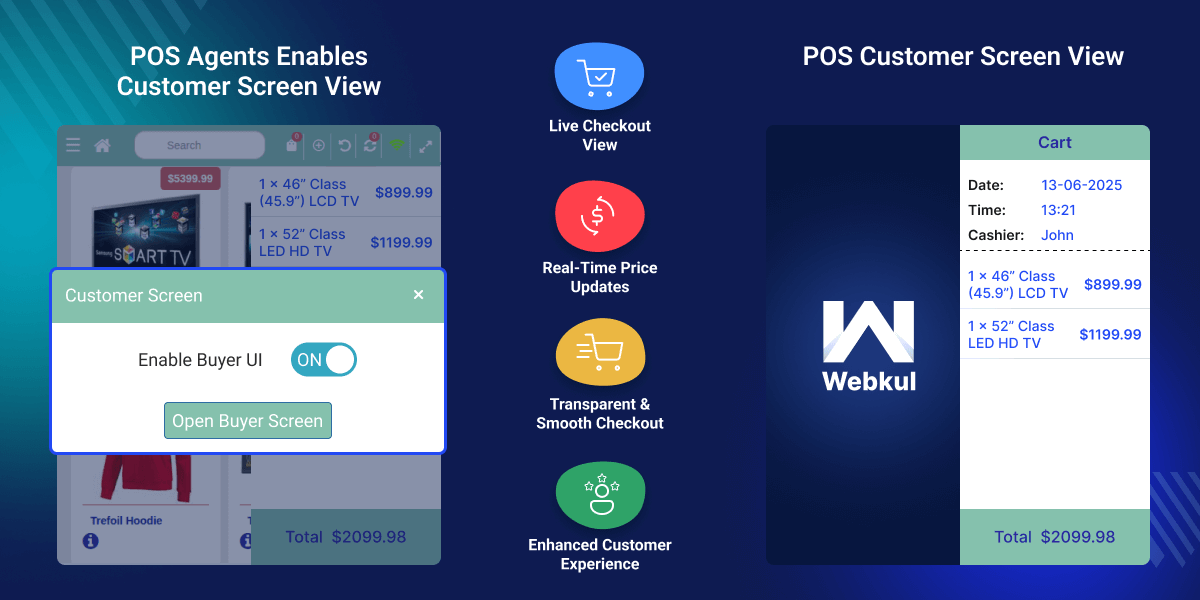
Shows scanned or added items instantly on the customer screen.
Reflects pricing changes and item updates as they happen.
Works with both CS-Cart and Multivendor editions.
Addon settings are simple to manage and customize.
CS-Cart Point of Sale Customer Screen addon serves as a critical tool in enhancing transparency and trust during the checkout process. This addon displays products and pricing in real time as the sales agent adds items using the POS system, enhancing billing transparency for customers.
By providing customers with a dedicated display that reflects products and pricing information in real time, it ensures that they remain fully informed throughout the transaction.
As the sales agent adds or scans items using the POS system, the corresponding details including product names, quantities, and the total amount—are instantly visible to the customer screen.
This real-time visibility minimizes the likelihood of discrepancies or billing errors and fosters a more transparent and professional interaction between the business and its customers.
The extension not only improves operational accuracy but also contributes to a more seamless and satisfactory in-store experience, particularly in retail and multi-vendor setups. Explore our CS-Cart Stripe POS Terminal add-on to accept in-person payments through Stripe’s secure POS terminals.
Instantly shows each item and its price on the customer screen as it’s added to the cart.
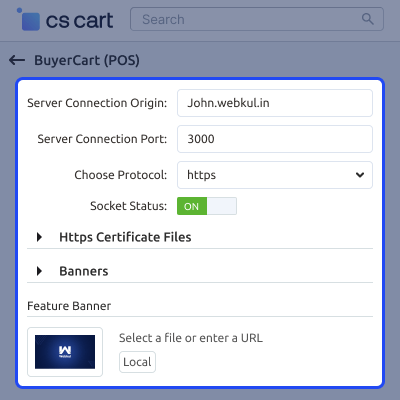
The admin needs to set up the module by uploading the HTTPS certificate files and adding the banners.
For any query or issue please create a support ticket here
You may also check our other top-quality CS-Cart Add-ons.
Detailed technical features and requirements to help you understand the module’s capabilities and ensure smooth integration with your system.
Detailed technical features and requirements to help you understand the module’s capabilities and ensure smooth integration with your system.
We’re partnered with top-tier, trusted providers!
Want to know more how exactly we are going to power up your eCommerce Website with Cloud to fasten up your store
* Server Configuration may vary as per application requirements.



