Send Again
Close
CS-Cart Subscription Payment Manager helps admin manage recurring payment methods and apply them to products. All recurring payment methods appear in one place in admin, where admin can enable one or more methods as needed.
Once enabled, a method can be assigned to any product with its own subscription setup. Each product can have its own billing cycle and pricing. Customers see the available subscription plans on the product page.
They choose a plan and billing cycle before checkout. The initial payment is collected at checkout, and recurring charges are handled by the selected payment gateway.
Recurring payment methods are managed through this module. Without it, subscription options will not appear on products or function at checkout.
For processing payments, the module works alongside supported gateways such as CS-Cart Stripe Payment Gateway.
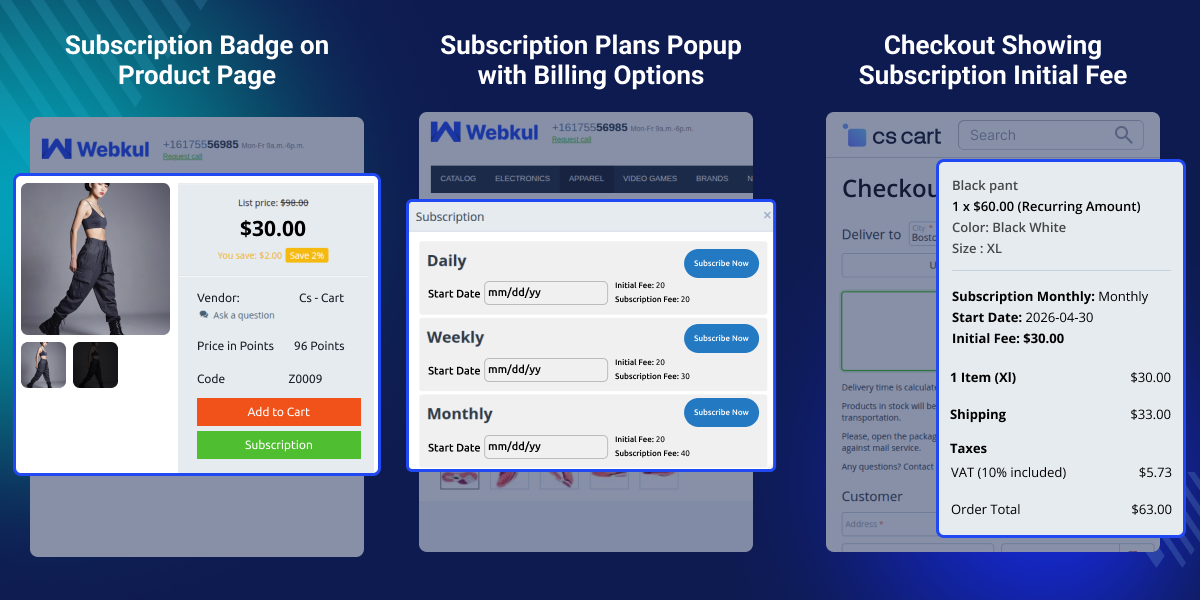
Manage all installed recurring payment methods from one place in admin.
Choose which subscription methods are active.
Assign selected payment methods to specific products directly.
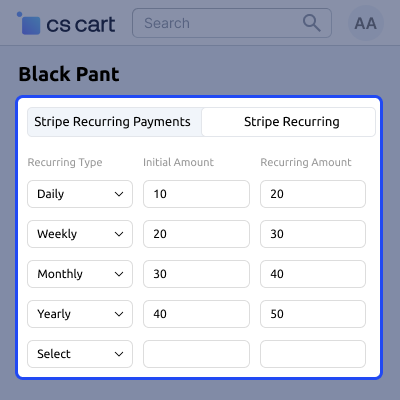
Set billing cycles along with initial and recurring charges.
Show subscription plans directly on product pages for customer selection.
Activate repeat billing across the store with this base module.
CS-Cart Subscription Payment Manager adds recurring payment management in CS-Cart. It does not separate one time and recurring payment methods. It also does not assign them at product level.
This makes it difficult to sell products that need repeat billing. Store owners cannot enable recurring billing per product or define billing cycles based on product type.
Admin can enable recurring methods from one place and link them to products. Each product gets its own billing settings based on its pricing and subscription model. Customers see the plans on the product page and proceed to checkout.
For more control over payment methods, CS-Cart Payment Method Restriction allows choosing which options appear for specific products and categories.
CS-Cart Subscription Payment Manager works for stores that need recurring payments on products.
Used for products that need recurring purchases, like supplements or household supplies. Allows setting a fixed billing schedule.
Works for ongoing services like maintenance or support. Set up subscription and define the billing cycle on the product.
After installation, admin selects which subscription options to enable. Selected methods are enabled for use on products.
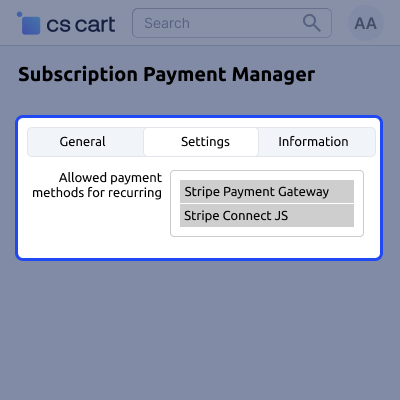
Each active subscription option appears on the product page. Billing details are configured directly for each product.
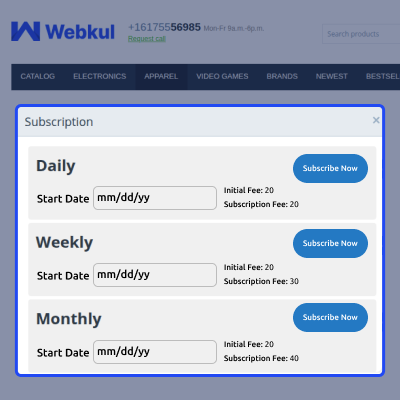
Customers can view and select plans on the product page. Each plan shows pricing and billing details.
For any query or issue please create a support ticket here http://webkul.uvdesk.com.You may also check our other top-quality CS-Cart Add-ons.
French:
Service client sérieux, suite probleme de commande a accepté d'échanger le module.
English:
Serious the order problem, severe customer service agreed to exchange the module.
Detailed technical features and requirements to help you understand the module’s capabilities and ensure smooth integration with your system.
Detailed technical features and requirements to help you understand the module’s capabilities and ensure smooth integration with your system.
We’re partnered with top-tier, trusted providers!
Want to know more how exactly we are going to power up your eCommerce Website with Cloud to fasten up your store
* Server Configuration may vary as per application requirements.



