- Description
- Reviews
- FAQ
- Specifications
- Cloud Hosting
- Changelog
ERPNext Website Advanced Wishlist replaces the single Webshop wishlist with multiple wishlists a shopper can name, organise and reuse. Saved items keep their notes, price and stock status in one place.
Customers reach /wishlist on the customer portal, where a sidebar lists their multiple wishlists with an item count each. A summary bar totals lists, saved wishlist items and the ones still in stock.
Each of the multiple wishlists opens in a grid or list view, with search and sorting by date added, name, price or availability. A private note can sit on any wishlist item, and the list exports as CSV.
Selected wishlist items move into the standard Webshop cart in one action. Out-of-stock rows are skipped and listed back, so ERPNext Website Advanced Wishlist never sends an unavailable product to the cart.
Any list can become a secure public link. Wishlist sharing issues a tokenised URL, and the shared wishlist page shows live prices and stock to whoever opens it, with an optional QR code for printing.
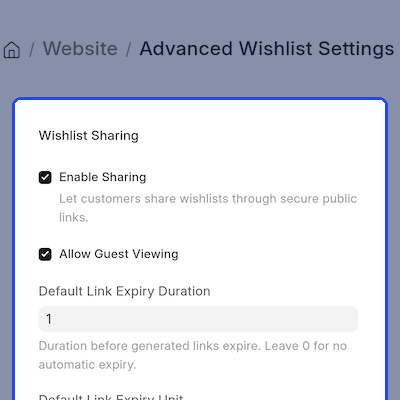
Store admins control all of it from Advanced Wishlist Settings in the Website workspace, including per-user list limits, guest wishlists, notifications and what a shared wishlist is allowed to show.
ERPNext Website Advanced Wishlist sits beside the rest of the Webshop storefront, so wishlist sharing works with the catalogue tools already in place. ERPNext Website Advance Product Sorting
A shared wishlist is often a gift list, and ERPNext Website Advanced Wishlist pairs with a related module that adds gift cards to the same storefront. Erpnext Website Gift Cards
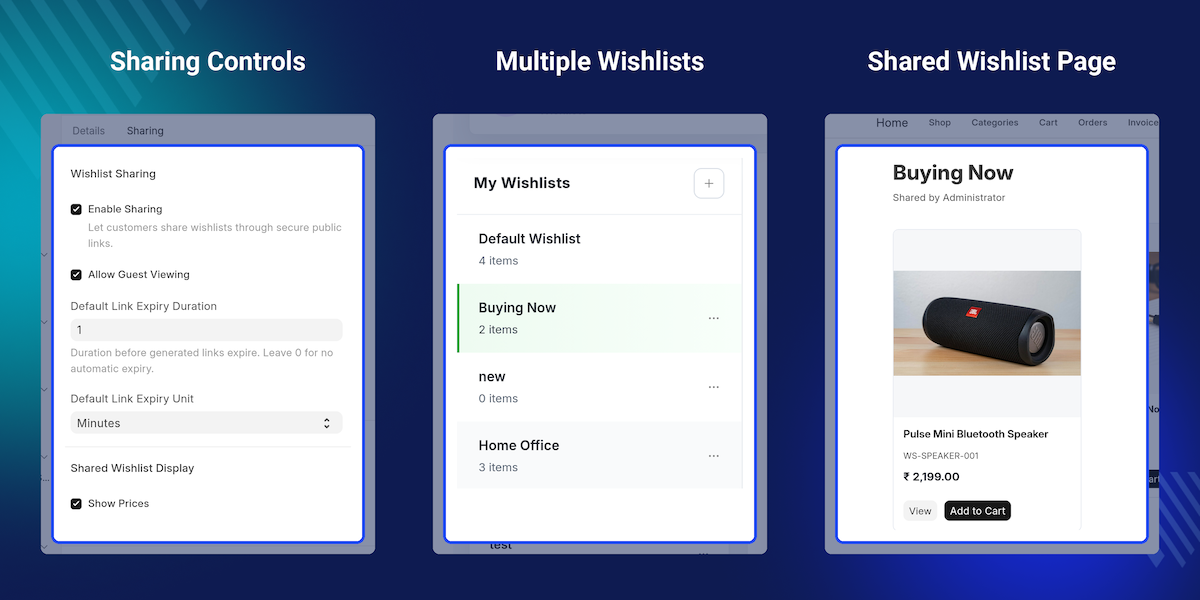
Highlighted Features of ERPNext Website Advanced Wishlist
Multiple Named Wishlists
ERPNext Website Advanced Wishlist lets customers create, rename, duplicate and delete lists up to the per-user limit.
Private Notes on Items
A short private note is stored against any saved row, so shoppers remember why they kept the product.
Search, Sort and View Modes
Each list can be searched and sorted by date, name, price or availability, in a grid or a list layout.
Add Selected to Cart
Tick the rows you want and send them to the Webshop cart, with out-of-stock rows skipped and reported.
Secure Share Links
Wishlist sharing issues one tokenised public URL per list, with optional expiry and guest viewing.
QR Code and Copy Link
A share link can be copied to the clipboard or downloaded as a QR code image when the store enables it.
Save a Shared List
A signed-in visitor copies a shared wishlist into their own account, merging it or saving it under a new name.
Guest Wishlist Sync
Products a guest saves in the browser move into their account the first time they sign in.
Why Do We Need ERPNext Website Advanced Wishlist?
The default Webshop wishlist is a single flat list. Gifts, a future project and products a shopper is still comparing all land together, and the pile of wishlist items grows until it stops being useful.
The default Webshop wishlist also stays private. A customer who wants a colleague to approve a purchase, or a relative to buy a gift, has to screenshot the wishlist items or retype item codes into an email.
A shared wishlist sent as a screenshot is wrong by the time it arrives. Prices and stock have moved on, and nobody can tell which of the wishlist items are still available to buy today.
ERPNext Website Advanced Wishlist closes both gaps. Customers keep multiple wishlists with their own names and notes, and wishlist sharing turns any of them into a live public link in one click.
The detail that matters most in practice is what the public page reads. ERPNext Website Advanced Wishlist looks up prices and stock when the shared wishlist is opened, and hides either one when Advanced Wishlist Settings says to.
Use Cases
-
Birthday List for the Family
A customer creates a list called Birthday, adds the products with a note on each, and sends the shared wishlist link to relatives, who open it and buy without needing a store account.
-
Purchase Approval at a B2B Buyer
A site engineer saves parts into multiple wishlists by project, then shares one list with the purchasing manager, who reviews prices and stock before anything reaches the cart.
-
Comparing Before Buying
A shopper keeps a Maybe list and a Buying Now list, saves each product into whichever one fits, and sends only the Buying Now list to the Webshop cart once the budget is approved.
-
Recovering a Guest Session
Someone browsing without an account saves four products, registers two days later, and finds those wishlist items already waiting in ERPNext Website Advanced Wishlist.
Multiple Wishlists on the Customer Portal
ERPNext Website Advanced Wishlist gives every signed-in customer multiple wishlists instead of one. A sidebar on /wishlist shows each list with its item count, and the active list opens beside it.
Each of the multiple wishlists can be renamed, duplicated, archived or deleted from its row menu. One list is always the default, and deleting it promotes the next active list so new wishlist items still have a home.
Key Features:
- Create, rename, duplicate and delete lists from the portal
- Archive a list and restore it later with its items intact
- One default list, reassigned automatically when it is deleted
- Duplicate a list under a new name to branch a plan
- Duplicate names blocked, so two lists never share a title
- Per-user list and per-list product limits set by the admin
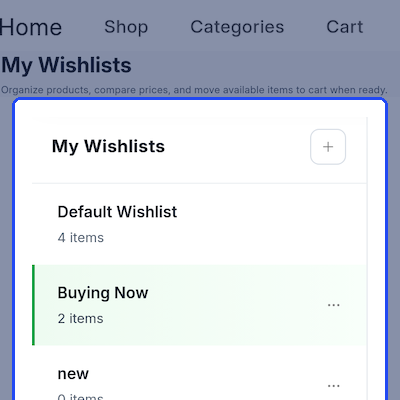
Wishlist Page Tools
Every one of the multiple wishlists opens in ERPNext Website Advanced Wishlist with a search box, a sort menu and a grid or list toggle. The chosen view is remembered in the browser for the next visit.
Sorting covers recently added, oldest, name, price and availability, so a long run of wishlist items can be read by whatever matters that day. A summary bar above the multiple wishlists counts lists, products and stock.
Key Features:
- Instant search across the cards in the open list
- Sort by recently added, oldest, name, price or availability
- Grid and list views, with the choice remembered per browser
- Summary bar counting lists, saved products and availability
- Export the open list to CSV with prices and stock status
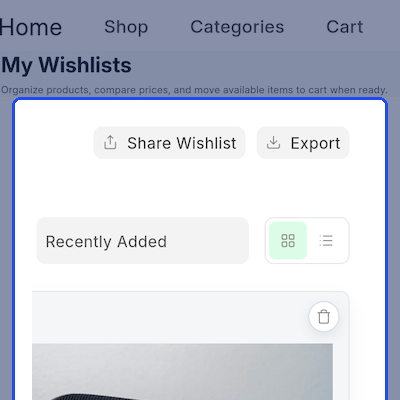
Private Notes and Saved Item Details
Each row in the multiple wishlists holds more than an item code. ERPNext Website Advanced Wishlist stores the quantity, UOM, item group, brand, the price at the moment of saving and the current price.
A private note can be stored against any wishlist item and is shown on its card, so the reason for saving a product stays with it across the multiple wishlists and its exported CSV file.
Key Features:
- Quantity and UOM held on every saved row
- Price at the time of saving kept beside the current price
- Stock shown as In Stock, Limited Stock or Out of Stock
- Item group, brand and variant parent stored per row
- A private note per item, shown on the card and in the export
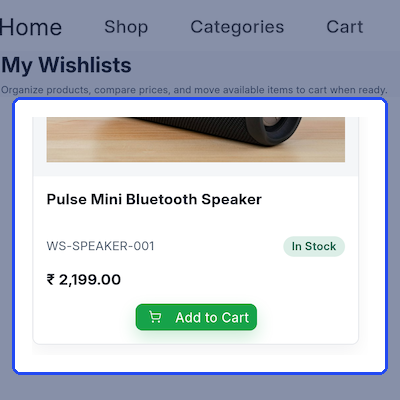
Add to Cart Without Leaving the List
ERPNext Website Advanced Wishlist sends saved products straight into the standard Webshop cart. A customer can add one row, tick several rows and add the selection, or add every wishlist item in the open list.
Rows marked Out of Stock are skipped and listed back, so the cart only receives wishlist items that can actually be bought. Rows that did reach the cart are flagged as purchased in the multiple wishlists.
Key Features:
- Add a single row to the cart from its own card
- Tick rows and add just that selection
- Add every item in the open list in one action
- Out-of-stock rows skipped and reported back by item code
- Updated cart quantity returned after each add
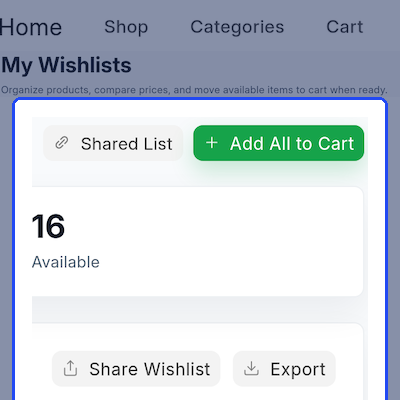
Secure Wishlist Sharing
Wishlist sharing in ERPNext Website Advanced Wishlist turns any list into a public link under /wishlist/shared, with a random token generated for each share. Nothing else about the account is exposed.
A link can be created from the wishlist page, from a list's row menu, or from the share manager at /wishlist/share. Each shared wishlist keeps one active link, so wishlist sharing again returns the link that exists.
A shared wishlist link can be copied to the clipboard, downloaded as a QR code, regenerated with a fresh token, or revoked. Wishlist sharing then stops at once for everyone holding the old address.
Key Features:
- One active tokenised link per list
- Copy link and QR code download, each enabled in settings
- Regenerate to retire the old link and issue a new one
- Revoke a link to withdraw access immediately
- Optional default expiry in minutes, hours or days
- Share manager at /wishlist/share listing every active link
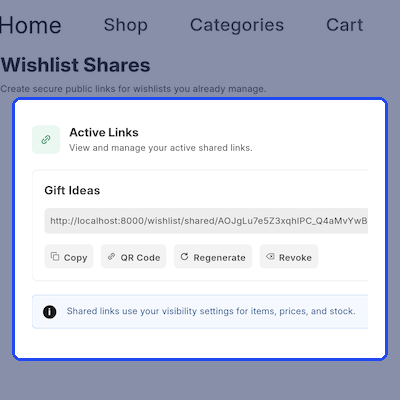
The Public Shared Wishlist Page
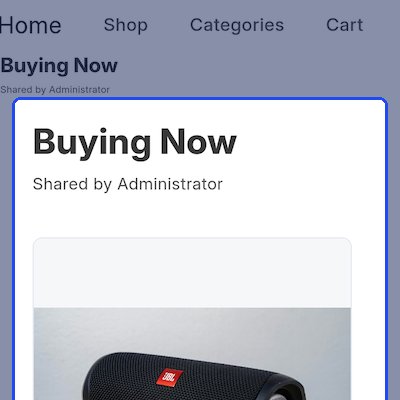
A visitor opening a shared wishlist sees the list title, the product cards, live prices and stock, and can click through to any product page. Guest viewing is controlled from Advanced Wishlist Settings.
Prices, stock and the owner's name are each shown or hidden by the store. ERPNext Website Advanced Wishlist reads the values as the page loads, so an old shared wishlist link never shows a stale price.
A signed-in visitor can save the whole list into their own account. If a list of that name already exists, ERPNext Website Advanced Wishlist offers to add the wishlist items to it or save them under a new name.
Key Features:
- Public page under /wishlist/shared with the list title
- Live price and stock read when the page loads
- Price, stock and owner name each optional for the store
- Add to Cart straight from a shared product card
- Save to My Wishlist, with a merge or rename choice
- Expired, revoked and unknown links all answer the same way
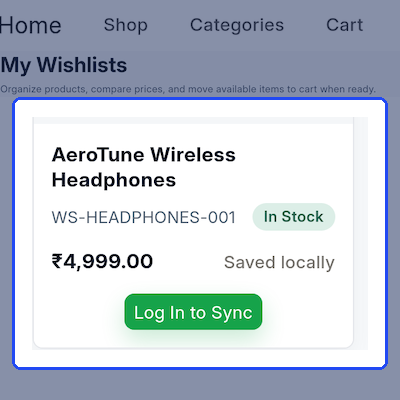
Guest Wishlists That Survive Sign-in
Shoppers who are not signed in can still save products. ERPNext Website Advanced Wishlist keeps the guest list in the browser and renders those wishlist items on /wishlist with current prices and stock.
The first time the shopper signs in, the saved wishlist items move into their default list and the browser copy is cleared. Nothing is lost between a guest session and the multiple wishlists in the account.
Key Features:
- Guest saves held in the browser, with no account needed
- Guest cards show the current price and stock status
- Saved products merged into the default list on first sign-in
- Browser copy cleared once the merge succeeds
- Guest saving switched off in settings when a store prefers
Admin Control in the Website Workspace
Everything is configured from Advanced Wishlist Settings in the Website workspace. ERPNext Website Advanced Wishlist can be switched off there, which returns the storefront to the default Webshop wishlist.
Advanced Wishlist Settings also sets the maximum lists per user, the maximum products per list, notifications, and the sharing rules: guest viewing, link expiry, and whether a shared wishlist shows prices or stock.
The workspace carries Advanced Wishlists, Wishlist Activity and Wishlist Shares as well. Every change across the multiple wishlists is recorded in Advanced Wishlist Activity with the action and the wishlist item.
Key Features:
- Advanced Wishlist Settings in the Website workspace
- Maximum lists per user and maximum products per list
- Optional in-app notification on every list change
- Activity log of adds, removes, moves, copies and cart adds
- Wishlist Shares list of every link customers have created
- Read access for Sales Manager, settings for Website Manager
Support
For any query or issue, please create a support ticket here: CREATE A TICKET HERE
You may also check our other top-quality ErpNext Modules.
Specifications
Frequently Asked Questions
Specification
Detailed technical features and requirements to help you understand the module’s capabilities and ensure smooth integration with your system.
Cloud Hosting for Websites & Applications
Power your website or application with flexible, scalable cloud infrastructure designed for performance and growth.
Move Your Website or Application to the Cloud
Get started with Cloudkul hosting tailored to your needs.
Configure Your Cloud Server
Choose server resources based on your workload, expected traffic, and performance requirements.
Start with the cloud resources your project needs today and adjust your server configuration as your business grows.
Explore flexible cloud hosting plans and choose your ideal configuration.
* Starting price is indicative. Final pricing and available server resources depend on the selected hosting configuration and requirements.
