- Description
- Reviews
- FAQ
- Customers ()
- Specifications
- Cloud Hosting
- Changelog
ERPNext Zoho CRM Connector helps you connect your ERPNext system with Zoho CRM. It lets both systems share and update data easily.
Many businesses use Zoho CRM to manage leads and sales, while ERPNext is used for tasks like orders and inventory.
Without a connection, teams have to enter the same data in both systems. This takes time and can cause mistakes.
This module solves that problem by syncing data between ERPNext and Zoho CRM. It keeps both systems updated with same information.
You can synchronize data like contacts, leads, deals, and products. Data can be brought in from Zoho CRM or sent from ERPNext.
ERPNext Zoho CRM Connector module uses secure OAuth2 login to connect with Zoho CRM. It also manages tokens automatically to keep connection active.
All synced records are tracked using mapping, so updates are handled correctly. This helps avoid duplicate records and keeps data clean.
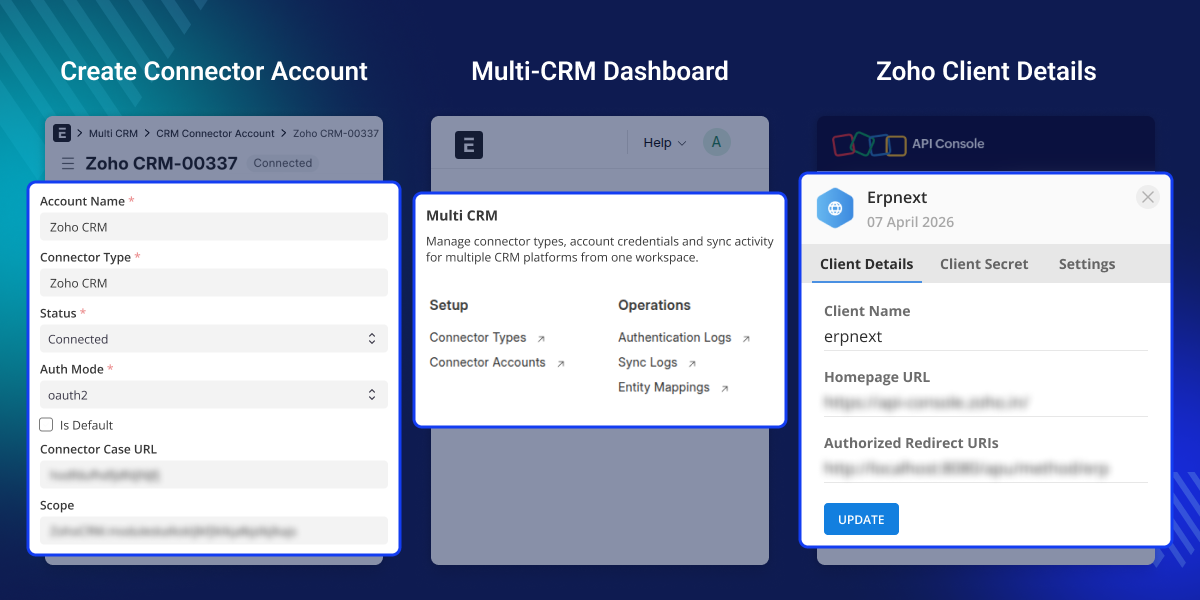
Highlighted Features of ERPNext Zoho CRM Connector
ERPNext Zoho CRM Integration
Connect ERPNext directly with Zoho CRM for smooth data synchronization.
Secure OAuth2 Authentication
Use OAuth2 with token refresh for safe and stable connections.
Contact Synchronization
synchronize contacts with details like name, email, phone, and company.
Lead Synchronization
synchronize leads with details like name, email, phone, company, and source.
Deal Synchronization
Sync opportunities (deals) with details like amount, stage, and closing date.
Product Synchronization
synchronize products with details like name, code, price, and category.
Bidirectional Data Synchronization
Synchronize data from Zoho and export updates back to ERPNext.
Entity Mapping Tracking
Track synced records between ERPNext and Zoho to avoid duplicates.
Role-Based Access Control
Restrict module access to authorized users and secure API endpoints using proper permissions and authentication.
Why do we need an ERPNext Zoho CRM Connector?
Many businesses use Zoho CRM to manage leads and sales, while ERPNext is used for tasks like orders and inventory. Handling both systems separately creates extra work.
Without integration, teams have to enter the same data in both systems. This can cause mistakes, duplicate records, and slow down the sales process.
ERPNext Zoho CRM Connector solves this by syncing data between both systems. It keeps leads, contacts, deals, and products updated automatically.
Keep your Zoho CRM and ERPNext data connected, accurate, and easy to manage from one place.
Prerequisites for using ERPNext Zoho CRM Connector
ERPNext Zoho CRM Connector works in conjunction with the following module:
You must install the above-mentioned module to use ERPNext Zoho CRM Connector.
Use Cases
Sales Team Using Zoho, Operations in ERPNext
Zoho CRM handles leads and deals, while ERPNext manages orders and inventory. This module syncs both systems automatically.
Reducing Manual Data Entry
Teams often copy customer and deal data from Zoho CRM to ERPNext. This module removes that need by syncing data automatically and reducing errors.
Growing Business with Separate Tools
A growing business uses Zoho CRM to track sales and ERPNext for backend work. This module connects both systems and keeps the data same.
Accurate Deal Sync from Zoho CRM
Sales teams manage deals in Zoho CRM, but operations happen in ERPNext. This module imports deal details into ERPNext with full information and proper linking to contacts or leads.
Connector Types Configuration
This section allows you to define how Zoho CRM connects with ERPNext. It acts as base setup for integration.
- Configure connector type for Zoho CRM.
- Define authentication method like OAuth2.
- Set API base URL and endpoints.
- Manage authorization and token flow settings.
- Create a reusable connection structure.

Connector Account Management
Here, you create and manage actual Zoho CRM connections using the configured connector type. Each account represents one active connection.
- Create Zoho CRM connector accounts.
- Add account credentials and configuration.
- Validate connection to ensure it is working.
- Track connection status like Connected or Failed.
- Enable or disable connection when required.
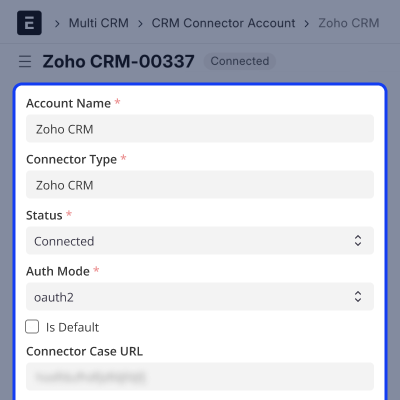
Authentication Logs
This section records all login and authentication-related activities between ERPNext and Zoho CRM. It helps you track connection behavior.
- Log connection and disconnection events.
- Track token generation and refresh actions.
- Record authentication failures and errors.
- Monitor connection validation attempts.
- Use logs for debugging and audit purposes.
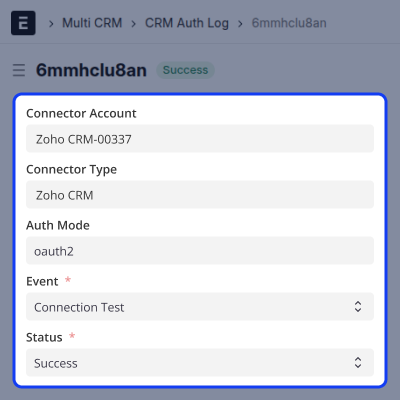
Synchronization Logs
This section shows all data sync activities between ERPNext and CRM systems. It helps you see what data moved and when.
- Track import and export operations.
- Monitor success and failure of sync actions.
- Identify issues during data transfer.
- View history of synchronization tasks.
- Ensure smooth data flow between systems.
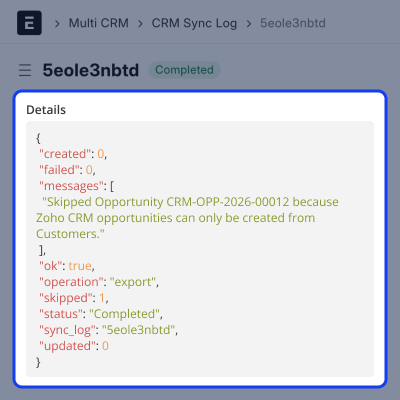
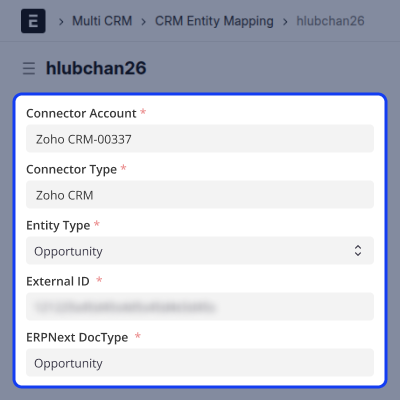
Entity Mapping
This section manages how records from Zoho CRM are linked with ERPNext records. ERPNext Zoho CRM Connector ensures proper tracking and avoids duplication.
- Map Zoho CRM records with ERPNext documents.
- Store unique IDs for each synced record.
- Update existing records during re-sync.
- Maintain connection between both systems.
- Ensure accurate and consistent data syncing.
Support
For any query or issue, please create a support ticket here CREATE A TICKET HERE
You may also check our other top-quality ErpNext Modules.
Specifications
FAQ’s
Specification
Detailed technical features and requirements to help you understand the module’s capabilities and ensure smooth integration with your system.
Cloud Hosting
Detailed technical features and requirements to help you understand the module’s capabilities and ensure smooth integration with your system.
Move to Cloud Today
We’re partnered with top-tier, trusted providers!



Default Configuration Details of Server
RAM 1 Core
Processor 30 GB
Hard Disk
Database
Want to know more how exactly we are going to power up your eCommerce Website with Cloud to fasten up your store
* Server Configuration may vary as per application requirements.
